
Keysmith
Crie um atalho para qualquer ação
Mac
Versão 1.18.7
macOS 10.15 ou posterior
43.6 MB
2 idiomas
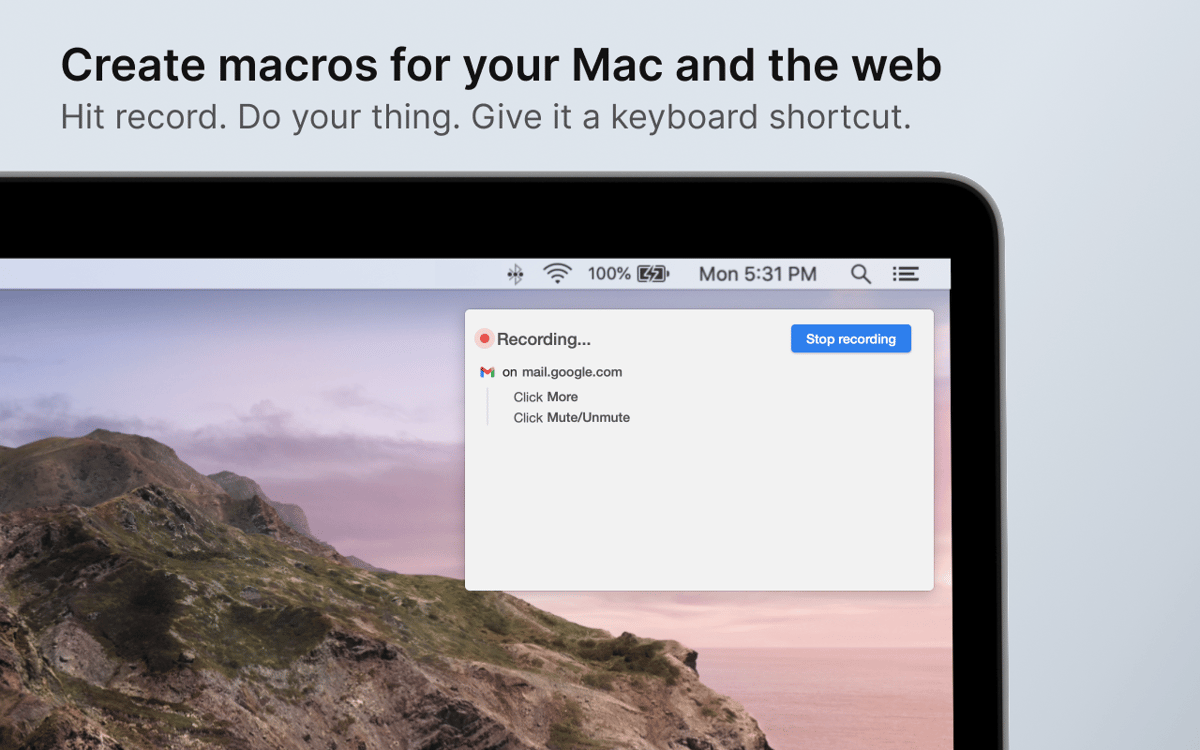
Você sabe como diferenciar usuários avançados de usuários normais no Mac? Usuários avançados mantêm as mãos no teclado. O Keysmith grava o que você digita e onde você clica, e ajuda a criar macros eficientes que funcionam especificamente para você.
Crie suas próprias ações rápidas no Mac
Grave ações e atribua teclas de atalho
Acelere seu trabalho no Slack, Github, etc.
Execute ações rápidas em apps e na web
Recursos do Keysmith
Grave o seu fluxo de trabalho
O diferencial do Keysmith está em sua capacidade de monitorar o modo como você trabalha e gravar os seus passos. Basta clicar no botão de gravação e realizar uma ação para que o Keysmith grave o que foi digitado e clicado, transformando esses passos em um macro. Se desejar, você pode personalizar os passos gravados.
Defina macros universais e específicos para apps
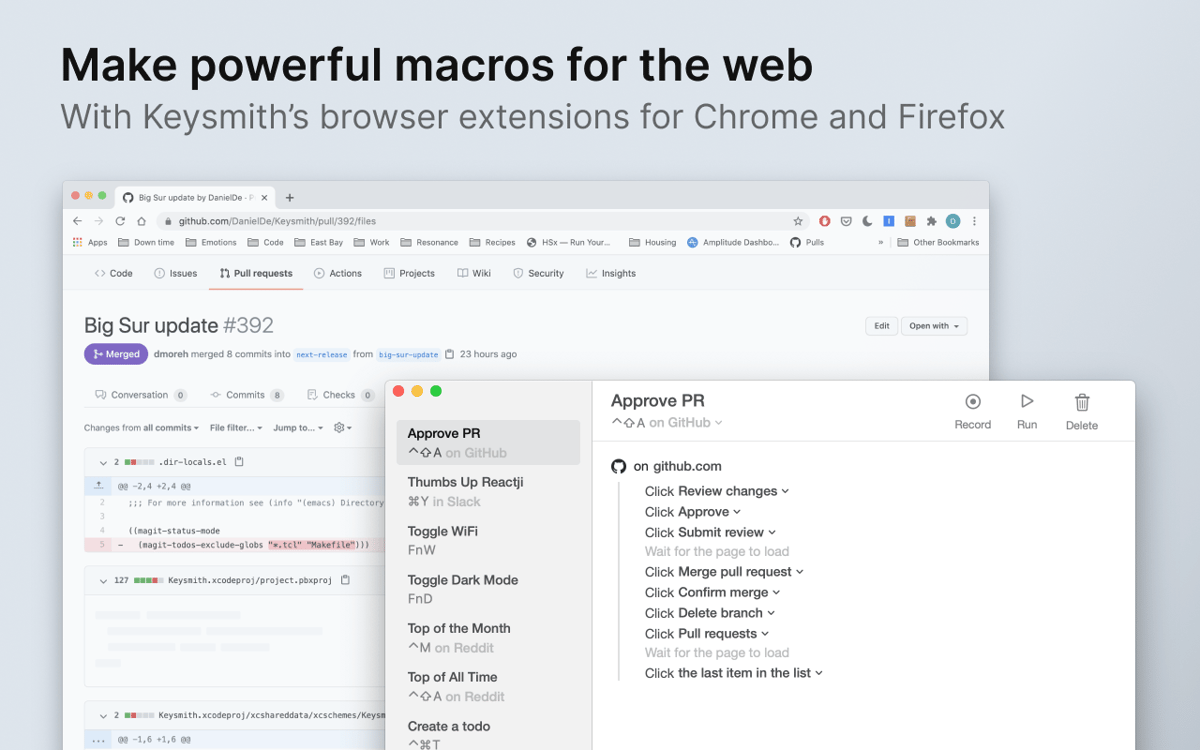
O Keysmith permite que você crie atalhos universais ou exclusivos para apps que serão acionados em apps ou sites específicos. Pense nas ações que você faz todos os dias. Pedido de pull? Slack? Muitas edições no Documentos Google? Tudo pode ser simplificado com o Keysmith.
Busca igual a do Spotlight
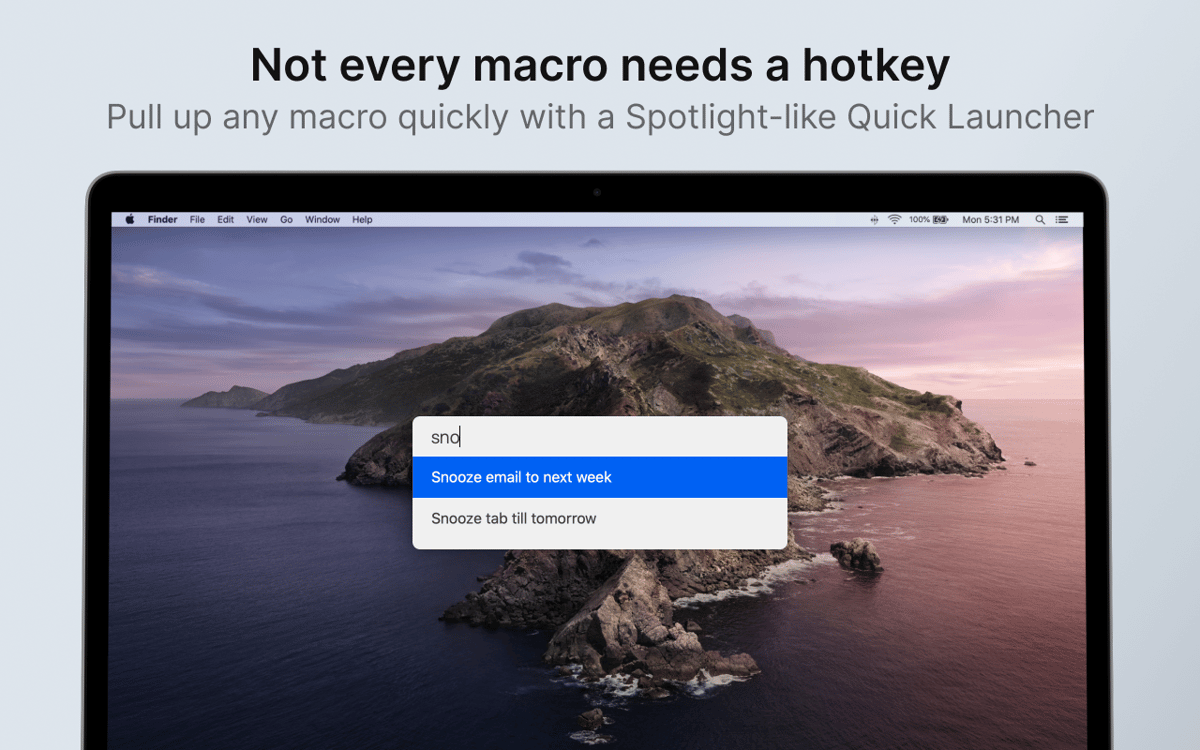
Os macros do Keysmith economizam bastante tempo, mas não é desejável ter que memorizar dezenas de atalhos novos. Felizmente, o Keysmith tem uma barra de busca igual a do Spotlight, onde você pode encontrar e executar os macros por nome. Você não precisa se lembrar como fazer as coisas, o Keysmith cuida disso para você.
Casos de uso do Keysmith
Você pode criar uma gama completa de macros em apps nativos do Mac e na web (com uma extensão para Chrome ou Firefox). Configure o Keysmith para abrir uma nova aba no Chrome, iniciar um pedido de pull no GitHub, destacar o texto selecionado no Documentos Google ou reagir com um emoji específico em mensagens do Slack. Tudo é possível.
Funciona nativamente no Mac
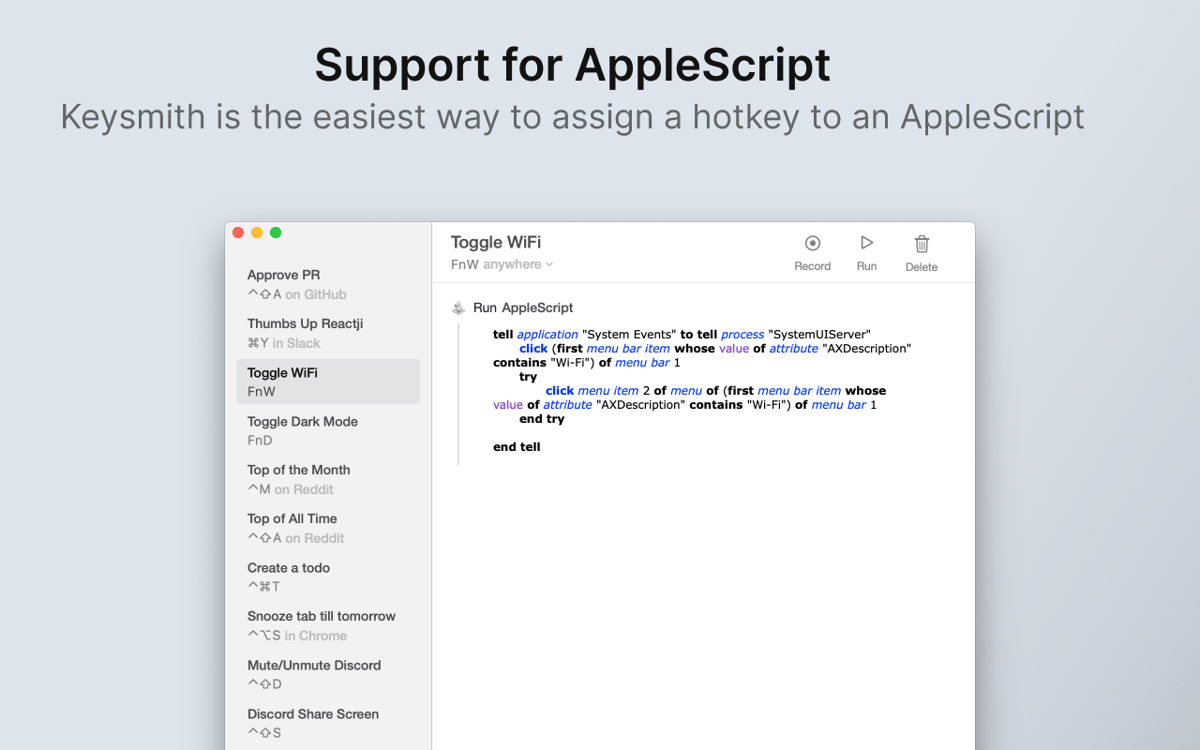
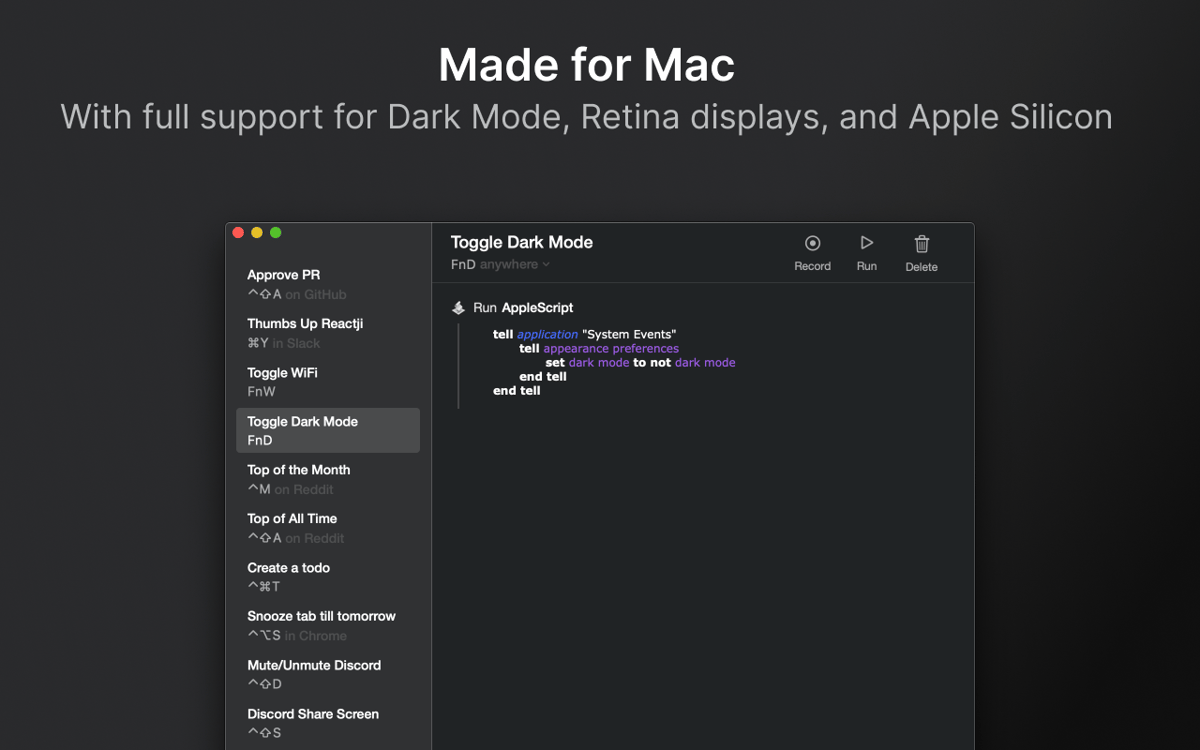
Modo Escuro, compatibilidade com tela Retina e tudo mais que você espera de um app nativo para Mac. O Keysmith é escrito em Swift e se adapta perfeitamente ao seu fluxo no Mac. Além disso, o app permite que você execute macros com AppleScript ou até integre scripts personalizados aos macros existentes.
Classificações e avaliações
Keysmith
•
491 classificações
Paul Parker
28 de jul. de 2026
Versão do app: 1.18.7
Best macro app I’ve ever had, bar none. Not quite as powerful as say Keyboard Maestro, but so much easier to use I stopped using that after I started using this. Constructive criticism: I’m not sure how well maintained the app really is. I got enough warnings about not ready for Apple-Silicon-only versions of MacOS that I was concerned. Also, I’d really like to see some fuzzy image recognition built in, so I could use it in games, especially Steam ones.
Andi
19 de abr. de 2026
Versão do app: 1.18.7
I’m so confused… I just downloaded Keysmith app because the concept seems very fascinating. 1st step of the app onboarding process: Add Chrome extension, click on the link, and now you’re on the Chrome extensions web page. The app was flagged and discontinued: “This extension is no longer available because it doesn't follow best practices for Chrome extensions.” ….um, do I REALLY want to proceed???
𝙹𝚎𝚜𝚜𝚒𝚌𝚊 𝚅𝚒𝚕𝚕𝚊𝚛-𝙴𝚜𝚙𝚒𝚗𝚘𝚜𝚊
20 de fev. de 2026
Versão do app: 1.18.7
excellent expierence
Obtenha centenas de apps com o Membership
Obtenha um membership do Setapp e use centenas de apps estelares numa única assinatura.
Experimente grátis por 7 dias. Depois, pague um valor único.
Instale o Setapp no Mac
Explore apps para Mac, iOS e web. Encontre formas fáceis de lidar com as tarefas do dia a dia.

Obtenha o app que chamou sua atenção
Aquele app especial está esperando você no Setapp. Instale‑o com um clique.

Keysmith
Escolha uma assinatura
Um ou mais apps com um membership do Setapp. Obtenha os apps que você quer.

Obtenha centenas de apps com o Membership
Obtenha um membership do Setapp e use centenas de apps estelares numa única assinatura.
Experimente grátis por 7 dias. Depois, pague um valor único.
1
Instale o Setapp no Mac
Explore apps para Mac, iOS e web. Encontre formas fáceis de lidar com as tarefas do dia a dia.
2
Obtenha o app que chamou sua atenção
Aquele app especial está esperando você no Setapp. Instale‑o com um clique.
Keysmith
3
Escolha uma assinatura
Um ou mais apps com um membership do Setapp. Obtenha os apps que você quer.
A casa dos melhores apps
Desde tarefas rotineiras e de planejamento a atividades criativas e de programação, encare suas tarefas com os apps do Setapp.

TypingMind
IU alternativa para conversar com IA
gere ou resuma textos
use uma biblioteca de ações
IA

Spark Mail
Gerencie e‑mails
IA

CleanMyMac
Limpe os detritos

Bartender
Personalize a barra de menus

CleanShot X
Capturas de tela versáteis

Luminar Neo
Edite suas fotos
IA

ClearVPN
Conecte‑se com mais segurança

Craft
Trabalhe com documentos
IA
Keysmith
Crie um atalho para qualquer ação