
Lacona
Diga ao Mac o que fazer
Mac
Versão 2.5.5
macOS 10.15 ou posterior
19 MB
1 idiomas
Controle o Mac com o Lacona, o assistente de teclado mais rápido que simplifica seu fluxo de trabalho diário. Use linguagem natural em inglês para buscar e iniciar apps, abrir URLs, alterar ajustes, controlar apps como Mapas, Música, Notas e seus apps de terceiros favoritos. Ele é como uma mistura do Spotlight com a Siri, só que com muito mais possibilidades.
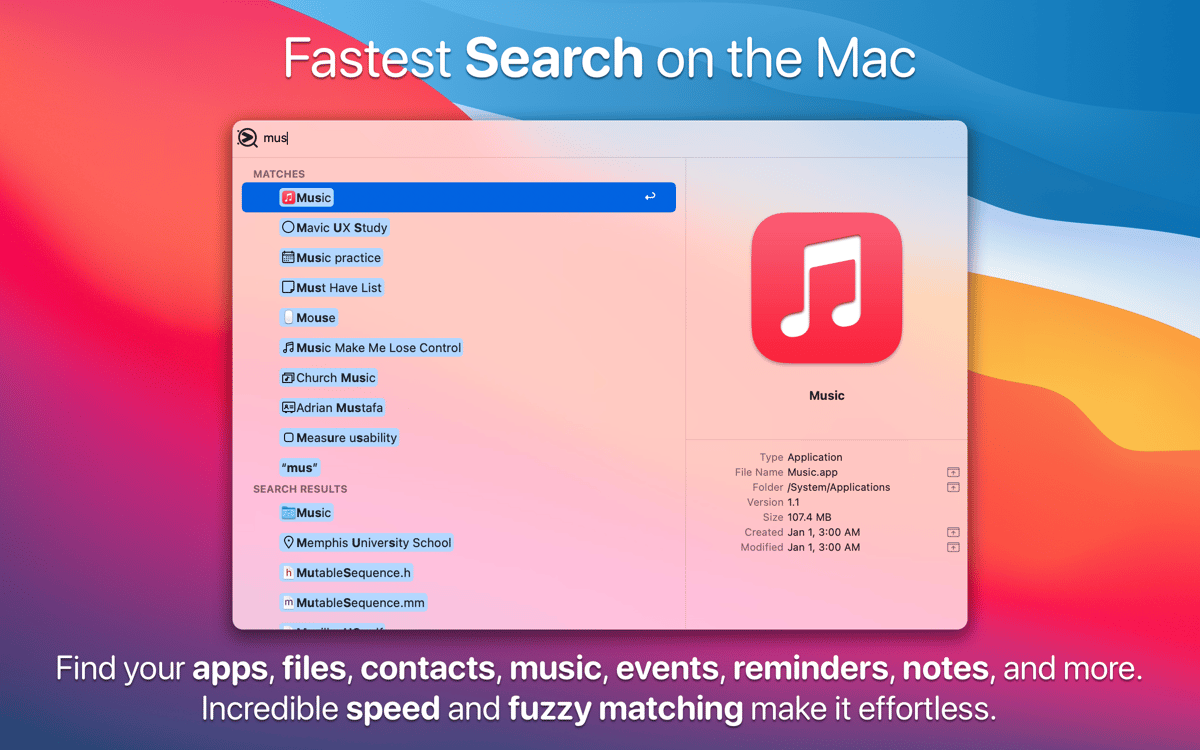
Busque qualquer coisa em uma única barra de busca
Use como uma alternativa leve ao Alfred
Troque o Spotlight por uma busca mais inteligente
Busque apps, arquivos, notas, músicas, etc.
Recursos do Lacona
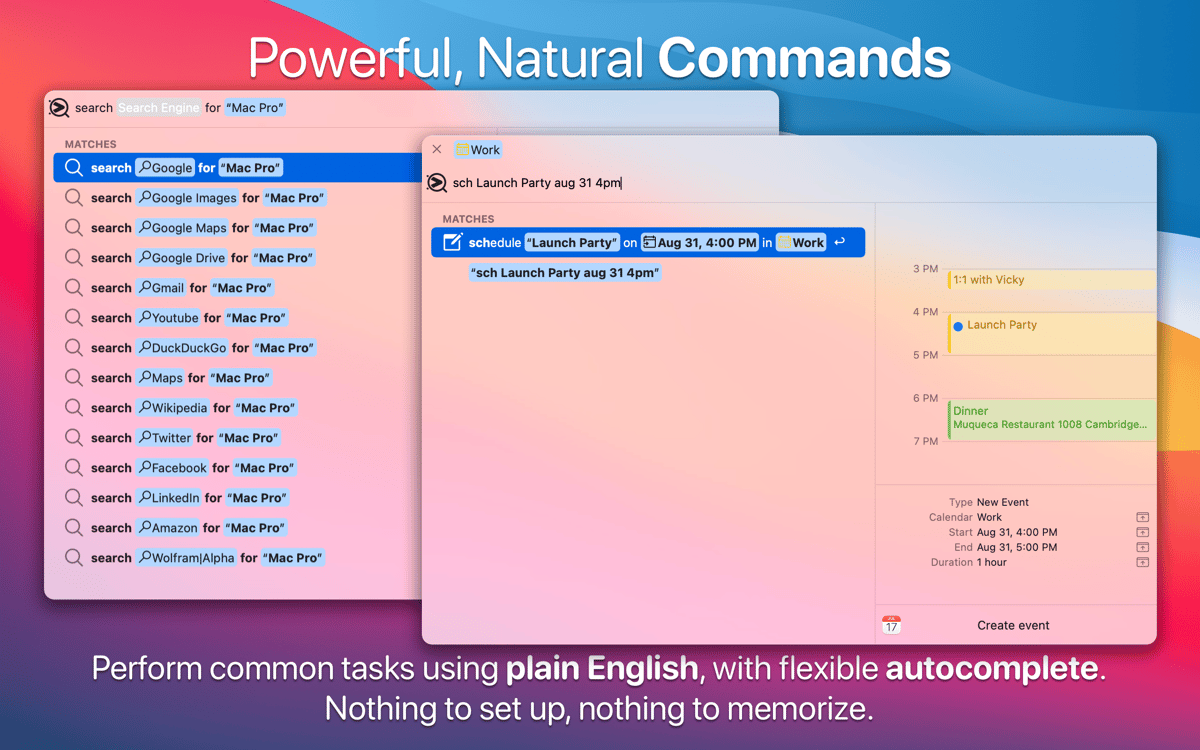
Comandos de linguagem natural
O Lacona é a alternativa perfeita à Siri, especialmente se você acha exótico falar com o Mac. Você pode digitar naturalmente, em termos humanos simples, como “Play alt-J” ou “remind me to call mom tomorrow morning”. O Lacona integra-se aos serviços do Mac e de apps da terceiros, então não há chances dele não entender você.
A busca mais rápida no Mac
Acesse apps, arquivos, contatos e muito mais com apenas algumas teclas. Ao achar o que procura, você pode usar comandos para realizar tarefas. Depois de pegar o jeito, não há caminho de volta — tudo fica mais rápido (desculpe, Spotlight).
Centenas de comandos do macOS
Aproveite os comandos robustos do Lacona e economize horas toda semana. Abra um app, busque na web ou ejete um disco — depois de se acostumar com o Lacona, os comandos fluirão naturalmente. Também é fácil modificar os ajustes de sistema do Mac enquanto você estiver fazendo outras coisas.
Preenchimento automático inteligente
O Lacona prevê o que você ainda vai digitar e destaca os comandos mais prováveis. Para auxiliar, ele os mostra com ícones e até cores no código. A lista de comandos diminui conforme você digita e fornece um atalho para cada ação. E com uma correspondência por aproximação, tudo fica mais rápido e simples.
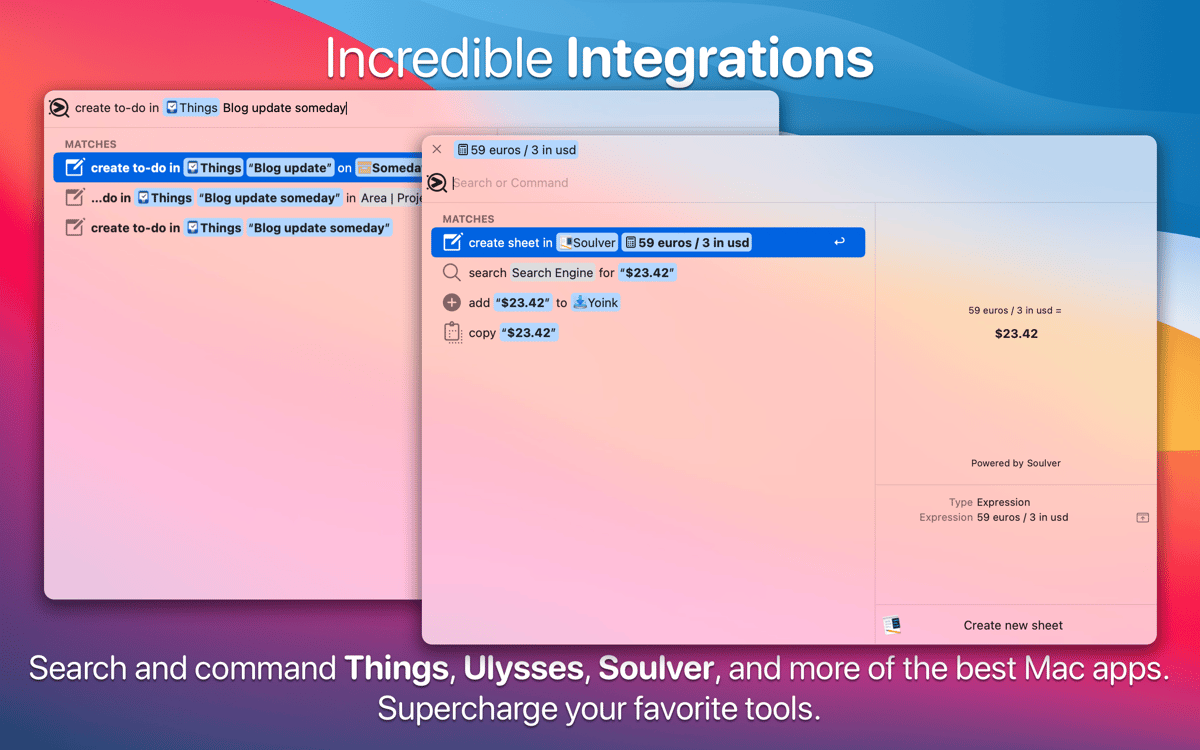
Controle seus apps favoritos
Use o Lacona para buscar nos apps Mapas, Notas ou Música, além de controlar ações em seus apps de terceiros favoritos. O Lacona integra-se a apps populares para Mac, como Things, Ulysses, Yoink, Lungo e muitos outros. Muitos deles fazem parte do Setapp, o qual deixa o seu fluxo de trabalho verdadeiramente fluido.
Classificações e avaliações
Lacona
•
72 classificações
Andrew Burnett
22 de set. de 2026
Versão do app: 2.5.5
I used to love Lacona, but recently it has stopped finding apps when I want to launch them - the settings listed in any suggested solution were not present in the app either, so sadly uninstalling it for now.
Nathan DeGruchy
16 de jul. de 2025
Versão do app: 2.5.5
It’s good. However it doesn’t look for apps in ~/Applications, which can be frustrating. I would say that it’s a decent app and document launcher, though.
Michail
28 de abr. de 2025
Versão do app: 2.5.5
Even though I enjoyed some of its features, its just too laggy and crashes too often. Will revisit a later version, but currently it was impacting my workflow negatively instead of improving it.
Obtenha centenas de apps com o Membership
Obtenha um membership do Setapp e use centenas de apps estelares numa única assinatura.
Experimente grátis por 7 dias. Depois, pague um valor único.
Instale o Setapp no Mac
Explore apps para Mac, iOS e web. Encontre formas fáceis de lidar com as tarefas do dia a dia.

Obtenha o app que chamou sua atenção
Aquele app especial está esperando você no Setapp. Instale‑o com um clique.

Lacona
Escolha uma assinatura
Um ou mais apps com um membership do Setapp. Obtenha os apps que você quer.

Obtenha centenas de apps com o Membership
Obtenha um membership do Setapp e use centenas de apps estelares numa única assinatura.
Experimente grátis por 7 dias. Depois, pague um valor único.
1
Instale o Setapp no Mac
Explore apps para Mac, iOS e web. Encontre formas fáceis de lidar com as tarefas do dia a dia.
2
Obtenha o app que chamou sua atenção
Aquele app especial está esperando você no Setapp. Instale‑o com um clique.
Lacona
3
Escolha uma assinatura
Um ou mais apps com um membership do Setapp. Obtenha os apps que você quer.
A casa dos melhores apps
Desde tarefas rotineiras e de planejamento a atividades criativas e de programação, encare suas tarefas com os apps do Setapp.

TypingMind
IU alternativa para conversar com IA
gere ou resuma textos
use uma biblioteca de ações
IA

Spark Mail
Gerencie e‑mails
IA

CleanMyMac
Limpe os detritos

Bartender
Personalize a barra de menus

CleanShot X
Capturas de tela versáteis

Luminar Neo
Edite suas fotos
IA

ClearVPN
Conecte‑se com mais segurança

Craft
Trabalhe com documentos
IA
Lacona
Diga ao Mac o que fazer