
MarsEdit
Crie conteúdo de texto off‑line
Mac
Versão 5.4.6
macOS 10.15.4 ou posterior
49.5 MB
1 idiomas
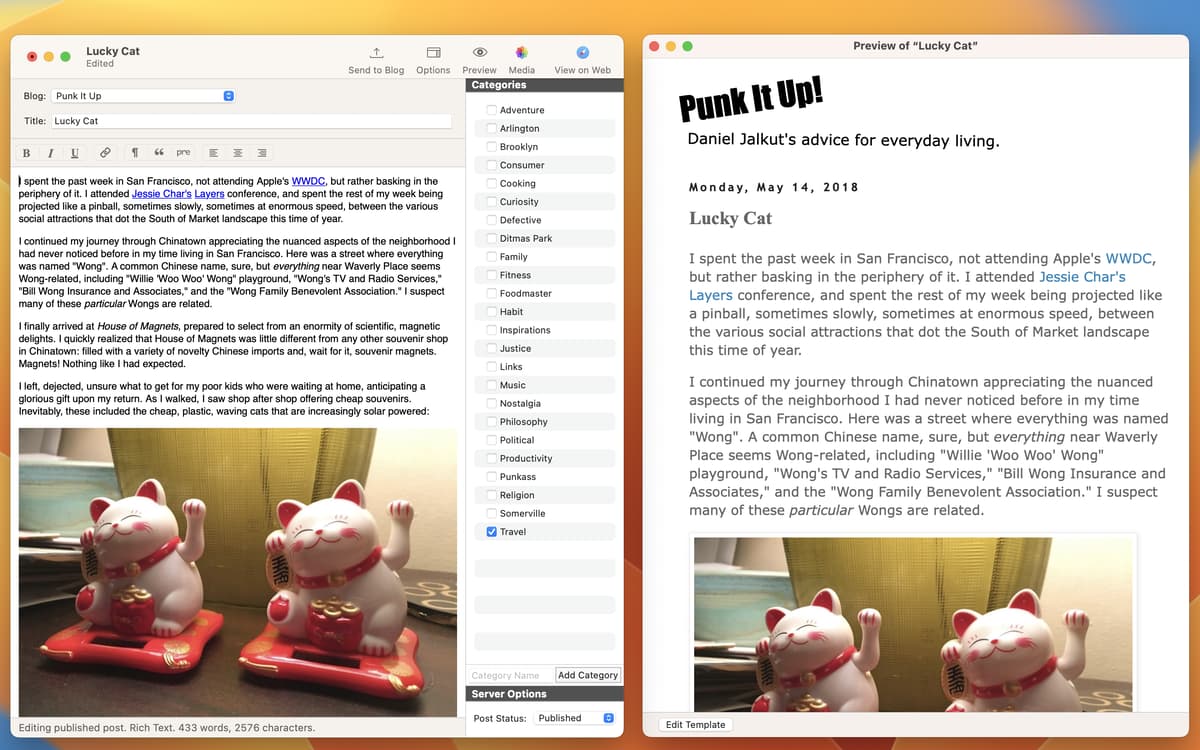
A inspiração não tem hora para bater. O MarsEdit permite que você não dependa de uma conexão à Internet e crie conteúdo de alta qualidade off‑line. Escreva, adicione mídia e anexos, ajuste o texto com precisão e publique quando estiver on‑line novamente. Tudo em um só lugar, diretamente no computador.
Escreva e publique diretamente do app
Trabalhe em textos sem uma conexão à internet
Alterne entre texto com e sem formatação
Desenvolva um fluxo de blog eficiente
Recursos do MarsEdit
Edição de texto simples e com formatação
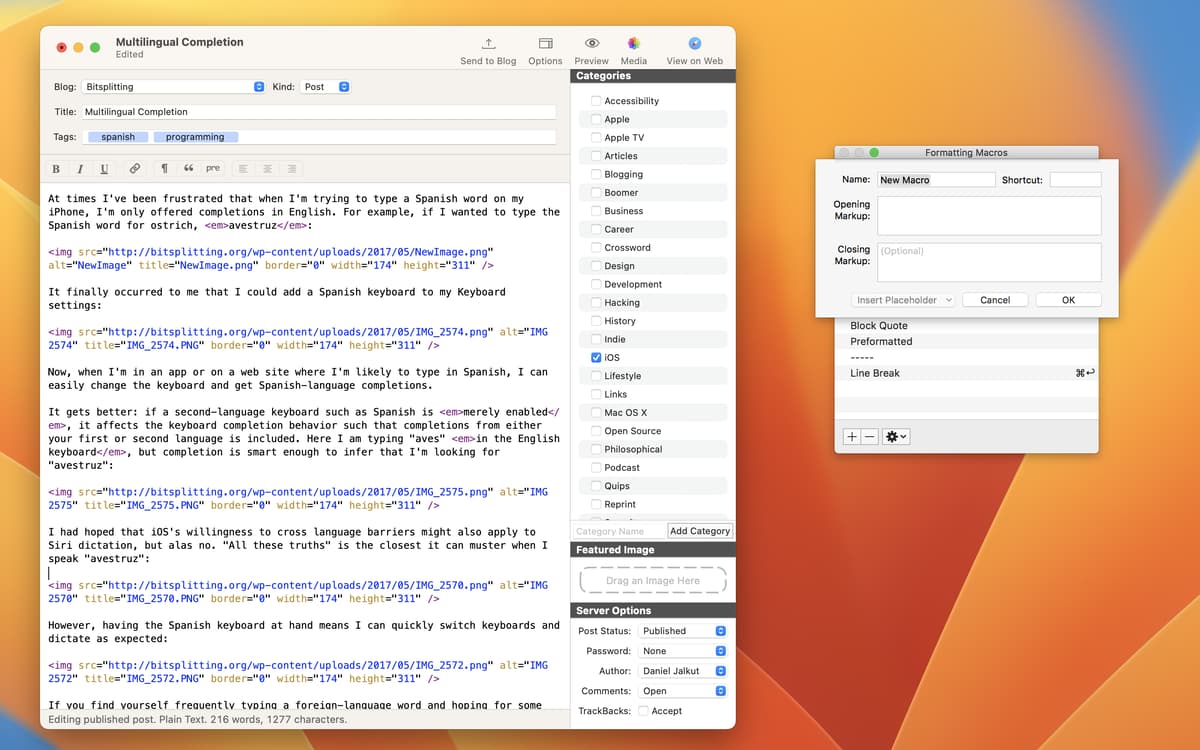
Deixe qualquer conteúdo perfeito no seu modo de edição favorito. Você pode alternar entre texto formatado e simples. Se você usa Markdown, escreva em um editor HTML ou no modo de texto simples. Você também pode usar texto com formatação para que o app o converta automaticamente para HTML.
Compatibilidade abrangente
Se você curte o WordPress, você gostará ainda mais dele quando escrever direto no computador. O MarsEdit oferece compatibilidade total com os recursos do WordPress, incluindo a personalização de formato da publicação e a adição de imagens de destaque. Além disso, ele se integra a todos os serviços de publicação em blogs que se baseiam nas interfaces MetaWeblog ou AtomPub.
Adicione mídia e anexos
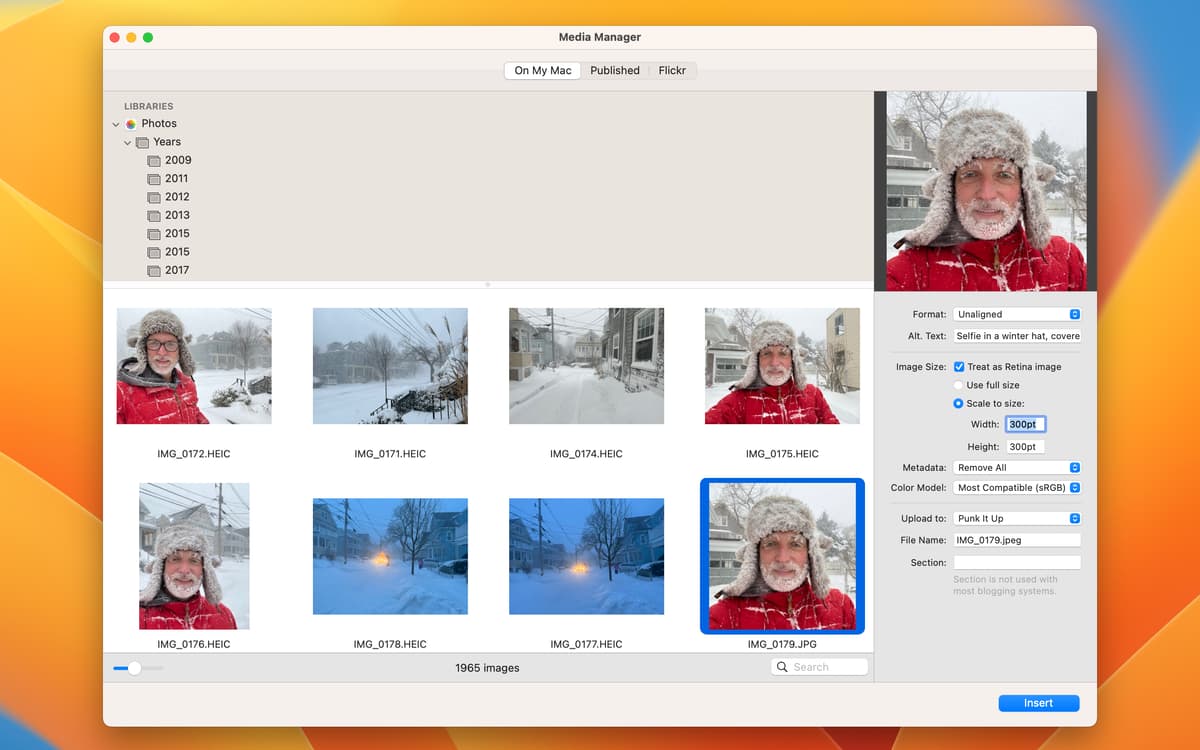
Mesmo sem estar on‑line, anexe arquivos à publicação para que eles sejam enviados automaticamente ao publicar. Use o gerenciador de mídia para anexar fotos. O MarsEdit pode usar facilmente qualquer imagem dos apps Fotos, Lightroom e Aperture em publicações.
Pré‑visualizações inteligentes
Use a pré‑visualização para analisar a aparência final das publicações. O MarsEdit inclui um modelo padrão de pré‑visualização que pode ser personalizado com flexibilidade. Aplique Markdown, MultiMarkdown, conversão de quebras de linhas e filtros de pré‑visualização personalizáveis.
Extensão para Safari
Embora você não precise da web para escrever, ela é indispensável para pesquisar. A extensão do Safari para o MarsEdit está sempre disponível e você pode ativá‑la facilmente nas extensões do Safari. Assim, sempre que você encontrar algo interessante on‑line, basta alternar instantaneamente para o que você deseja escrever.
Backup de conteúdo
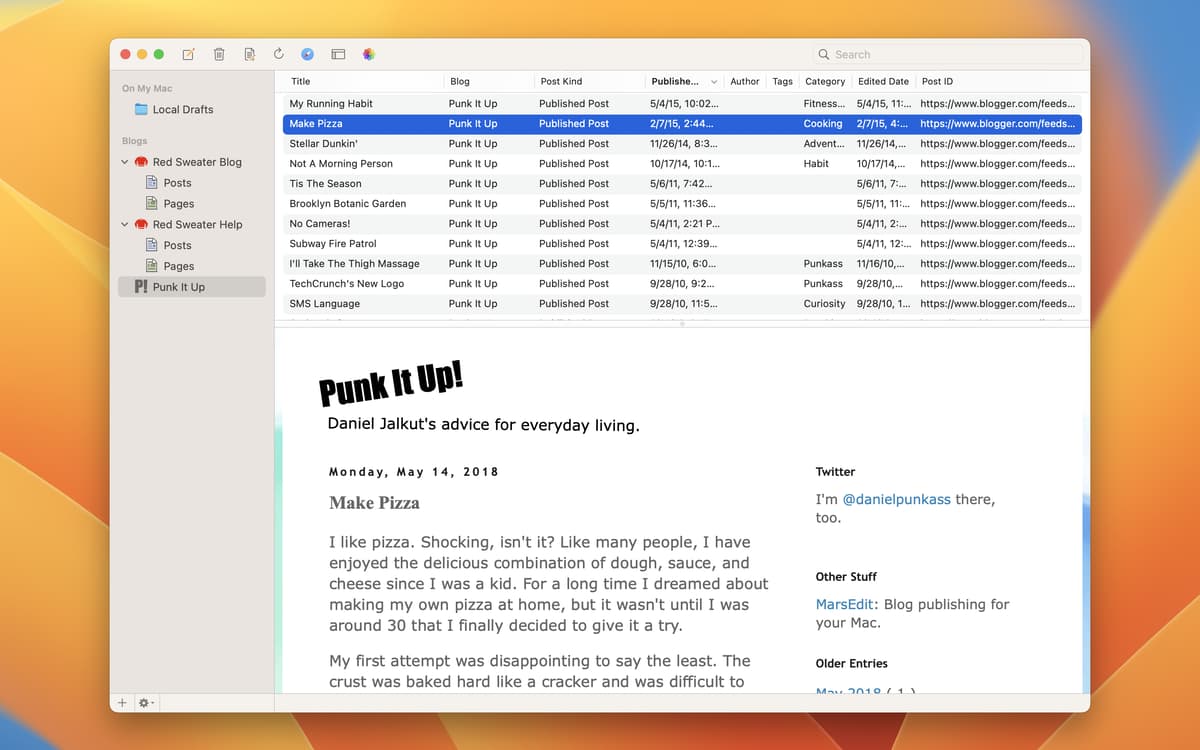
Com o MarsEdit, você nunca perde nada. Ele armazena todos os rascunhos locais em uma pasta separada para facilitar o acesso e acompanhar o progresso. Você também pode transferir rapidamente o histórico de publicações feitas, algo que funciona com todos os serviços de publicação mais populares.
Classificações e avaliações
MarsEdit
•
136 classificações
Dave Briggs
13 de fev. de 2026
Versão do app: 5.3.12
Brilliant app
Jeff
11 de fev. de 2025
Versão do app: 5.3.2
no working
Manny Fernandez
30 de mai. de 2024
Versão do app: 5.2
Not really liking the look while adding graohics
Obtenha centenas de apps com o Membership
Obtenha um membership do Setapp e use centenas de apps estelares numa única assinatura.
Experimente grátis por 7 dias. Depois, pague um valor único.
Instale o Setapp no Mac
Explore apps para Mac, iOS e web. Encontre formas fáceis de lidar com as tarefas do dia a dia.

Obtenha o app que chamou sua atenção
Aquele app especial está esperando você no Setapp. Instale‑o com um clique.

MarsEdit
Escolha uma assinatura
Um ou mais apps com um membership do Setapp. Obtenha os apps que você quer.

Obtenha centenas de apps com o Membership
Obtenha um membership do Setapp e use centenas de apps estelares numa única assinatura.
Experimente grátis por 7 dias. Depois, pague um valor único.
1
Instale o Setapp no Mac
Explore apps para Mac, iOS e web. Encontre formas fáceis de lidar com as tarefas do dia a dia.
2
Obtenha o app que chamou sua atenção
Aquele app especial está esperando você no Setapp. Instale‑o com um clique.
MarsEdit
3
Escolha uma assinatura
Um ou mais apps com um membership do Setapp. Obtenha os apps que você quer.
A casa dos melhores apps
Desde tarefas rotineiras e de planejamento a atividades criativas e de programação, encare suas tarefas com os apps do Setapp.

TypingMind
IU alternativa para conversar com IA
gere ou resuma textos
use uma biblioteca de ações
IA

Spark Mail
Gerencie e‑mails
IA

CleanMyMac
Limpe os detritos

Bartender
Personalize a barra de menus

CleanShot X
Capturas de tela versáteis

Luminar Neo
Edite suas fotos
IA

ClearVPN
Conecte‑se com mais segurança

Craft
Trabalhe com documentos
IA
MarsEdit
Crie conteúdo de texto off‑line