
Meta
Gerencie bibliotecas de música
Mac
Versão 2.6.3
macOS 12.0 ou posterior
12.1 MB
7 idiomas
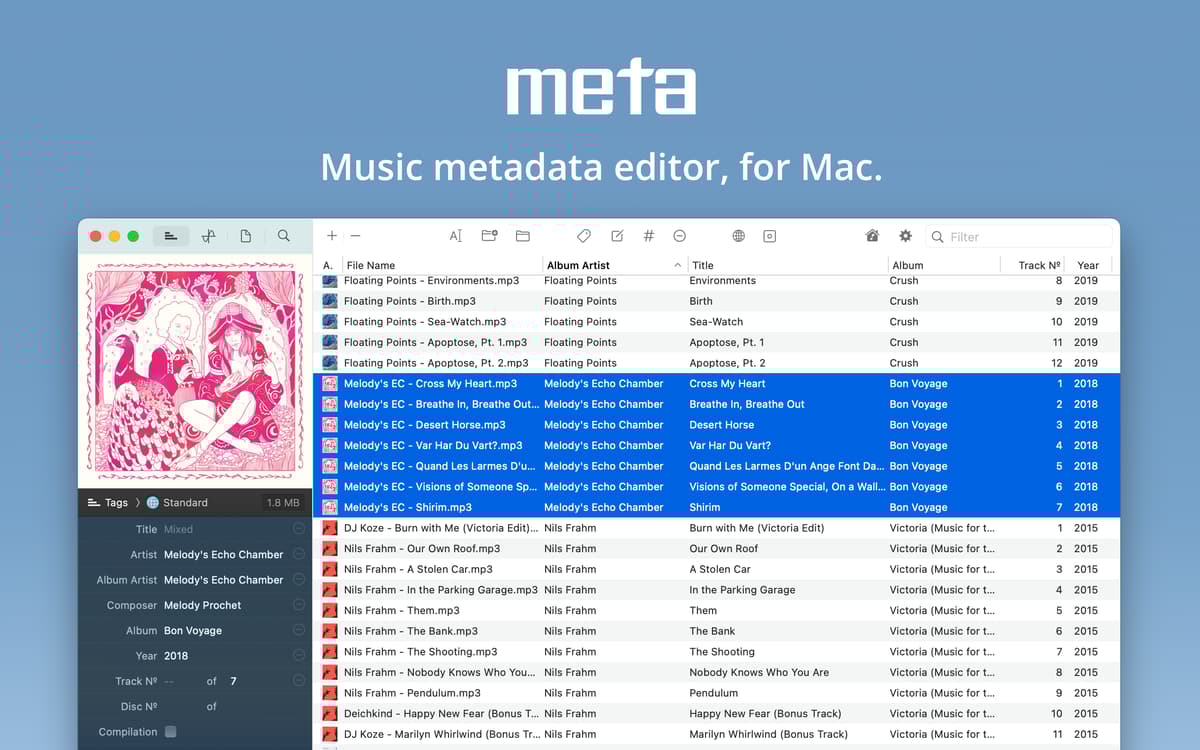
O Meta é um editor de etiquetas de música inteligente, feito para macOS. Ele permite gravar metadados em quantas faixas de áudio você quiser, personalizar os formatos dos metadados, otimizar a numeração das faixas e organizar arquivos consistentemente. Por manter os metadados atualizados, o app faz com que seja fácil gerenciar a sua sempre crescente coleção de músicas. Para DJs, músicos e qualquer fã de música.
Crie e gerencie sua biblioteca de música
Abra formatos incomuns de áudio e metadados
Crie uma playlist perfeita para um evento
Edite a biblioteca e capas em lote
Recursos do Meta
Compatibilidade abrangente
O Meta funciona praticamente com qualquer formato de áudio que apareça na sua coleção, como mp3, mp4, m4a, FLAC, Ogg, AIFF e WAV. Ele também é compatível com vários formatos de metadados, incluindo MP4, ID3v1, ID3v2, Vorbis e INFO — você pode alternar entre os formatos preferidos nas preferências.
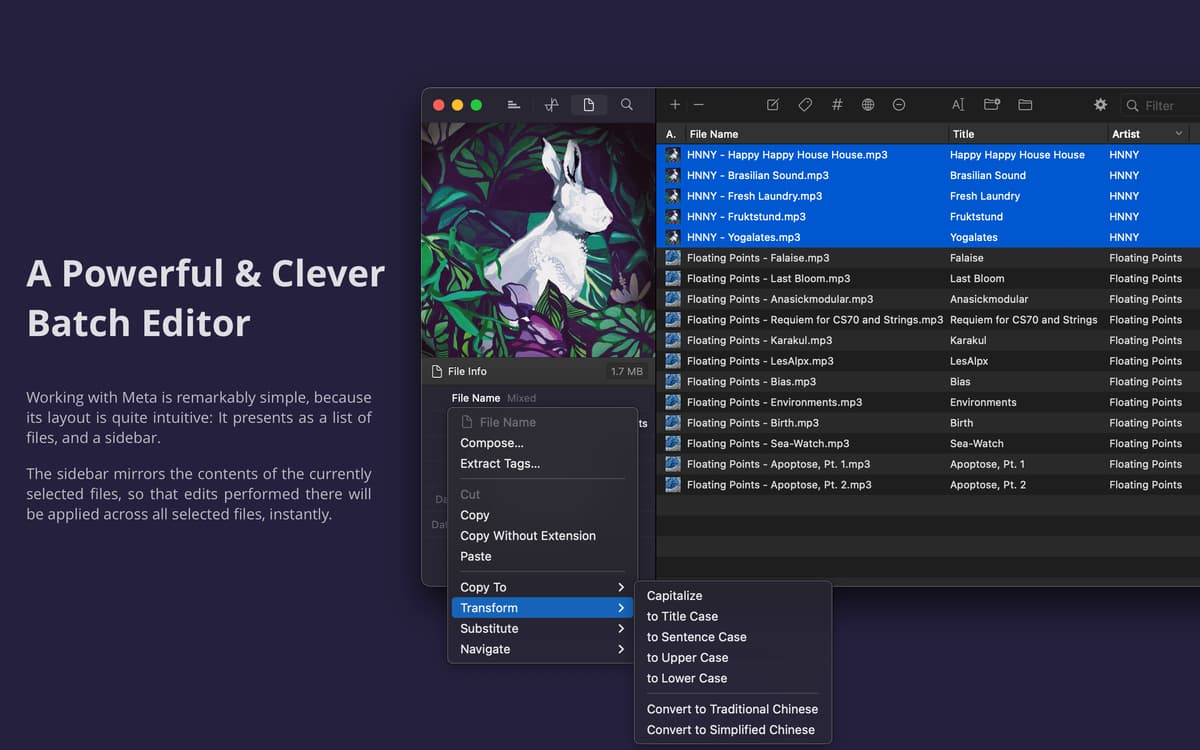
Edições em lote instantâneas
Desfrute da flexibilidade da edição em lote a partir da barra lateral do Meta. Seja para gravar metadados em vários arquivos, remover todos os metadados ou aplicar qualquer outra alteração à coleção inteira ou a um único álbum, basta um clique. Além disso, você também dispõe uma maneira simples de compartilhar informações de músicas em formato CSV.
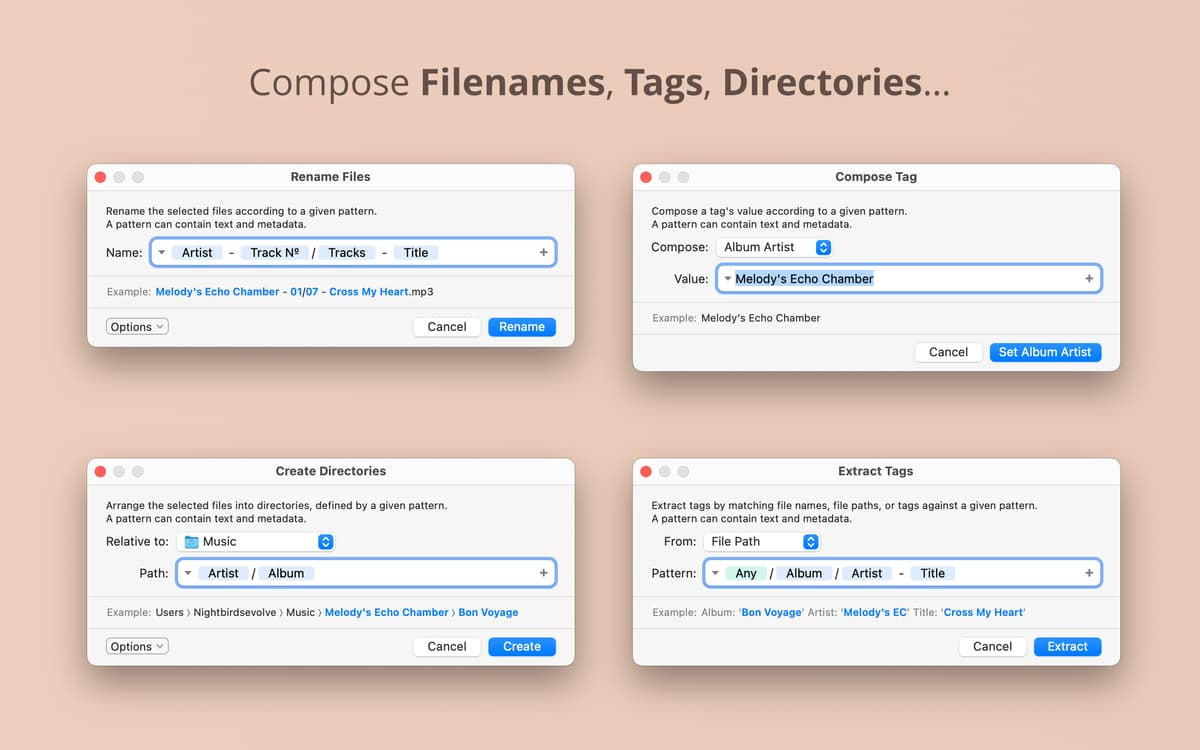
Ações com base em padrões
Use padrões específicos para simplificar o modo como você trabalha com metadados. Combine texto simples e tokens de metadados para compor os valores da etiqueta, organizar arquivos por diretório ou converter metadados em etiquetas na velocidade da luz. Aplique um único padrão a várias tarefas para economizar tempo.
Numeração de faixas
Você não precisa adicionar manualmente os números das faixas aos arquivos de áudio. Com o assistente de numeração de faixas do Meta, basta organizá‑las na ordem certa para que o app atribua os números automaticamente. Organize álbuns, playlists e coletâneas mais rápido do que nunca.
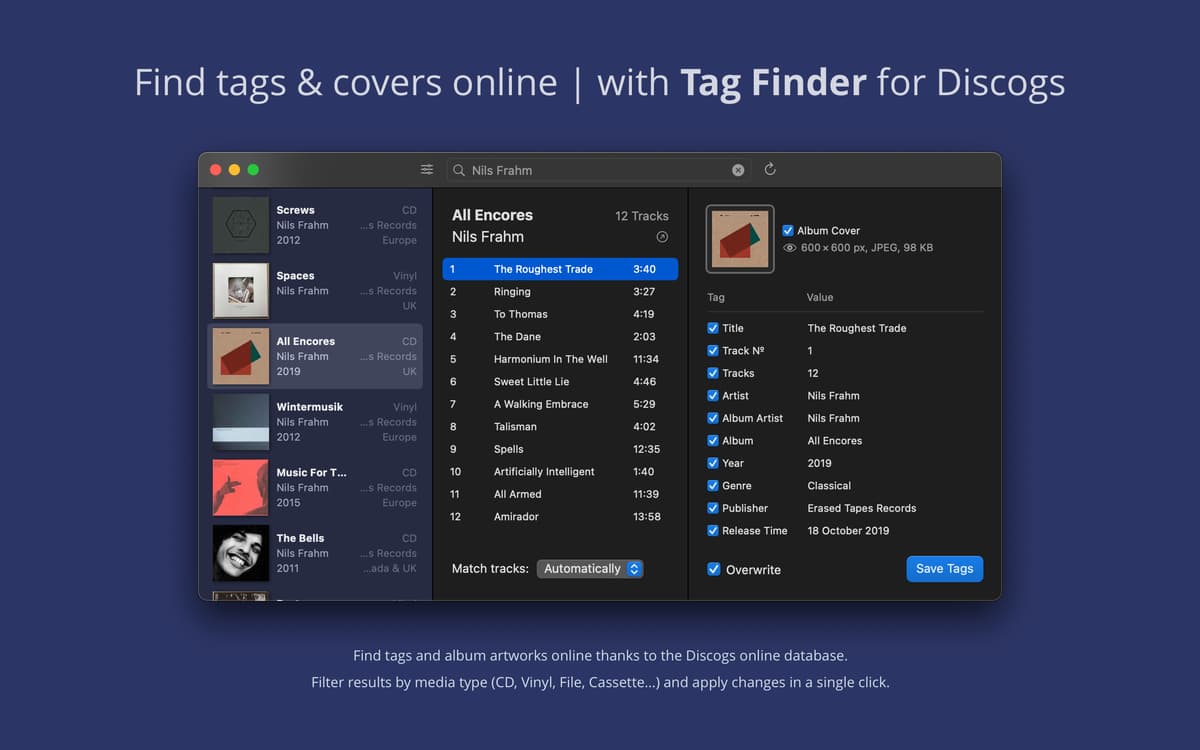
Busque e edite capas
O Meta inclui o Cover Finder, uma busca integrada que ajuda a encontrar as capas das músicas na sua coleção. Obtenha capas em alta qualidade no tamanho escolhido, edite capas existentes manualmente ou configure o app para ajustar automaticamente as novas capas adicionadas.
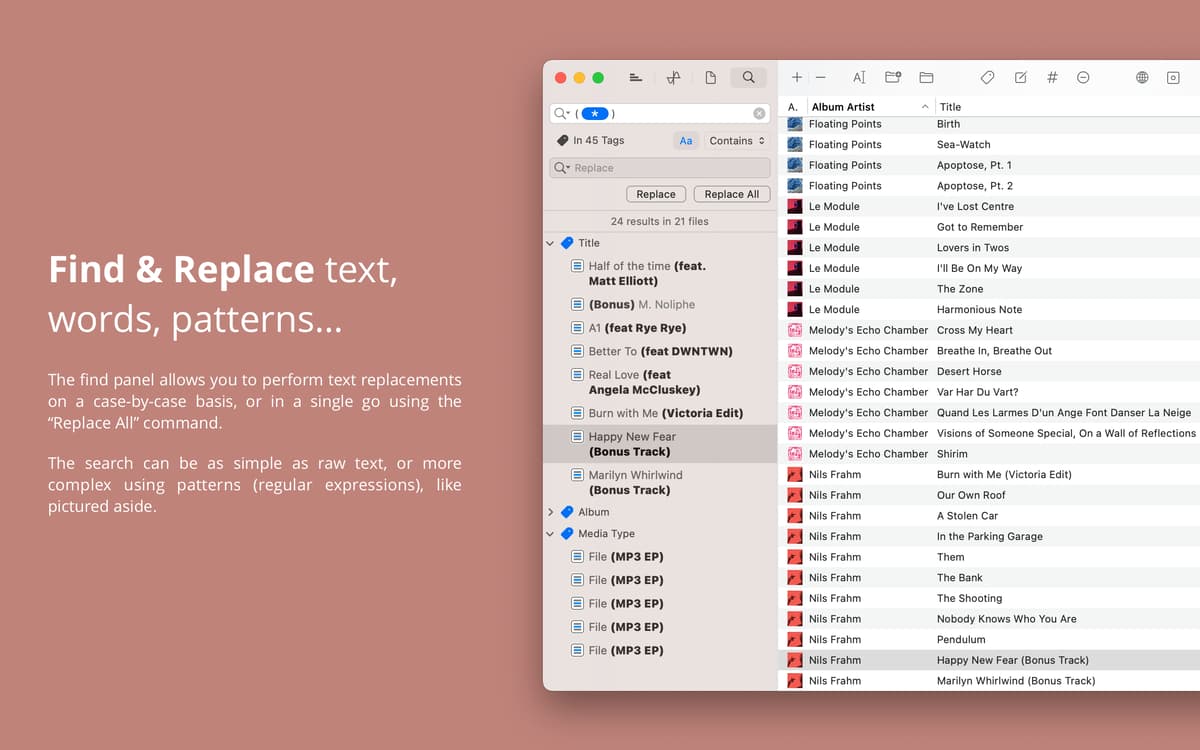
Busque e substitua
Mantenha a sua coleção em dia com o recurso de busca e substituição, o qual permite buscar nas etiquetas nativamente. Substitua caracteres, palavras ou expressões regulares em entradas específicas passo a passo ou ative a opção para substituir tudo e aplicar todas as alterações de uma só vez.
Classificações e avaliações
Meta
•
424 classificações
Callum
19 de ago. de 2026
Versão do app: 2.5.5
It won’t even open after the latest update (2.5.5). Just crashes immediately and I have to quit. Have tried uninstalling and reinstalling, but does exactly the same thing.
Resposta do Desenvolvedor
27 de ago. de 2026
Hi Callum. Could you send the crash logs to [email protected] ? — Ben
Cam
14 de ago. de 2026
Versão do app: 2.5.2
Crashes way too often, otherwise does the job
Resposta do Desenvolvedor
27 de ago. de 2026
Hello Cam, could you send the crash logs to [email protected] ? Thank you — Ben
MW
23 de fev. de 2026
Versão do app: 2.3.5
It’s OK. I’d put it more between the two — thumb across, that is.
Resposta do Desenvolvedor
27 de ago. de 2026
Hello! Please feel free to elaborate if there's anything you'd like to be improved upon. Contact me at: [email protected] . Thank you — Ben
Obtenha centenas de apps com o Membership
Obtenha um membership do Setapp e use centenas de apps estelares numa única assinatura.
Experimente grátis por 7 dias. Depois, pague um valor único.
Instale o Setapp no Mac
Explore apps para Mac, iOS e web. Encontre formas fáceis de lidar com as tarefas do dia a dia.

Obtenha o app que chamou sua atenção
Aquele app especial está esperando você no Setapp. Instale‑o com um clique.

Meta
Escolha uma assinatura
Um ou mais apps com um membership do Setapp. Obtenha os apps que você quer.

Obtenha centenas de apps com o Membership
Obtenha um membership do Setapp e use centenas de apps estelares numa única assinatura.
Experimente grátis por 7 dias. Depois, pague um valor único.
1
Instale o Setapp no Mac
Explore apps para Mac, iOS e web. Encontre formas fáceis de lidar com as tarefas do dia a dia.
2
Obtenha o app que chamou sua atenção
Aquele app especial está esperando você no Setapp. Instale‑o com um clique.
Meta
3
Escolha uma assinatura
Um ou mais apps com um membership do Setapp. Obtenha os apps que você quer.
A casa dos melhores apps
Desde tarefas rotineiras e de planejamento a atividades criativas e de programação, encare suas tarefas com os apps do Setapp.

TypingMind
IU alternativa para conversar com IA
gere ou resuma textos
use uma biblioteca de ações
IA

Spark Mail
Gerencie e‑mails
IA

CleanMyMac
Limpe os detritos

Bartender
Personalize a barra de menus

CleanShot X
Capturas de tela versáteis

Luminar Neo
Edite suas fotos
IA

ClearVPN
Conecte‑se com mais segurança

Craft
Trabalhe com documentos
IA
Meta
Gerencie bibliotecas de música