
MetaImage
Edite metadados de imagens

Mac
Versão 2.7.0
macOS 26.0 ou posterior
143.2 MB
7 idiomas
Deixe que o Metalmage cuide dos metadados de imagens no Mac. Em vez de editar dados manualmente em cada foto no app Fotos, você tem um processo totalmente automatizado. Lide com qualquer formato de etiqueta, incluindo EXIF, IPTC e XMP. Adicione coordenadas GPS com flexibilidade. Crie pré‑ajustes e aplique as mesmas alterações a várias fotos.
Adicione metadados dentro do app Fotos
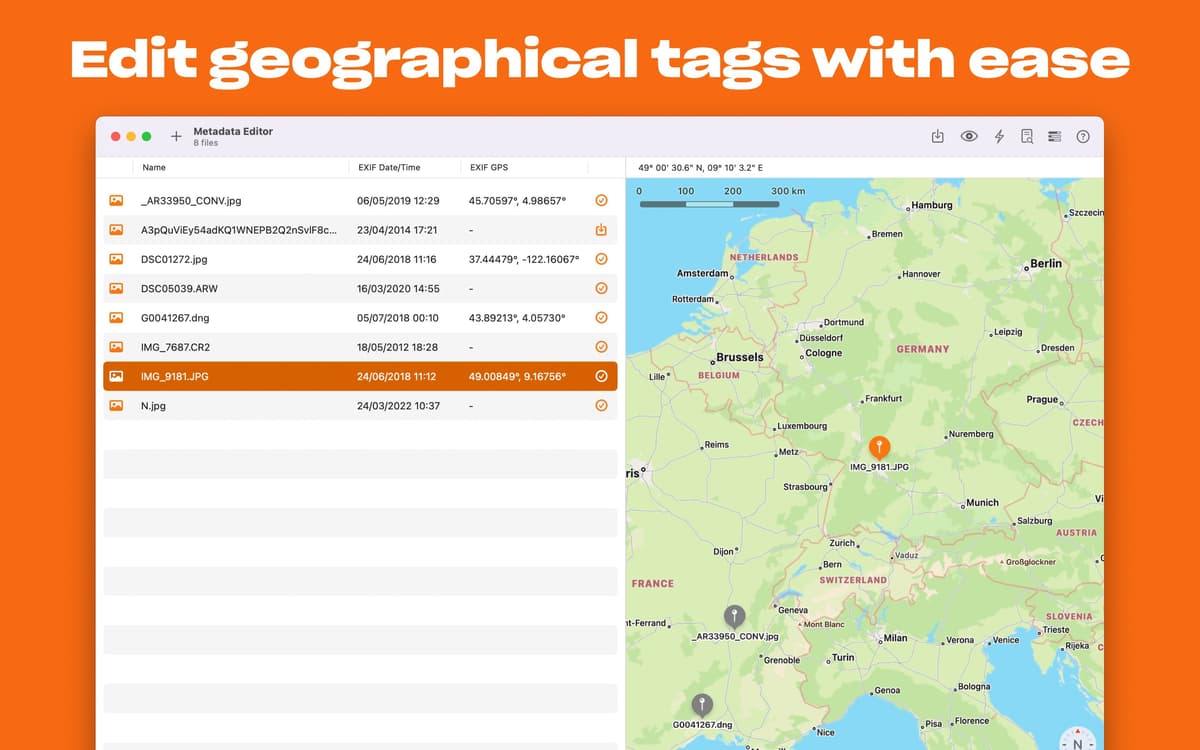
Adicione etiquetas geográficas às imagens
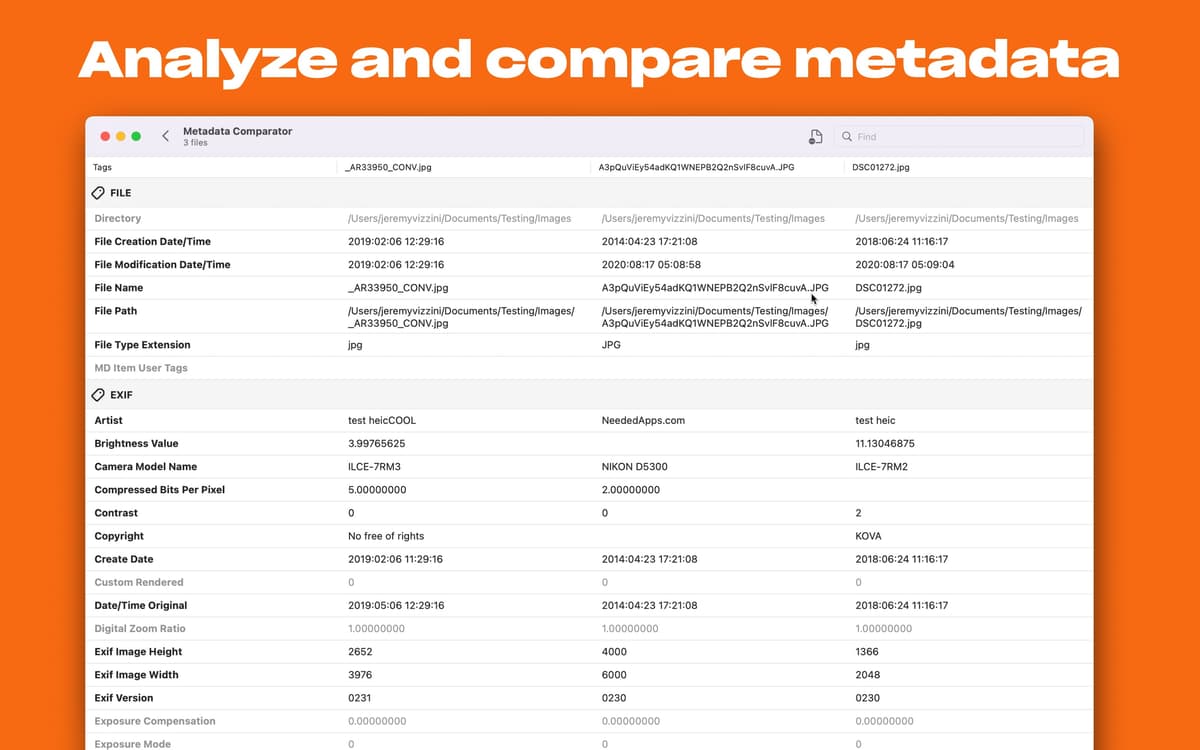
Trabalhe com MakerNotes, XMP e muito mais
Crie uma fototeca profissional
Recursos do MetaImage
Compatibilidade com mais de 5.000 etiquetas
Todas as etiquetas ao seu alcance. Ao buscar na Mac App Store, você verá que o Metalmage é a única ferramenta disponível compatível com MakerNotes, EXIF, IPTC, XMP e milhares de outras etiquetas em uma só interface. Pode‑se dizer que ele é simplesmente perfeito para consolidar metadados no Mac.
Todos os formatos de imagem que você precisa
Não se preocupe com conversões — o Metalmage aceita qualquer imagem que você imaginar. Mova o arquivo para a janela do app e comece a editar imediatamente. O Metalmage funciona com mais de 90 formatos de imagem, incluindo HEIC, JPEG, PNG, RAW, CR2, CR3, TIFF e muitos outros.
Compatibilidade com etiquetas de GPS
Adicione coordenadas GPS a imagens facilmente. Você pode digitar o nome do local e deixar que o app o encontre, clicar no mapa ou copiar o endereço de outro arquivo. O Metalmage também permite que você restaure locais anteriores e busque por etiqueta de GPS.
Crie pré‑ajustes personalizados
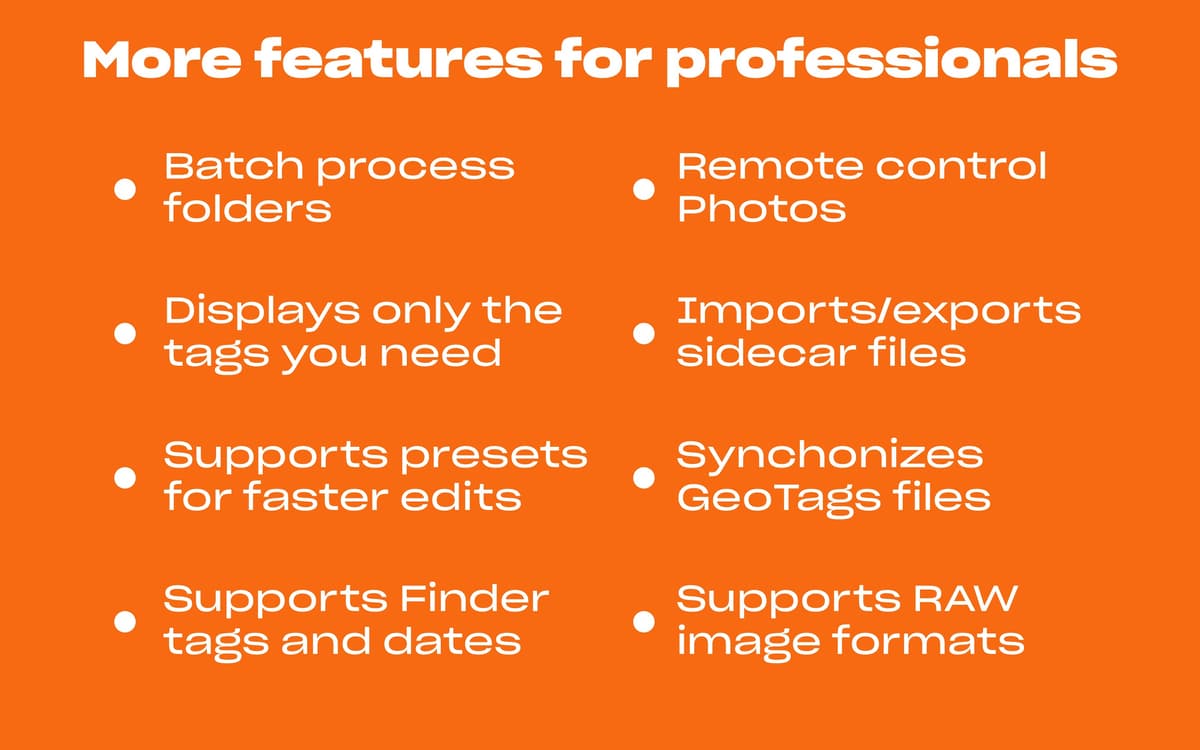
Com o Metalmage, você não só edita metadados de imagens em lote, como também automatiza todo o processo. Com base em características específicas, crie pré‑ajustes e use‑os para edições recorrentes. Provavelmente, várias edições se repetirão. Quanto mais pré‑ajustes você tiver, mais tempo você economiza.
Extensão para o app Fotos
Você pode percorrer todos os metadados sem sair do app Fotos. O Metalmage oferece uma extensão para o app Fotos que permite ler todos os tipos de dados, incluindo EXIF, XMP, IPTC e MakerNote. Sempre que precisar mudar algo, envie uma foto para o app e corrija os metadados instantaneamente.
Você controla a experiência
Decida quais etiquetas devem ser mostradas no app conforme o que você costuma trabalhar. Nas preferências do app, visualize todas as etiquetas e escolha as suas preferidas. Você pode personalizar as etiquetas mostradas no Metalmage e na extensão para o app Fotos separadamente.
Classificações e avaliações
MetaImage
•
241 classificações
J
22 de out. de 2026
Versão do app: 2.7.0
Works well. Could use more explanatory menus/tooltips/clarity. But a solid app. Hope for further refinement.
Daniel Masters
22 de jun. de 2026
Versão do app: 2.6.7
Disappointing it can’t edit video metadata - e.g. I imported a bunch of videos from my Insta360 GO 3S and the dates are all wrong
Álvaro Martín
18 de jun. de 2026
Versão do app: 2.6.7
very convenient way to handle my metadata. presets are most useful to handle sets of files in one go
Obtenha centenas de apps com o Membership
Obtenha um membership do Setapp e use centenas de apps estelares numa única assinatura.
Experimente grátis por 7 dias. Depois, pague um valor único.
Instale o Setapp no Mac
Explore apps para Mac, iOS e web. Encontre formas fáceis de lidar com as tarefas do dia a dia.

Obtenha o app que chamou sua atenção
Aquele app especial está esperando você no Setapp. Instale‑o com um clique.

MetaImage
Escolha uma assinatura
Um ou mais apps com um membership do Setapp. Obtenha os apps que você quer.

Obtenha centenas de apps com o Membership
Obtenha um membership do Setapp e use centenas de apps estelares numa única assinatura.
Experimente grátis por 7 dias. Depois, pague um valor único.
1
Instale o Setapp no Mac
Explore apps para Mac, iOS e web. Encontre formas fáceis de lidar com as tarefas do dia a dia.
2
Obtenha o app que chamou sua atenção
Aquele app especial está esperando você no Setapp. Instale‑o com um clique.
MetaImage
3
Escolha uma assinatura
Um ou mais apps com um membership do Setapp. Obtenha os apps que você quer.
A casa dos melhores apps
Desde tarefas rotineiras e de planejamento a atividades criativas e de programação, encare suas tarefas com os apps do Setapp.

TypingMind
IU alternativa para conversar com IA
gere ou resuma textos
use uma biblioteca de ações
IA

Spark Mail
Gerencie e‑mails
IA

CleanMyMac
Limpe os detritos

Bartender
Personalize a barra de menus

CleanShot X
Capturas de tela versáteis

Luminar Neo
Edite suas fotos
IA

ClearVPN
Conecte‑se com mais segurança

Craft
Trabalhe com documentos
IA
MetaImage
Edite metadados de imagens