
NameQuick
AI file renamer for Mac
Mac
Versão 3.0.35
macOS 12.0 ou posterior
224.4 MB
4 idiomas
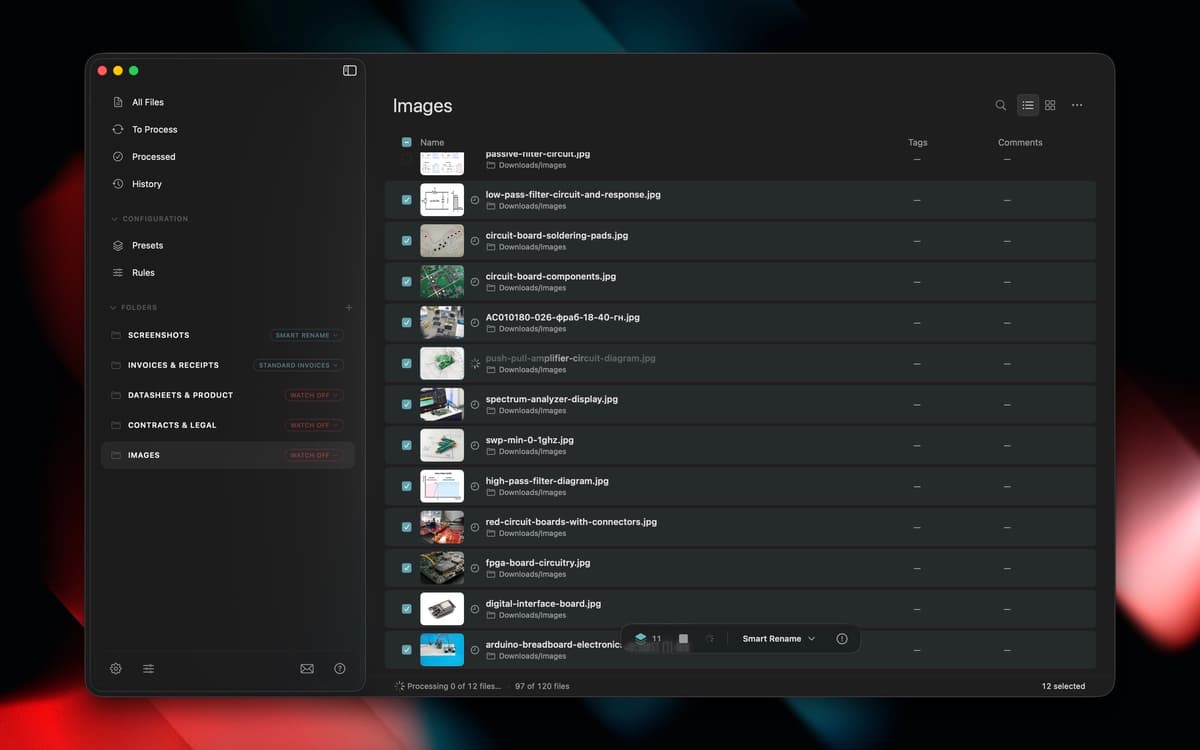
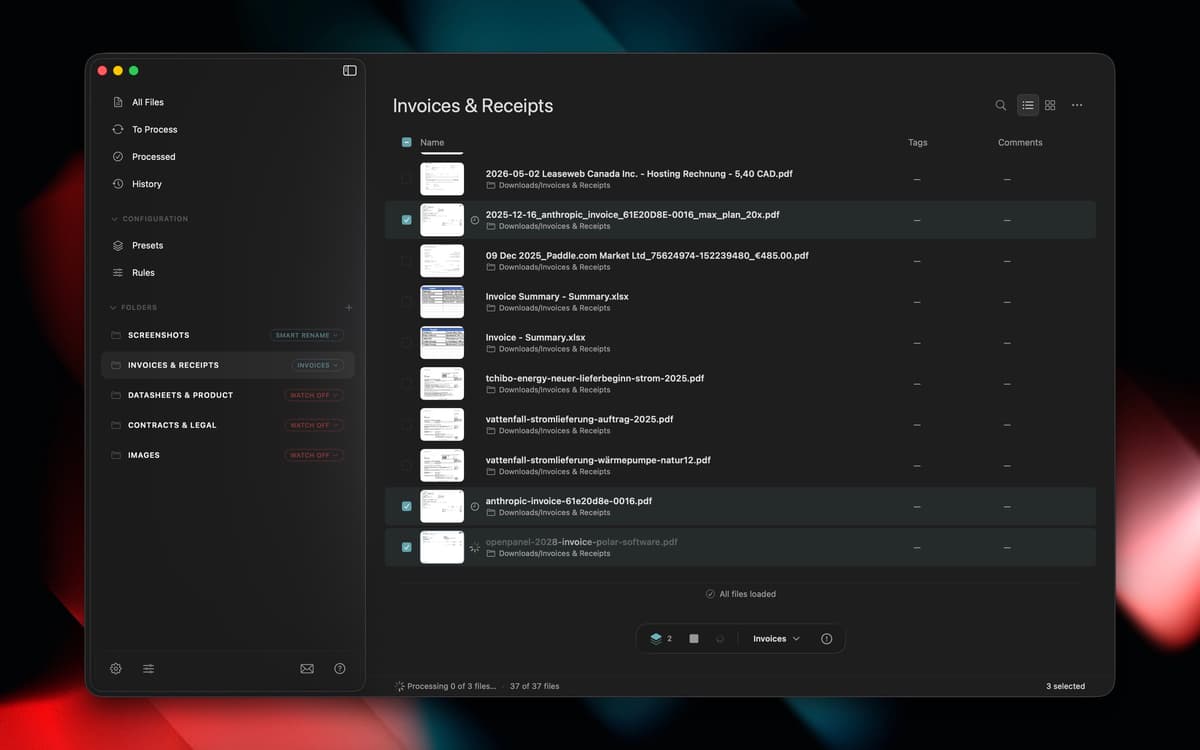
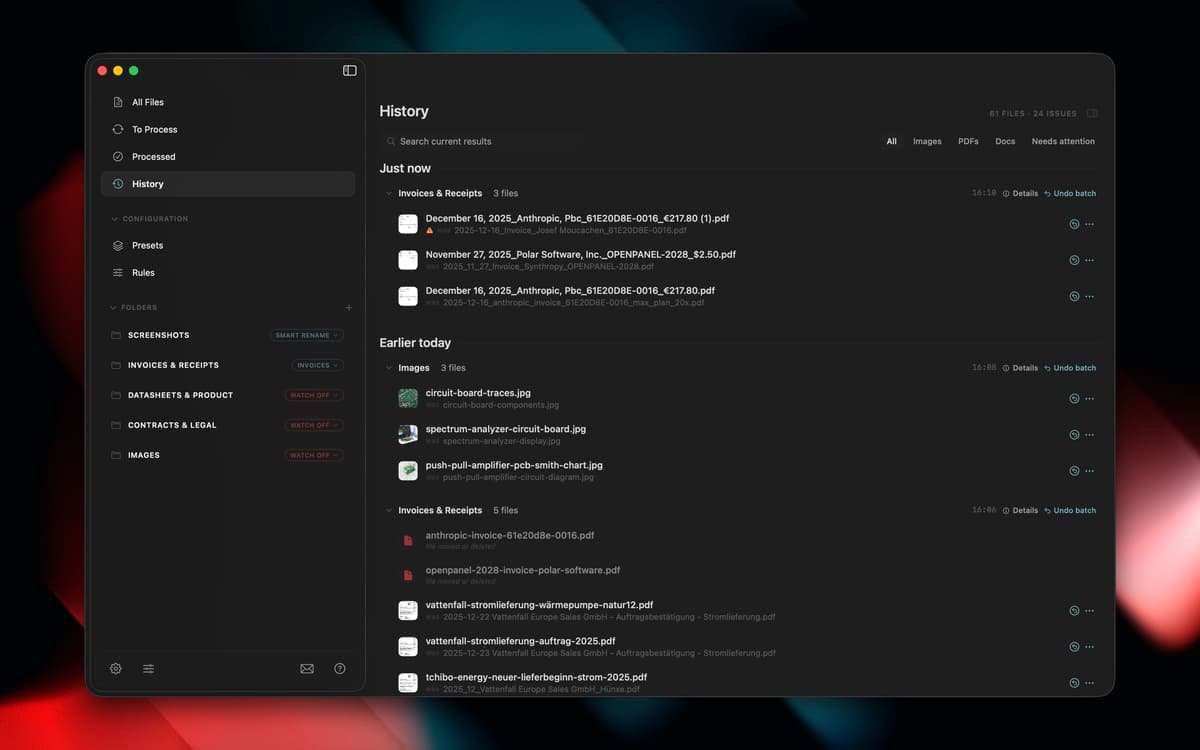
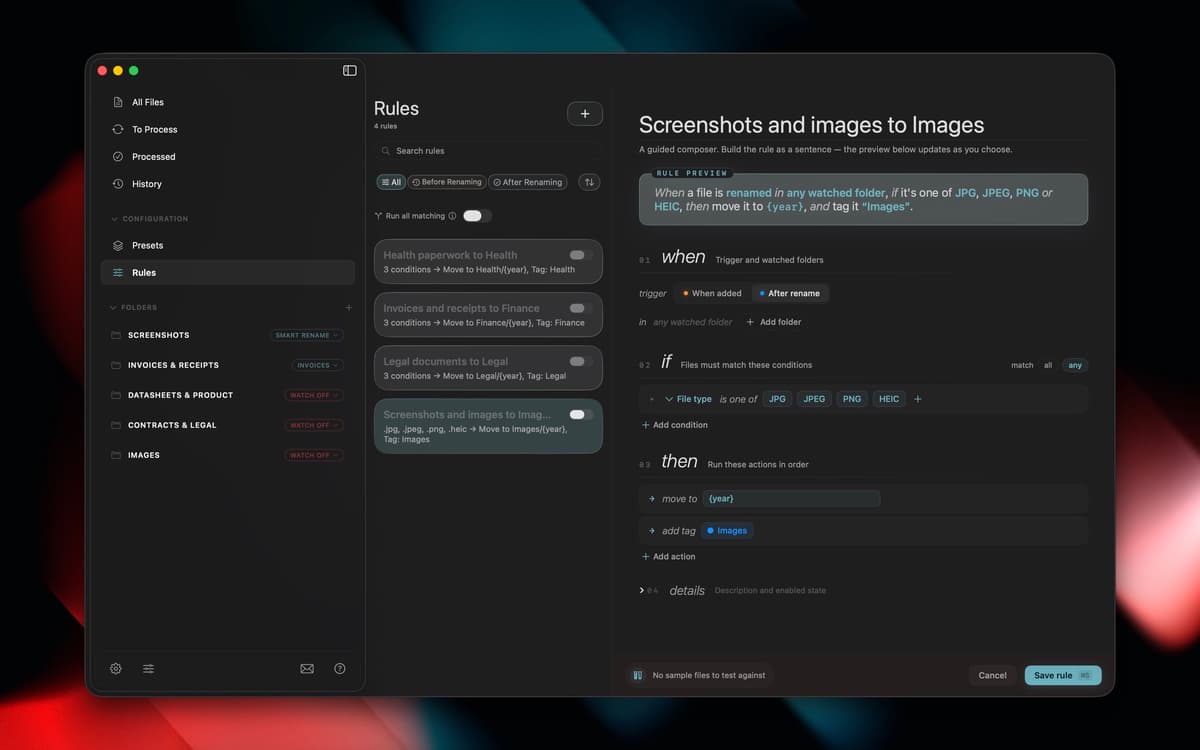
NameQuick reads what's actually inside your files, PDFs, invoices, screenshots, scans, and more, then renames them with something that makes sense. Use Smart Rename for a quick one-off cleanup, or set up templates for naming formats you use again and again. Watch folders handle new files automatically, moving, tagging, or sorting them in the background. Your Downloads folder finally stops running the show.
Rename files based on their content
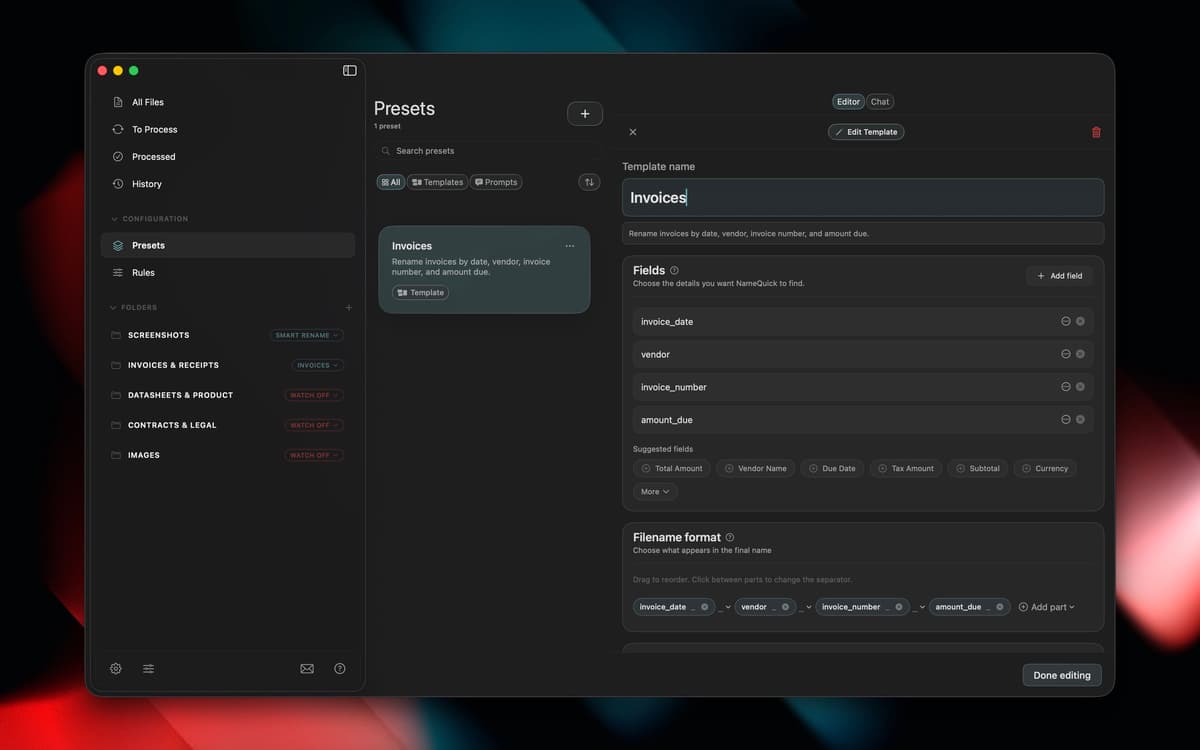
Set up templates for naming formats
Auto-organize new files with watch folders
Move, tag, and sort files in background
Recursos do NameQuick
Content-based renaming
NameQuick looks inside PDFs, invoices, scanned documents, screenshots, images, and Office files to figure out what they actually are, then gives them a clear name instead of "Scan_final_2.pdf."
Smart Rename
Got a folder full of vague filenames? Select them and let NameQuick clean things up in one pass, no manual renaming required.
Naming templates
Set a naming format once, like date, client, or document type, and reuse it every time you need consistent filenames across a project or client.
Watch folders
Point NameQuick at a folder, and it'll rename new files as they land, automatically, so you don't have to think about it again.
Background rules
Beyond renaming, rules can move, tag, or sort files as they come in, keeping folders organized without any extra clicks from you.
Classificações e avaliações
NameQuick
•
1 classificações
Joe
27 de set. de 2026
Versão do app: 3.0.13
This is exactly the kind of app I like finding on Setapp. Renaming files is one of those boring jobs I tend to put off, especially when there’s a folder full of PDFs and screenshots with names that mean absolutely nothing. Having NameQuick look at the contents and come up with a descriptive name makes that whole process much easier. I especially like being able to rename a batch of files and use presets to keep the names consistent. The real benefit comes later, when I’m looking for something and can tell what a file is without opening three or four documents first. It’s a fairly specific tool, but it solves a problem that comes up all the time. If your Downloads folder is anything like mine, it’s well worth trying through Setapp.
Obtenha centenas de apps com o Membership
Obtenha um membership do Setapp e use centenas de apps estelares numa única assinatura.
Experimente grátis por 7 dias. Depois, pague um valor único.
Instale o Setapp no Mac
Explore apps para Mac, iOS e web. Encontre formas fáceis de lidar com as tarefas do dia a dia.

Obtenha o app que chamou sua atenção
Aquele app especial está esperando você no Setapp. Instale‑o com um clique.

NameQuick
Escolha uma assinatura
Um ou mais apps com um membership do Setapp. Obtenha os apps que você quer.

Obtenha centenas de apps com o Membership
Obtenha um membership do Setapp e use centenas de apps estelares numa única assinatura.
Experimente grátis por 7 dias. Depois, pague um valor único.
1
Instale o Setapp no Mac
Explore apps para Mac, iOS e web. Encontre formas fáceis de lidar com as tarefas do dia a dia.
2
Obtenha o app que chamou sua atenção
Aquele app especial está esperando você no Setapp. Instale‑o com um clique.
NameQuick
3
Escolha uma assinatura
Um ou mais apps com um membership do Setapp. Obtenha os apps que você quer.
A casa dos melhores apps
Desde tarefas rotineiras e de planejamento a atividades criativas e de programação, encare suas tarefas com os apps do Setapp.

TypingMind
IU alternativa para conversar com IA
gere ou resuma textos
use uma biblioteca de ações
IA

Spark Mail
Gerencie e‑mails
IA

CleanMyMac
Limpe os detritos

Bartender
Personalize a barra de menus

CleanShot X
Capturas de tela versáteis

Luminar Neo
Edite suas fotos
IA

ClearVPN
Conecte‑se com mais segurança

Craft
Trabalhe com documentos
IA
NameQuick
AI file renamer for Mac