NotePlan
Um espaço para todo o seu trabalho
Mac, iOS
Versão 3.21.3
macOS 12.0 ou posterior
198 MB
10 idiomas
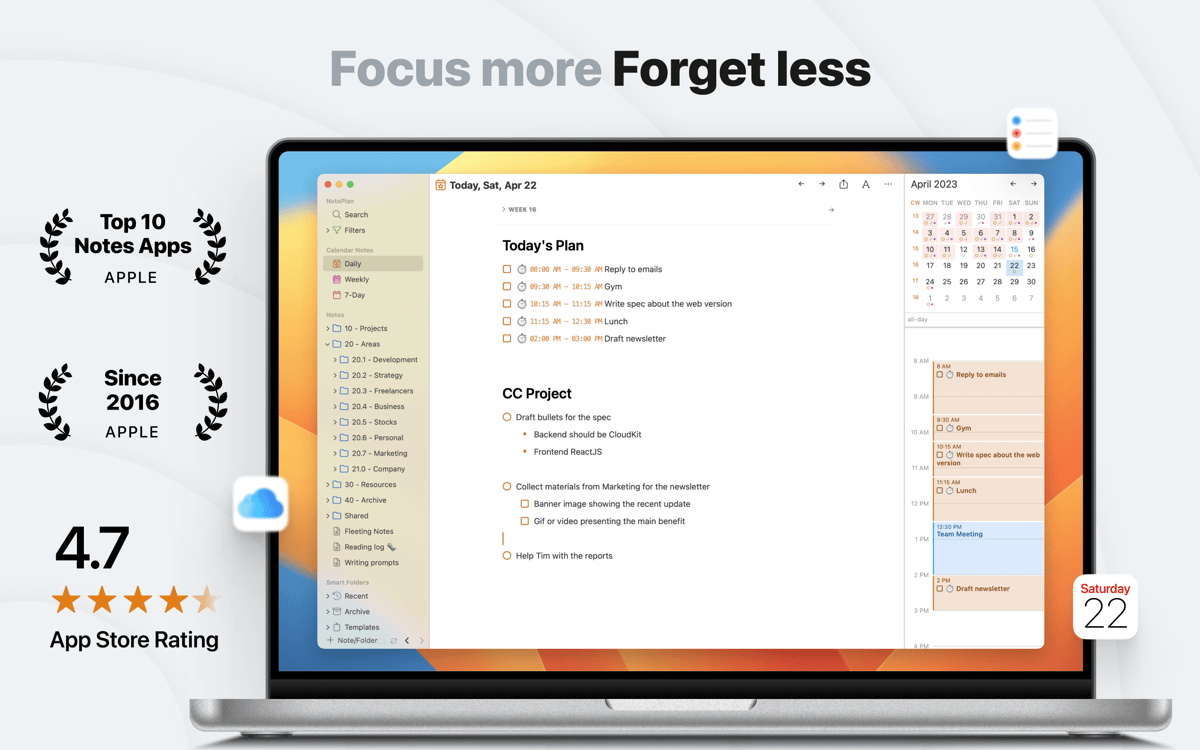
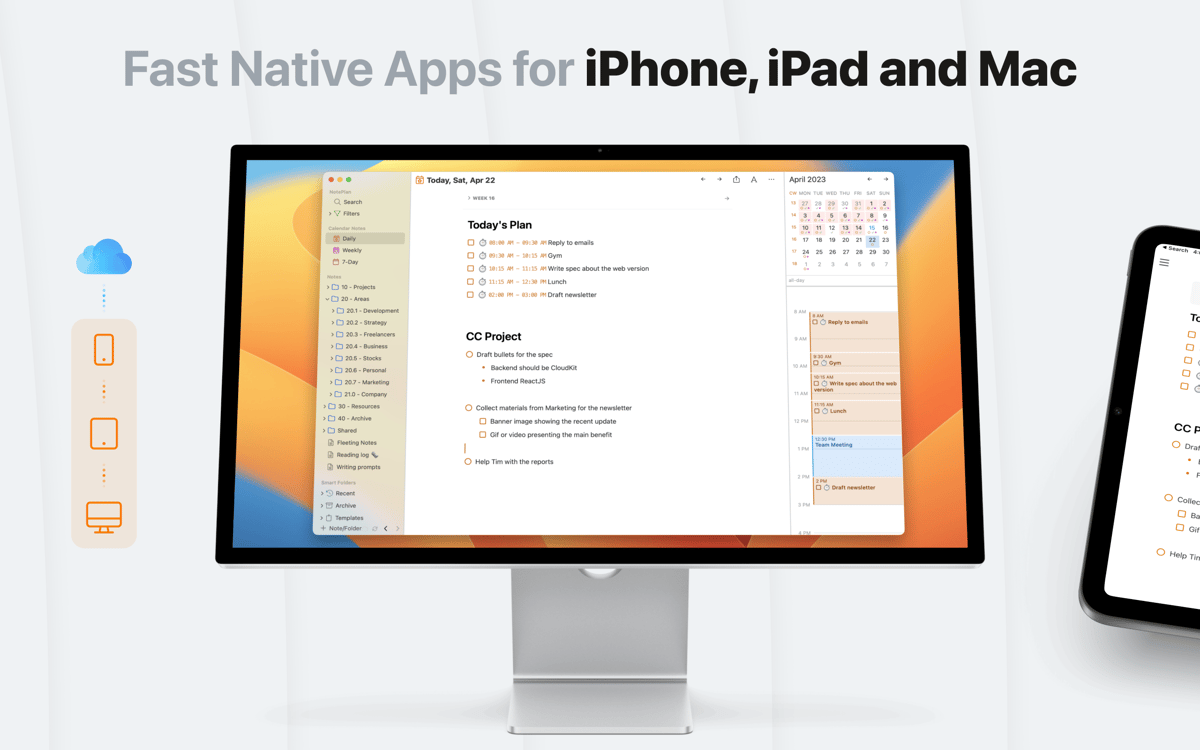
O NotePlan é um app bonito e minimalista que resolve os problemas que afligem a maioria dos apps que se propõem a tomar notas. Por oferecer não só notas, como também um calendário, um diário com marcadores e listas, ele ajuda você a construir uma máquina de produtividade. Chega de listas de tarefas confusas ou rabiscos nas margens da agenda. Com o NotePlan, qualquer nota feita pode ser encontrada. Com um belo design que usa cores para identificar tarefas em andamento, você nunca vai querer se separar do NotePlan. E com a prática sincronização com o iOS, você nem precisa.
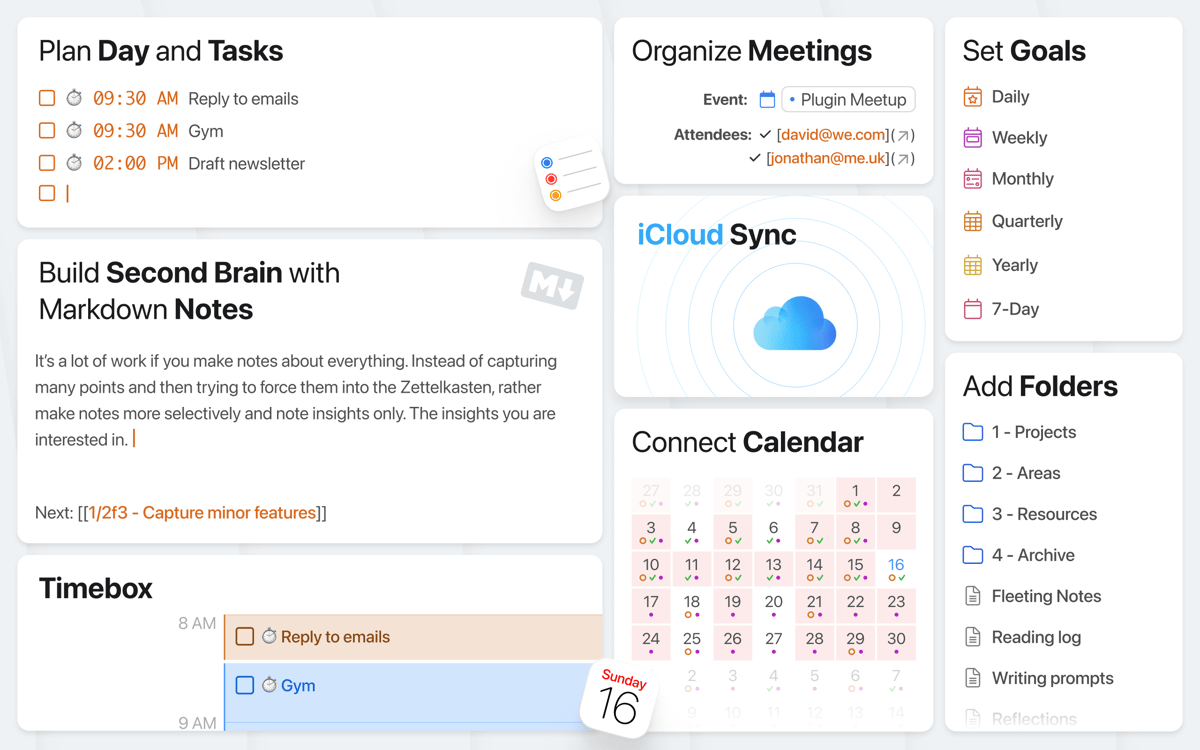
Escreva, planeje e controle tarefas em um só lugar
Construa uma base de conhecimento pessoal
Associe notas, adicione etiquetas e menções, etc.
Formate rapidamente com a ajuda de Markdown
Recursos do NotePlan
Calendário dinâmico
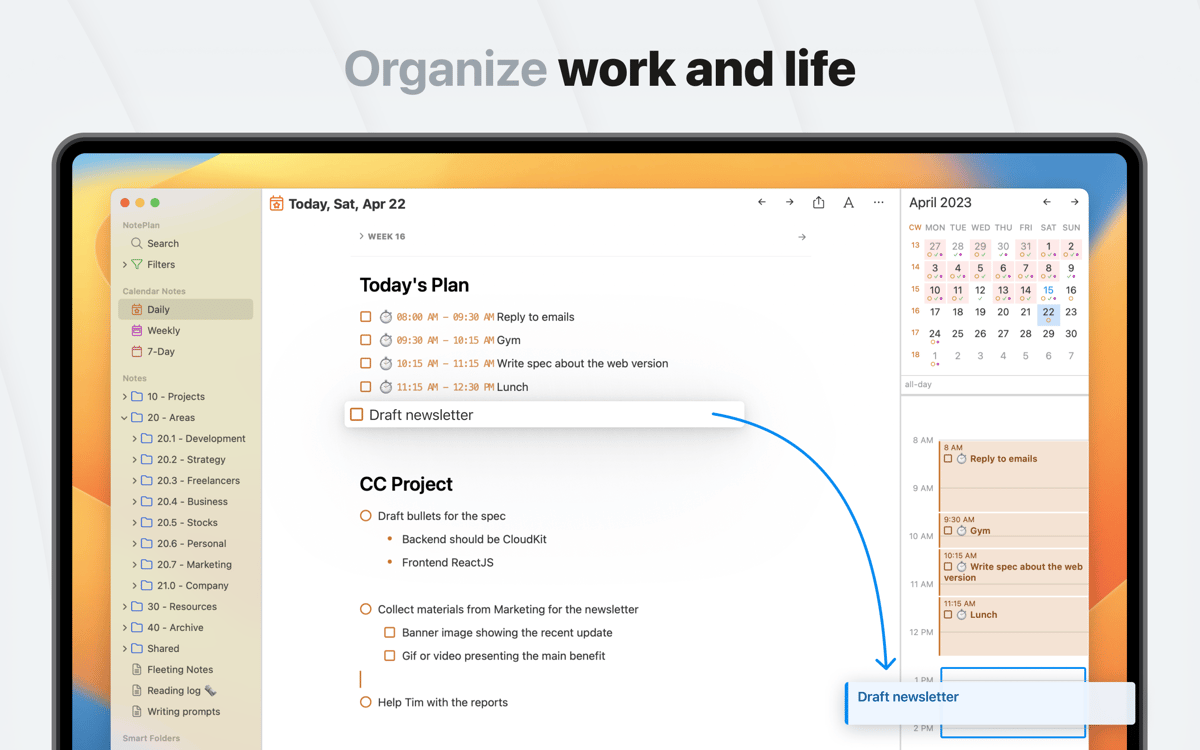
O NotePlan gira em torno de um calendário ativo e dinâmico. Ao inserir notas e tarefas com prazos, elas são adicionadas ao calendário automaticamente para que você tenha uma visão geral do que precisa ser feito. Além disso, o calendário nativo sincroniza perfeitamente com plataformas externas, como iCal ou Google Calendar, para que você nunca perca um prazo.
Notas automáticas
Tomar notas é fácil quando a organização é automática. O NotePlan oferece suporte a etiquetas, caixas de seleção e filtros para que as suas notas sejam o mais útil possíveis. Isso significa que qualquer nota pode virar uma checklist conforme for necessário, enquanto, com etiquetas, fica fácil ordenar e encontrar exatamente a página que você procura.
Pronto para Markdown
Para algumas pessoas, um bloco de notas é uma ferramenta de planejamento. Para outras, ele é um centro de criação, onde ideias são elaboradas para compartilhar com o mundo. O NotePlan é compatível com Markdown e, sendo assim, qualquer nota pode ser formatada para oferecer uma leitura melhor e mais organizada. Com apenas alguns atalhos de teclado, você formata notas da maneira ideal hierarquicamente.
Backups confiáveis
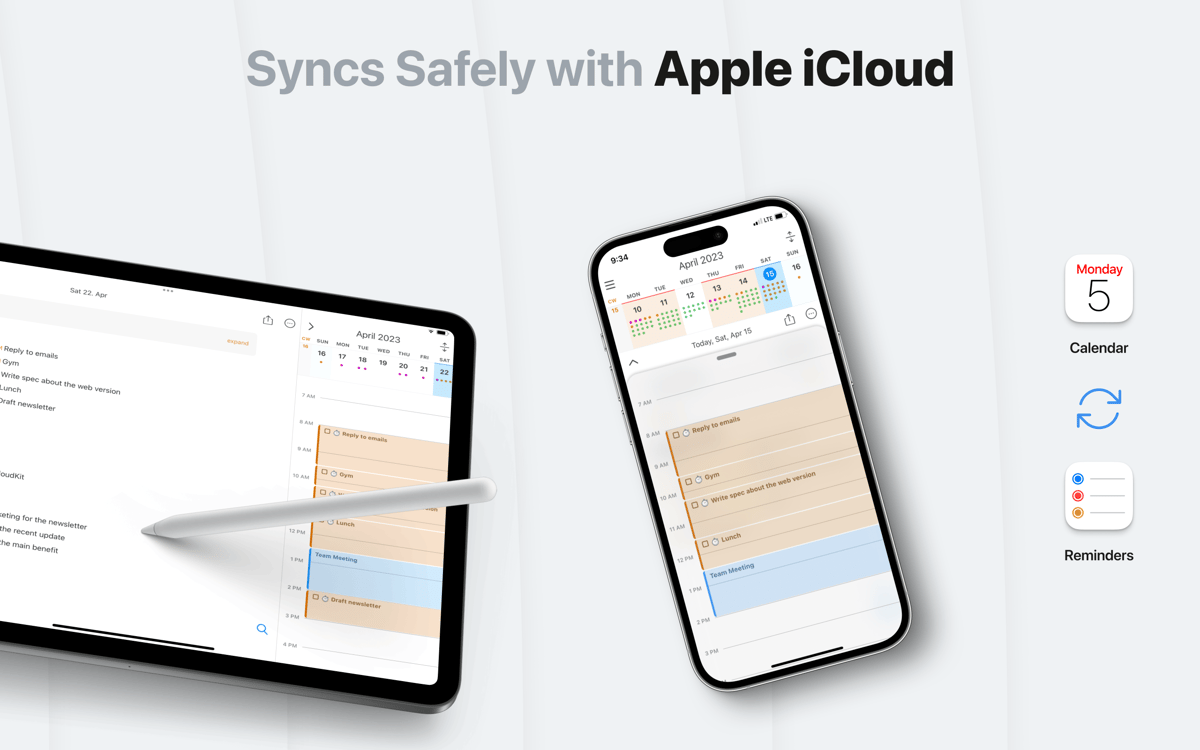
Com o robusto sistema de backup do NotePlan, você tem proteção contra o trauma de perder notas. Ele pode fazer cópias leves de todas as notas no servidor do iCloud. Assim, mesmo no caso de uma falha grave de hardware, você pode recuperar o seu trabalho. Nada do que você digita é salvo ou enviado para os servidores do NotePlan, somente para os servidores da Apple.
Suporte a atalhos
Conforme o uso de gestos se populariza em computadores, os apps se adaptam. O NotePlan maximiza o uso de atalhos para ajudar você a mudar facilmente entre visualizações e notas, formatar texto com Markdown e marcar tarefas como concluídas. Um fluxo de trabalho bem pensado e intuitivo ao seu dispor.
Qualquer dispositivo
Um dos aspectos mais úteis do NotePlan é que ele não prende você a um único dispositivo. Você pode instalá‑lo em qualquer dispositivo iOS para que as notas feitas no metrô estejam no computador ao chegar em casa. A sincronização ajuda você a manter o controle de tudo com tranquilidade.
Classificações e avaliações
NotePlan
•
1477 classificações
Johannes Rosenbruch
17 de set. de 2026
Versão do app: 3.21.2
Super Programm, kann alles so organisieren, wie es mir wichtig!
Giuseppe
18 de jul. de 2026
Versão do app: 3.21.1
Utilizzo NotePlan quotidianamente e lo trovo uno strumento eccezionale per la sua versatilità. Non è solo un'agenda: è un ecosistema che integra perfettamente la pianificazione delle attività, un diario per i propri pensieri e un sistema di note strutturato. Apprezzo particolarmente la possibilità di personalizzare il workflow con i template, che mi permettono di gestire con rapidità anche abitudini personali, come il tracciamento del sonno. Se cerchi un'app che unisca semplicità d'uso e potenza organizzativa, NotePlan è tra i migliori strumenti presenti su Setapp.
Gabo
14 de jul. de 2026
Versão do app: 3.21.1
I love it. This is the only app where I can effectively offloaded my brain to. I tried others: Obsidian, LogSeq and so, most of them are too customizable that I tend to tinker more than I use them to work. Noteplan offers enough integration and features to not need a sea of plugins and the cherry on the pie is the calendar integration. I would love to have native google calendar sync and not rely on mac’s calendar, but it does work well, only with a little delay (because of macos’s calendar and not because NotePlan)
Obtenha centenas de apps com o Membership
Obtenha um membership do Setapp e use centenas de apps estelares numa única assinatura.
Experimente grátis por 7 dias. Depois, pague um valor único.
Instale o Setapp no Mac
Explore apps para Mac, iOS e web. Encontre formas fáceis de lidar com as tarefas do dia a dia.

Obtenha o app que chamou sua atenção
Aquele app especial está esperando você no Setapp. Instale‑o com um clique.

NotePlan
Escolha uma assinatura
Um ou mais apps com um membership do Setapp. Obtenha os apps que você quer.

Obtenha centenas de apps com o Membership
Obtenha um membership do Setapp e use centenas de apps estelares numa única assinatura.
Experimente grátis por 7 dias. Depois, pague um valor único.
1
Instale o Setapp no Mac
Explore apps para Mac, iOS e web. Encontre formas fáceis de lidar com as tarefas do dia a dia.
2
Obtenha o app que chamou sua atenção
Aquele app especial está esperando você no Setapp. Instale‑o com um clique.
NotePlan
3
Escolha uma assinatura
Um ou mais apps com um membership do Setapp. Obtenha os apps que você quer.
A casa dos melhores apps
Desde tarefas rotineiras e de planejamento a atividades criativas e de programação, encare suas tarefas com os apps do Setapp.

TypingMind
IU alternativa para conversar com IA
gere ou resuma textos
use uma biblioteca de ações
IA

Spark Mail
Gerencie e‑mails
IA

CleanMyMac
Limpe os detritos

Bartender
Personalize a barra de menus

CleanShot X
Capturas de tela versáteis

Luminar Neo
Edite suas fotos
IA

ClearVPN
Conecte‑se com mais segurança

Craft
Trabalhe com documentos
IA
NotePlan
Um espaço para todo o seu trabalho