Paper
Escreva sem distrações
Mac, iOS
Versão 115
macOS 12 ou posterior
34.7 MB
1 idiomas
O Paper é ideal para quem gosta de foco na hora de escrever. Com um layout simples e limpo, você se concentra nas palavras, sem distrações. É fácil estilizar o texto com formatação Markdown: bastam alguns caracteres para adicionar cabeçalhos, texto em negrito ou listas. E mais, com o uso de gestos intuitivos, como rolar para ampliar ou girar para desfazer, você controla facilmente seu fluxo de trabalho e deixa suas sessões de escrita ainda mais produtivas.
Interface minimalista para escrever
Formate texto com Markdown
Use gestos para navegar pelo texto
Sincronize entre os seus dispositivos
Recursos do Paper
Crie um ambiente sem distrações
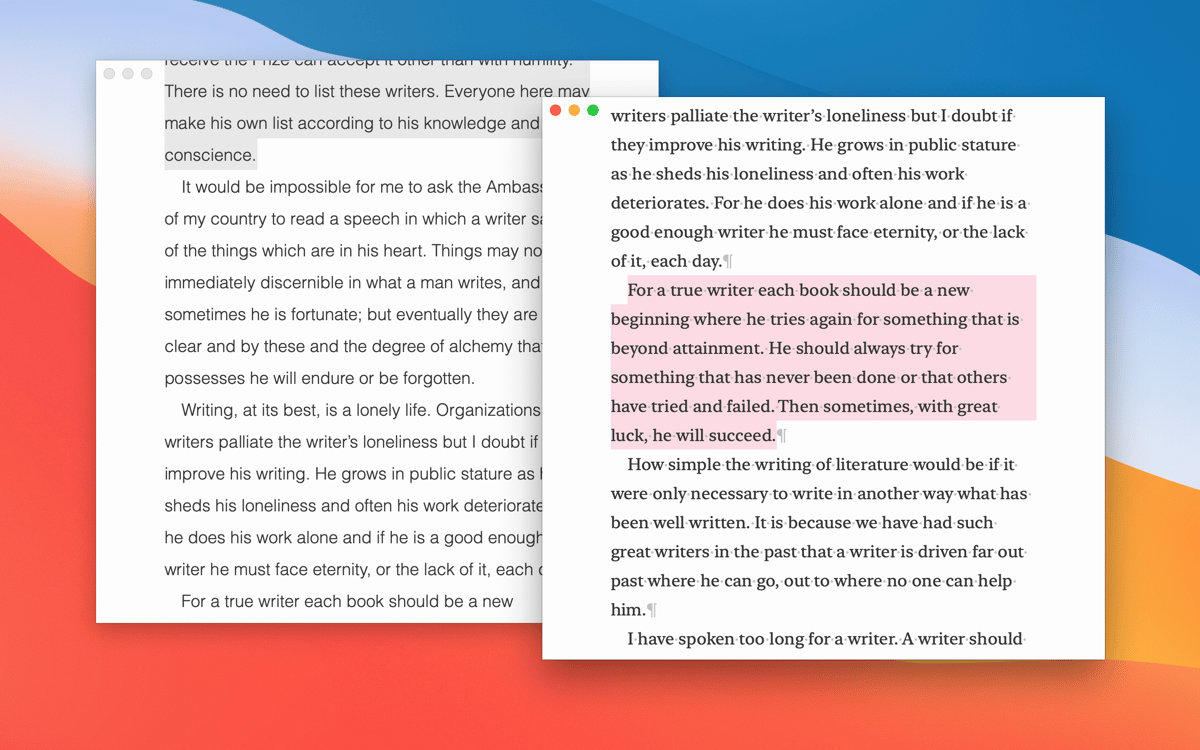
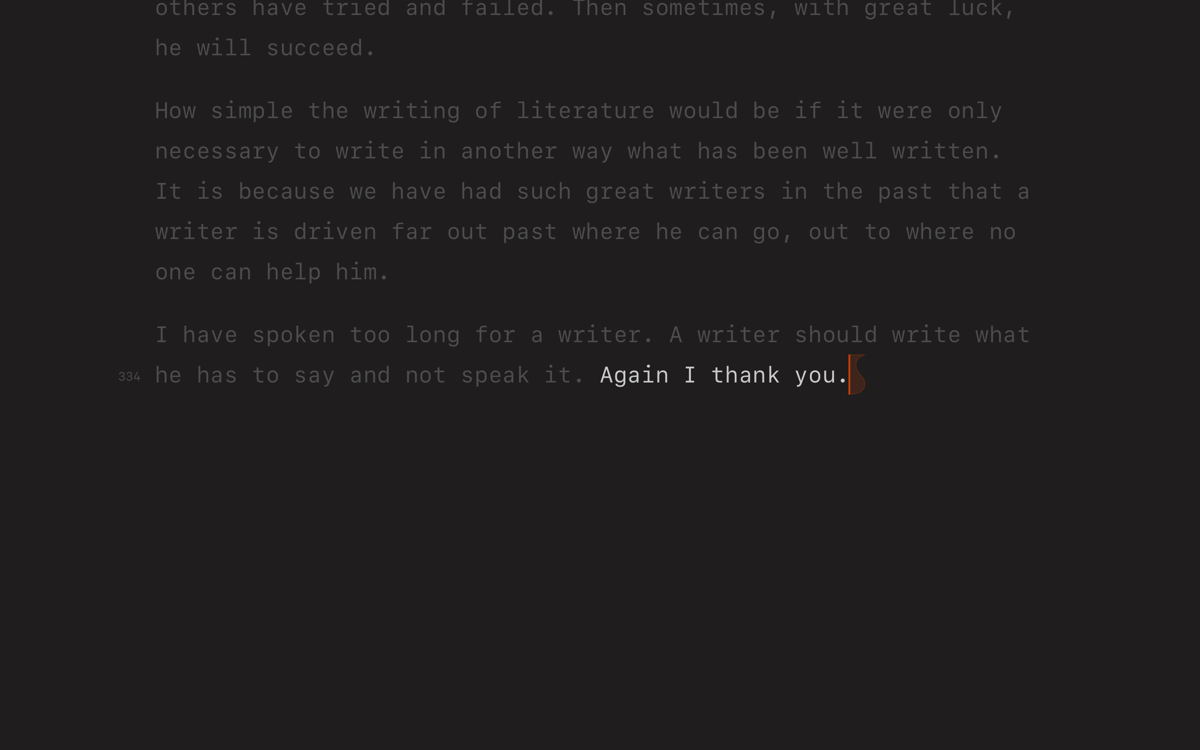
Conte com o design elegante do app para ter um ambiente de trabalho tranquilo para escrever. Ative o modo de foco para escurecer as partes não usadas do documento e se concentrar totalmente no que você está escrevendo. Esse recurso é particularmente útil durante o processo de edição.
Formate com Markdown facilmente
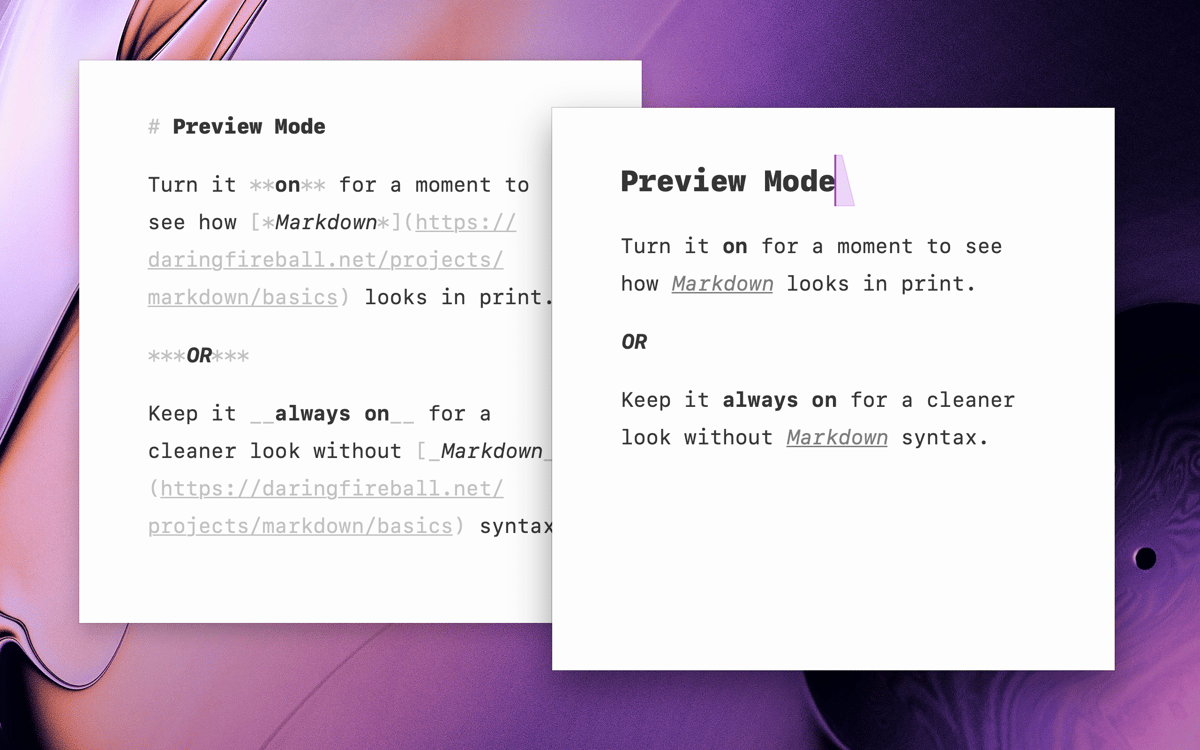
Com alguns símbolos simples de Markdown, você estiliza suas notas. Use uma cerquilha (#) antes de títulos e asteriscos (*) para listas com marcadores. O Paper destaca a formatação imediatamente para que você veja o que está acontecendo e identifique facilmente qualquer erro no texto.
Controle a escrita com gestos intuitivos
Com um simples gesto de rolar, você amplia o texto. Com o gesto de girar, você desfaz qualquer erro. E com o gesto de juntar ou separar os dedos, você redimensiona o documento. Esses gestos práticos facilitam navegar pelo seu trabalho e mantêm suas ideias fluindo bem.
Acompanhe seu progresso com um contador
Você está com dificuldades para manter suas metas de escrita? O contador nativo do Paper registra os caracteres, as palavras e o tempo de leitura. Com isso, você fica de olho no seu progresso e mantém a produtividade enquanto escreve.
Exporte seu trabalho facilmente
Exporte o texto para PDF, HTML, RTF ou copie‑o para a área de transferência para compartilhar documentos facilmente ou para usar o texto em outros apps. Com essa flexibilidade, você apresenta seus trabalhos exatamente como pretende.
Classificações e avaliações
Paper
•
173 classificações
André le Roux
17 de out. de 2026
Versão do app: 115
The best and most beautiful use for md files.
Resposta do Desenvolvedor
17 de out. de 2026
❤️
Andy
28 de set. de 2026
They had one job…And they fluffed it. My cursor juts about. Bulleted/Numbered lists start randomly - The app is basically unusable. It actually angers me how bad this app is for what it does. Poor show. I will never download this again
David
7 de ago. de 2026
Versão do app: 111
It had potential, but bulleted lists display double bullets when exported to PDF.
Resposta do Desenvolvedor
7 de ago. de 2026
Are you getting them on iOS? This has been fixed in the latest version of the app.
Obtenha centenas de apps com o Membership
Obtenha um membership do Setapp e use centenas de apps estelares numa única assinatura.
Experimente grátis por 7 dias. Depois, pague um valor único.
Instale o Setapp no Mac
Explore apps para Mac, iOS e web. Encontre formas fáceis de lidar com as tarefas do dia a dia.

Obtenha o app que chamou sua atenção
Aquele app especial está esperando você no Setapp. Instale‑o com um clique.

Paper
Escolha uma assinatura
Um ou mais apps com um membership do Setapp. Obtenha os apps que você quer.

Obtenha centenas de apps com o Membership
Obtenha um membership do Setapp e use centenas de apps estelares numa única assinatura.
Experimente grátis por 7 dias. Depois, pague um valor único.
1
Instale o Setapp no Mac
Explore apps para Mac, iOS e web. Encontre formas fáceis de lidar com as tarefas do dia a dia.
2
Obtenha o app que chamou sua atenção
Aquele app especial está esperando você no Setapp. Instale‑o com um clique.
Paper
3
Escolha uma assinatura
Um ou mais apps com um membership do Setapp. Obtenha os apps que você quer.
A casa dos melhores apps
Desde tarefas rotineiras e de planejamento a atividades criativas e de programação, encare suas tarefas com os apps do Setapp.

TypingMind
IU alternativa para conversar com IA
gere ou resuma textos
use uma biblioteca de ações
IA

Spark Mail
Gerencie e‑mails
IA

CleanMyMac
Limpe os detritos

Bartender
Personalize a barra de menus

CleanShot X
Capturas de tela versáteis

Luminar Neo
Edite suas fotos
IA

ClearVPN
Conecte‑se com mais segurança

Craft
Trabalhe com documentos
IA
Paper
Escreva sem distrações