
Paste
Guarde tudo o que copiar

Mac, iOS
Versão 7.0.4
macOS 14.0 ou posterior
62.9 MB
1 idiomas
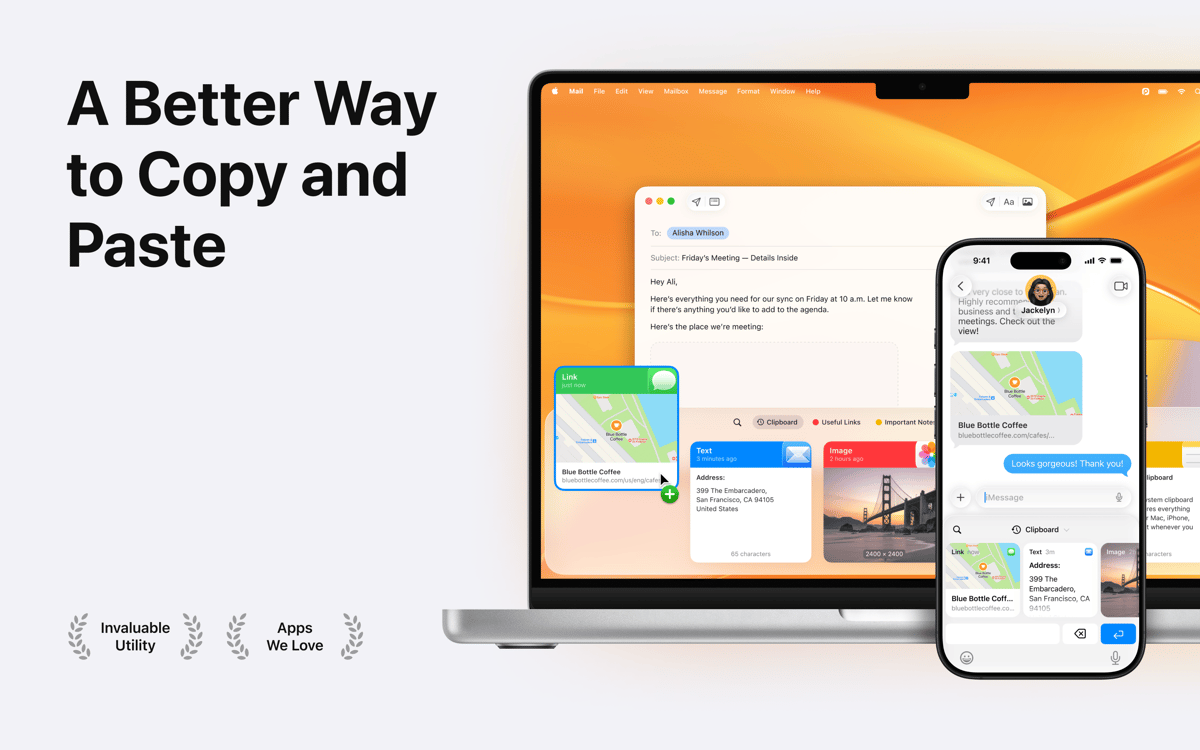
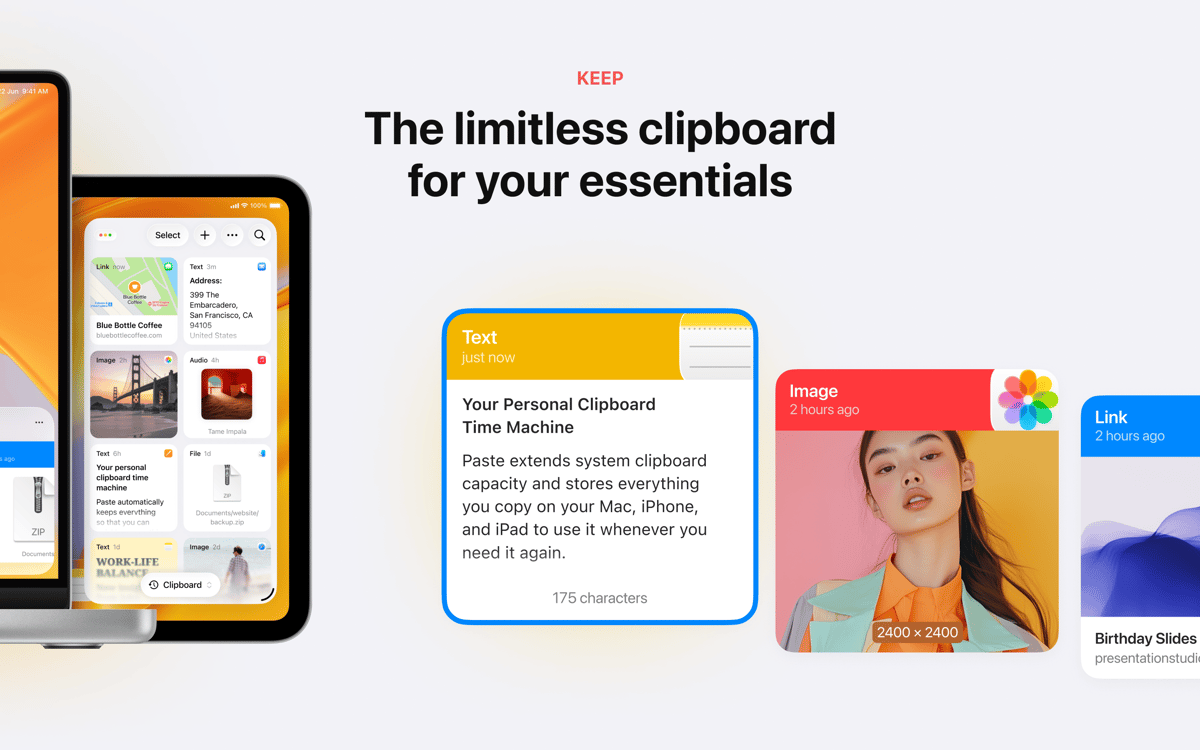
Chegou a hora de revolucionar a maneira como você copia e cola. Use o Paste para copiar e colar vários itens simultaneamente e recuperar, em segundos, itens copiados anteriormente. Se perguntando como funciona? É bem simples, na verdade. Com este gerenciador de histórico da área de transferência, você acessa tudo aquilo que foi copiado, independentemente do formato — texto, imagens, capturas de tela, links e outros. Assim, você retorna rapidamente a qualquer um deles quando precisar. Sem nenhum exagero, o Paste liberta a verdadeira capacidade da área de transferência do Mac. E mais, com o Paste, você também pode armazenar os itens mais importantes do histórico em um lugar bem estruturado e acessá-los em qualquer um dos seus dispositivos que tenha o Paste instalado.
Economize tempo ao copiar e colar
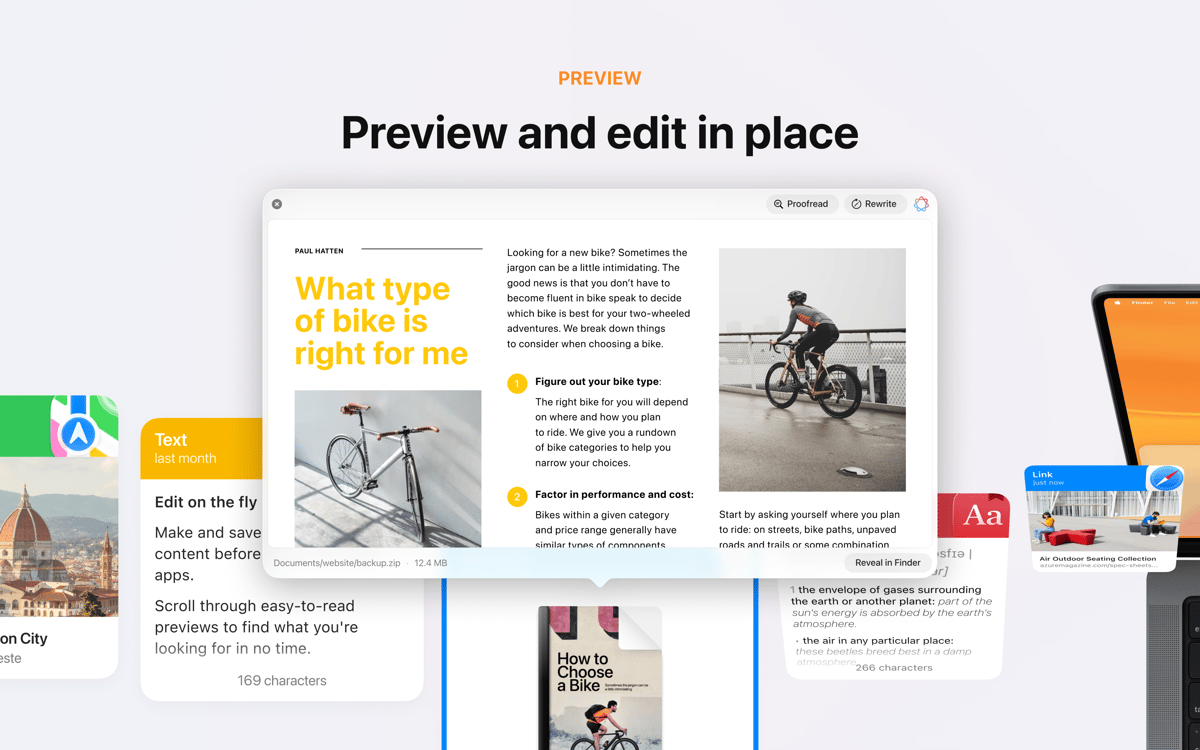
Encontre uma cópia feita há tempos
Copie arquivos, textos, links e imagens
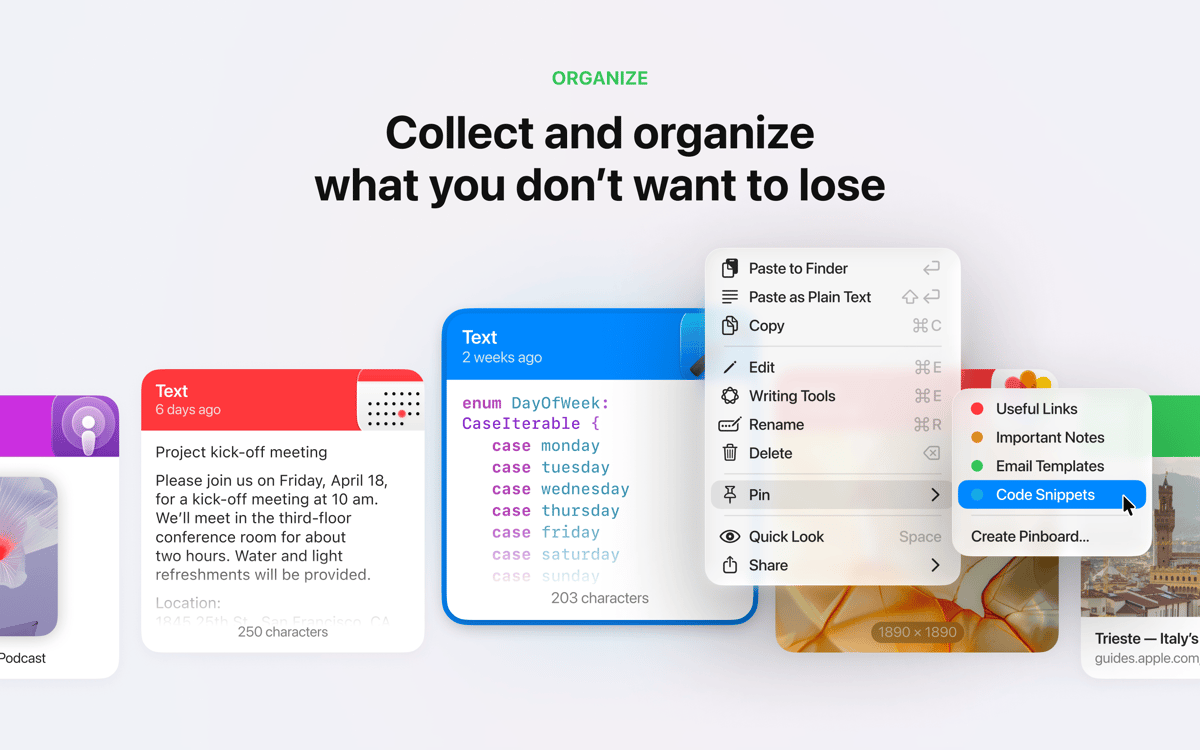
Fixe itens copiados que deseje reusar
Recursos do Paste
Copie e cole vários itens simultaneamente
Que tal poder copiar várias coisas ao mesmo tempo para depois escolher o que deseja colar? Use este gerenciador de fragmentos quando precisar copiar e colar vários itens de uma só vez com facilidade. Controle aquilo que foi copiado e colado. Selecione, arraste e solte o conteúdo desejado para qualquer local ou aplicativo do Mac.
Obtenha texto simples
Precisa copiar um texto e remover o formato antes de colá-lo? Se isso soa familiar, o Paste pode ajudar. Você não precisa de soluções mirabolantes, o Paste permite colar da área de transferência diretamente como texto simples. Converta qualquer arquivo copiado, docx, HTML, código ou outro texto formatado para texto simples em segundos.
Backup e sincronização do histórico via iCloud
Mantenha o histórico da área de transferência e o pinboard armazenados com segurança no iCloud para disponibilizá-los em todos os seus dispositivos e poder sincronizar tudo entre eles. Vale lembrar que o Paste também é compatível com a Área de Transferência Universal de outros dispositivos.
Busca inteligente
O Paste permite que você encontre fragmentos de texto rapidamente. Use a busca inteligente para encontrar, em uma questão de segundos, algo que já foi copiado. Muito fácil e rápido. Basta começar a digitar para que o Paste encontre instantaneamente aquilo que você procura.
Atalhos conforme as suas preferências
Use os atalhos padrão de ações rápidas ou configure-os do seu jeito para ter mais produtividade. Além de economizar tempo, o Paste também é altamente personalizável. Você pode criar um número ilimitado de listas para gerenciar seus fragmentos favoritos. Ajuste tudo ao seu gosto para tirar o máximo de proveito.
Compartilhamento fácil da área de transferência
Compartilhe o histórico da área de transferência com familiares, cônjuges ou amigos sem dificuldades quando quiser. Você pode usar o Paste para gerenciar seus fragmentos de código, organizá-los e reutilizá-los em outros projetos ou compartilhá-los com outras pessoas. E você ainda pode enviar o conteúdo copiado via AirDrop para outros dispositivos da Apple.
Classificações e avaliações
Paste
•
7200 classificações
David Chou
Ontem
Versão do app: 7.0.3
very good
Sebastian
15 de out. de 2026
Versão do app: 7.0.1
It’s great but it seems I can’t use the iOS feature via the Setapp membership?
Allon Guralnek
12 de out. de 2026
Versão do app: 7.0.1
Best clipboard manager for Mac that I’ve found. Beautifully visual and very functional.
Obtenha centenas de apps com o Membership
Obtenha um membership do Setapp e use centenas de apps estelares numa única assinatura.
Experimente grátis por 7 dias. Depois, pague um valor único.
Instale o Setapp no Mac
Explore apps para Mac, iOS e web. Encontre formas fáceis de lidar com as tarefas do dia a dia.

Obtenha o app que chamou sua atenção
Aquele app especial está esperando você no Setapp. Instale‑o com um clique.

Paste
Escolha uma assinatura
Um ou mais apps com um membership do Setapp. Obtenha os apps que você quer.

Obtenha centenas de apps com o Membership
Obtenha um membership do Setapp e use centenas de apps estelares numa única assinatura.
Experimente grátis por 7 dias. Depois, pague um valor único.
1
Instale o Setapp no Mac
Explore apps para Mac, iOS e web. Encontre formas fáceis de lidar com as tarefas do dia a dia.
2
Obtenha o app que chamou sua atenção
Aquele app especial está esperando você no Setapp. Instale‑o com um clique.
Paste
3
Escolha uma assinatura
Um ou mais apps com um membership do Setapp. Obtenha os apps que você quer.
A casa dos melhores apps
Desde tarefas rotineiras e de planejamento a atividades criativas e de programação, encare suas tarefas com os apps do Setapp.

TypingMind
IU alternativa para conversar com IA
gere ou resuma textos
use uma biblioteca de ações
IA

Spark Mail
Gerencie e‑mails
IA

CleanMyMac
Limpe os detritos

Bartender
Personalize a barra de menus

CleanShot X
Capturas de tela versáteis

Luminar Neo
Edite suas fotos
IA

ClearVPN
Conecte‑se com mais segurança

Craft
Trabalhe com documentos
IA
Paste
Guarde tudo o que copiar