
PDF Owl
Read PDFs smarter with AI
Mac
Versão 1.5.4
macOS 12.4 ou posterior
815.2 MB
5 idiomas
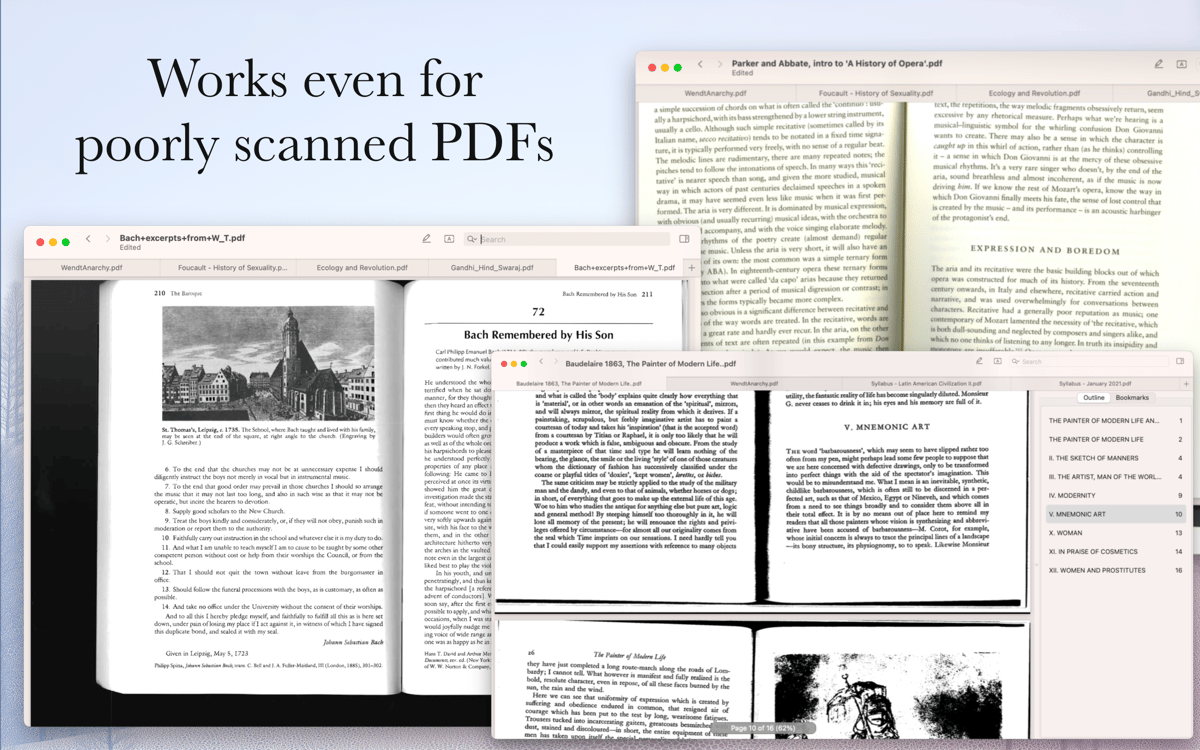
PDF Owl is an AI-powered PDF reader for Mac that automatically generates a table of contents for any document — so you can actually navigate large files without scrolling forever. It uses on-device AI powered by transformer models to detect headings, build an outline, and save it in a format other PDF readers can use too. Highlight, annotate, search with regex, and organize pages — all without sending a single byte to the cloud. Built for students, researchers, and anyone who works with documents that don't come with a roadmap.
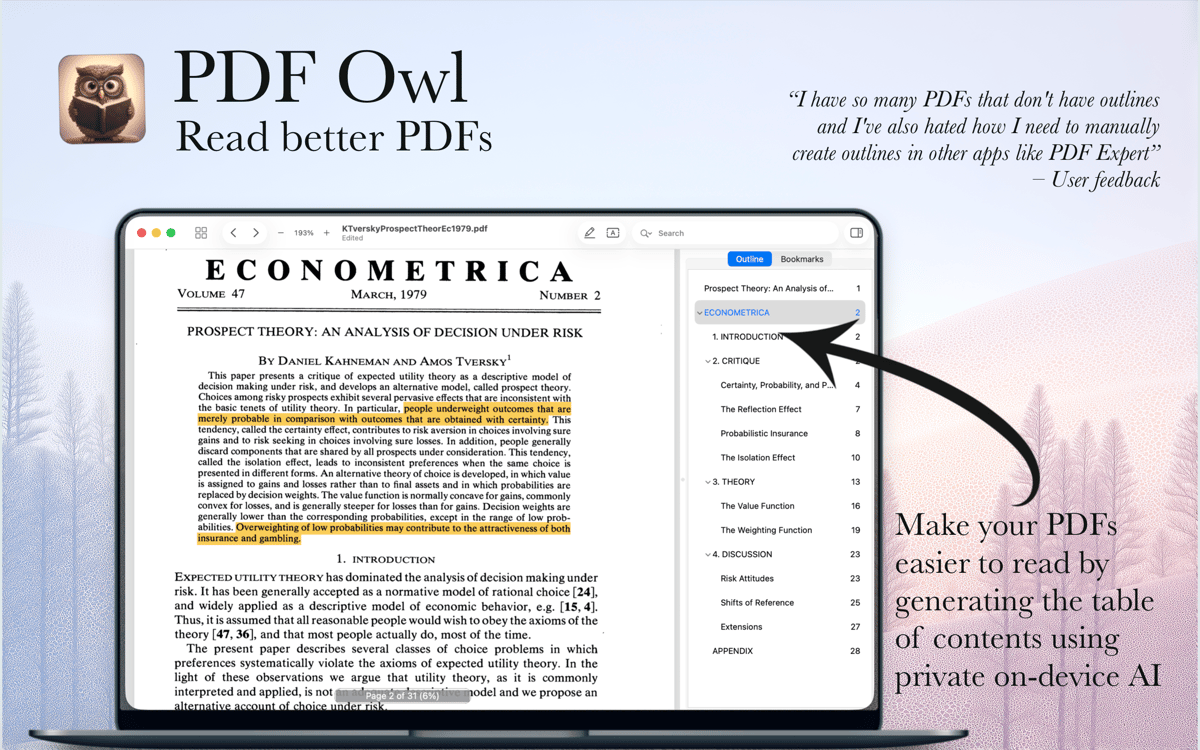
Generate a table of contents with AI
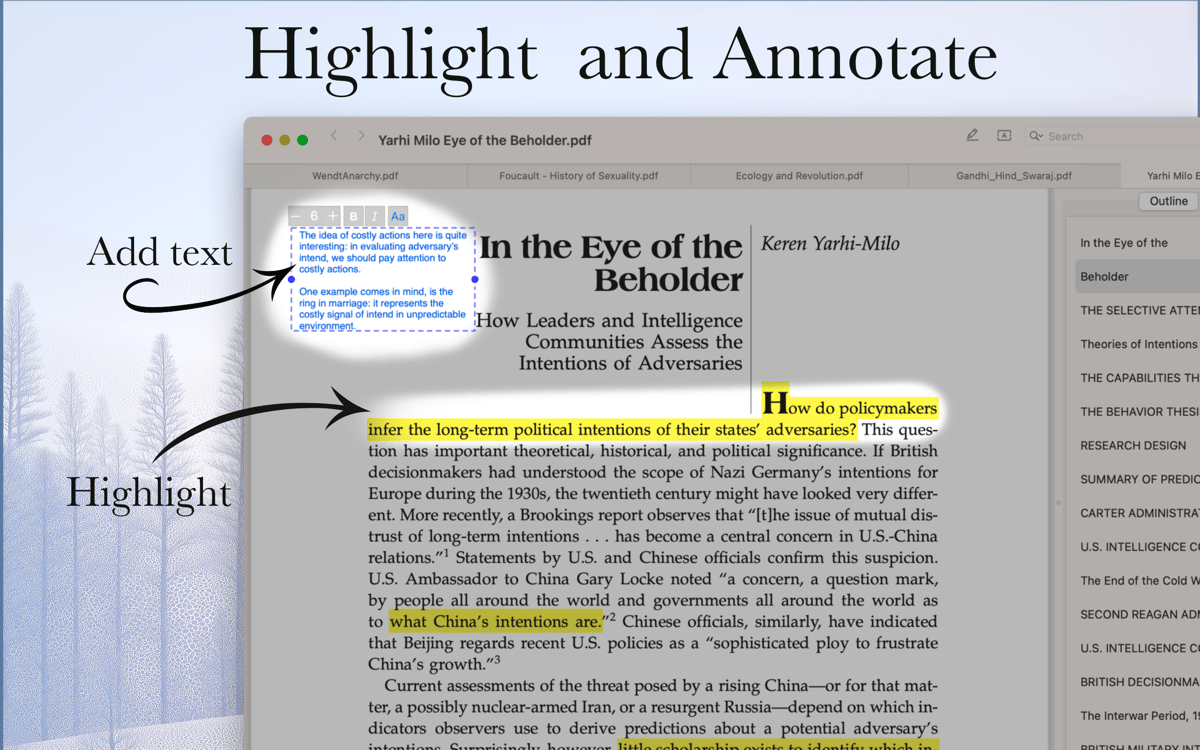
Highlight text and add margin notes
Search PDFs with advanced filters
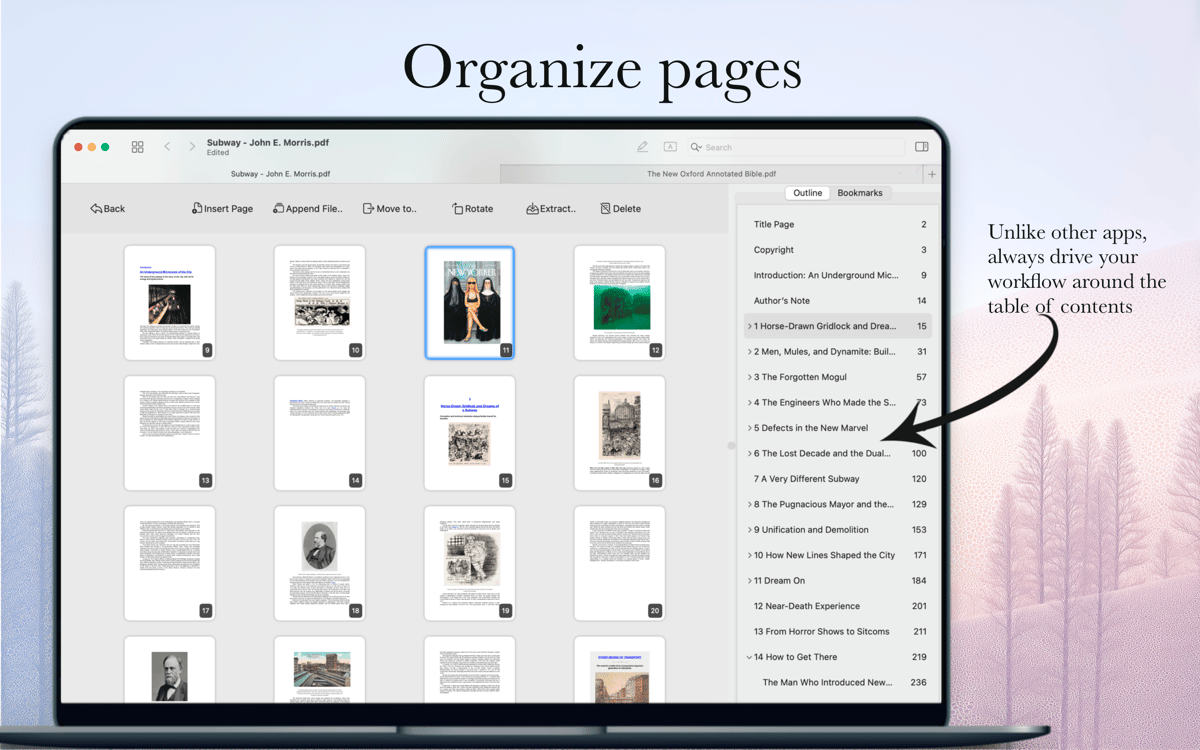
Merge, split, and reorganize pages
Recursos do PDF Owl
AI Table of Contents Generator
Open any PDF and PDF Owl will scan each page using computer vision, detect headings, and build a full outline automatically. The generated table of contents is saved inside the file, so it works in other PDF apps too — not just PDF Owl. No manual work, no copying and pasting, no cloud upload.
Highlight Text and Add Annotations
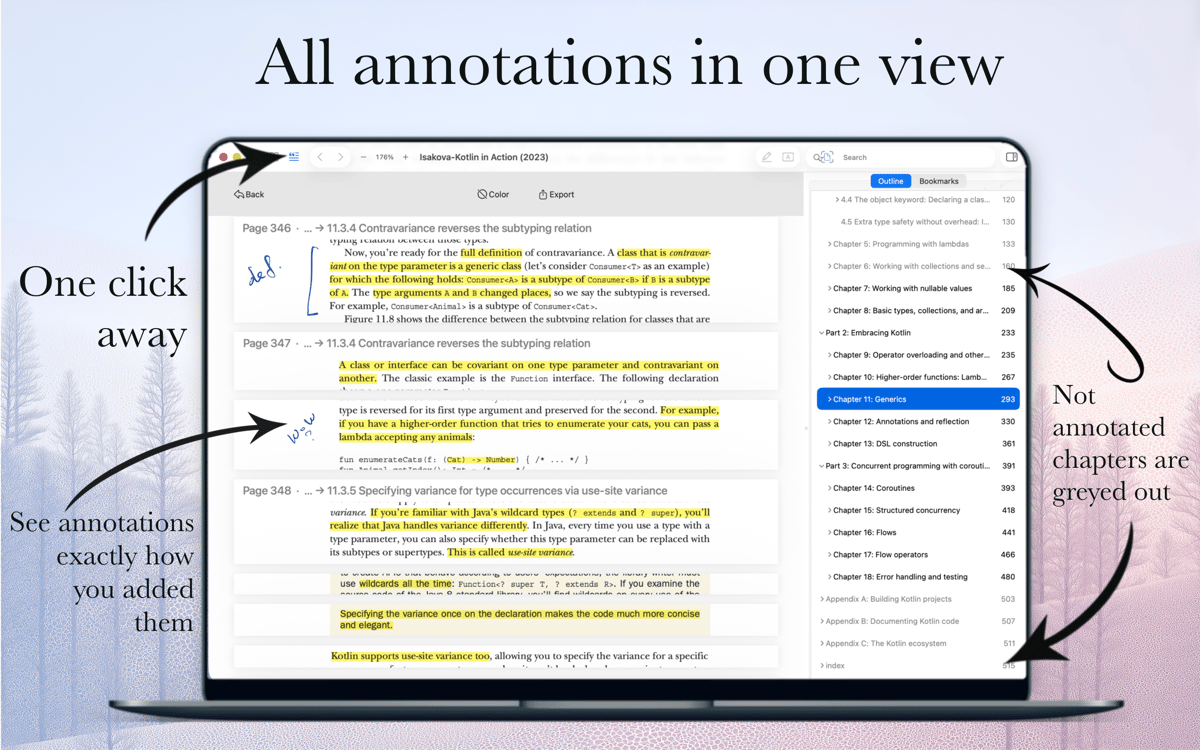
Select text and highlight it in any color. Add a note to the highlight, or drop a free-text comment anywhere on the page with your choice of font size and color. All your annotations are collected in one view as cutouts from the actual pages — easy to browse at a glance.
Advanced Search Inside PDFs
Type what you're looking for and navigate results in a clean, Safari-style interface. Need more control? Search only annotated pages, narrow results to specific outline sections, or use regular expressions (RegEx) for precise pattern matching.
Page Organizer
Merge files, split them apart, reorder pages, duplicate or delete them — all from a bird's-eye pages view with the outline visible on the side. It's the only way to organize a large PDF without losing track of where you are.
Outline Editor
Fine-tune the AI-generated outline or build your own from scratch. Select text on the page, hit "Add Outline," and it's in. Rename, reorder, or delete items anytime using keyboard shortcuts or the editor panel.
Privacy-First and Cloud-Ready
PDF Owl runs entirely on your device inside the macOS sandbox — nothing is uploaded anywhere. At the same time, it plays nicely with cloud-synced files: if you edit a document on another device, PDF Owl reloads it seamlessly without losing your reading position.
Obtenha centenas de apps com o Membership
Obtenha um membership do Setapp e use centenas de apps estelares numa única assinatura.
Experimente grátis por 7 dias. Depois, pague um valor único.
Instale o Setapp no Mac
Explore apps para Mac, iOS e web. Encontre formas fáceis de lidar com as tarefas do dia a dia.

Obtenha o app que chamou sua atenção
Aquele app especial está esperando você no Setapp. Instale‑o com um clique.

PDF Owl
Escolha uma assinatura
Um ou mais apps com um membership do Setapp. Obtenha os apps que você quer.

Obtenha centenas de apps com o Membership
Obtenha um membership do Setapp e use centenas de apps estelares numa única assinatura.
Experimente grátis por 7 dias. Depois, pague um valor único.
1
Instale o Setapp no Mac
Explore apps para Mac, iOS e web. Encontre formas fáceis de lidar com as tarefas do dia a dia.
2
Obtenha o app que chamou sua atenção
Aquele app especial está esperando você no Setapp. Instale‑o com um clique.
PDF Owl
3
Escolha uma assinatura
Um ou mais apps com um membership do Setapp. Obtenha os apps que você quer.
A casa dos melhores apps
Desde tarefas rotineiras e de planejamento a atividades criativas e de programação, encare suas tarefas com os apps do Setapp.

TypingMind
IU alternativa para conversar com IA
gere ou resuma textos
use uma biblioteca de ações
IA

Spark Mail
Gerencie e‑mails
IA

CleanMyMac
Limpe os detritos

Bartender
Personalize a barra de menus

CleanShot X
Capturas de tela versáteis

Luminar Neo
Edite suas fotos
IA

ClearVPN
Conecte‑se com mais segurança

Craft
Trabalhe com documentos
IA
PDF Owl
Read PDFs smarter with AI