
Pinchbar
Transforme texto num instante

Mac
Versão 1.0.18
macOS 15.6 ou posterior
20.3 MB
1 idiomas
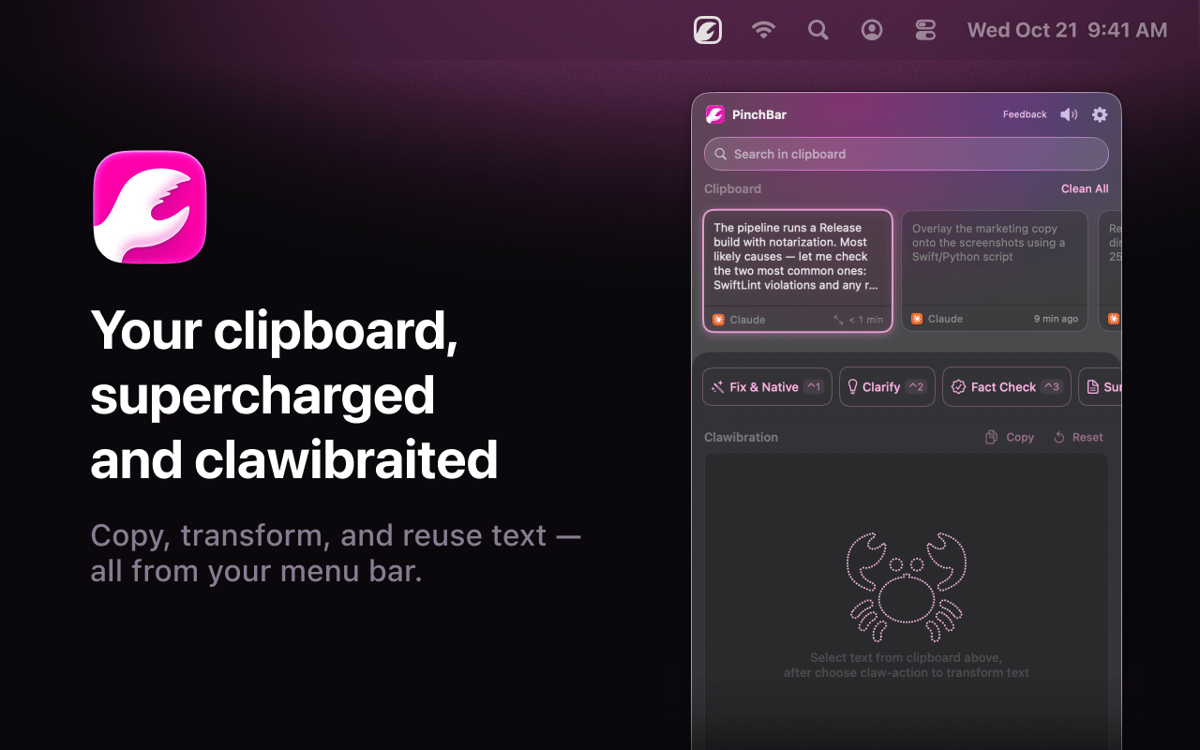
Pinchbar é uma ferramenta de área de transferência com IA para Mac. Copie qualquer coisa, pressione ⌥V e sua barra de menus mostrará ações inteligentes — reescreva, resuma, traduza, verifique fatos ou estruture seu texto em segundos. Compatível com Apple Intelligence (no dispositivo e privado), Setapp AI. Dados sensíveis, como senhas e tokens, são detectados e bloqueados automaticamente. Sem trocar de app. Sem abas extras. Basta copiar, clicar e colar.
Transforme texto sem trocar de apps
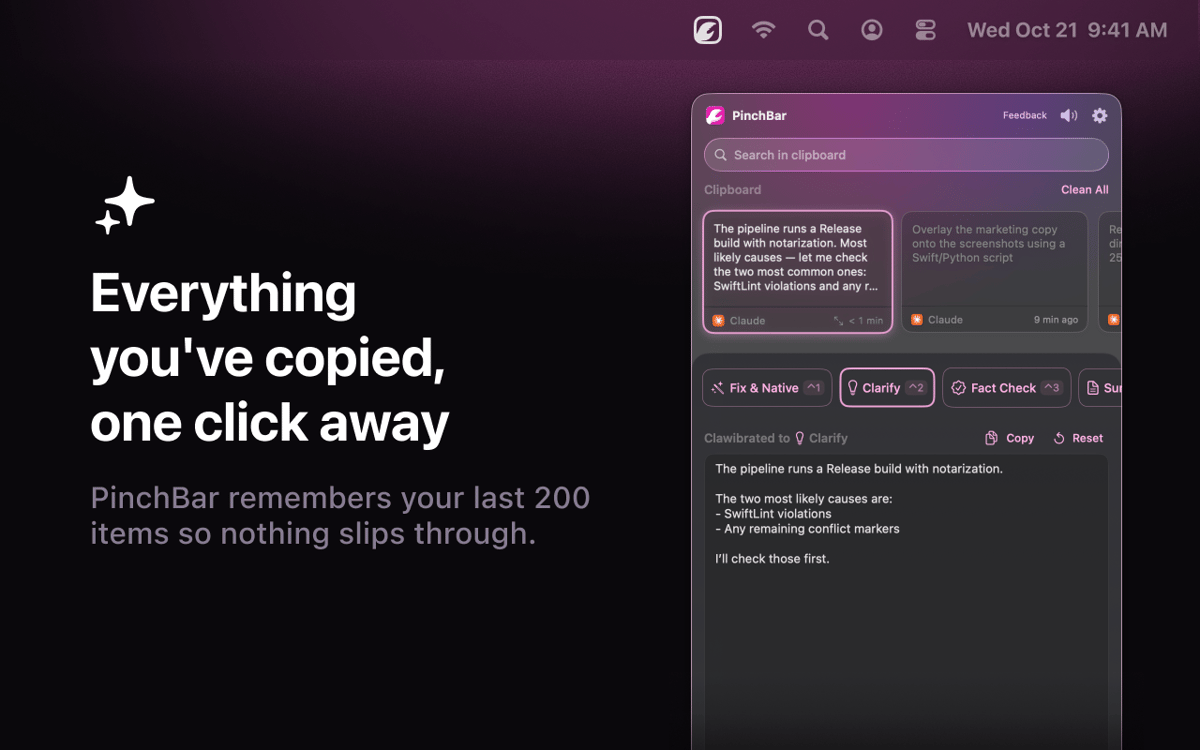
Pesquise o histórico da área de transferência
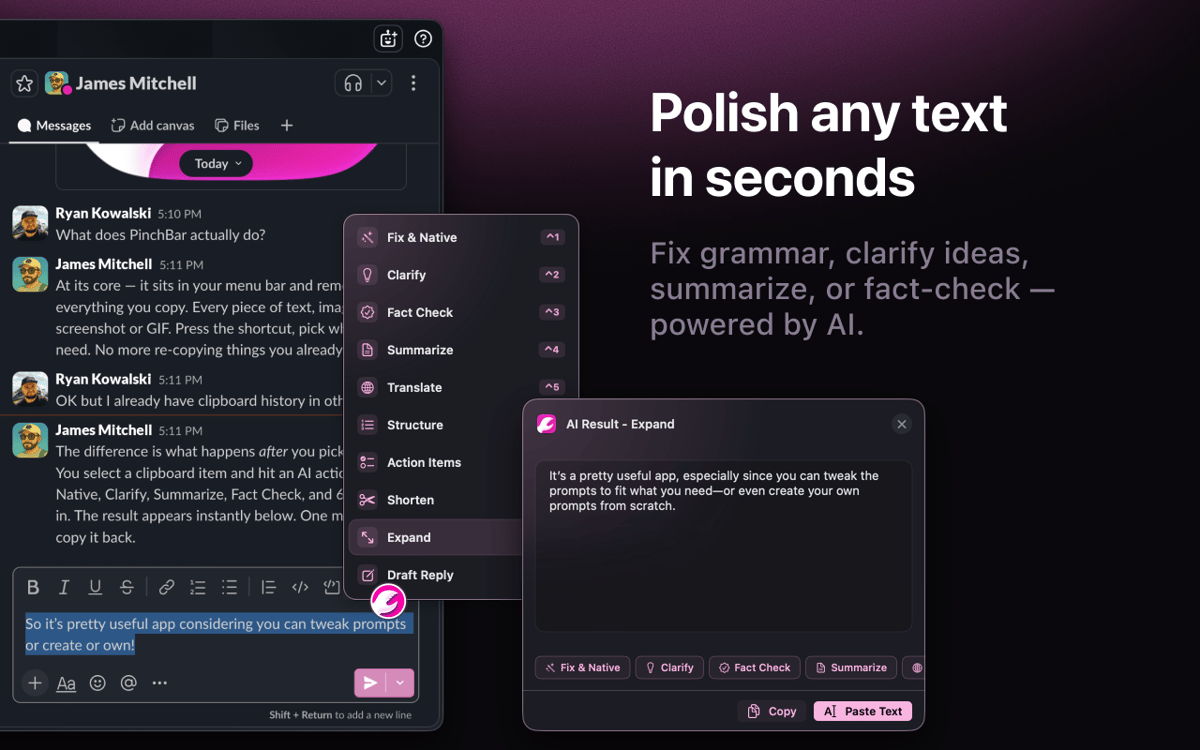
Reescreva ou resuma em um atalho
Mantenha dados sensíveis privados, sempre
Recursos do Pinchbar
Transforme texto sem trocar de contexto
Copie qualquer coisa, pressione ⌥V e escolha uma ação. Reescreva, resuma, traduza, verifique fatos — o Pinchbar processa seu texto com IA e envia o resultado direto para sua área de transferência. Sem abas do navegador, sem aplicativos extras, sem desvios.
Reescreva onde você está trabalhando
Selecione um texto em qualquer app, pressione um atalho e o Pinchbar o substituirá no lugar. Sem alternar janelas, sem etapa extra de colagem. É para isso que serve o Modo Inline — seu fluxo de escrita permanece exatamente onde você o parou.
Seu histórico de clipboard realmente útil
Todos os itens copiados são salvos, pesquisáveis e prontos para uso — até os de horas atrás. Fixe o que você precisa, descarte o resto e aplique qualquer ação de IA a qualquer clipe do seu histórico com um clique.
Privacidade que não te faz escolher
O Apple Intelligence executa tudo no dispositivo por padrão — nada sai do seu Mac. O Setapp AI está incluído para assinantes, sem configuração adicional. Senhas, chaves de API e tokens são detectados e bloqueados automaticamente.
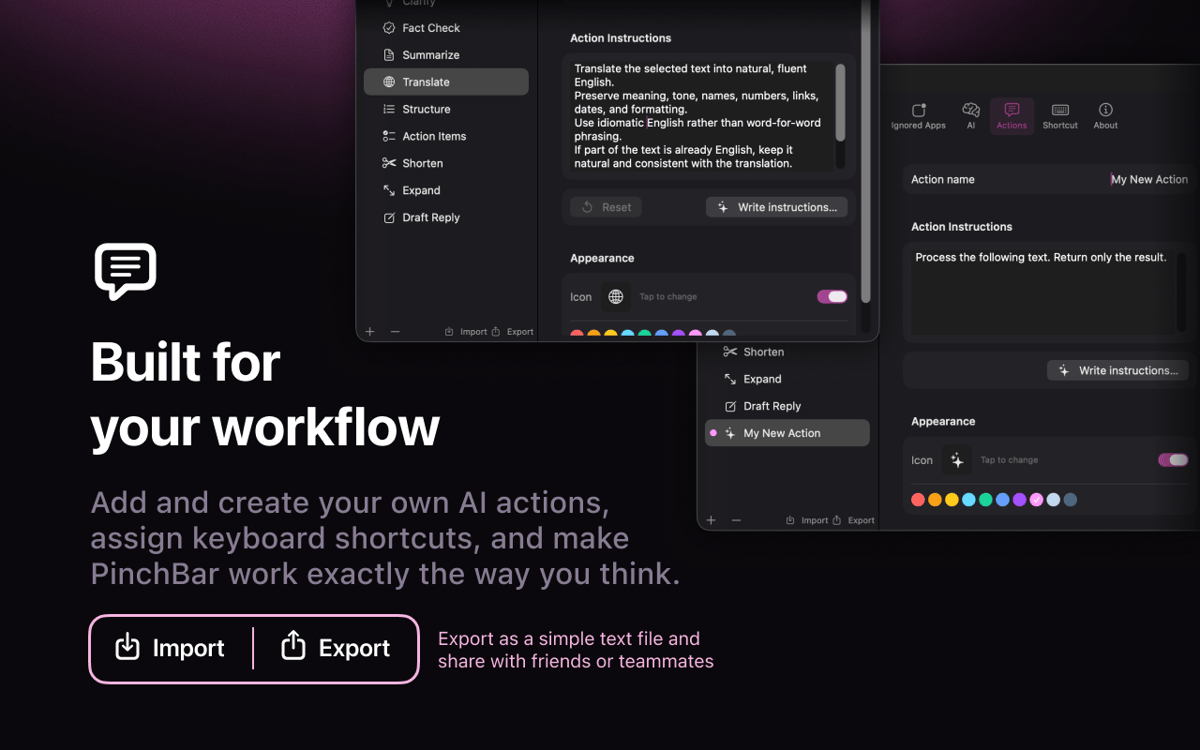
Prompts de IA criados para o seu trabalho
Seis ações prontas vêm incluídas: corrigir gramática, esclarecer, verificar fatos, resumir, traduzir e estruturar. Edite o prompt do sistema, troque o ícone, crie o seu próprio e arraste para reordenar. Você pode moldá-lo como quiser.
Classificações e avaliações
Pinchbar
•
32 classificações
Jacob Kotzee
14 de ago. de 2026
Versão do app: 1.0.15
It’s like it was created just for me! Brilliant!
Jay Chen
28 de jul. de 2026
Versão do app: 1.0.15
It looks like this does not support the Books app on Mac, but I’m not sure if that is expected behavior or if there may be something wrong with my settings.
Resposta do Desenvolvedor
28 de jul. de 2026
Thanks for flagging this, and sorry PinchBar's button doesn't show up in Apple Books! The reason is a technical one: Books uses a special text view (the same kind Apple's iPad-style apps use) that doesn't report text selections to other apps the way most Mac apps do — so PinchBar's button doesn't detect when you've selected something there. It's on our radar to support it. In the meantime there's a simple workaround: just copy the text (Cmd+C) — it'll land in PinchBar's clipboard, and you can run any action on it from there. Really appreciate you taking the time to report it!
Hideaki Akama
23 de jul. de 2026
Versão do app: 1.0.15
webやドキュメントのちょっとした、テキストの検索や翻訳に使っています。
Obtenha centenas de apps com o Membership
Obtenha um membership do Setapp e use centenas de apps estelares numa única assinatura.
Experimente grátis por 7 dias. Depois, pague um valor único.
Instale o Setapp no Mac
Explore apps para Mac, iOS e web. Encontre formas fáceis de lidar com as tarefas do dia a dia.

Obtenha o app que chamou sua atenção
Aquele app especial está esperando você no Setapp. Instale‑o com um clique.

Pinchbar
Escolha uma assinatura
Um ou mais apps com um membership do Setapp. Obtenha os apps que você quer.

Obtenha centenas de apps com o Membership
Obtenha um membership do Setapp e use centenas de apps estelares numa única assinatura.
Experimente grátis por 7 dias. Depois, pague um valor único.
1
Instale o Setapp no Mac
Explore apps para Mac, iOS e web. Encontre formas fáceis de lidar com as tarefas do dia a dia.
2
Obtenha o app que chamou sua atenção
Aquele app especial está esperando você no Setapp. Instale‑o com um clique.
Pinchbar
3
Escolha uma assinatura
Um ou mais apps com um membership do Setapp. Obtenha os apps que você quer.
A casa dos melhores apps
Desde tarefas rotineiras e de planejamento a atividades criativas e de programação, encare suas tarefas com os apps do Setapp.

TypingMind
IU alternativa para conversar com IA
gere ou resuma textos
use uma biblioteca de ações
IA

Spark Mail
Gerencie e‑mails
IA

CleanMyMac
Limpe os detritos

Bartender
Personalize a barra de menus

CleanShot X
Capturas de tela versáteis

Luminar Neo
Edite suas fotos
IA

ClearVPN
Conecte‑se com mais segurança

Craft
Trabalhe com documentos
IA
Pinchbar
Transforme texto num instante