Prizmo
Scanner e OCR de documentos
Mac, iOS
Versão 5.0.2
macOS 14.0 ou posterior
75.7 MB
23 idiomas
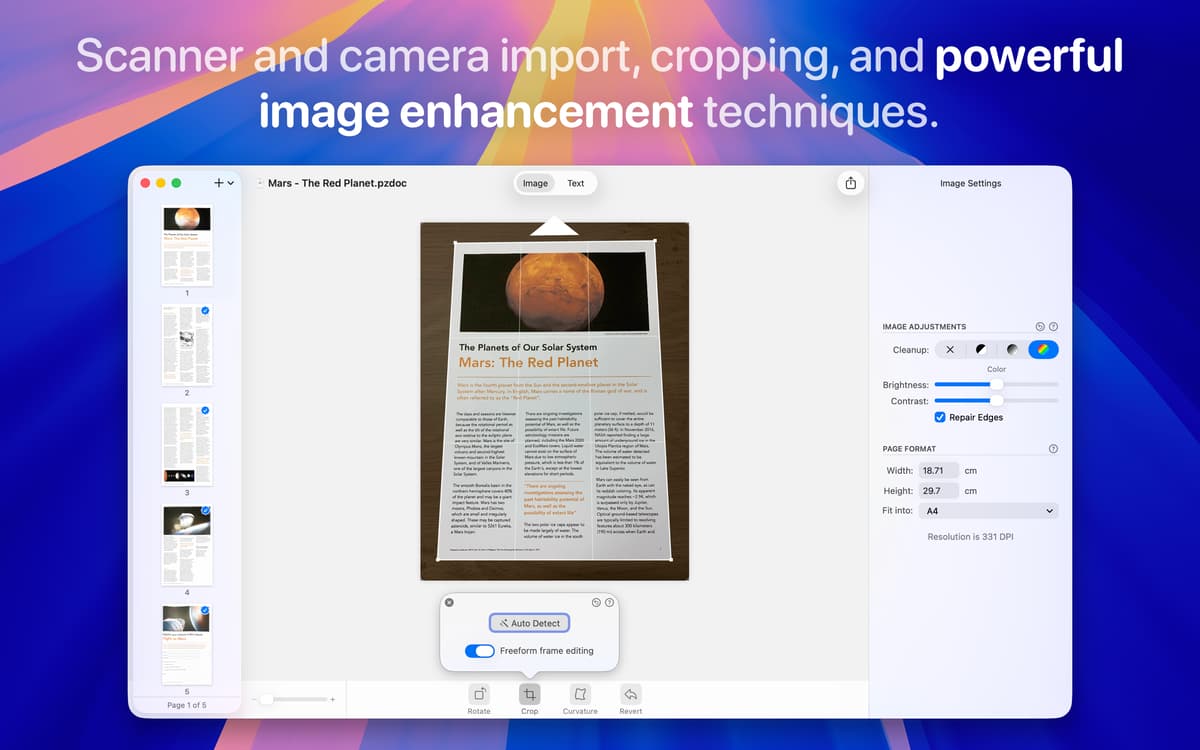
Está difícil digitalizar arquivos antigos e fora de foco ou até danificados? Ou você só quer pesquisar e editar o texto em documentos físicos sem passar horas corrigindo os erros? O Prizmo automatiza esse processo — da captura à edição — para que você não perca nenhum detalhe. Basta importar o documento de um scanner ou de uma imagem para que o app cuide do resto com precisão. Ele até recorta e corrige a perspectiva!
Extraia dados de arquivos antigos e danificados
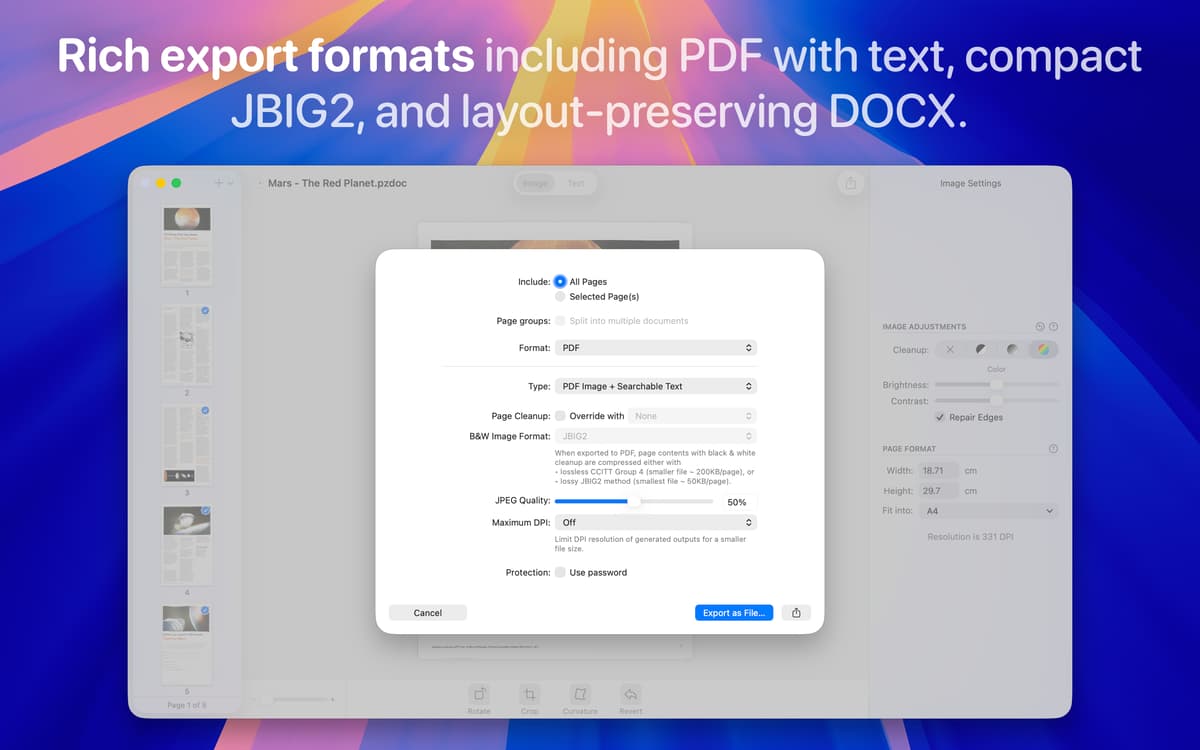
Transforme arquivos em PDFs pesquisáveis
Encontre e corrija erros em documentos escaneados
Use vocalização de texto para ler documentos
Recursos do Prizmo
Converta imagens ou escaneamentos em texto pesquisável
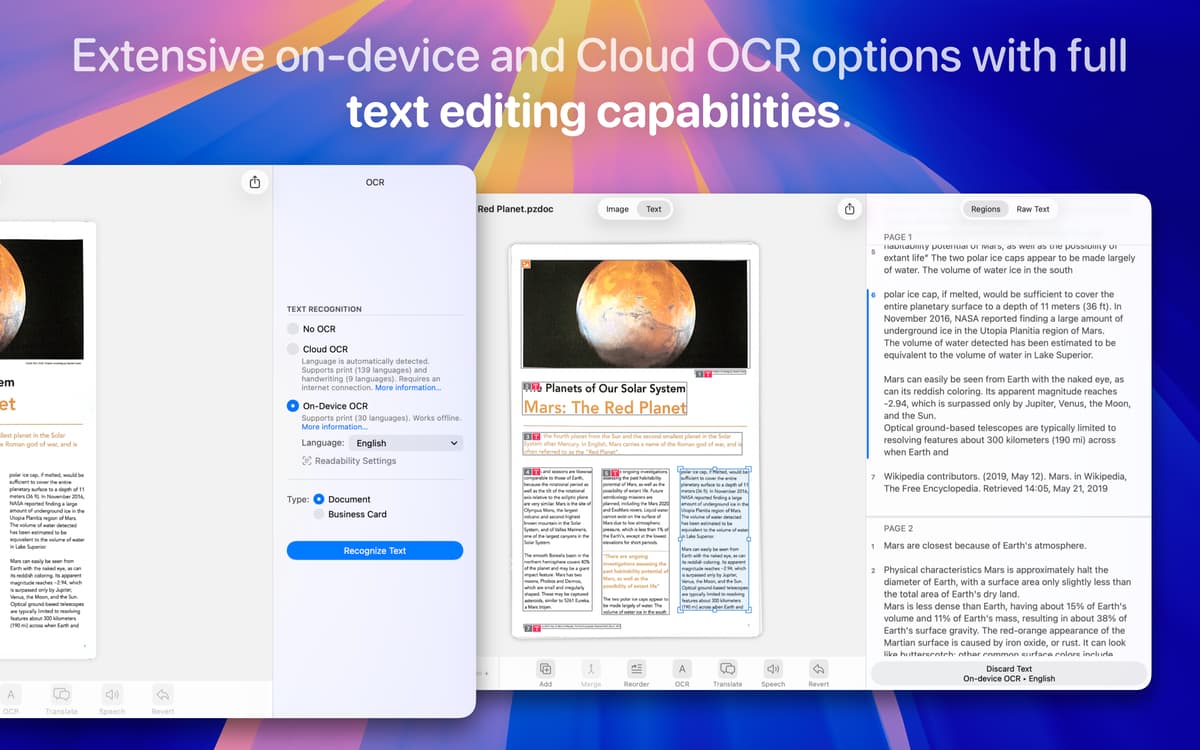
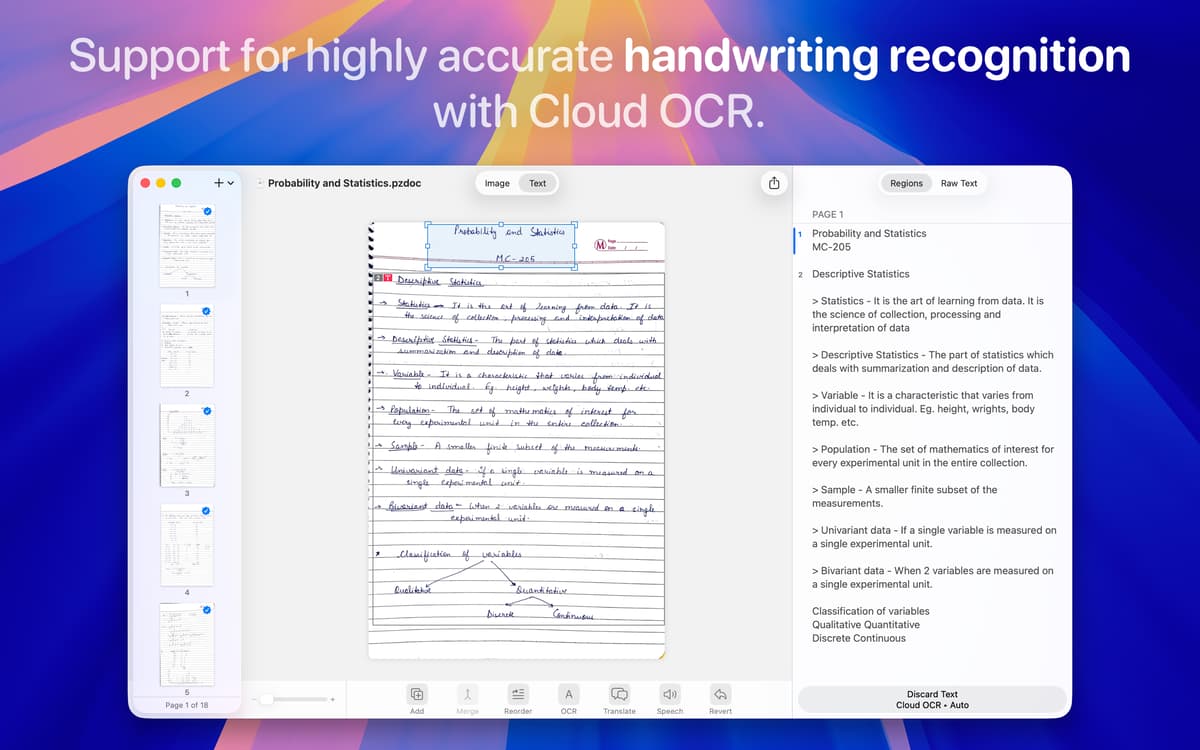
Independente de como você capture documentos (fotos com um iPhone, iPad ou câmera, scanner ou até capturas de tela), o Prizmo transforma tudo em PDFs ou arquivos do Word/DOCX precisos e editáveis. Sua tecnologia de OCR avançada é compatível com mais de 100 idiomas e lida automaticamente com faturas, recibos, notas escritas à mão, pôsteres, anúncios, cartões de visita e muito mais para que você digitalize qualquer material de forma rápida e simples.
Corrija erros no texto reconhecido
O processo de OCR nem sempre é perfeito, especialmente quando o layout é complexo ou tem fontes exóticas, como em revistas e livros. Com o Prizmo, fica fácil consertar qualquer erro. Basta adicionar ou apagar regiões, combinar ou dividir parágrafos e reordenar as seções. Depois, o app reprocessa automaticamente o OCR que você editou.
Corrija imagens e escaneamentos automaticamente
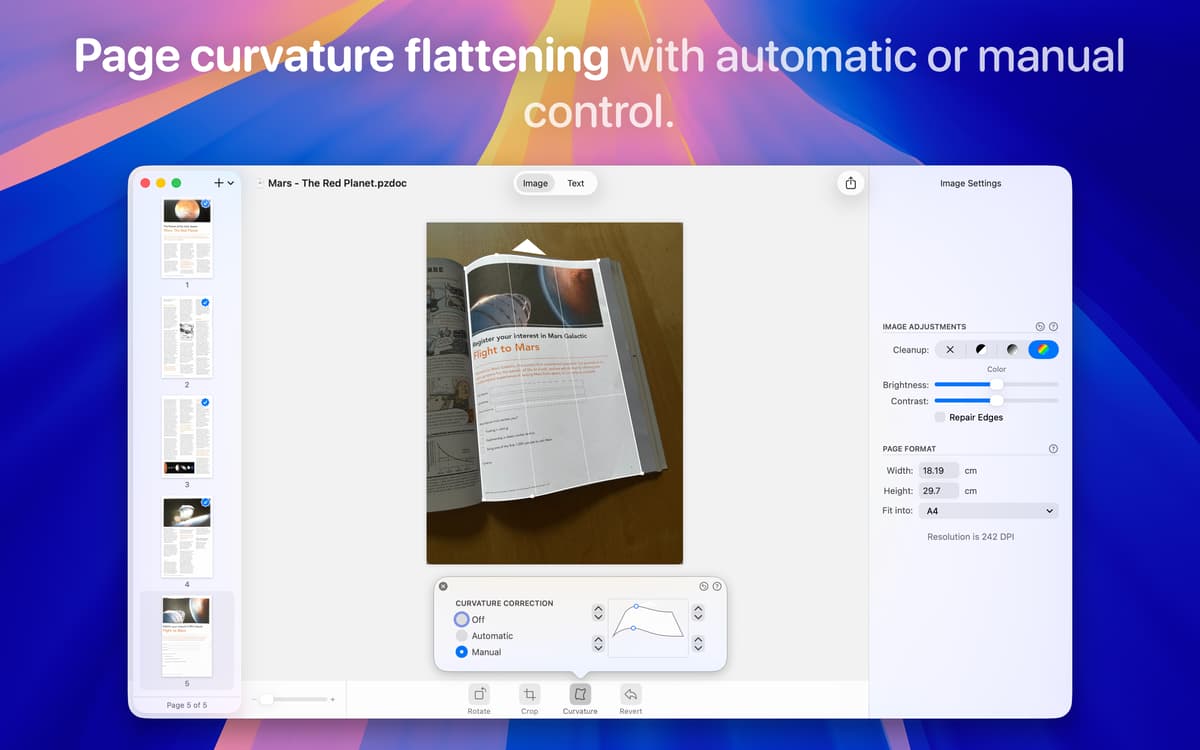
Quando tiramos uma foto de um documento, a iluminação, os ângulos e o alinhamento raramente ficam perfeitos. O Prizmo cuida desses problemas automaticamente e endireita as páginas, corrige a perspectiva e remove a curvatura para que os arquivos tenham uma aparência profissional sem nenhum esforço extra. Basta importar a imagem e deixar que o app faça o seu trabalho.
Acesse e sincronize os escaneamentos nos seus dispositivos
O Prizmo funciona no macOS e iOS. A versão para iOS é otimizada para escaneamento móvel rápido, perfeito para capturar documentos, recibos ou imagens e extrair o texto onde você estiver. O app sincroniza automaticamente com o iCloud para que os itens escaneados estejam sempre acessíveis, tanto no Mac quanto no iPhone. Além disso, o app também é compatível com serviços de armazenamento na nuvem populares, como Dropbox, Box, Google Drive e WebDAV.
Ouça e traduza seus documentos
O Prizmo lê em voz alta o texto dos documentos escaneados em 26 idiomas, com mais de 90 vozes masculinas e femininas, o que facilita e dá liberdade na hora de revisar conteúdos extensos ou complexos. Ele também traduz o texto extraído em mais de 59 idiomas, para que você entenda, se comunique e compartilhe conteúdo globalmente.
Classificações e avaliações
Prizmo
•
433 classificações
Christian Saborio
24 de out. de 2026
Versão do app: 5.0.2
Amazing OCR, super easy to use, love how text gest exported in a PDF that had no selectable text, absolute winner.
Jonas
13 de ago. de 2026
Versão do app: 5.0.2
I would love the app if there wasn’t the problem that each time I want to open it it’s getting stuck. The only workaround i found is uninstalling and reinstalling each time i want to use it.
Lee
18 de fev. de 2026
Versão do app: 5.0.2
Good app, works well for OCR
Obtenha centenas de apps com o Membership
Obtenha um membership do Setapp e use centenas de apps estelares numa única assinatura.
Experimente grátis por 7 dias. Depois, pague um valor único.
Instale o Setapp no Mac
Explore apps para Mac, iOS e web. Encontre formas fáceis de lidar com as tarefas do dia a dia.

Obtenha o app que chamou sua atenção
Aquele app especial está esperando você no Setapp. Instale‑o com um clique.

Prizmo
Escolha uma assinatura
Um ou mais apps com um membership do Setapp. Obtenha os apps que você quer.

Obtenha centenas de apps com o Membership
Obtenha um membership do Setapp e use centenas de apps estelares numa única assinatura.
Experimente grátis por 7 dias. Depois, pague um valor único.
1
Instale o Setapp no Mac
Explore apps para Mac, iOS e web. Encontre formas fáceis de lidar com as tarefas do dia a dia.
2
Obtenha o app que chamou sua atenção
Aquele app especial está esperando você no Setapp. Instale‑o com um clique.
Prizmo
3
Escolha uma assinatura
Um ou mais apps com um membership do Setapp. Obtenha os apps que você quer.
A casa dos melhores apps
Desde tarefas rotineiras e de planejamento a atividades criativas e de programação, encare suas tarefas com os apps do Setapp.

TypingMind
IU alternativa para conversar com IA
gere ou resuma textos
use uma biblioteca de ações
IA

Spark Mail
Gerencie e‑mails
IA

CleanMyMac
Limpe os detritos

Bartender
Personalize a barra de menus

CleanShot X
Capturas de tela versáteis

Luminar Neo
Edite suas fotos
IA

ClearVPN
Conecte‑se com mais segurança

Craft
Trabalhe com documentos
IA
Prizmo
Scanner e OCR de documentos