Session
Timer Pomodoro com análise
Mac, iOS
Versão 2.13.48
macOS 10.15 ou posterior
160.5 MB
22 idiomas
O Session é um app do tipo Pomodoro que ajuda a dar fluidez à sua produtividade. Bloqueie distrações, trabalhe em intervalos curtos e faça pausas regulares para recarregar sua mente. O que separa o Session de outros apps é seu extenso foco na análise. Ele é o app que, além de ajudar você a concluir tarefas, permite refletir sobre o seu trabalho e acompanhar o progresso com o passar do tempo.
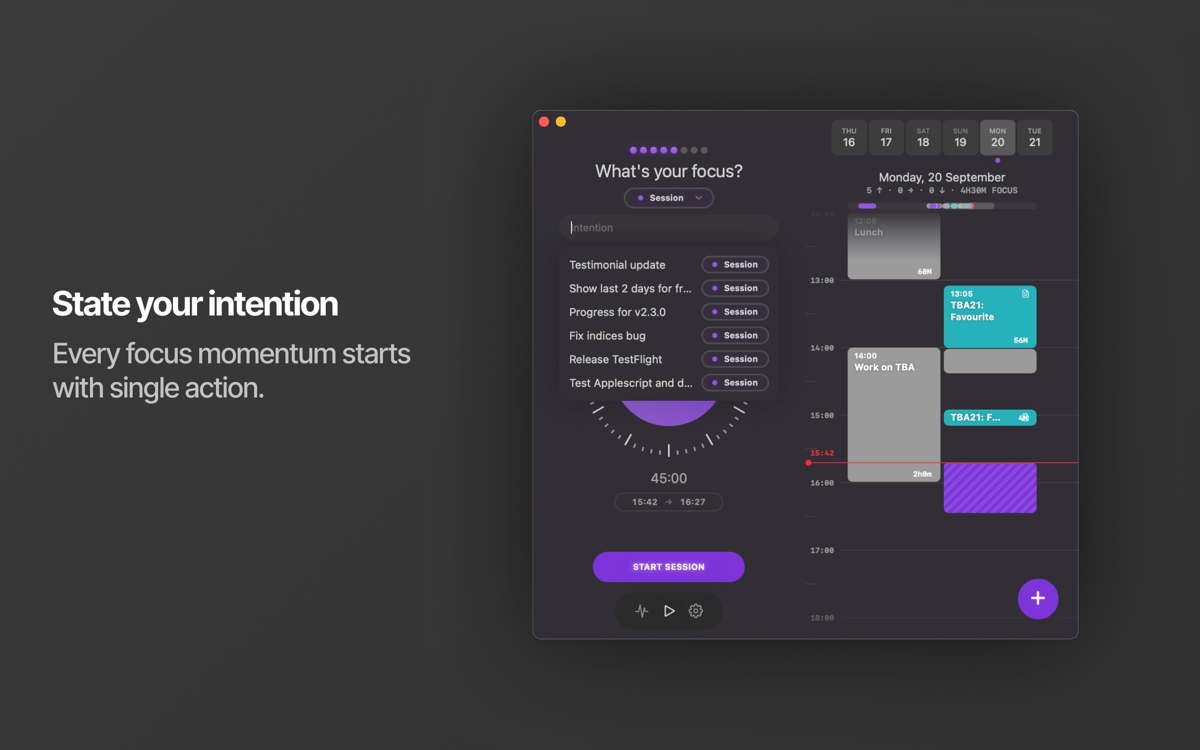
Configure um tempo de foco confortável para você
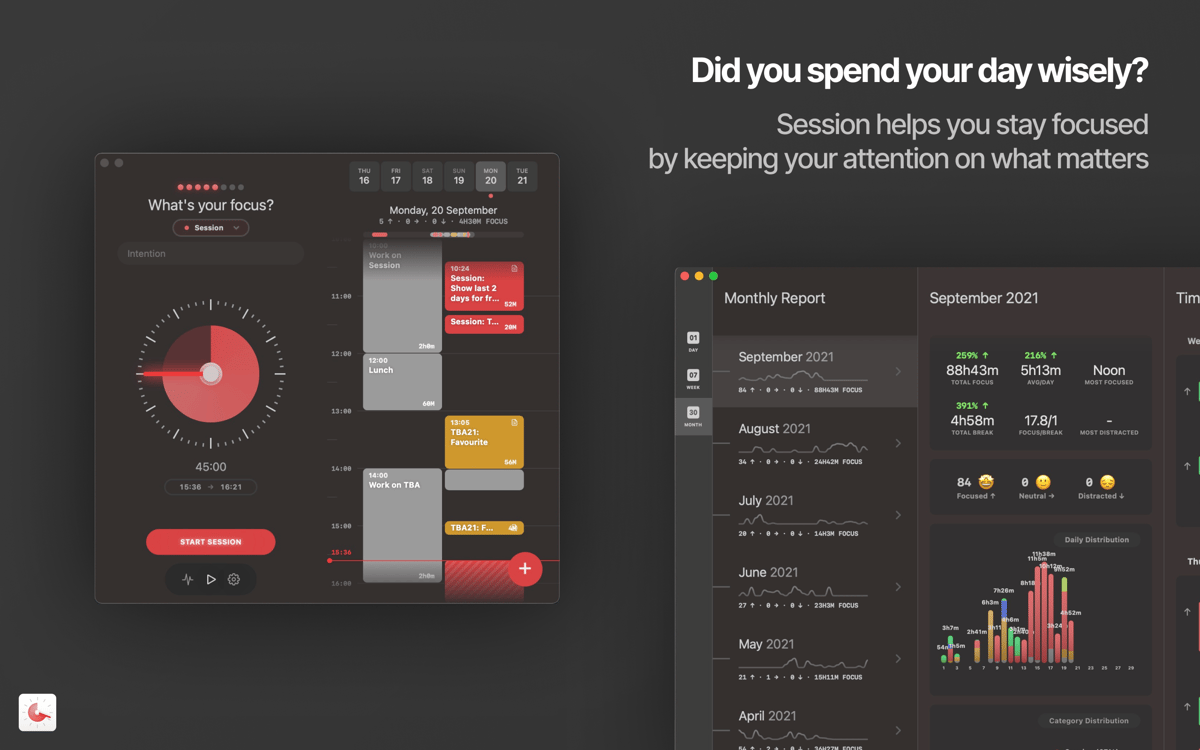
Analise seu foco ao longo do dia
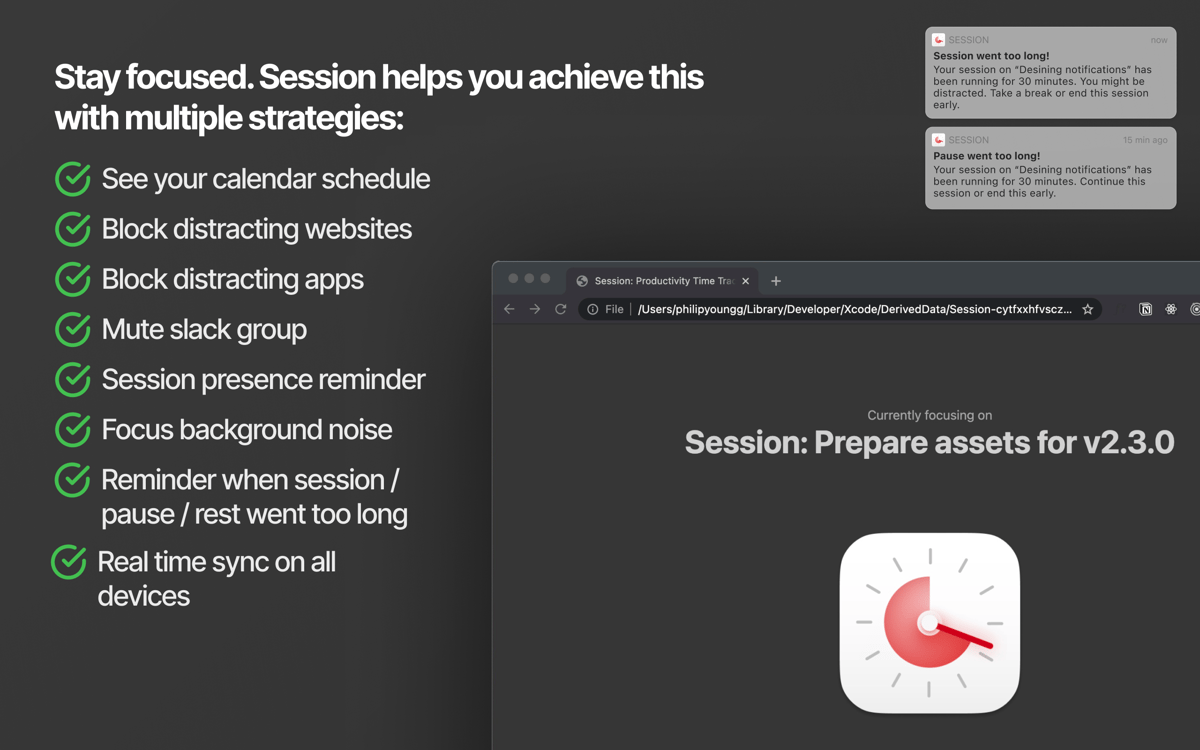
Bloqueie sites que distraem durante o trabalho
Acompanhe sua produtividade ao longo do tempo
Recursos do Session
Trabalhe em intervalos
O Session segue a técnica Pomodoro clássica, com intervalos de trabalho de 25 minutos separados por pausas de cinco minutos. Como todos os intervalos podem ser personalizados de acordo com as suas necessidades, você pode estender as pausas ou alongar as sessões. E você pode pausar uma sessão sempre que quiser. Antes de começar uma sessão, você recebe um aviso para controlar a respiração e, depois, se concentra no trabalho.
Bloqueie distrações
Normalmente, há coisas específicas que nos fazem perder o foco. Talvez você esteja acessando redes sociais com muita frequência ou querendo ficar em dia com as notícias quando deveria estar trabalhando. O Session permite desativar o acesso a sites e apps que distraem para que você mantenha o foco nas tarefas. Você também pode silenciar automaticamente uma equipe no Slack quando a sessão começar.
Automatize o Não Perturbe
Para que as sessões sejam realmente um refúgio de serenidade, você pode configurar a ativação automática do modo Não Perturbe quando a sessão começar e sua desativação quando ela terminar. Elimine as notificações aleatórias que afetam o seu ritmo.
Reflita sobre as sessões
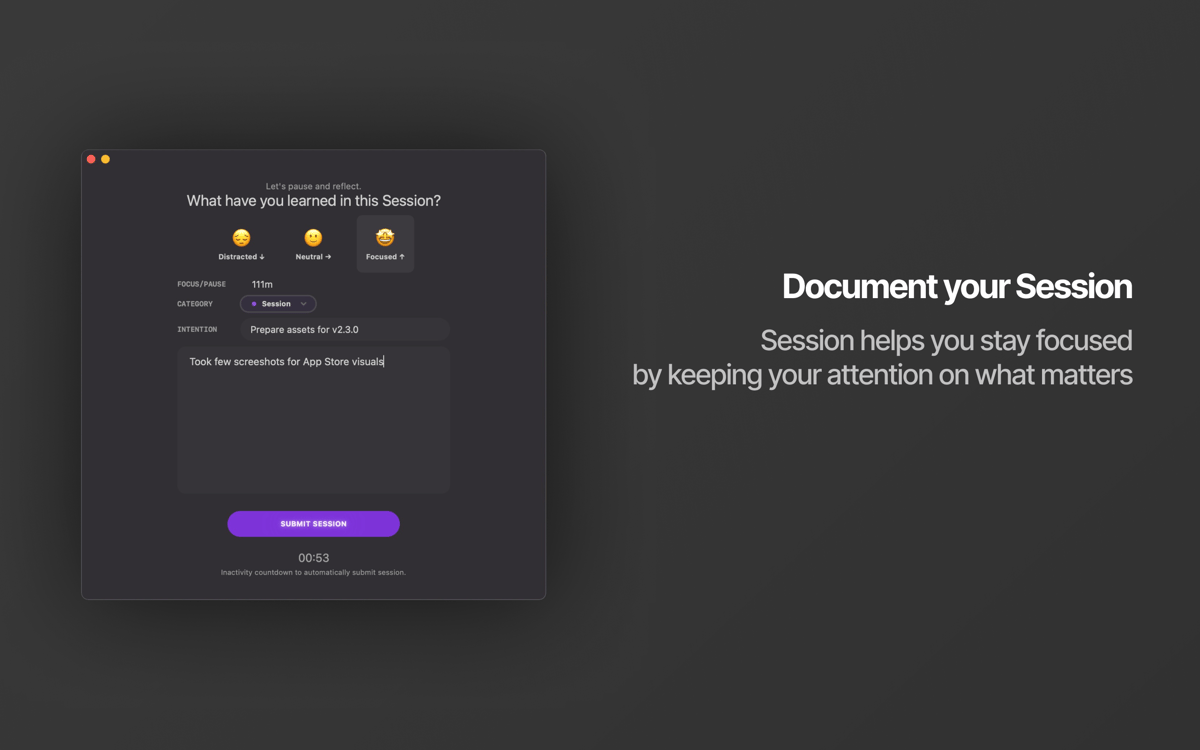
Depois de concluir uma sessão, pare um instante para refletir sobre a experiência. Tudo correu bem? Você percebeu alguma distração, manteve a neutralidade ou caprichou na concentração? Escreva algumas palavras ou selecione um emoji para indicar seu humor — isso ajudará a avaliar como você se saiu no fim do dia.
Veja seu desempenho com o passar do tempo
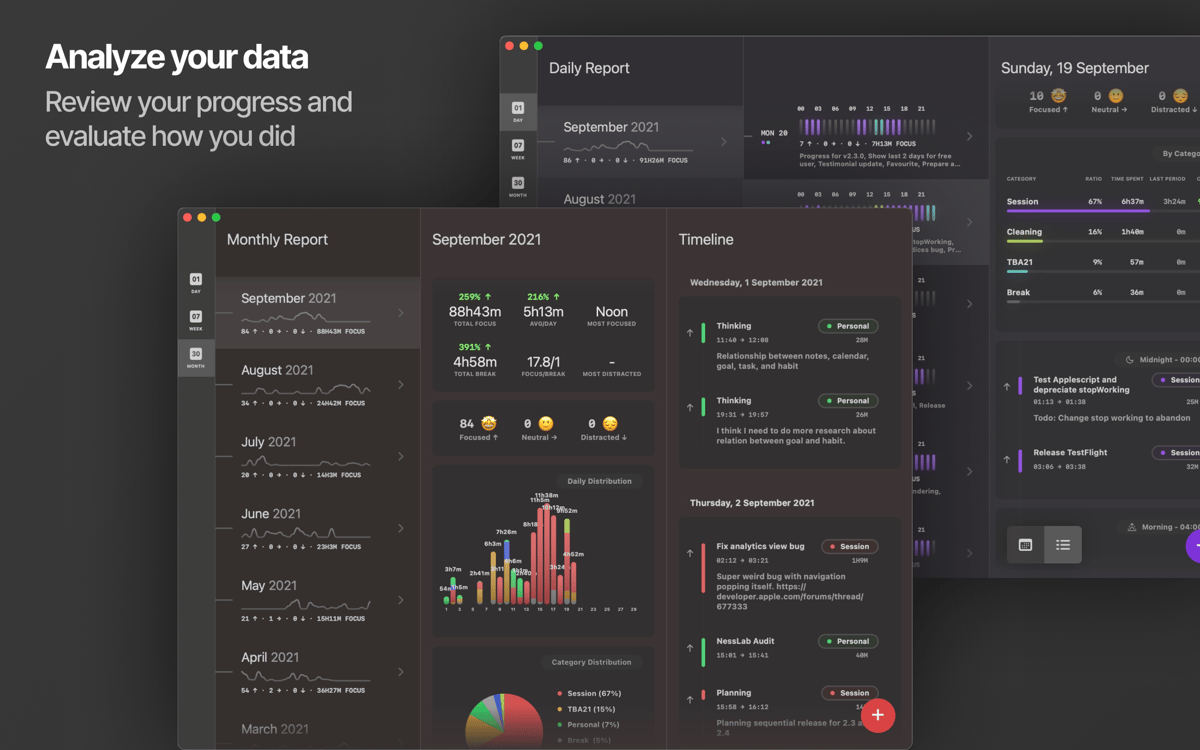
O app possui um registro de sessões onde você pode acompanhar seu progresso por dias ou semanas. Veja seus momentos mais produtivos, identifique padrões e ajuste seu fluxo de trabalho de acordo. Você pode optar entre dois modos: calendário ou linha do tempo. Assim, você acompanha as sessões da maneira que funciona melhor para você.
Use no Mac e em dispositivos iOS
O Session sincroniza entre dispositivos e está disponível em uma única assinatura do Setapp no Mac, iPhone e iPad. Bloqueie distrações no Mac, trabalhe em intervalos definidos no iPad, confira e analise seu progresso no iPhone, e sincronize com o app Calendário da Apple. O app se adapta ao seu plano de trabalho, do jeito que você quiser.
Classificações e avaliações
Session
•
2095 classificações
Carl
9 de out. de 2026
Versão do app: 2.13.48
I cannot activate on my iPad and iPhone?! The second step does not unlock the full version or syncs with the app on my MacBook. This has happened before. Please do fix.
RC
22 de jul. de 2026
Versão do app: 2.13.48
It’s amazing I use it every day!
billyok
15 de mai. de 2026
Versão do app: 2.13.36
Love everything about the concept -- especially cross-platform blocking everywhere -- but it's just too clumsy to use and too needy. I don't understand why Session can't run in the background, especially on the Mac. If I start a session on my phone, I have to launch Session on the Mac as a front-of-screen, icon-in-the-dock app instead of it just running a little helper program that does this one job. I don't want to fuss with the UI all the time, that's the whole appeal for me.
Obtenha centenas de apps com o Membership
Obtenha um membership do Setapp e use centenas de apps estelares numa única assinatura.
Experimente grátis por 7 dias. Depois, pague um valor único.
Instale o Setapp no Mac
Explore apps para Mac, iOS e web. Encontre formas fáceis de lidar com as tarefas do dia a dia.

Obtenha o app que chamou sua atenção
Aquele app especial está esperando você no Setapp. Instale‑o com um clique.

Session
Escolha uma assinatura
Um ou mais apps com um membership do Setapp. Obtenha os apps que você quer.

Obtenha centenas de apps com o Membership
Obtenha um membership do Setapp e use centenas de apps estelares numa única assinatura.
Experimente grátis por 7 dias. Depois, pague um valor único.
1
Instale o Setapp no Mac
Explore apps para Mac, iOS e web. Encontre formas fáceis de lidar com as tarefas do dia a dia.
2
Obtenha o app que chamou sua atenção
Aquele app especial está esperando você no Setapp. Instale‑o com um clique.
Session
3
Escolha uma assinatura
Um ou mais apps com um membership do Setapp. Obtenha os apps que você quer.
A casa dos melhores apps
Desde tarefas rotineiras e de planejamento a atividades criativas e de programação, encare suas tarefas com os apps do Setapp.

TypingMind
IU alternativa para conversar com IA
gere ou resuma textos
use uma biblioteca de ações
IA

Spark Mail
Gerencie e‑mails
IA

CleanMyMac
Limpe os detritos

Bartender
Personalize a barra de menus

CleanShot X
Capturas de tela versáteis

Luminar Neo
Edite suas fotos
IA

ClearVPN
Conecte‑se com mais segurança

Craft
Trabalhe com documentos
IA
Session
Timer Pomodoro com análise