
SheetPlanner
Planeje e acompanhe projetos
Mac
Versão 5.3.2
macOS 13.0 ou posterior
76.3 MB
1 idiomas
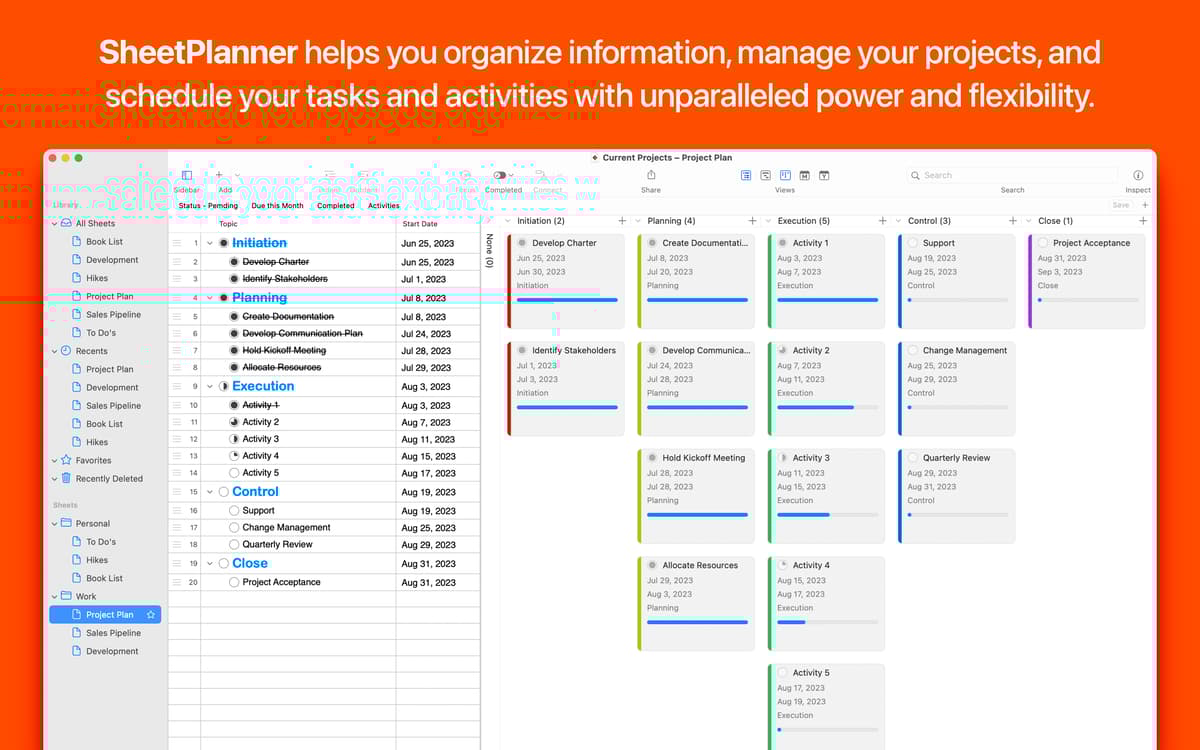
Uma combinação de gerenciador de tarefas, ferramenta de agendamento, calendário e plataforma de gerenciamento de projetos. O SheetPlanner é tudo isso combinado em um prático organizador. Defina metas e lembretes, acompanhe o progresso e planeje projetos sem se esforçar. Aos amantes de multitarefa, ele permite que você alterne entre temas e modelos, além de visualizar o plano em diversas abas.
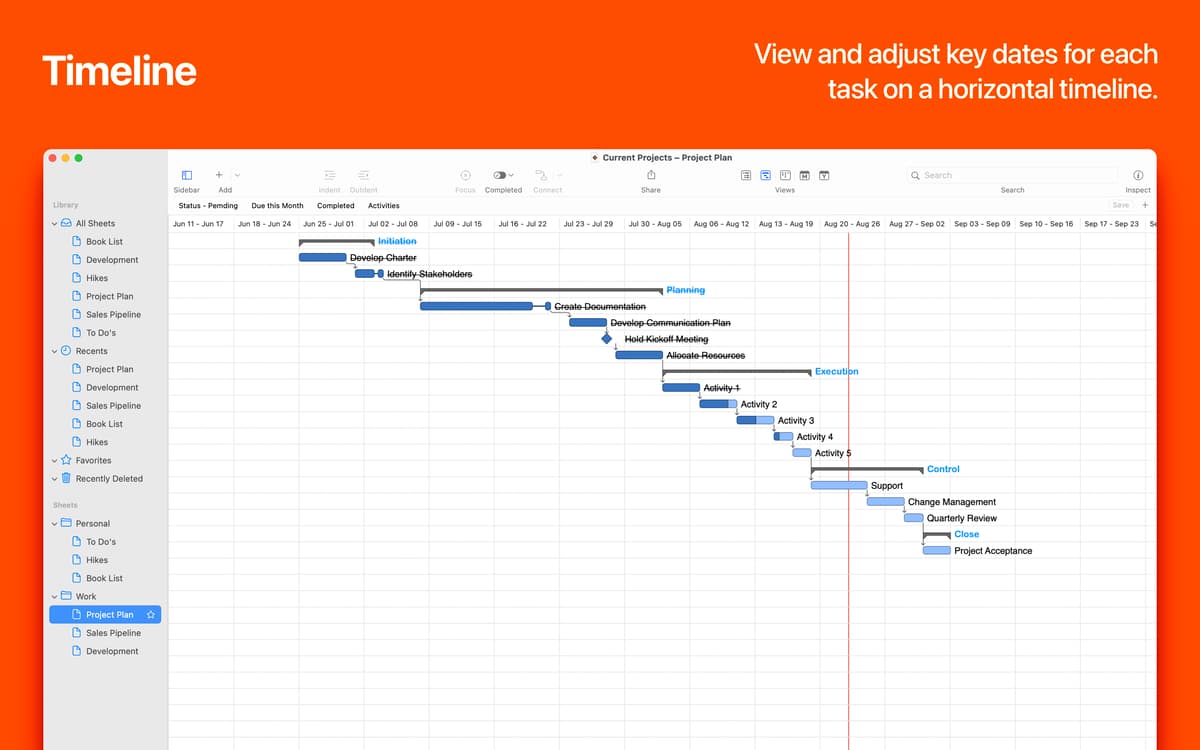
Agende tarefas e crie linhas do tempo
Crie um plano para um projeto, dia ou vida inteira
Controle todos os prazos em um único lugar
Divida projetos grandes em tarefas
Recursos do SheetPlanner
Organização intuitiva
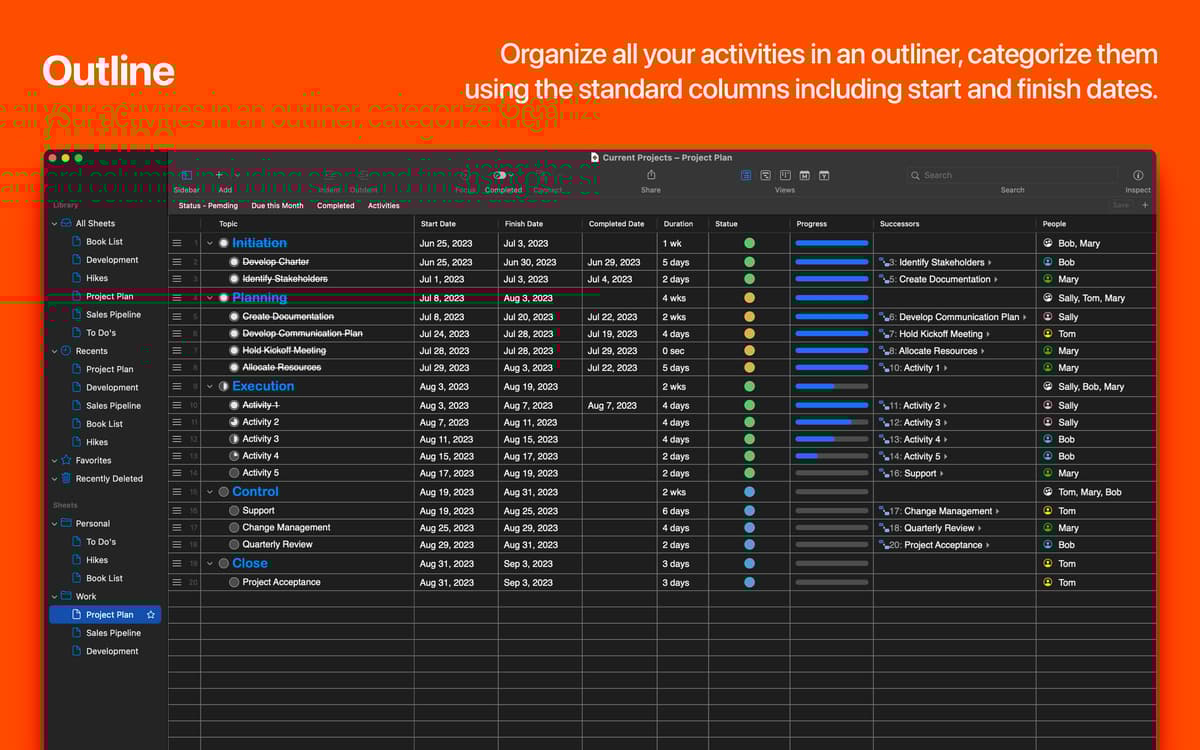
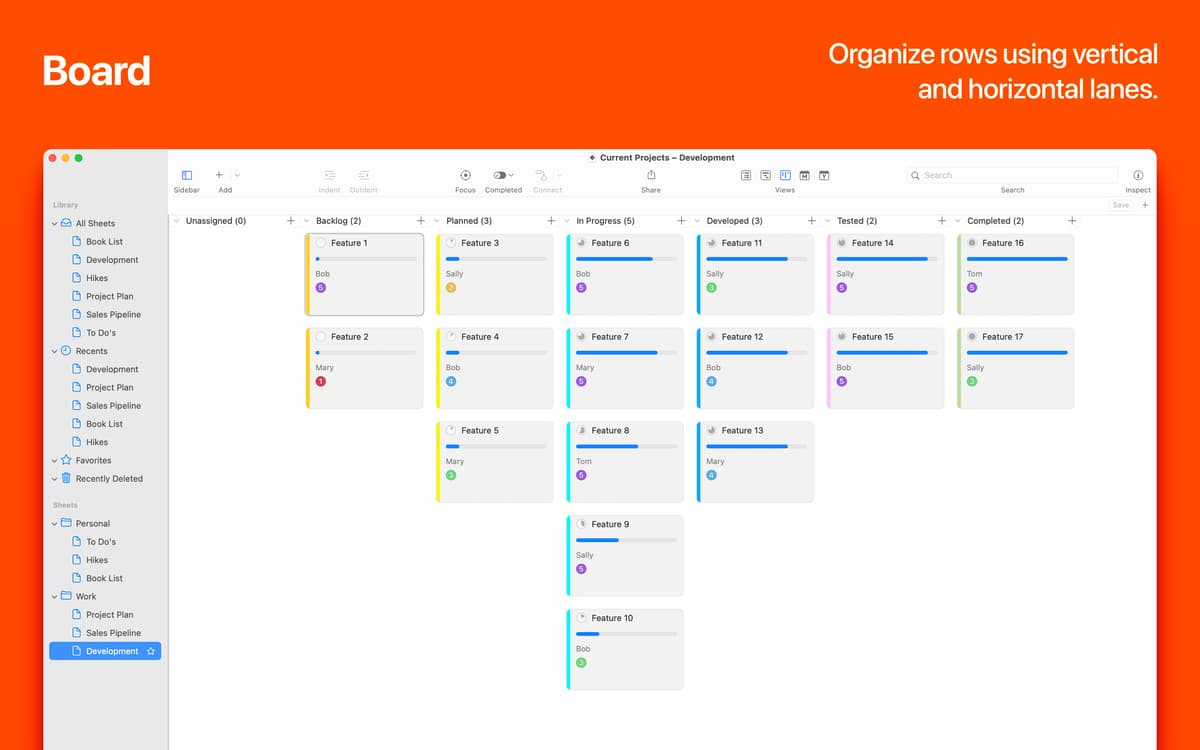
Embora abranja diversas funções, o SheetPlanner é extremamente fácil de adotar. Organize em um plano simples, categorize entre colunas e adicione complexidade conforme os projetos se desenvolvem. Os layouts de linha do tempo e calendário também podem ser totalmente personalizados.
Defina e atinja metas
O gerenciamento de tarefas é outro aspecto importante do SheetPlanner. Você pode visualizar as atividades da lista em diversos calendários, filtrar por data limite ou por qualquer valor usado em uma coluna. Use a visualização de foco para se concentrar em coisas importantes.
Visualize para ter sucesso
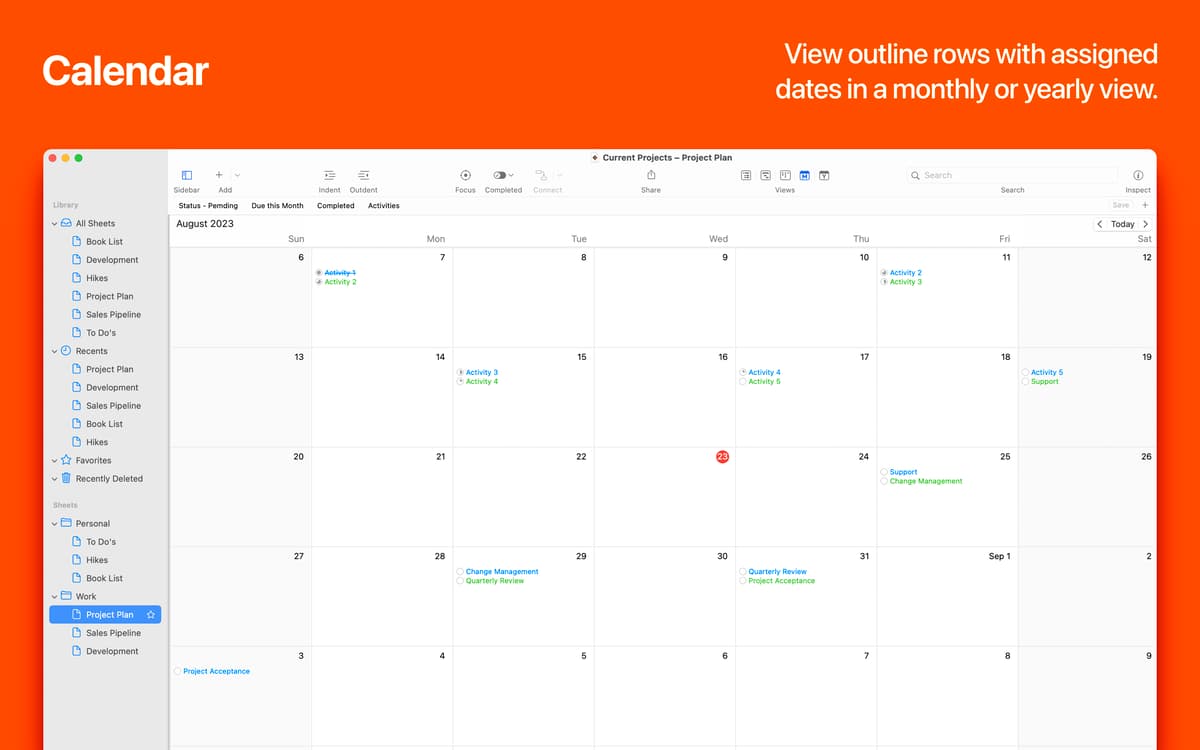
Obtenha a visualização perfeita de projetos. Você pode alternar entre as visualizações mensal e anual ou configurar o app para mostrar ambas. Além disso, você pode personalizar a cor dos níveis de linhas ou de linhas individuais, alterar as fontes e aplicar temas personalizados.
Opções inteligentes de busca
Depois que projetos ficam complexos, você precisa de ajuda para buscar informações. O SheetPlanner apresenta uma opção simples para buscar em planos através de colunas na barra de ferramentas. E mais, você pode salvar os resultados da busca ou qualquer outra especificação personalizada como um filtro inteligente.
Ordene e adicione links
Adicione arquivos e pastas importantes diretamente a projetos do SheetPlanner com um clique; seja do computador ou da nuvem. Você também pode criar links para páginas web e os pré‑visualizar com a Visualização Rápida. Para simplificar a navegação, há opções para ordenar o plano por qualquer coluna.
Alterne entre projetos
O SheetPlanner controla todos os aspectos da sua rotina diária. Seja em casa ou no escritório, você pode usá‑lo para diversos propósitos: desde a otimização de vendas à criação de listas de mercado. Para necessidades empresariais, educacionais ou pessoais, o SheetPlanner oferece vários modelos dentre os quais você pode escolher.
Classificações e avaliações
SheetPlanner
•
116 classificações
Katherine W
17 de abr. de 2026
Versão do app: 5.2.1
Buggy and crashes. Open app, Choose blank, click Timeline view - crashes. Using Tahoe
Resposta do Desenvolvedor
17 de abr. de 2026
Katherine, There appears to be a bug with the version on Setapp only when switching views. We are trying to nail it down and get it fixed ASAP. is there any way you could contact us at [email protected] so we can help you. Peter
Steven H
12 de abr. de 2026
Versão do app: 5.2.1
Before I decided to rate this app, I tried one other project planning/management app. SheetPlaner is best for my purposes. I don’t intend to manage any engineering projects or anything complex. On the contrary, mine is rather simple. I’m running a few hydroponic gardens. There are predictable tasks and milestones when growing hydroponically. If I want continuous production, I need to manage three sets of gardens simultaneously and it can get to be a lot. This app helps me manage that. I had some questions/concerns while getting started. The developer replied to my email almost immediately and worked closely with me to completely address my needs. Simple to use but flexible application and great support. Highly recommend.
Roberto Fusco
8 de dez. de 2025
Versão do app: 5.1.1
Utile per avere sott’occhio sempre tutti i lavori da svolgere e le scadenze. Consgliata.
Resposta do Desenvolvedor
10 de mar. de 2026
Hi, Thank you for the positive review. The team at SheetPlanner Software.
Obtenha centenas de apps com o Membership
Obtenha um membership do Setapp e use centenas de apps estelares numa única assinatura.
Experimente grátis por 7 dias. Depois, pague um valor único.
Instale o Setapp no Mac
Explore apps para Mac, iOS e web. Encontre formas fáceis de lidar com as tarefas do dia a dia.

Obtenha o app que chamou sua atenção
Aquele app especial está esperando você no Setapp. Instale‑o com um clique.

SheetPlanner
Escolha uma assinatura
Um ou mais apps com um membership do Setapp. Obtenha os apps que você quer.

Obtenha centenas de apps com o Membership
Obtenha um membership do Setapp e use centenas de apps estelares numa única assinatura.
Experimente grátis por 7 dias. Depois, pague um valor único.
1
Instale o Setapp no Mac
Explore apps para Mac, iOS e web. Encontre formas fáceis de lidar com as tarefas do dia a dia.
2
Obtenha o app que chamou sua atenção
Aquele app especial está esperando você no Setapp. Instale‑o com um clique.
SheetPlanner
3
Escolha uma assinatura
Um ou mais apps com um membership do Setapp. Obtenha os apps que você quer.
A casa dos melhores apps
Desde tarefas rotineiras e de planejamento a atividades criativas e de programação, encare suas tarefas com os apps do Setapp.

TypingMind
IU alternativa para conversar com IA
gere ou resuma textos
use uma biblioteca de ações
IA

Spark Mail
Gerencie e‑mails
IA

CleanMyMac
Limpe os detritos

Bartender
Personalize a barra de menus

CleanShot X
Capturas de tela versáteis

Luminar Neo
Edite suas fotos
IA

ClearVPN
Conecte‑se com mais segurança

Craft
Trabalhe com documentos
IA
SheetPlanner
Planeje e acompanhe projetos