
Sidebar
Uma alternativa ao Dock


Mac
Versão 2.2.8
macOS 13.0 ou posterior
29.3 MB
1 idiomas
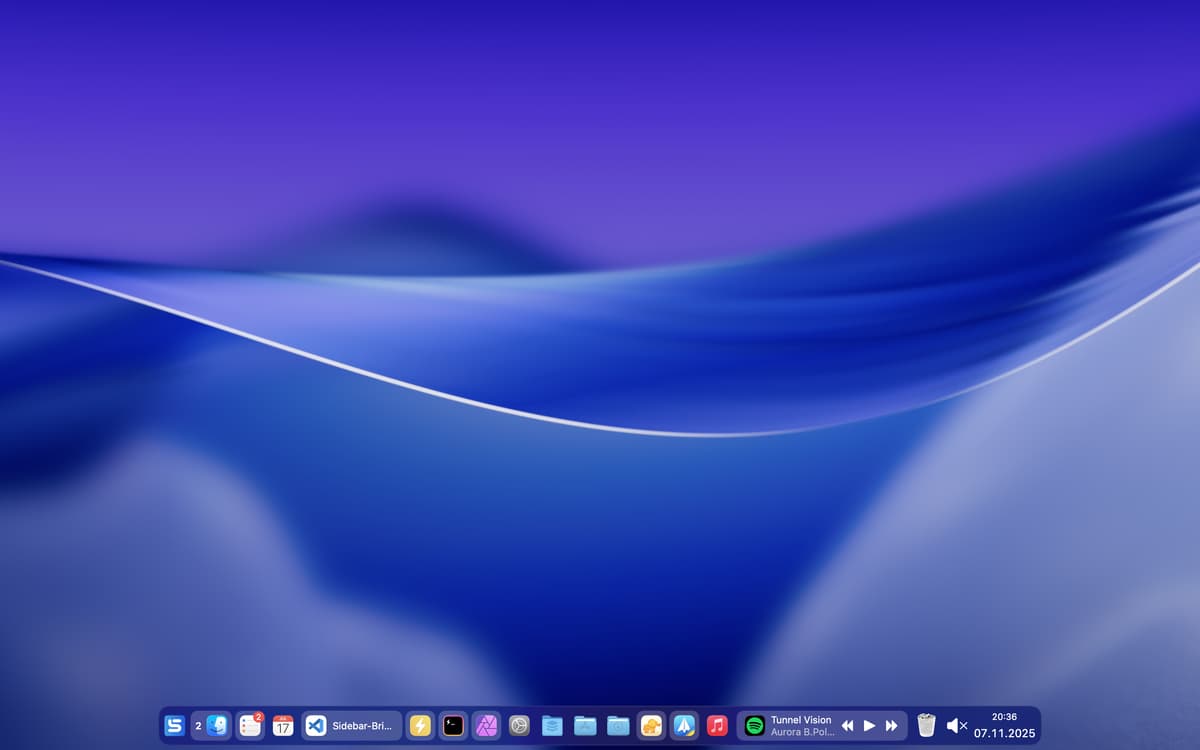
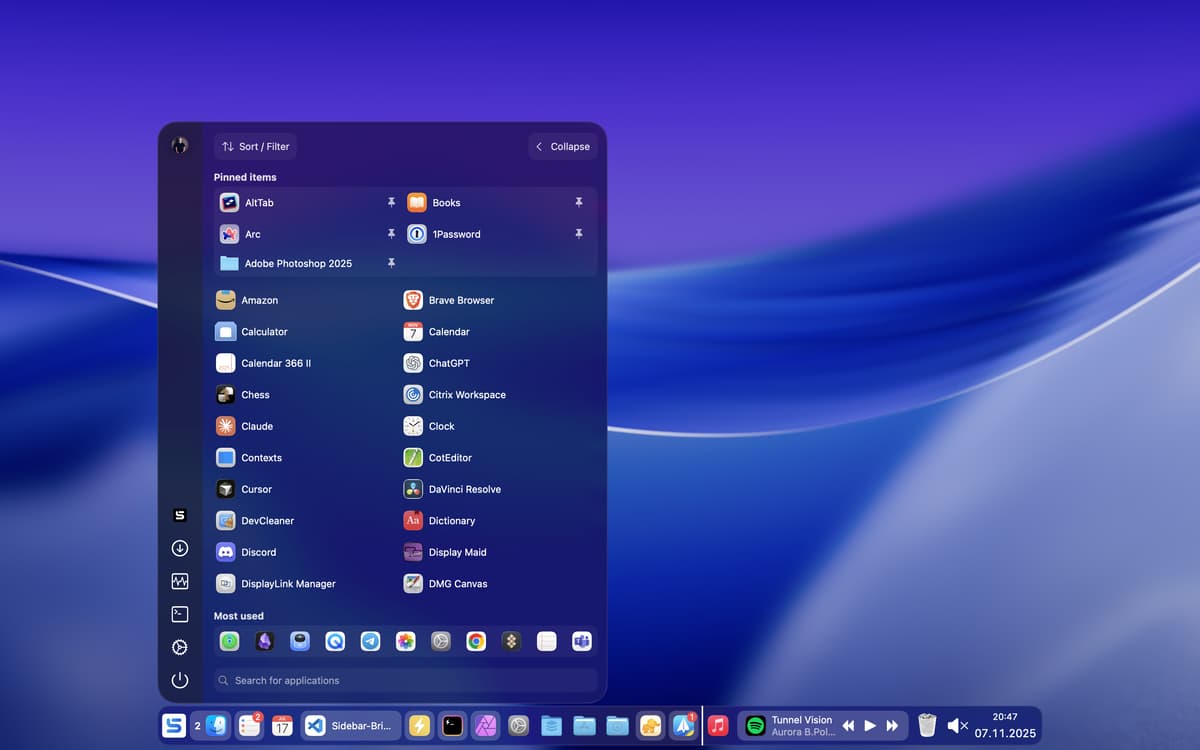
Substitua o Dock pelo Sidebar para ter funções adicionais e mais opções de personalização. Pré‑visualize janelas de apps e o conteúdo de pastas, controle mídias diretamente, aproveite um calendário integrado, defina ícones personalizados para apps e muito mais.
Substitua o Dock por uma barra lateral
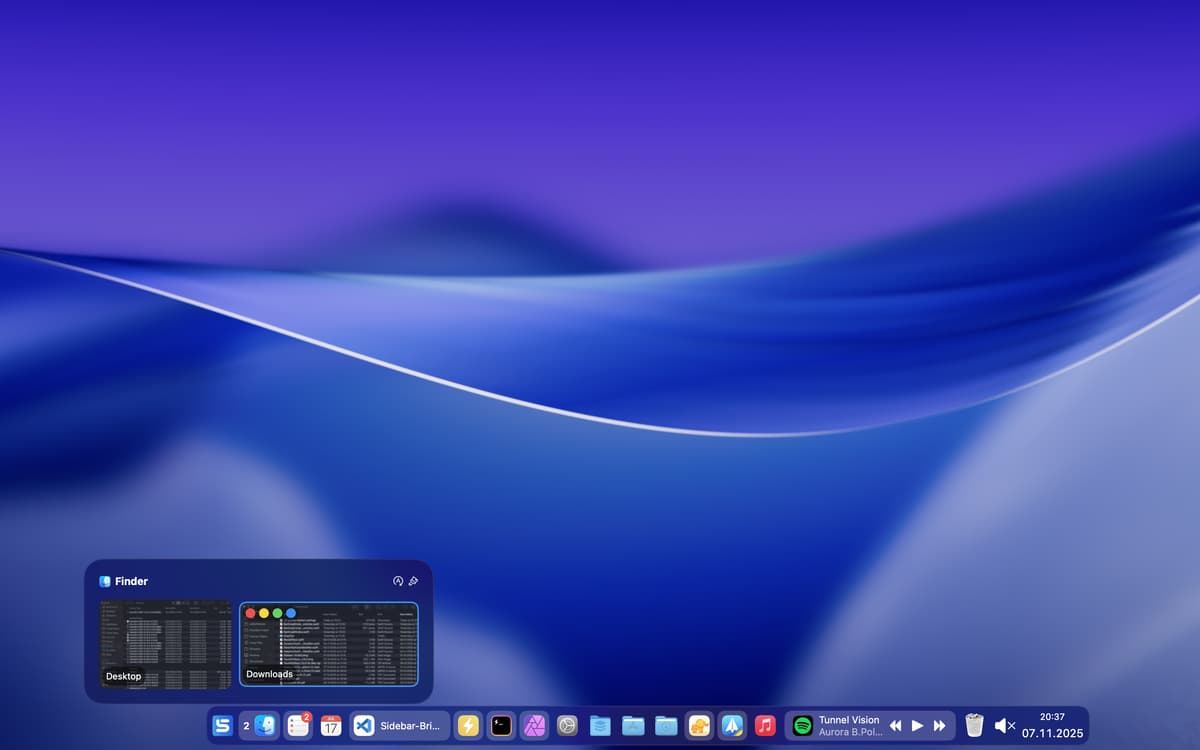
Pré-visualize janelas de apps e pastas
Controle mídias e veja um calendário
Use com várias telas
Recursos do Sidebar
Use no lugar do Dock
O Sidebar é uma alternativa ao Dock no Mac que fornece acesso rápido a apps, pastas, calendário e muito mais. Altere a aparência da mesa e simplifique seu trabalho com este app prático. Você não gosta quando as janelas ficam embaixo do Dock? O Sidebar reserva esse espaço para que isso não aconteça.
Pré‑visualize janelas de apps
Simplesmente pare o mouse sobre os ícones dos apps no Sidebar para pré‑visualizar o conteúdo das janelas que estão abertas. Faça o mesmo com pastas para analisar os arquivos que elas contêm.
Acesse controles multimídia
Controle mídias direto do Sidebar: veja o que está em reprodução, pause e retome. Tudo sem abrir nenhum outro app. Você também pode ajustar o som do sistema ou silenciá-lo pelo Sidebar.
Tenha uma mesa limpa em instantes
Use o recurso Clear View do Sidebar para desocupar a tela imediatamente. Dessa forma, você oculta todos os apps e interage livremente com a mesa.
Personalize para uso em várias telas
Você usa várias telas no Mac? Personalize o Sidebar para cada uma delas e tenha layouts únicos, de acordo com as tarefas que você realiza em cada tela.
Ajuste a aparência
Selecione o estilo e a cor, configure a barra para que flutue, decida o quanto de desfoque do fundo usar e configure ícones para cada app. Gerencie sua agenda diretamente do app com um calendário integrado.
Classificações e avaliações
Sidebar
•
282 classificações
Michael M
Ontem
Versão do app: 2.2.3
Really enjoying Sidebar. It offers a myriad of customization which, at first, can present a bit of a learning curve, but the default settings are great and I much prefer it over the stock apple dock. I ended up with a nice minimal clean setup. Thanks!
Carsten Hanghoj
19 de out. de 2026
Versão do app: 2.2.8
This is an excellent app enhancing the experience and usability with the standard dock and ability to control the apps. But please be aware, you will NOT be able to lock apps into different desktops due to the fact that Apple currently do not provide access to this API and that unfortuately is a major drawback which hopefully will be possible in the future. I still give it “thumbs up” for the work that is going into the development and the functiionality of the app.
Gary D
17 de ago. de 2026
Versão do app: 2.2.2
It a great product and helped me organise all my apps so that I could get the them quicky.
Obtenha centenas de apps com o Membership
Obtenha um membership do Setapp e use centenas de apps estelares numa única assinatura.
Experimente grátis por 7 dias. Depois, pague um valor único.
Instale o Setapp no Mac
Explore apps para Mac, iOS e web. Encontre formas fáceis de lidar com as tarefas do dia a dia.

Obtenha o app que chamou sua atenção
Aquele app especial está esperando você no Setapp. Instale‑o com um clique.

Sidebar
Escolha uma assinatura
Um ou mais apps com um membership do Setapp. Obtenha os apps que você quer.

Obtenha centenas de apps com o Membership
Obtenha um membership do Setapp e use centenas de apps estelares numa única assinatura.
Experimente grátis por 7 dias. Depois, pague um valor único.
1
Instale o Setapp no Mac
Explore apps para Mac, iOS e web. Encontre formas fáceis de lidar com as tarefas do dia a dia.
2
Obtenha o app que chamou sua atenção
Aquele app especial está esperando você no Setapp. Instale‑o com um clique.
Sidebar
3
Escolha uma assinatura
Um ou mais apps com um membership do Setapp. Obtenha os apps que você quer.
A casa dos melhores apps
Desde tarefas rotineiras e de planejamento a atividades criativas e de programação, encare suas tarefas com os apps do Setapp.

TypingMind
IU alternativa para conversar com IA
gere ou resuma textos
use uma biblioteca de ações
IA

Spark Mail
Gerencie e‑mails
IA

CleanMyMac
Limpe os detritos

Bartender
Personalize a barra de menus

CleanShot X
Capturas de tela versáteis

Luminar Neo
Edite suas fotos
IA

ClearVPN
Conecte‑se com mais segurança

Craft
Trabalhe com documentos
IA
Sidebar
Uma alternativa ao Dock