Silenz
Som do modo de foco
Mac
Versão 1.12.0
macOS 13.0 ou posterior
13.8 MB
1 idiomas
O Silenz silencia as distrações e mantém sua concentração, em qualquer lugar e a qualquer hora. Se você usa fones de ouvido para focar no trabalho, ele é o complemento perfeito. Ele ajusta o fluxo do som ao ambiente externo para que você se concentre, mas também ouça quando alguém falar com você ou o telefone tocar.
Mantenha‑se presente com fones de ouvido
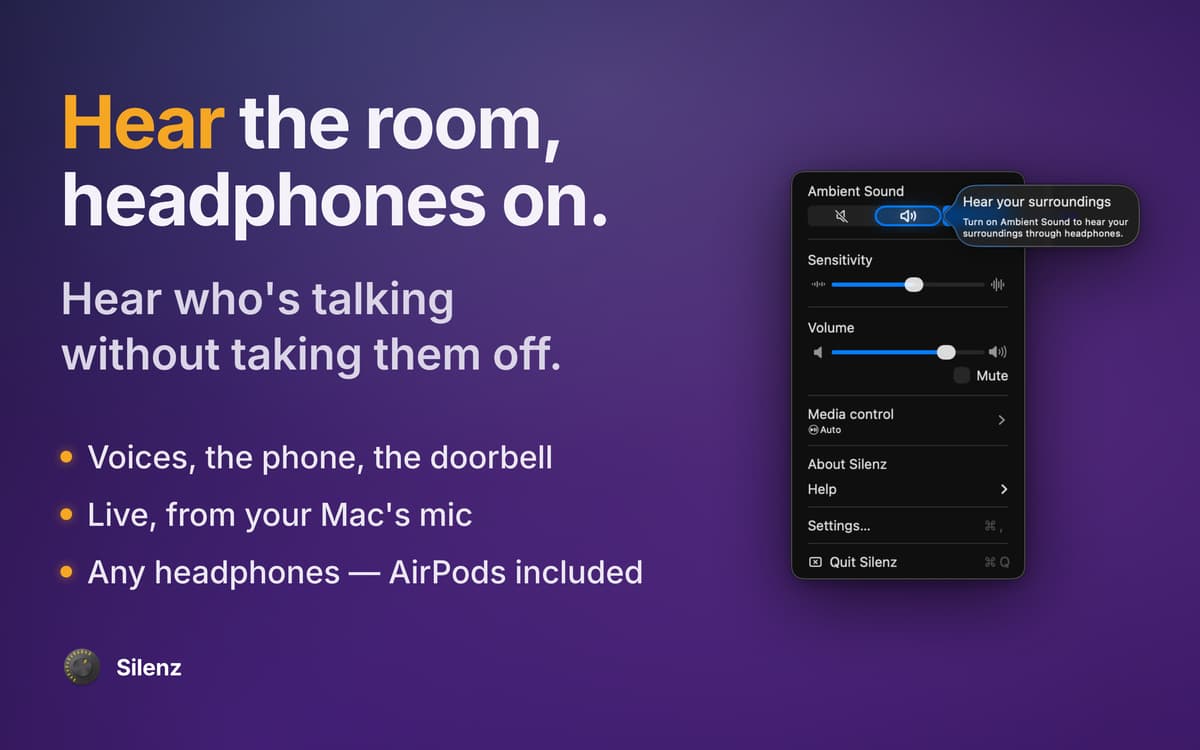
Silencie ou ouça sons ao seu redor
Ajuste a passagem direta dos fones de ouvido
Aumente sua concentração com sons
Recursos do Silenz
Som ajustado ao seu fluxo
O Silenz capta sons do ambiente e os alinha conforme as suas necessidades, seja silenciando a música ou a combinando com o mundo exterior. Em vez de remover os fones de ouvido ou pausar a música, você continua em frente, sempre.
Gerencia ajustes de passagem direta
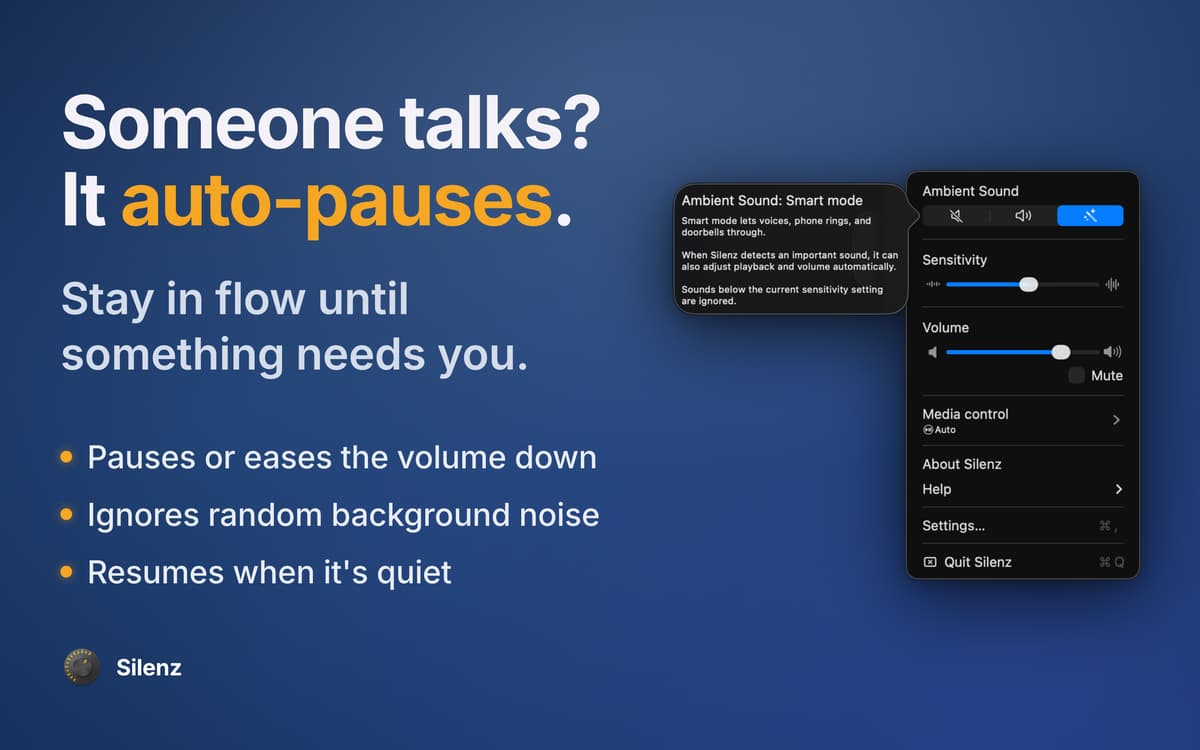
Precisa se concentrar mais? Alterne para o modo inteligente de passagem direta para que o app ignore ruídos irrelevantes. Desative a passagem direta se desejar perceber os sons do ambiente. Selecione o modo manual para pausar a música ou fazer com que os sons do ambiente passem diretamente.
Amplifique e mixe para ter audição sobre-humana
Se você é capaz de fazer várias coisas ao mesmo tempo, seus ouvidos também são. Para ter um foco excepcional, use o Silenz como um mixer inteligente de sons. O app reconhece e amplifica sons externos (caso sejam relevantes) e os combina com o o fluxo de música atual.
Sem pausa, sem esforço extra
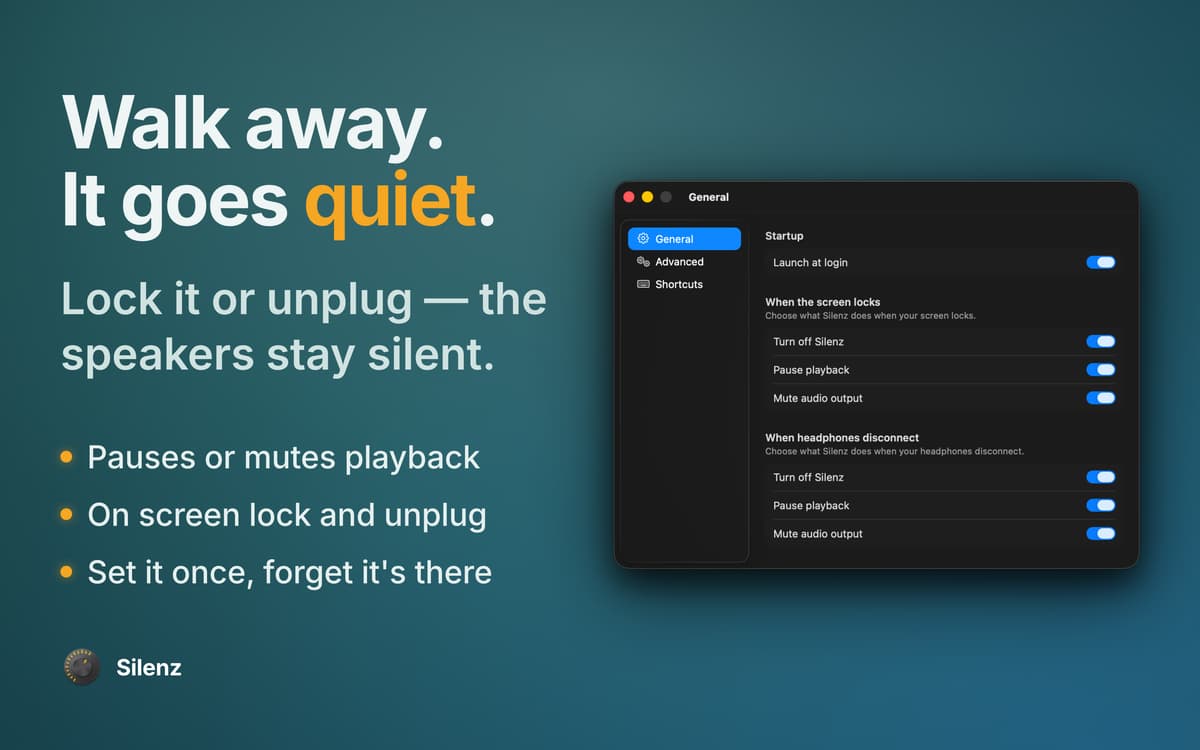
Você não precisa se distrair com qualquer coisa que acontece no ambiente ao seu redor. Configure o Silenz para pausar a música mesmo com os fones de ouvido desconectados e a tela bloqueada sempre que o app decidir que você deve ouvir o mundo exterior.
Funciona com fones de ouvido Bluetooth
O Silenz se adapta perfeitamente a fones de ouvido sem fio. Embora não seja recomendável usar o mesmo microfone de fones de ouvido Bluetooth para a entrada e a saída de áudio, o app permite que você alterne para outro dispositivo de entrada nas preferências. Tudo para ter uma qualidade de áudio incrível.
Compatibilidade ampla com reprodutores de mídia
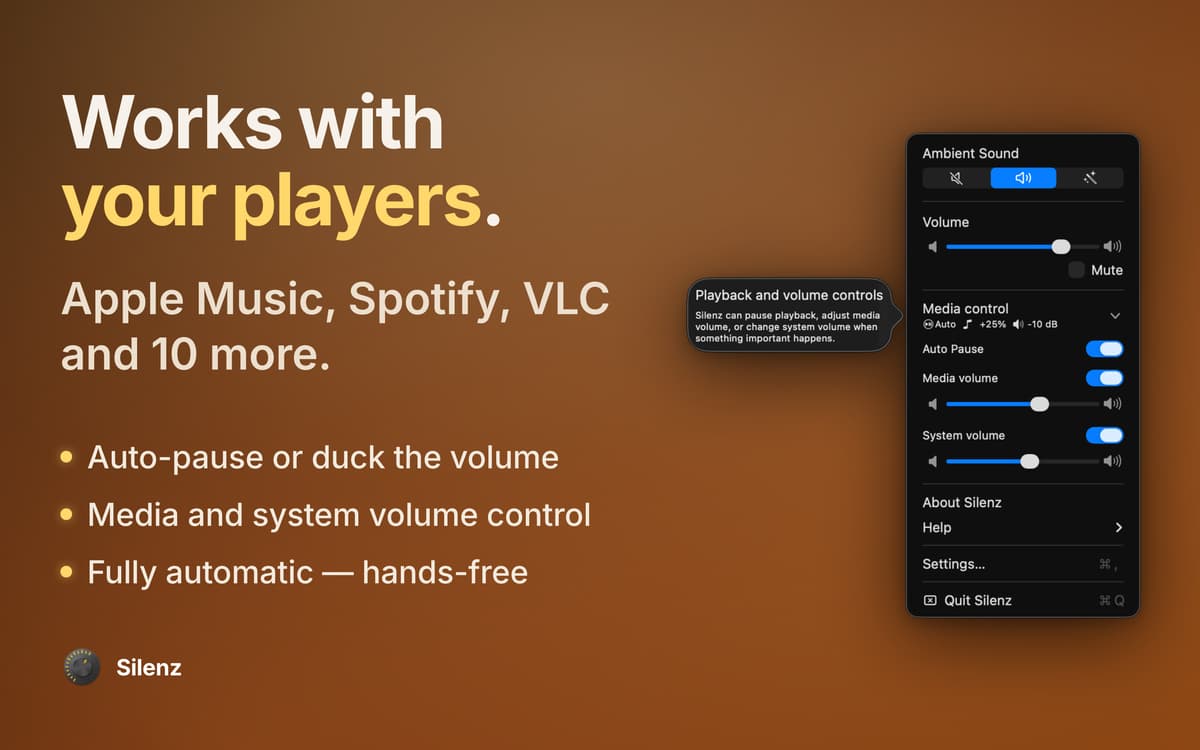
O Silenz controla a reprodução e o volume da música na maioria dos reprodutores de mídia que você pode usar no Mac, incluindo Apple Music, Apple TV, iTunes, Spotify, VOX, Radium, Audirvana, Decibel, Swinsian, Radiant Player, Hermes, Downcast e VLC.
Classificações e avaliações
Silenz
•
57 classificações
João Paulo Freire Rodrigues
5 de mai. de 2025
Versão do app: 1.8.1
There’s a significant delay in the audio
Resposta do Desenvolvedor
20 de mai. de 2026
Bluetooth mics/headphones add wireless buffering, which can cause noticeable audio delay. Switching either input or output to a wired or built‑in device usually reduces this latency a lot.
Troy
2 de abr. de 2024
Versão do app: 1.8.1
Definitely needs tweaking. Its detection of voices isn't very accurate. I guess I shouldnt' expect it to work anywhere close to AirPods Pro 2 since those things have a lot more sensors.
Bartek Igielski
12 de nov. de 2023
Versão do app: 1.8.1
Nothing happens after clicking "On" or "Smart", there is some short blink, but it stays on "Off".
Resposta do Desenvolvedor
20 de mai. de 2026
Please check the app’s menu to see if there’s a warning about no microphone or output device being detected. If you see this message, please connect an external device and then try turning “On” or “Smart” again.
Obtenha centenas de apps com o Membership
Obtenha um membership do Setapp e use centenas de apps estelares numa única assinatura.
Experimente grátis por 7 dias. Depois, pague um valor único.
Instale o Setapp no Mac
Explore apps para Mac, iOS e web. Encontre formas fáceis de lidar com as tarefas do dia a dia.

Obtenha o app que chamou sua atenção
Aquele app especial está esperando você no Setapp. Instale‑o com um clique.

Silenz
Escolha uma assinatura
Um ou mais apps com um membership do Setapp. Obtenha os apps que você quer.

Obtenha centenas de apps com o Membership
Obtenha um membership do Setapp e use centenas de apps estelares numa única assinatura.
Experimente grátis por 7 dias. Depois, pague um valor único.
1
Instale o Setapp no Mac
Explore apps para Mac, iOS e web. Encontre formas fáceis de lidar com as tarefas do dia a dia.
2
Obtenha o app que chamou sua atenção
Aquele app especial está esperando você no Setapp. Instale‑o com um clique.
Silenz
3
Escolha uma assinatura
Um ou mais apps com um membership do Setapp. Obtenha os apps que você quer.
A casa dos melhores apps
Desde tarefas rotineiras e de planejamento a atividades criativas e de programação, encare suas tarefas com os apps do Setapp.

TypingMind
IU alternativa para conversar com IA
gere ou resuma textos
use uma biblioteca de ações
IA

Spark Mail
Gerencie e‑mails
IA

CleanMyMac
Limpe os detritos

Bartender
Personalize a barra de menus

CleanShot X
Capturas de tela versáteis

Luminar Neo
Edite suas fotos
IA

ClearVPN
Conecte‑se com mais segurança

Craft
Trabalhe com documentos
IA
Silenz
Som do modo de foco