
Simon
Controle e analise servidores
Mac
Versão 5.2
macOS 12.4 ou posterior
35.3 MB
3 idiomas
À procura de um app inteligente para ficar de olho nos seus servidores e sites mais importantes? Experimente o Simon, um app de monitoramento de servidores que ajuda a controlar e diagnosticar recursos da Internet e servidores. Cheio de ferramentas poderosas de monitoramento de sites, este app é um verdadeiro achado para webmasters e outras pessoas que monitoram vários serviços de Internet regularmente. Monitore sites, realize testes e detecte mudanças, erros ou recuperações. Receba notificações quando um servidor crucial cair ou for recuperado. Você pode até observar sites de vendas ou ver as publicações e comentários mais recentes em blogs.
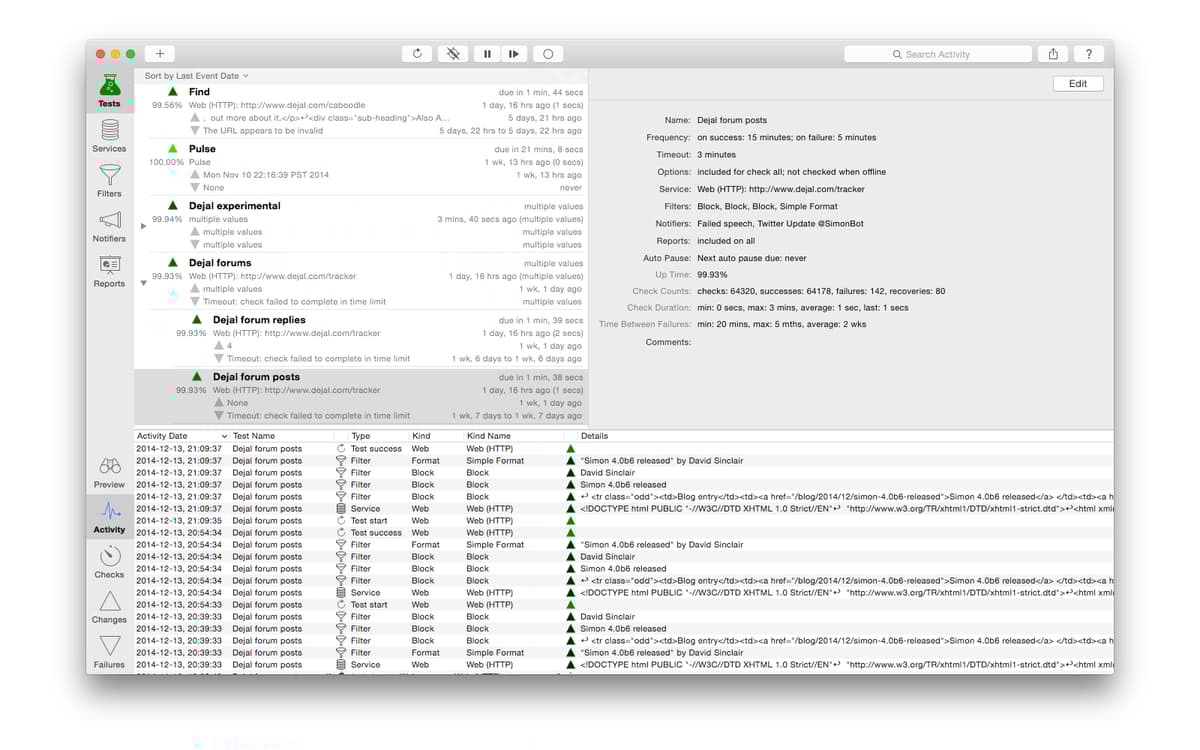
Verifique alterações ou falhas em servidores
Receba notificações de atividade no servidor
Veja o estado de um site ou app
Configure e edite testes com facilidade
Recursos do Simon
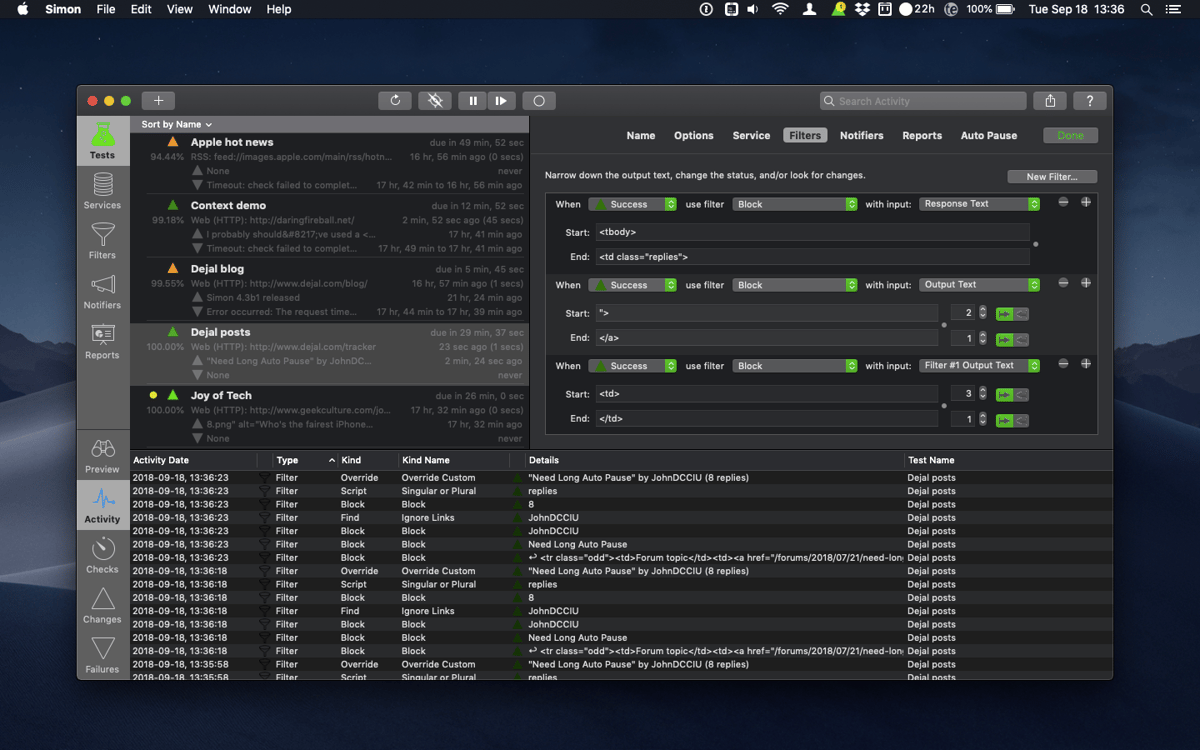
Diversos filtros
Use filtros inteligentes para controlar sites e buscar atualizações. Há muitos filtros que você pode usar. Por exemplo, você pode configurar filtros para ignorar elementos ou pares HTML e usar a correspondência de texto para encontrar um texto de saída específico. Ou usar o filtro de formato padrão caso precise reformatar um texto. Os filtros podem ser personalizados e você pode até adicionar novos filtros via AppleScript ou scripts de shell.
Painel de pré-visualização robusto
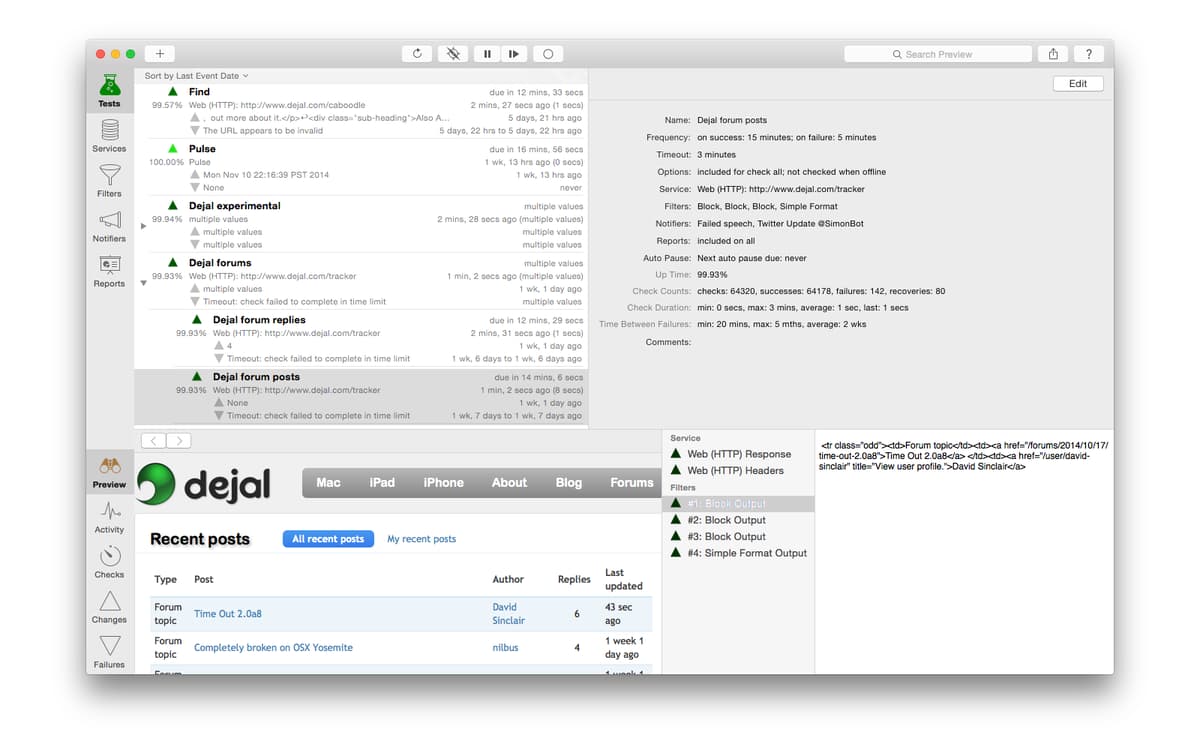
Use o prático painel de pré-visualização para examinar imediatamente o porquê de um recurso necessário não estar saindo do programa. Esse painel possui o conteúdo renderizado, o HTML fonte e os cabeçalhos de servidor da página, além da saída de cada filtro para teste. Você pode usar qualquer navegador para verificar os sites e a saída do servidor e dos filtros.
Notificações superúteis
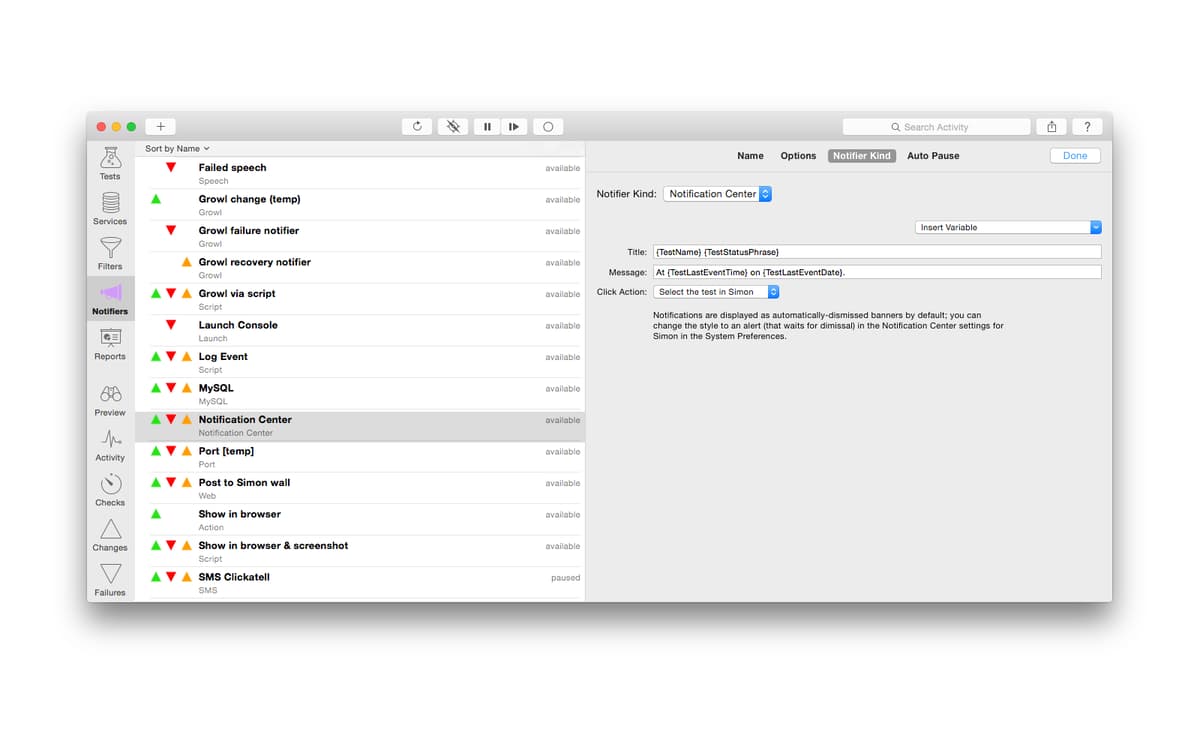
O Simon possui um conjunto de notificações abrangentes, que incluem ações, calendário, e-mail, som, fala e outras. Se necessário, as notificações podem ser compartilhadas entre os diversos testes e você pode escrever um AppleScript para personalizá-las. Se alguma notificação estiver atrapalhando, você pode interrompê-las por um período específico.
Painel de captura de sessão
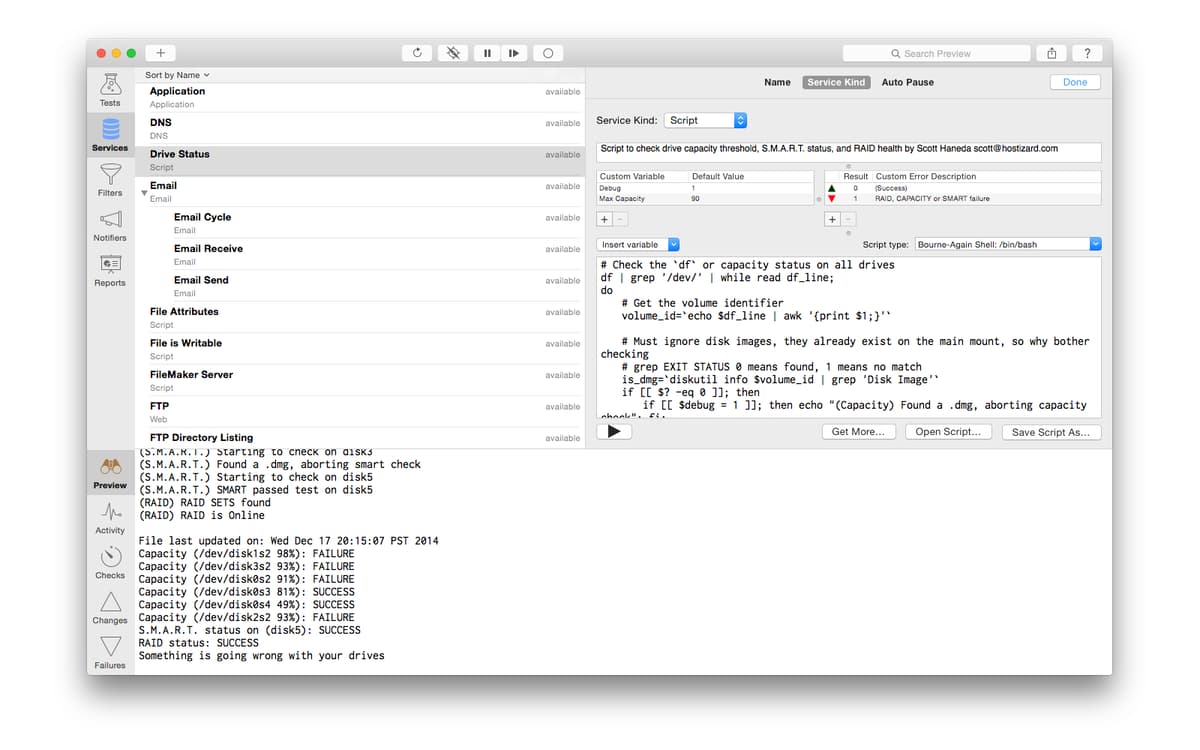
Acesse qualquer servidor rapidamente. Você pode receber textos e enviar respostas. Com o painel de captura de sessão, você pode gerar os melhores scripts de sessão de uma maneira superfácil. Conecte-se a um servidor em uma porta específica, determine a parte do texto recebido, configure os comandos para prosseguir e pronto, o script de sessão está criado.
Agrupamento de testes
Muitos testes relacionados? Que tal organizá-los de uma forma agradável que economize o seu tempo? Para isso, basta agrupá-los. E é extremamente fácil e rápido dividir testes e outras listas em grupos. Normalmente, você pode organizar qualquer teste por tipo, servidor e cliente.
Recursos de relatório inteligente
Verifique sites, servidores, status de apps e obtenha relatórios em HTML. Visualize-os no navegador que desejar. Escolha se deseja que eles sejam salvos automaticamente ou enviados para um servidor remoto. Você pode controlar o layout e o conteúdo do relatório com uma gama de modelos disponíveis.
Classificações e avaliações
Simon
•
50 classificações
Adam Engst
2 de jul. de 2025
Versão do app: 5.1.1
Essential for monitoring webpages (like Apple’s Newsroom and Security Updates pages) for changes and being alerted when they update.
Carlos G
25 de jun. de 2024
Versão do app: 5.1.1
no se entiende el uso
Christian Wuest
6 de mai. de 2024
Versão do app: 5.1.1
Very crash-happy, but gets the job done with some experimentation. Not incredibly intuitive.
Obtenha centenas de apps com o Membership
Obtenha um membership do Setapp e use centenas de apps estelares numa única assinatura.
Experimente grátis por 7 dias. Depois, pague um valor único.
Instale o Setapp no Mac
Explore apps para Mac, iOS e web. Encontre formas fáceis de lidar com as tarefas do dia a dia.

Obtenha o app que chamou sua atenção
Aquele app especial está esperando você no Setapp. Instale‑o com um clique.

Simon
Escolha uma assinatura
Um ou mais apps com um membership do Setapp. Obtenha os apps que você quer.

Obtenha centenas de apps com o Membership
Obtenha um membership do Setapp e use centenas de apps estelares numa única assinatura.
Experimente grátis por 7 dias. Depois, pague um valor único.
1
Instale o Setapp no Mac
Explore apps para Mac, iOS e web. Encontre formas fáceis de lidar com as tarefas do dia a dia.
2
Obtenha o app que chamou sua atenção
Aquele app especial está esperando você no Setapp. Instale‑o com um clique.
Simon
3
Escolha uma assinatura
Um ou mais apps com um membership do Setapp. Obtenha os apps que você quer.
A casa dos melhores apps
Desde tarefas rotineiras e de planejamento a atividades criativas e de programação, encare suas tarefas com os apps do Setapp.

TypingMind
IU alternativa para conversar com IA
gere ou resuma textos
use uma biblioteca de ações
IA

Spark Mail
Gerencie e‑mails
IA

CleanMyMac
Limpe os detritos

Bartender
Personalize a barra de menus

CleanShot X
Capturas de tela versáteis

Luminar Neo
Edite suas fotos
IA

ClearVPN
Conecte‑se com mais segurança

Craft
Trabalhe com documentos
IA
Simon
Controle e analise servidores