
SmashTunes
Sua música, sempre à vista
Mac
Versão 5.12.1
macOS 13.5 ou posterior
27.1 MB
3 idiomas
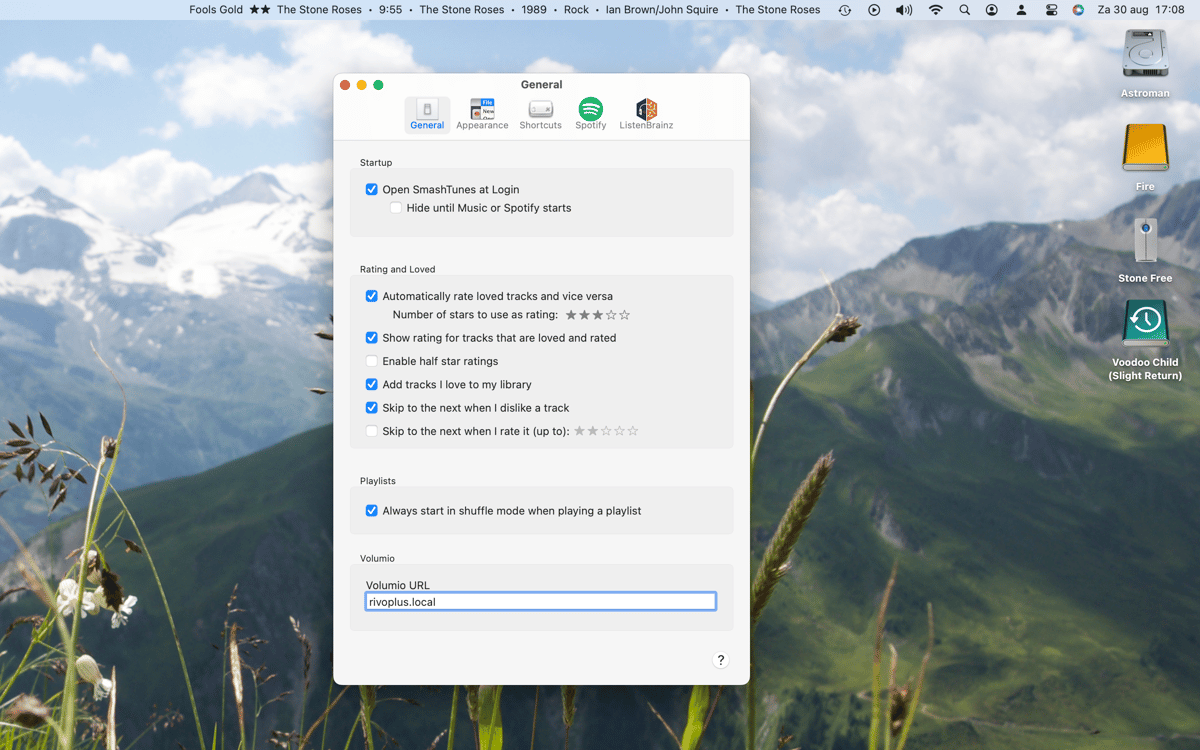
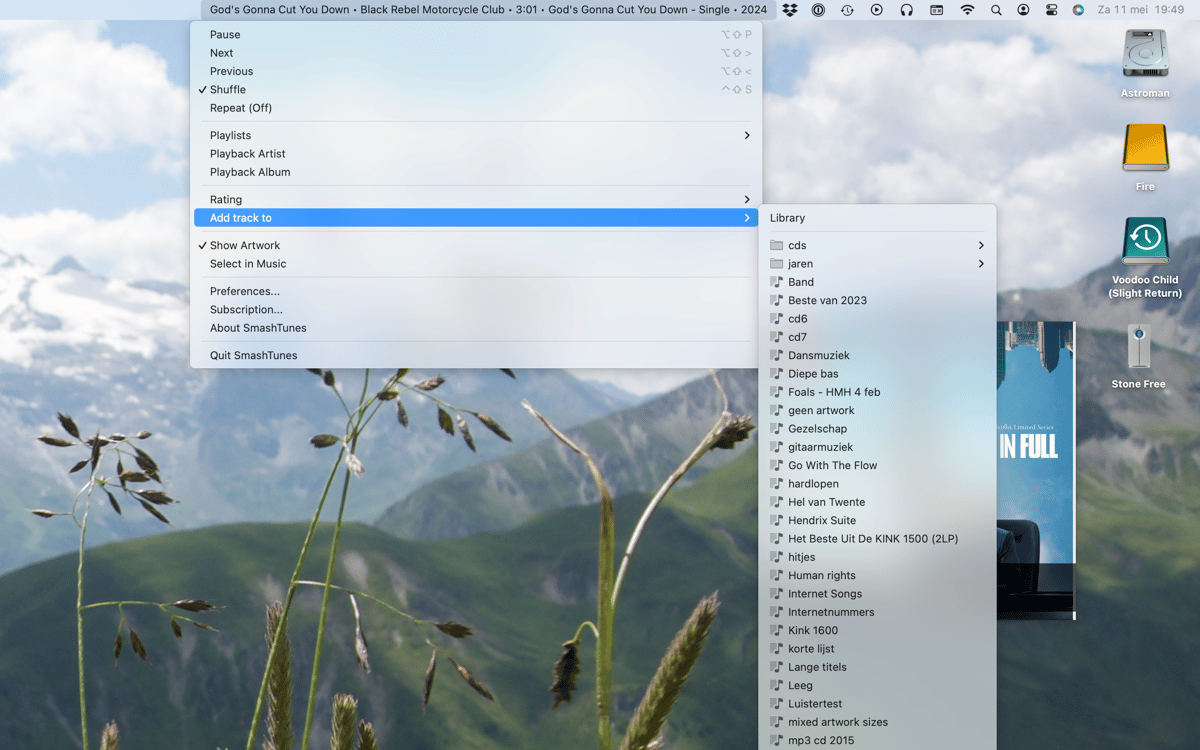
SmashTunes é um player de música na barra de menus do Mac. Ele exibe a faixa em reprodução no Spotify ou Apple Music diretamente na sua barra de menus — você escolhe quais informações mostrar e quanto espaço elas podem ocupar. Controle a reprodução, salve músicas na sua biblioteca e gerencie playlists sem sair do que você está fazendo. Ele também é compatível com o scrobbling do ListenBrainz e inclui um widget de área de trabalho que exibe a capa do álbum e os detalhes da faixa.
Veja o que está tocando de relance
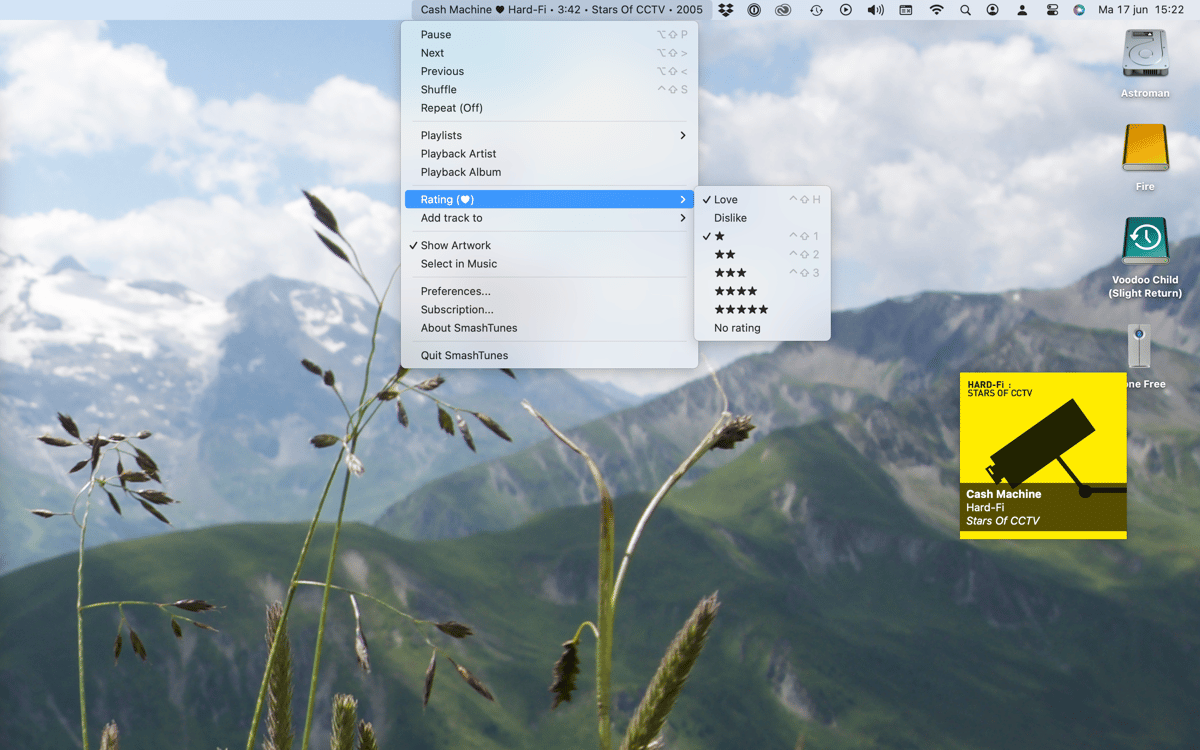
Controle a música sem sair do aplicativo
Salve faixas na sua biblioteca ou playlists
Registre suas audições no ListenBrainz
Recursos do SmashTunes
Saiba sempre o que está tocando
O SmashTunes exibe a música atual direto na barra de menus, para que você nunca precise mudar de aplicativo só para ver o que está tocando. Funciona com Spotify e Apple Music e se adapta ao espaço disponível. Escolha exatamente quais detalhes da faixa exibir — título, artista, álbum — e deixe o SmashTunes se encaixar discretamente no seu fluxo de trabalho.
Controle a reprodução de qualquer lugar
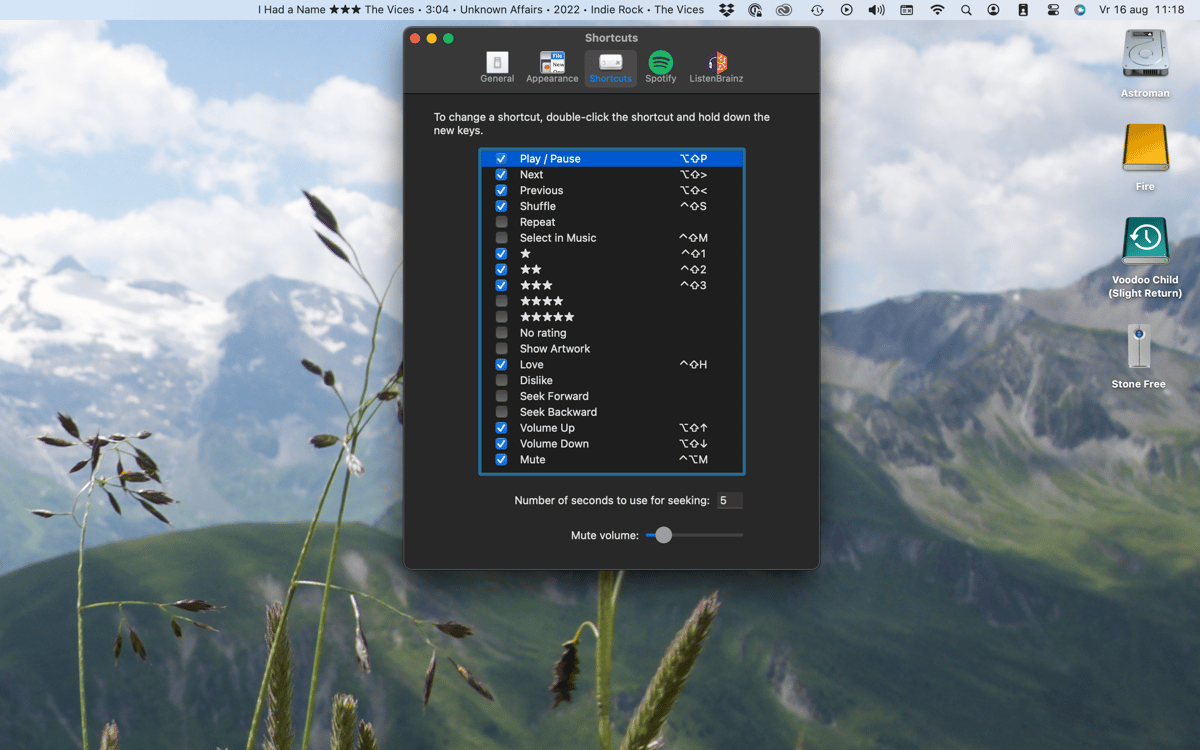
Pule, pause ou volte sem abrir o Spotify ou o Music. O SmashTunes oferece controles completos de reprodução diretamente da barra de menus. Prefere manter as mãos no teclado? Configure atalhos de teclado totalmente personalizáveis e controle tudo sem precisar usar o mouse.
Salve músicas na hora
Ouviu algo que adorou? Adicione à sua biblioteca ou a uma playlist diretamente da barra de menus. Sem precisar alternar para o player, procurar a faixa ou navegar pelos menus — o SmashTunes deixa tudo isso a um clique de distância.
Scrobble no ListenBrainz
O SmashTunes se integra ao ListenBrainz para que seu histórico de reprodução seja registrado automaticamente conforme você ouve. Se você acompanha seus hábitos musicais ou simplesmente quer manter um registro do que tem curtido, tudo isso acontece automaticamente em segundo plano.
Widget de desktop com arte
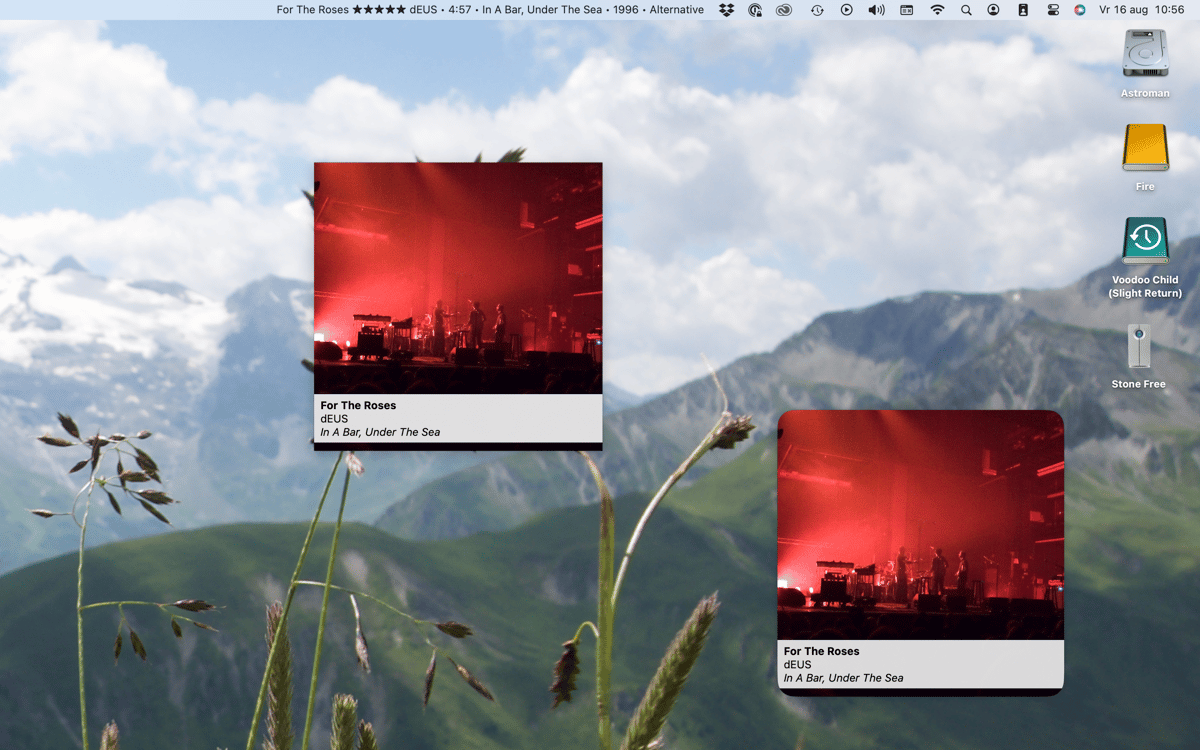
O SmashTunes inclui um widget nativo para macOS que exibe a capa do álbum e as informações da faixa em reprodução no momento. É uma visualização limpa e objetiva que funciona bem em qualquer configuração de área de trabalho — sem cliques extras necessários.
Obtenha centenas de apps com o Membership
Obtenha um membership do Setapp e use centenas de apps estelares numa única assinatura.
Experimente grátis por 7 dias. Depois, pague um valor único.
Instale o Setapp no Mac
Explore apps para Mac, iOS e web. Encontre formas fáceis de lidar com as tarefas do dia a dia.

Obtenha o app que chamou sua atenção
Aquele app especial está esperando você no Setapp. Instale‑o com um clique.

SmashTunes
Escolha uma assinatura
Um ou mais apps com um membership do Setapp. Obtenha os apps que você quer.

Obtenha centenas de apps com o Membership
Obtenha um membership do Setapp e use centenas de apps estelares numa única assinatura.
Experimente grátis por 7 dias. Depois, pague um valor único.
1
Instale o Setapp no Mac
Explore apps para Mac, iOS e web. Encontre formas fáceis de lidar com as tarefas do dia a dia.
2
Obtenha o app que chamou sua atenção
Aquele app especial está esperando você no Setapp. Instale‑o com um clique.
SmashTunes
3
Escolha uma assinatura
Um ou mais apps com um membership do Setapp. Obtenha os apps que você quer.
A casa dos melhores apps
Desde tarefas rotineiras e de planejamento a atividades criativas e de programação, encare suas tarefas com os apps do Setapp.

TypingMind
IU alternativa para conversar com IA
gere ou resuma textos
use uma biblioteca de ações
IA

Spark Mail
Gerencie e‑mails
IA

CleanMyMac
Limpe os detritos

Bartender
Personalize a barra de menus

CleanShot X
Capturas de tela versáteis

Luminar Neo
Edite suas fotos
IA

ClearVPN
Conecte‑se com mais segurança

Craft
Trabalhe com documentos
IA
SmashTunes
Sua música, sempre à vista