SnippetsLab
Reúna fragmentos de código
Mac
Versão 2.6.4
macOS 13.5 ou posterior
141.1 MB
2 idiomas
O SnippetsLab é um app para Mac que reúne, organiza e compartilha fragmentos de código. Ele é compatível com mais de 420 linguagens facilmente alternáveis e oferece um fluxo de gerenciamento de código fácil. Combine diversos trechos de código em um só fragmento, adicione comentários de documentação sobre qualquer informação secundária e exporte fragmentos para o GitHub. O SnippetsLab é o seu espaço para experimentar código de maneira inteligente.
Colete, organize e compartilhe trechos de código
Adicione links e notas a fragmentos de código
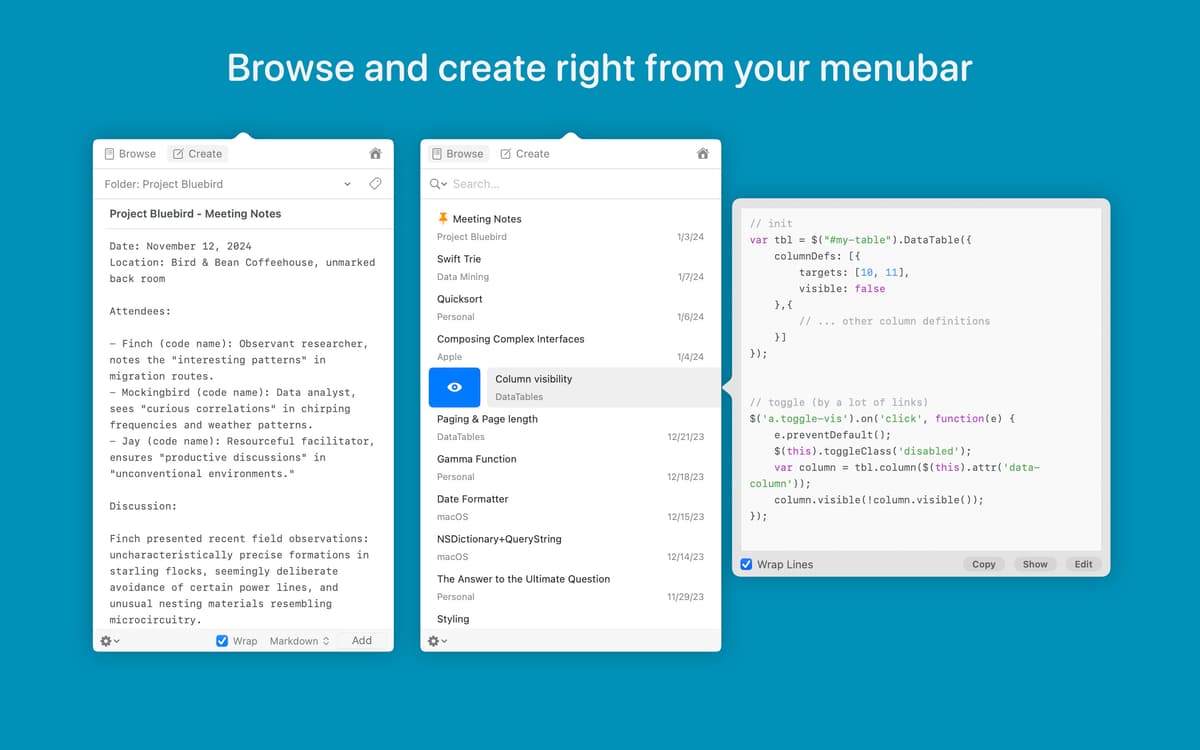
Acesse fragmentos na barra de menus
Sincronize o GitHub com a biblioteca de fragmentos
Recursos do SnippetsLab
Organize fragmentos de código para ter praticidade
É você quem cria sua biblioteca de código, então, você pode ajustá‑la da maneira que quiser. O SnippetsLab tem ferramentas de organização perfeitas para ajudar. Ordene fragmentos de código por qualquer critério, crie grupos inteligentes e adicione etiquetas para navegar mais fácil. Tudo para ter cada fragmento ao seu alcance.
Adicione comentários ao código
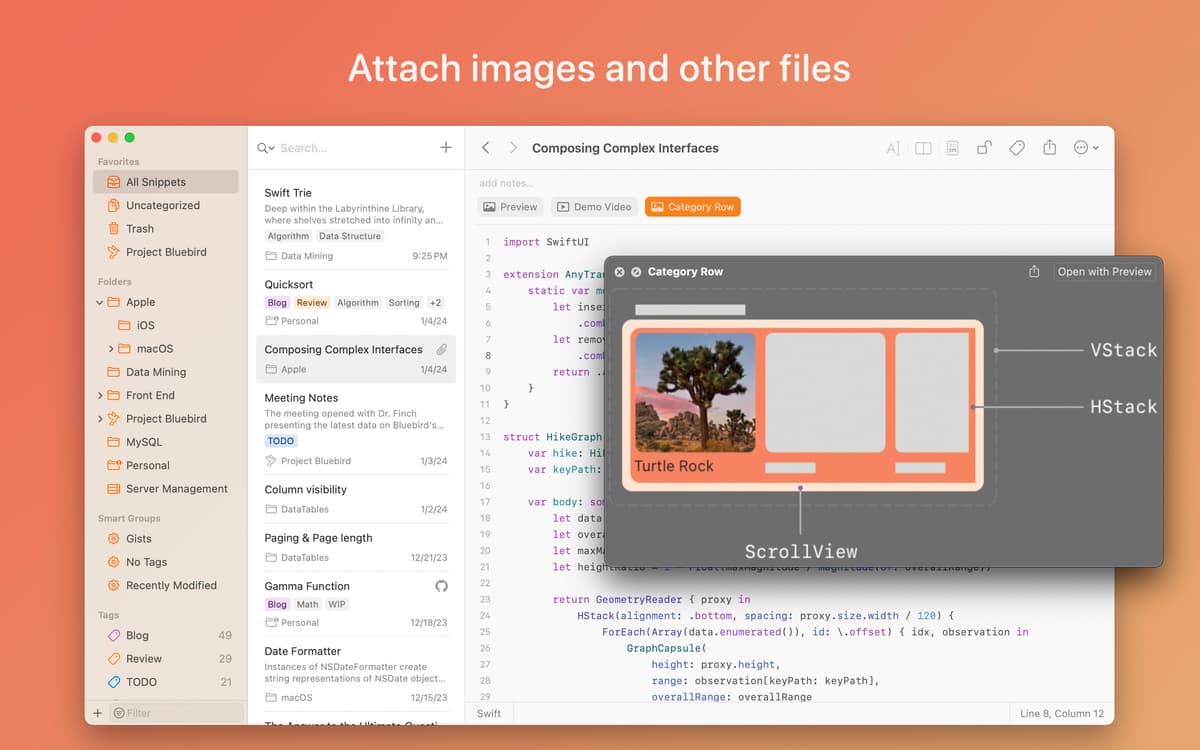
Se apenas código não for suficiente, você pode usar notas para dar mais contexto a fragmentos. Adicione links, descrições e qualquer informação secundária que julgue relevante. Você também pode combinar trechos de código em um só fragmento ou dividir fragmentos em diversas partes. Tudo é intercambiável.
Assistente pessoal na barra de menus
O SnippetsLab cria um atalho para o código, uma forma de acessar rapidamente cada fragmento diretamente da barra de menus. Sem abrir a janela principal do app, você pode buscar fragmentos (com base no escopo personalizado da busca), pré‑visualizar código e acessar a tela inicial sempre que precisar.
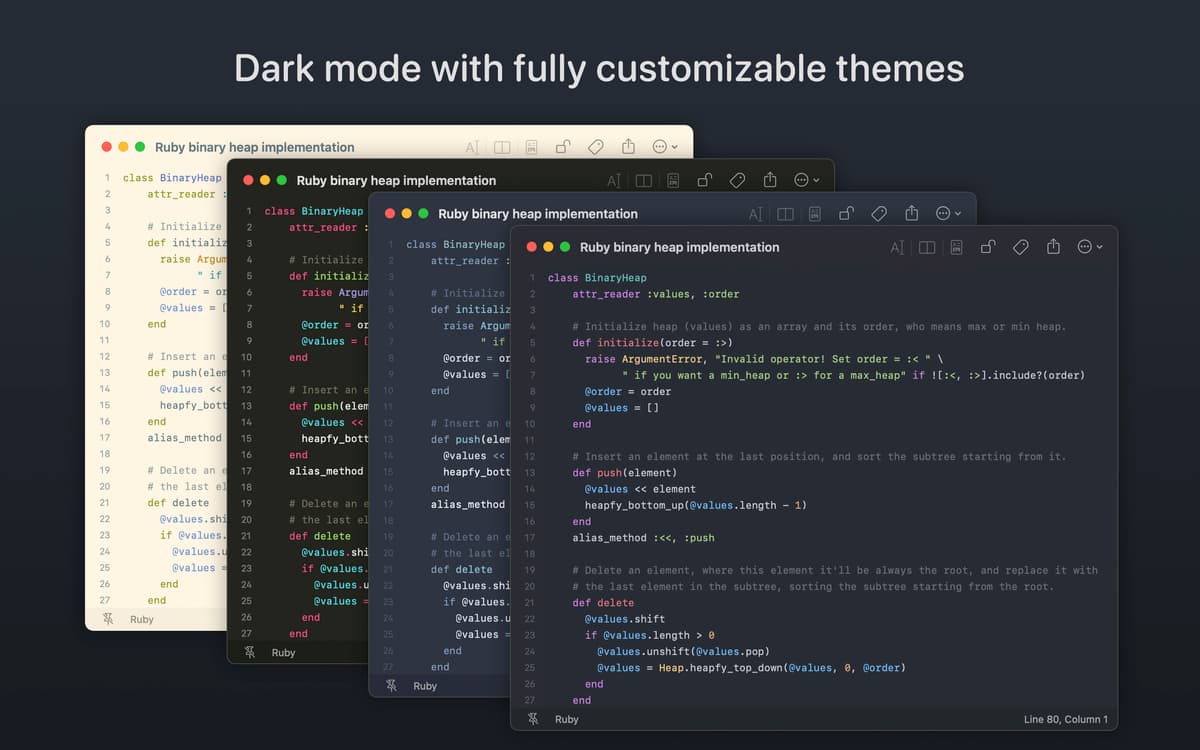
Destaque de sintaxe e Markdown
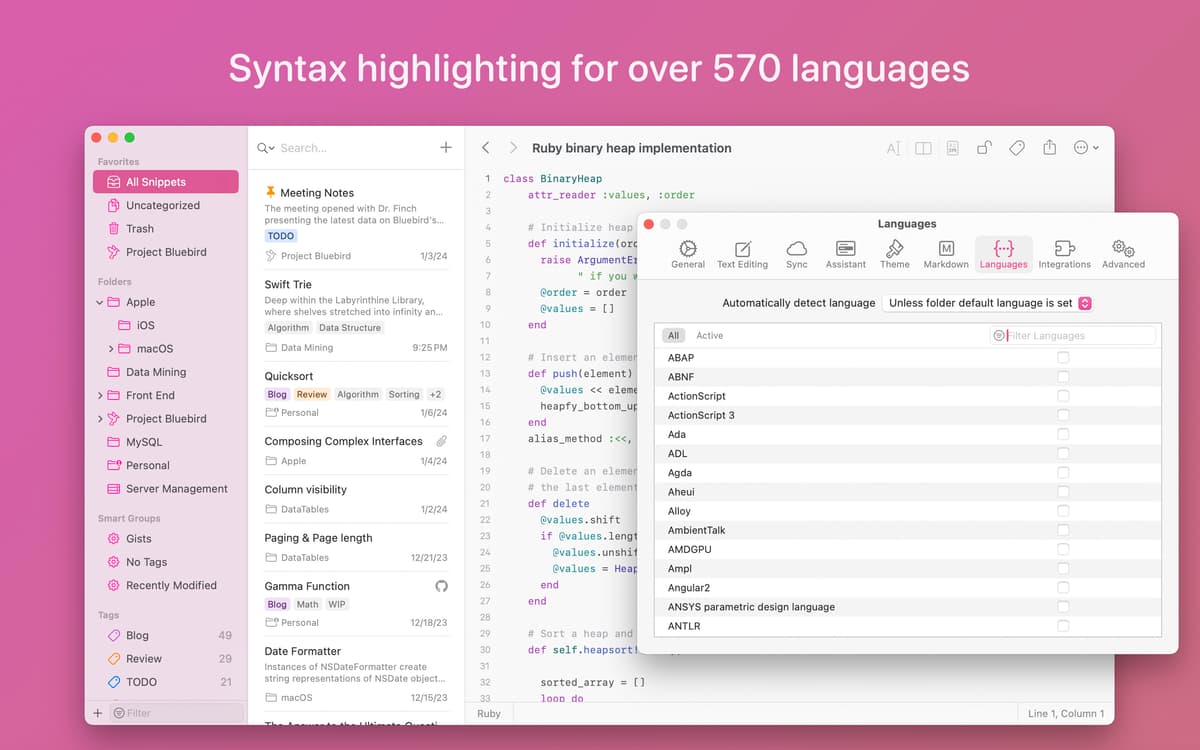
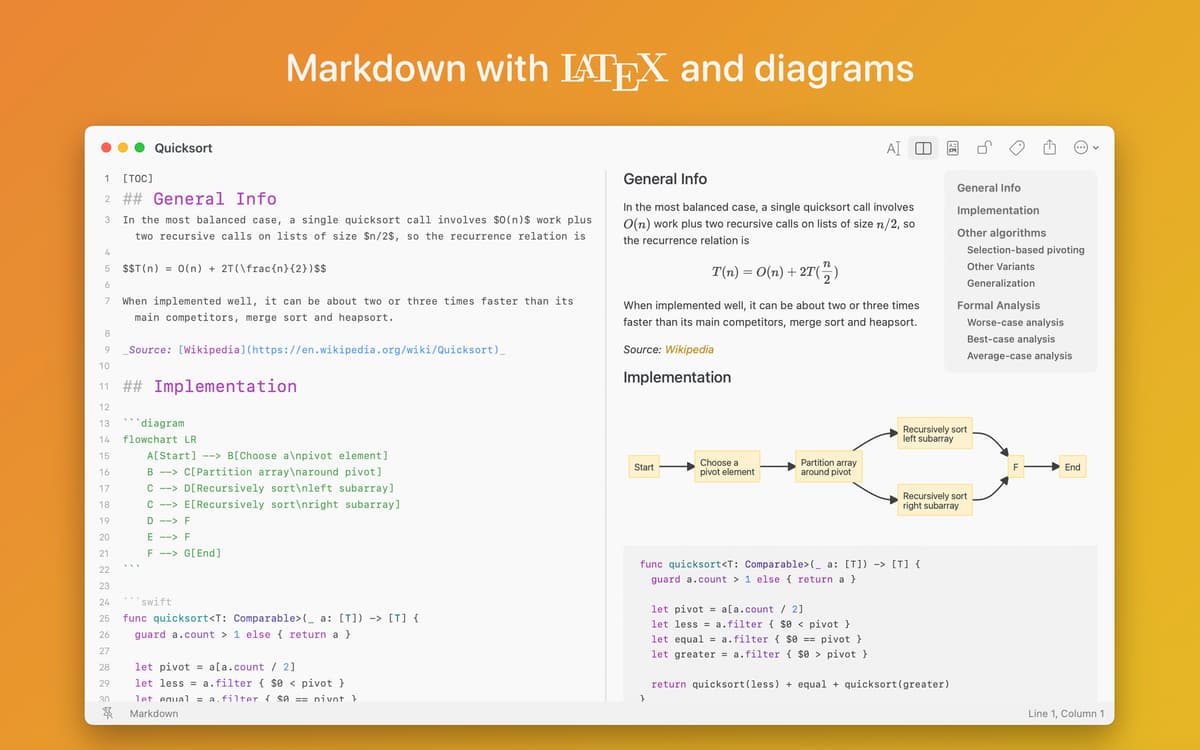
Este gerenciador de fragmentos de código é compatível com o destaque da sintaxe de mais de 420 linguagens diferentes. Alterne rapidamente a linguagem selecionada na parte inferior da janela do app para ver o código no formato certo. O SnippetsLab também é compatível com a pré‑visualização de Markdow, caso precise ter melhor legibilidade.
Integração ao GitHub Gist
O melhor é que você pode fazer com que o SnippetsLab e o GitHub trabalhem em sincronia. Com a integração Gist, o app permite que você importe código do GitHub, além de exportar um biblioteca completa ou fragmentos individuais para publicar como Gists. Assim, você não precisa escolher onde manter o código.
Sincronize e faça backup do código
O SnippetsLab funciona com serviços populares de sincronização de arquivos, como Dropbox e Google Drive, e, com a sincronização via iCloud, mantém a consistência do código entre seus dispositivos. E mais, você nunca se preocupa em perder nada, já que backups são feitos diariamente.
Classificações e avaliações
SnippetsLab
•
758 classificações
Russel
25 de mar. de 2026
Versão do app: 2.6.4
This is a fine little code repository app. I’ve used it casually to archive SQL queries; nothing more. So I’m not really using it to its full capabilities.
Yannick Cotten
27 de jan. de 2026
Versão do app: 2.6.2
It’s overall a great app but there’s key features missing like being able to save a markdown file in the local file system. Being able to upload to Github Gist is really nice, but it would be also very appreciatable to be able to save a markdown file (especially when it contains a markdown file) into a local directory in order to be able to push it into a project repository. It’s really boring everytime having to : - open a file with a text editor - copy markdown text - paste it into snippetslab - modify the snippet - copy updated text from snippetslab - paste it into text editor - then save. seven steps instead of three.
Giangiacomo Fanizzi
22 de jan. de 2026
Versão do app: 2.6.2
The interface is sleek and responsive, though there remain several areas ripe for enhancement. Nevertheless, it holds considerable promise.
Obtenha centenas de apps com o Membership
Obtenha um membership do Setapp e use centenas de apps estelares numa única assinatura.
Experimente grátis por 7 dias. Depois, pague um valor único.
Instale o Setapp no Mac
Explore apps para Mac, iOS e web. Encontre formas fáceis de lidar com as tarefas do dia a dia.

Obtenha o app que chamou sua atenção
Aquele app especial está esperando você no Setapp. Instale‑o com um clique.

SnippetsLab
Escolha uma assinatura
Um ou mais apps com um membership do Setapp. Obtenha os apps que você quer.

Obtenha centenas de apps com o Membership
Obtenha um membership do Setapp e use centenas de apps estelares numa única assinatura.
Experimente grátis por 7 dias. Depois, pague um valor único.
1
Instale o Setapp no Mac
Explore apps para Mac, iOS e web. Encontre formas fáceis de lidar com as tarefas do dia a dia.
2
Obtenha o app que chamou sua atenção
Aquele app especial está esperando você no Setapp. Instale‑o com um clique.
SnippetsLab
3
Escolha uma assinatura
Um ou mais apps com um membership do Setapp. Obtenha os apps que você quer.
A casa dos melhores apps
Desde tarefas rotineiras e de planejamento a atividades criativas e de programação, encare suas tarefas com os apps do Setapp.

TypingMind
IU alternativa para conversar com IA
gere ou resuma textos
use uma biblioteca de ações
IA

Spark Mail
Gerencie e‑mails
IA

CleanMyMac
Limpe os detritos

Bartender
Personalize a barra de menus

CleanShot X
Capturas de tela versáteis

Luminar Neo
Edite suas fotos
IA

ClearVPN
Conecte‑se com mais segurança

Craft
Trabalhe com documentos
IA
SnippetsLab
Reúna fragmentos de código