
SQLPro Studio
Gerencie vários SGBDs
Mac, iOS
Versão 2026.287
macOS 14.0 ou posterior
76 MB
1 idiomas
Você usa um gerenciador de bancos de dados específico ou até vários sistemas de DBMS ao mesmo tempo? Use o SQLPro Studio para ver, ordenar e obter dados SQL do servidor com tranquilidade. Em apenas uma interface, você trabalha com vários tipos de bancos de dados ao mesmo tempo. O app fornece recursos abrangentes, que podem ser usados em várias situações. Você pode selecionar várias tabelas ao mesmo tempo, atualizar seus conteúdos e comparar os resultados das consultas. E mais, depois de experimentá-lo, você perceberá como ele é simples e objetivo. Confira o que o SQLPro Studio oferece.
Trabalhe com bancos de dados SQL e NoSQL
Veja, armazene e obtenha dados do servidor SQL
Selecione e atualize várias tabelas
Mostre vários conjuntos de resultados de uma vez
Recursos do SQLPro Studio
Compatível com os principais tipos de bancos de dados SQL
Não se limite apenas a um tipo de banco de dados! Com o SQLPro Studio, você pode usar a maioria dos tipos de bancos de dados SQL, além de MySQL, Microsoft SQL Server (2005 ou posterior), PostgreSQL, MariaDB e Oracle (8i or posterior).
Vários conjuntos de resultados de uma só vez
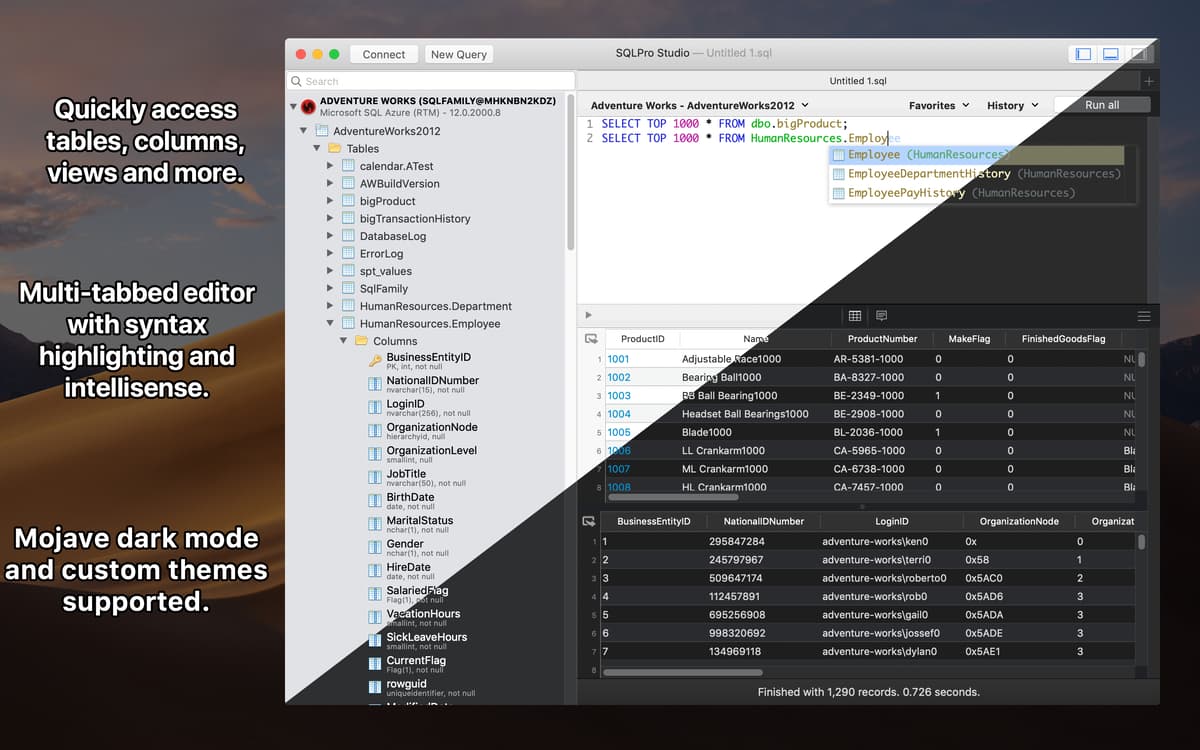
Que tal obter os resultados de várias tabelas ao mesmo tempo? Executar diversas consultas simultaneamente? Com o SQLPro Studio, você pode. O recurso de formatador e validador SQL é o caminho a seguir quando você costuma trabalhar com SQL e DB. Tenha o resultado de cada tabela exibido de uma só vez, com mensagens e erros, e atualize o conteúdo facilmente.
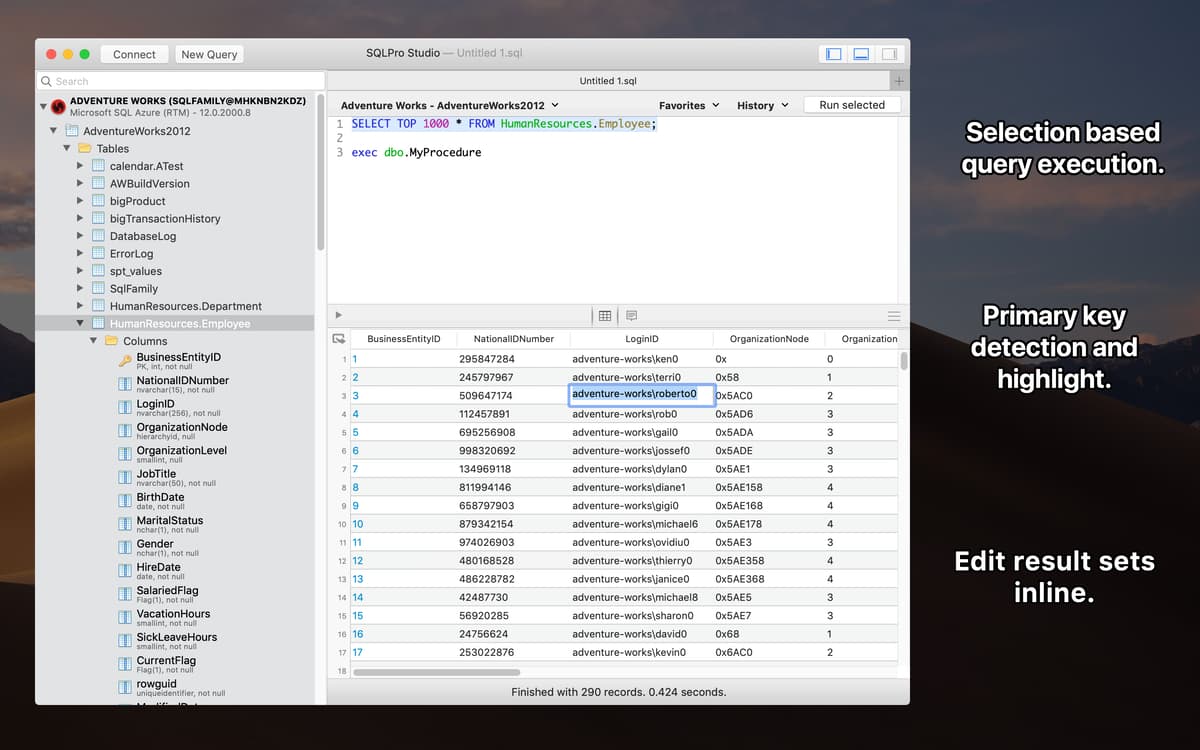
Seleção de uma ou várias células
Selecione uma ou várias células para trabalhar com resultados como em uma planilha. Com o SQLPro Studio você não precisa usar a seleção da linha inteira quando tudo o que você precisa é de uma única célula. Ele foi projetado para formatar qualquer tipo de declaração descomplicadamente.
Ferramentas essenciais de gerenciamento SQL
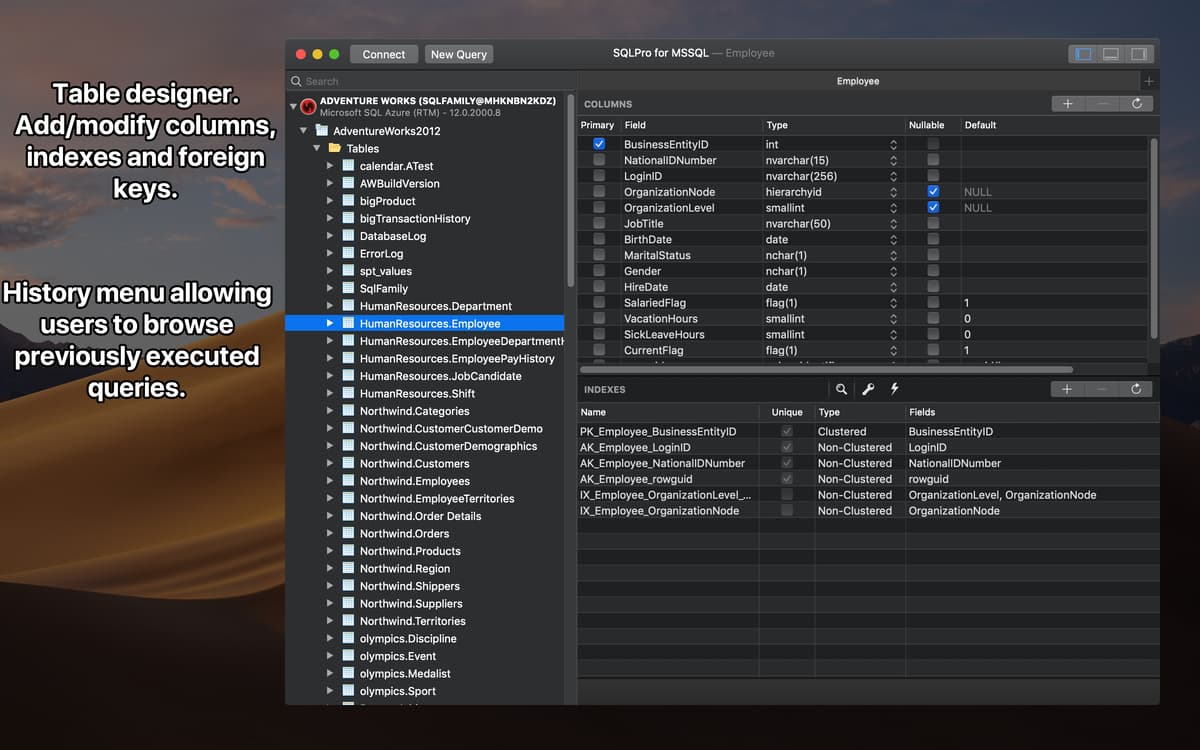
O SQLPro Studio tem tudo o que você pode esperar de um software de gerenciamento de bancos de dados. Crie ou atualize tabelas sem complicações. Os erros de sintaxe são detectados e destacados imediatamente para que você possa vê-los e corrigi-los. E mais, ele também possui um recurso para completar sintaxes automaticamente.
Suporte a serviços de nuvem
Costuma trabalhar com sistemas de nuvem da Heroku, Amazon RDS ou Microsoft Azure? Com o SQLPro Studio você tem a tranquilidade de trabalhar com os sistemas de bancos de dados mais populares. A funcionalidade oferecida por ele é igual a de um SQL hospedado localmente.
Utilitário nativo para Mac
Com este aplicativo para Mac, você não precisa de Java. Isso quer dizer que seu desempenho supera facilmente qualquer outro programa de gerenciamento de bancos de dados baseado em Java. Estabilidade e velocidade sempre que você o abrir no computador.
Classificações e avaliações
SQLPro Studio
•
650 classificações
Brad Moore
29 de ago. de 2026
Versão do app: 2026.208
Awesome all in one database/sql client for Mac. I can’t live without it.
Jeffrey Baxendale
29 de mai. de 2026
Versão do app: 2026.108
Wish a few common flows could be streamlined a bit (like pasting in connection strings) but covers most of the bases, and the developer is pretty responsive to concerns
Neal Colston
12 de mai. de 2026
Versão do app: 2026.92
Just updating this years later to say how impressive this app still is. True workhorse app that means I don’t have to switch tools for different DB types and clients. This app is amazing for working in SQL on a Mac. A long time ago I used to have to have WIndows Virtual Machines to explore Microsft SQL servers with SQL Server Management Studio and then if I was lucky have PhpMyAdmin for MySQL and some random app for SQLite. No more. The fact that it works with multiple SQL server types is insanely helpful as well as the basic convenience stuff such as exporting results or copying a few lines or even a few columns in a few lines. But also the bigger stuff like copying with or without headers in multiple formats. It does all the basics and has lots of nice touches but I just can’t overstate how transformative having the ability to use the same app for multiple database types on a Mac can be. I don’t miss the “old days”.
Obtenha centenas de apps com o Membership
Obtenha um membership do Setapp e use centenas de apps estelares numa única assinatura.
Experimente grátis por 7 dias. Depois, pague um valor único.
Instale o Setapp no Mac
Explore apps para Mac, iOS e web. Encontre formas fáceis de lidar com as tarefas do dia a dia.

Obtenha o app que chamou sua atenção
Aquele app especial está esperando você no Setapp. Instale‑o com um clique.

SQLPro Studio
Escolha uma assinatura
Um ou mais apps com um membership do Setapp. Obtenha os apps que você quer.

Obtenha centenas de apps com o Membership
Obtenha um membership do Setapp e use centenas de apps estelares numa única assinatura.
Experimente grátis por 7 dias. Depois, pague um valor único.
1
Instale o Setapp no Mac
Explore apps para Mac, iOS e web. Encontre formas fáceis de lidar com as tarefas do dia a dia.
2
Obtenha o app que chamou sua atenção
Aquele app especial está esperando você no Setapp. Instale‑o com um clique.
SQLPro Studio
3
Escolha uma assinatura
Um ou mais apps com um membership do Setapp. Obtenha os apps que você quer.
A casa dos melhores apps
Desde tarefas rotineiras e de planejamento a atividades criativas e de programação, encare suas tarefas com os apps do Setapp.

TypingMind
IU alternativa para conversar com IA
gere ou resuma textos
use uma biblioteca de ações
IA

Spark Mail
Gerencie e‑mails
IA

CleanMyMac
Limpe os detritos

Bartender
Personalize a barra de menus

CleanShot X
Capturas de tela versáteis

Luminar Neo
Edite suas fotos
IA

ClearVPN
Conecte‑se com mais segurança

Craft
Trabalhe com documentos
IA
SQLPro Studio
Gerencie vários SGBDs