
Strongbox
Armazene senhas com segurança


Mac, iOS
Versão 1.64.2
macOS 12.0 ou posterior
153.3 MB
17 idiomas
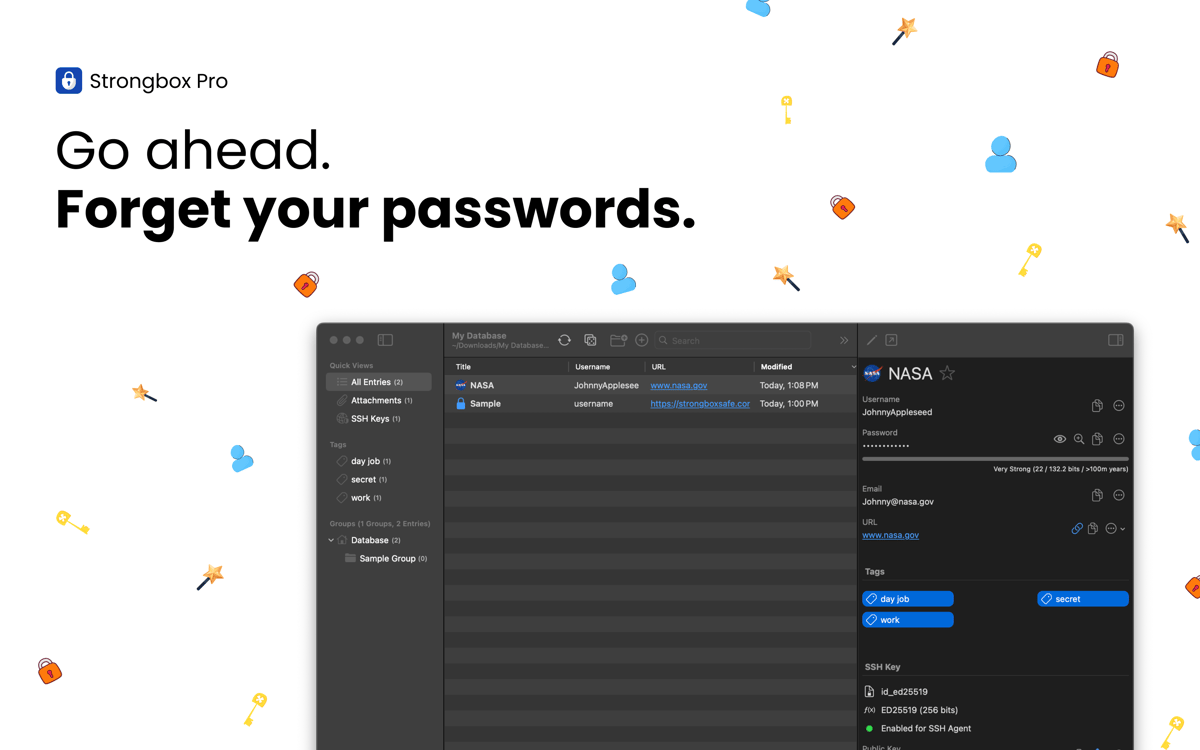
O Strongbox mantém suas senhas, dados bancários, chaves reservas e notas privadas armazenadas com segurança em um banco de dados criptografado do KeePass. Crie diversos cofres, adicione campos personalizados, gere senhas fortes e muito mais. Profundamente integrado ao ecossistema da Apple, o app funciona perfeitamente com o Face ID, Touch ID e preenchimento automático para que você acesse suas informações de forma rápida e segura no iPhone, iPad e Mac.
Segurança para senhas e dados confidenciais
Identifique e mude senhas fracas ou reusadas
Receba alertas de senhas expostas
Sincronize os cofres entre dispositivos
Recursos do Strongbox
Proteja seus dados com criptografia de ponta
Todos os dados confidenciais são protegidos por uma criptografia avançada, feita para resistir a ataques de hackers. Por padrão, o Strongbox usa AES‑256, mas você pode optar por usar os algoritmos TwoFish ou ChaCha20. Com a derivação de chave Argon2 resistente a GPUs e a compatibilidade com chaves de hardware como YubiKey, seus dados ficam seguros mesmo em caso de perda ou roubo do dispositivo.
Mantenha os cofres sincronizados
O Strongbox mantém os bancos de dados atualizados em todos os dispositivos e combina qualquer mudança feita numa das fontes. Dessa forma, você nunca perde as atualizações nem precisa lidar com conflitos. Além disso, há um backup dos cofres para que você tenha tranquilidade, sabendo que seus dados estão sempre seguros e acessíveis.
Organize e navegue no cofre
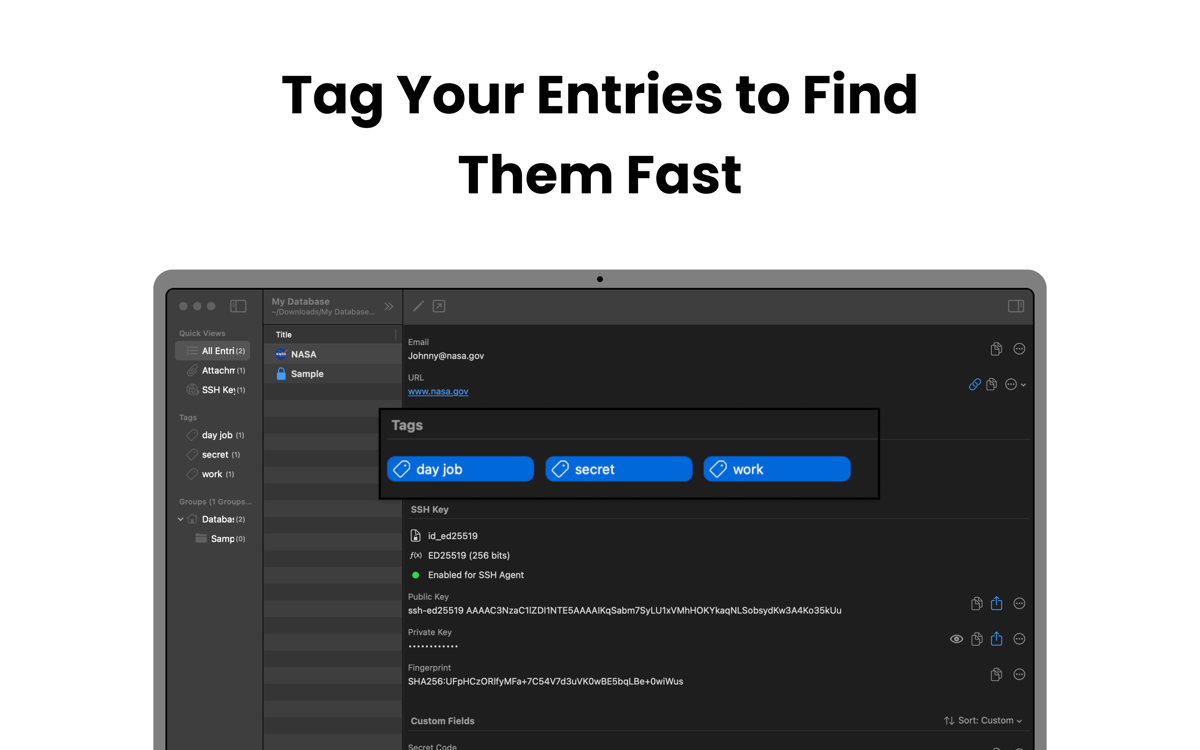
Com o Strongbox, você agrupa as entradas em pastas e usa etiquetas como família, trabalho ou social para marcar suas favoritas e acessá‑las rapidamente. Também é possível adicionar notas em Markdown às entradas e mostrar os ícones dos sites para dar estrutura ao cofre, ver tudo claramente e navegar com facilidade.
Mude senhas fracas e duplicadas
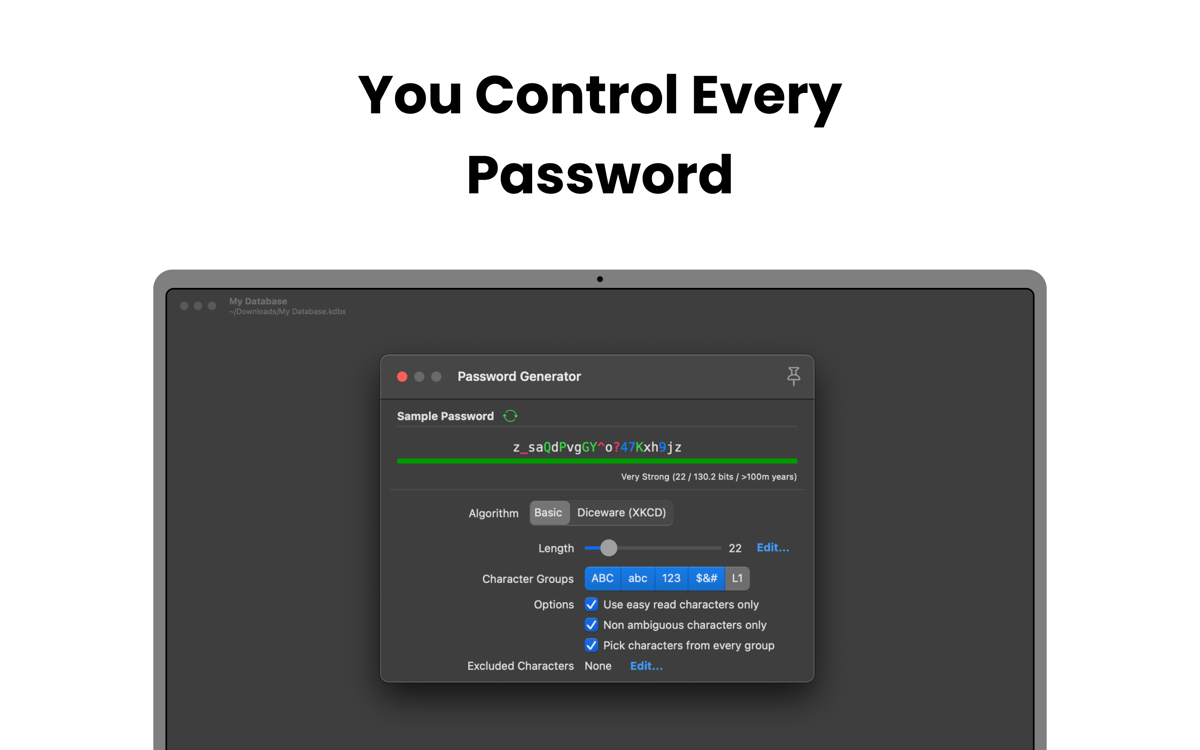
Analise o cofre para encontrar senhas fracas, curtas, comuns ou reusadas em várias contas. O Strongbox ajuda a atualizá‑las ou gerar opções mais fortes para reduzir o risco de intrusões.
Receba notificações sobre as senhas expostas
O Strongbox usa o site Have I Been Pwned para verificar se uma das senhas salvas apareceu em algum vazamento de dados conhecido. Se esse for o caso, o app alertará você imediatamente e mostrará as contas afetadas. Com isso, você terá tempo para atualizar suas credenciais e impedir o acesso não autorizado antes que qualquer problema ocorra.
Classificações e avaliações
Strongbox
•
66 classificações
Benedikt Otto
7 de jul. de 2026
Versão do app: 1.64.2
Intalled the app and tried to import browser passwords. The app would not read any of the exported .csv files from neither Safar, Firefox, nor Chrome. The Documentation said to edit the first line in the file manually, as to make it match the requirements for the app (which is already completely ridiculous). But what’s even more criminal is that I wasn’t even able to do it. Plus I had help from google Gemini to fix the Problem and it still didn’t work. I wont trust my passwords to an app from developers who can’t fix a issue as simple as a browser import… Big NOPE from me.
Mike Harris
6 de jul. de 2026
Versão do app: 1.64.2
Great interface and usability. I like the way it integrates so cleanly with apple password management. I also like that you are 100% in control of your own data.
Isabelle Louche
3 de jul. de 2026
Versão do app: 1.64.2
Très bonne application, facile a utiliser
Obtenha centenas de apps com o Membership
Obtenha um membership do Setapp e use centenas de apps estelares numa única assinatura.
Experimente grátis por 7 dias. Depois, pague um valor único.
Instale o Setapp no Mac
Explore apps para Mac, iOS e web. Encontre formas fáceis de lidar com as tarefas do dia a dia.

Obtenha o app que chamou sua atenção
Aquele app especial está esperando você no Setapp. Instale‑o com um clique.

Strongbox
Escolha uma assinatura
Um ou mais apps com um membership do Setapp. Obtenha os apps que você quer.

Obtenha centenas de apps com o Membership
Obtenha um membership do Setapp e use centenas de apps estelares numa única assinatura.
Experimente grátis por 7 dias. Depois, pague um valor único.
1
Instale o Setapp no Mac
Explore apps para Mac, iOS e web. Encontre formas fáceis de lidar com as tarefas do dia a dia.
2
Obtenha o app que chamou sua atenção
Aquele app especial está esperando você no Setapp. Instale‑o com um clique.
Strongbox
3
Escolha uma assinatura
Um ou mais apps com um membership do Setapp. Obtenha os apps que você quer.
A casa dos melhores apps
Desde tarefas rotineiras e de planejamento a atividades criativas e de programação, encare suas tarefas com os apps do Setapp.

TypingMind
IU alternativa para conversar com IA
gere ou resuma textos
use uma biblioteca de ações
IA

Spark Mail
Gerencie e‑mails
IA

CleanMyMac
Limpe os detritos

Bartender
Personalize a barra de menus

CleanShot X
Capturas de tela versáteis

Luminar Neo
Edite suas fotos
IA

ClearVPN
Conecte‑se com mais segurança

Craft
Trabalhe com documentos
IA
Strongbox
Armazene senhas com segurança