
Studies
Notas de estudo inteligentes

Mac
Versão 1.8.11
macOS 10.15 ou posterior
33.1 MB
1 idiomas
Não importa o quê você estuda — belas-artes, história, línguas, leis, matemática, medicina ou música — o Studies é o companheiro perfeito de aprendizado. Um app educativo que ajuda você a atingir suas metas. Planeje de acordo com os seus objetivos e prepare notas para estudar com eficiência. Sem dúvida, um app obrigatório para estudantes e pessoas que almejam desenvolver-se pessoalmente. Se você deseja aprimorar seus conhecimentos e dominar novas áreas, comece aprendendo sobre como o Studies pode ajudar.
Crie notas de estudo personalizadas
Compartilhe notas de estudo com qualquer pessoa
Defina metas de estudo e crie uma programação
Acompanhe seu progresso e resultados
Recursos do Studies
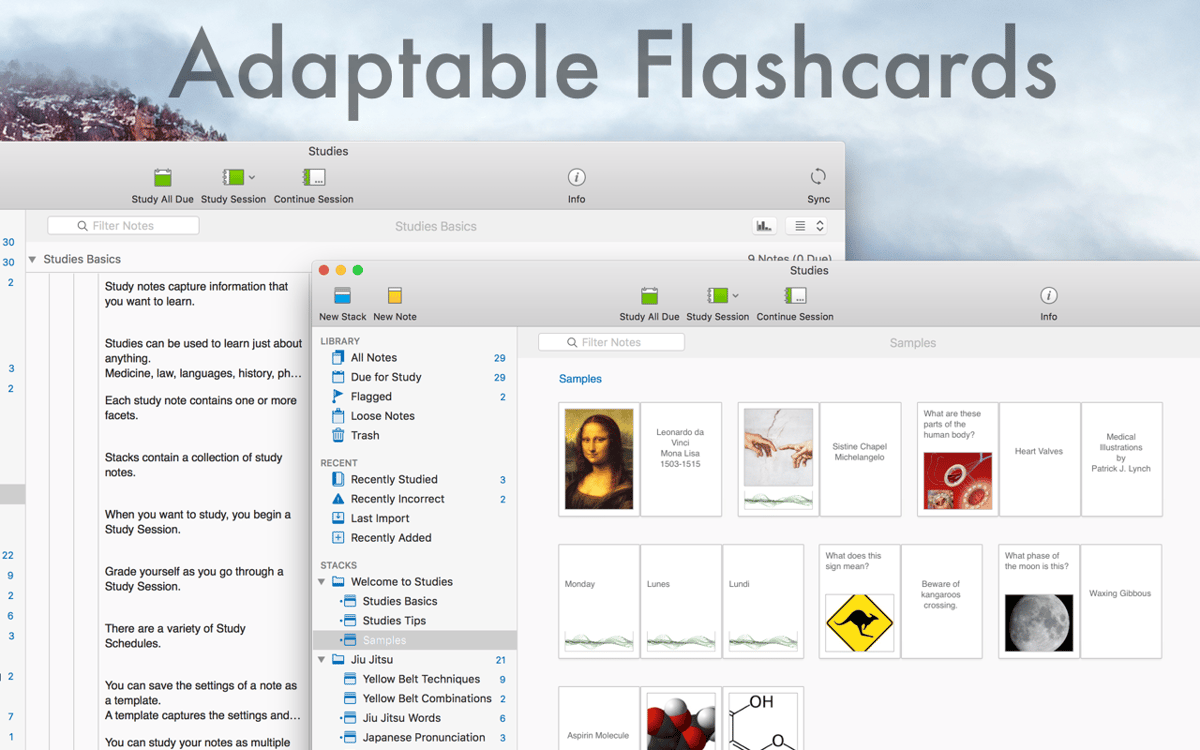
Gere suas próprias notas de estudo
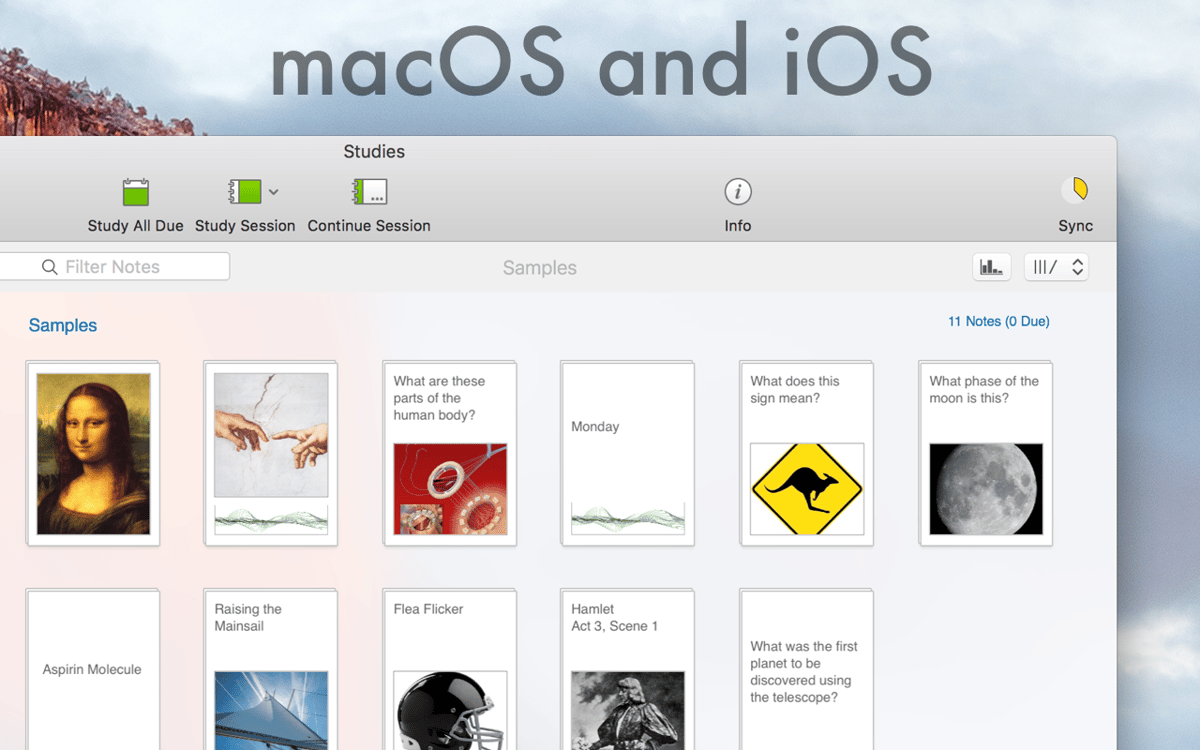
Transforme qualquer informação em notas de estudo inteligentes. As notas de estudo são como cartões tradicionais, só que mais abrangentes. As notas podem ter slides ilimitados e conter não só texto e fotos, como também áudio e vídeo. Crie suas próprias notas de estudo ou transfira notas já compartilhadas.
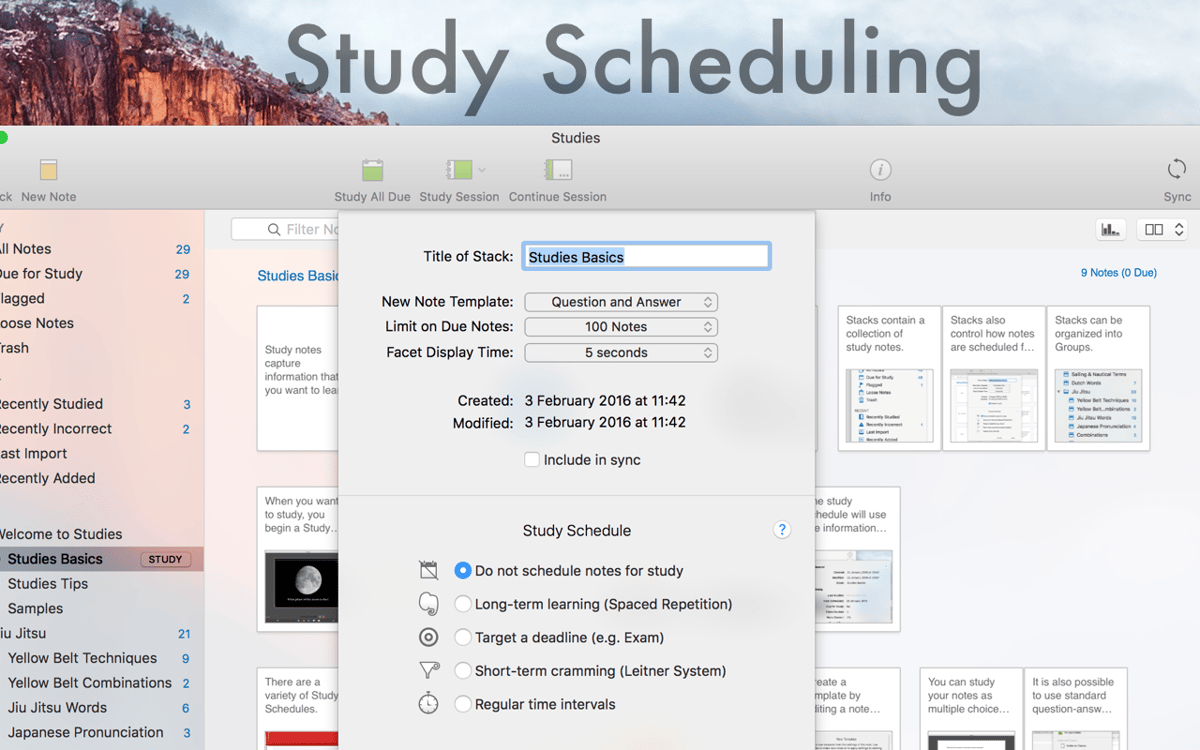
Agendamento de aprendizado ajustável
Dizem por aí que tempo é dinheiro. Agende o seu aprendizado, seja mais produtivo e perca menos tempo. Defina uma meta para agendar as notas de estudo. O agendamento de aprendizado é muito útil — tanto no estudo a longo prazo como em maratonas de estudo. E o Studies pode apresentar automaticamente as notas que você precisa estudar.
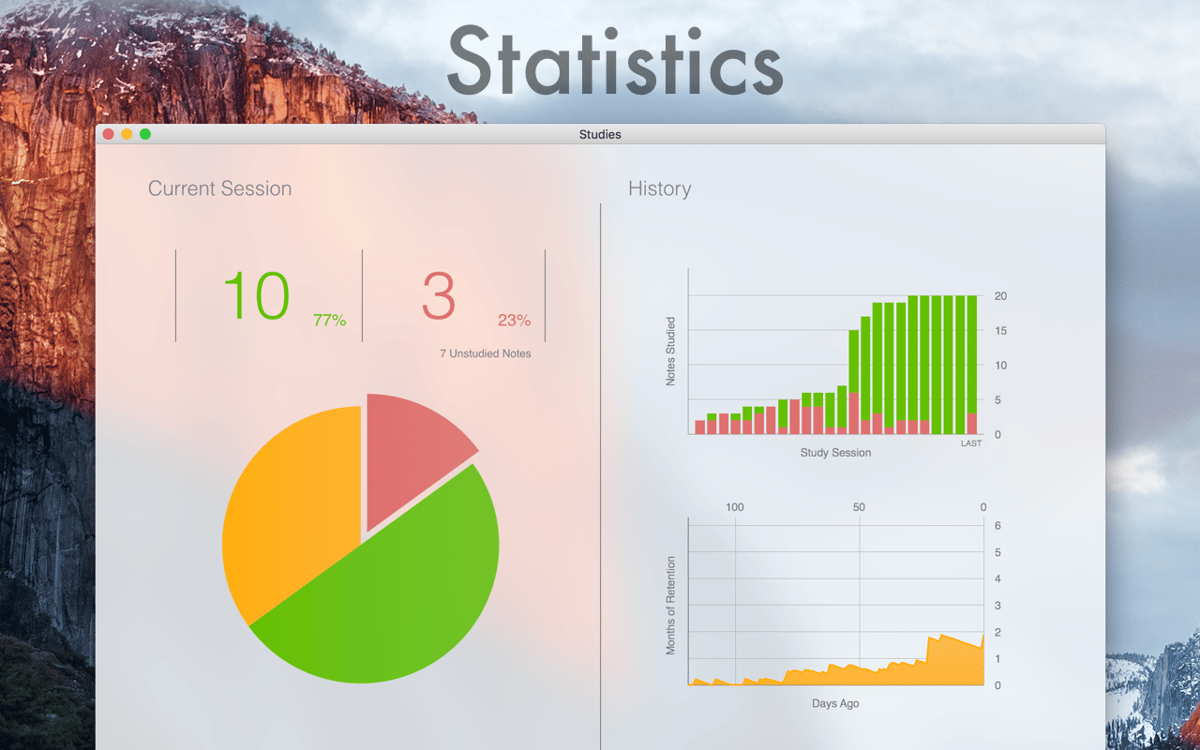
Estatísticas e previsões inteligentes
Enquanto você estuda, o Studies registra tudo e usa esses dados para preparar as notas das próximas sessões. Confira estatísticas e previsões para ver o quanto você conhece o material. Consulte e analise as notas onde você não foi bem. Observe as estimativas feitas pelo app para saber por quanto tempo você reterá as informações estudadas.
Recursos de exportação e importação fáceis
O Studies oferece suporte a vários formatos de arquivo para que você possa compartilhar notas de estudo com colegas e amigos. Crie um arquivo e exporte-o para que ele seja aberto no Studies em outros dispositivos. Ele também permite que você importe e exporte formatos populares, como CSV e TSV, que funcionam com a maioria dos sites de cartões de estudo.
Migração de dados do Mental Case
Francamente, o Studies encontra-se um nível acima do Mental Case. Instale o Studies no Mac para migrar todos os dados, histórico e agendamento que você possa ter nesse outro app. Logo depois de começar, você perceberá que o Studies ocupa muito menos espaço que o Mental Case.
Sincronização total com o iCloud
Todas as notas armazenadas no Mac aparecem no seu iPhone ou iPad. Além disso, suas sessões de estudo também são sincronizadas. Tudo para que você possa trocar entre o Mac e seu dispositivo iOS sempre que precisar. E você também pode optar por uma sincronização seletiva e escolher apenas os materiais necessários.
Classificações e avaliações
Studies
•
88 classificações
A
4 de out. de 2026
Versão do app: 1.8.11
It’s not bad, but not quite my way of studying
PABLO
28 de jan. de 2026
Versão do app: 1.8.11
Magnífico, muchas gracias
Vittorio Bianchi
2 de dez. de 2025
Versão do app: 1.8.8
Clear and powerful
Obtenha centenas de apps com o Membership
Obtenha um membership do Setapp e use centenas de apps estelares numa única assinatura.
Experimente grátis por 7 dias. Depois, pague um valor único.
Instale o Setapp no Mac
Explore apps para Mac, iOS e web. Encontre formas fáceis de lidar com as tarefas do dia a dia.

Obtenha o app que chamou sua atenção
Aquele app especial está esperando você no Setapp. Instale‑o com um clique.

Studies
Escolha uma assinatura
Um ou mais apps com um membership do Setapp. Obtenha os apps que você quer.

Obtenha centenas de apps com o Membership
Obtenha um membership do Setapp e use centenas de apps estelares numa única assinatura.
Experimente grátis por 7 dias. Depois, pague um valor único.
1
Instale o Setapp no Mac
Explore apps para Mac, iOS e web. Encontre formas fáceis de lidar com as tarefas do dia a dia.
2
Obtenha o app que chamou sua atenção
Aquele app especial está esperando você no Setapp. Instale‑o com um clique.
Studies
3
Escolha uma assinatura
Um ou mais apps com um membership do Setapp. Obtenha os apps que você quer.
A casa dos melhores apps
Desde tarefas rotineiras e de planejamento a atividades criativas e de programação, encare suas tarefas com os apps do Setapp.

TypingMind
IU alternativa para conversar com IA
gere ou resuma textos
use uma biblioteca de ações
IA

Spark Mail
Gerencie e‑mails
IA

CleanMyMac
Limpe os detritos

Bartender
Personalize a barra de menus

CleanShot X
Capturas de tela versáteis

Luminar Neo
Edite suas fotos
IA

ClearVPN
Conecte‑se com mais segurança

Craft
Trabalhe com documentos
IA
Studies
Notas de estudo inteligentes