
Substage
Controle o Finder com linguagem natural

Mac
Versão 1.1.4
macOS 15.0 ou posterior
26.3 MB
1 idiomas
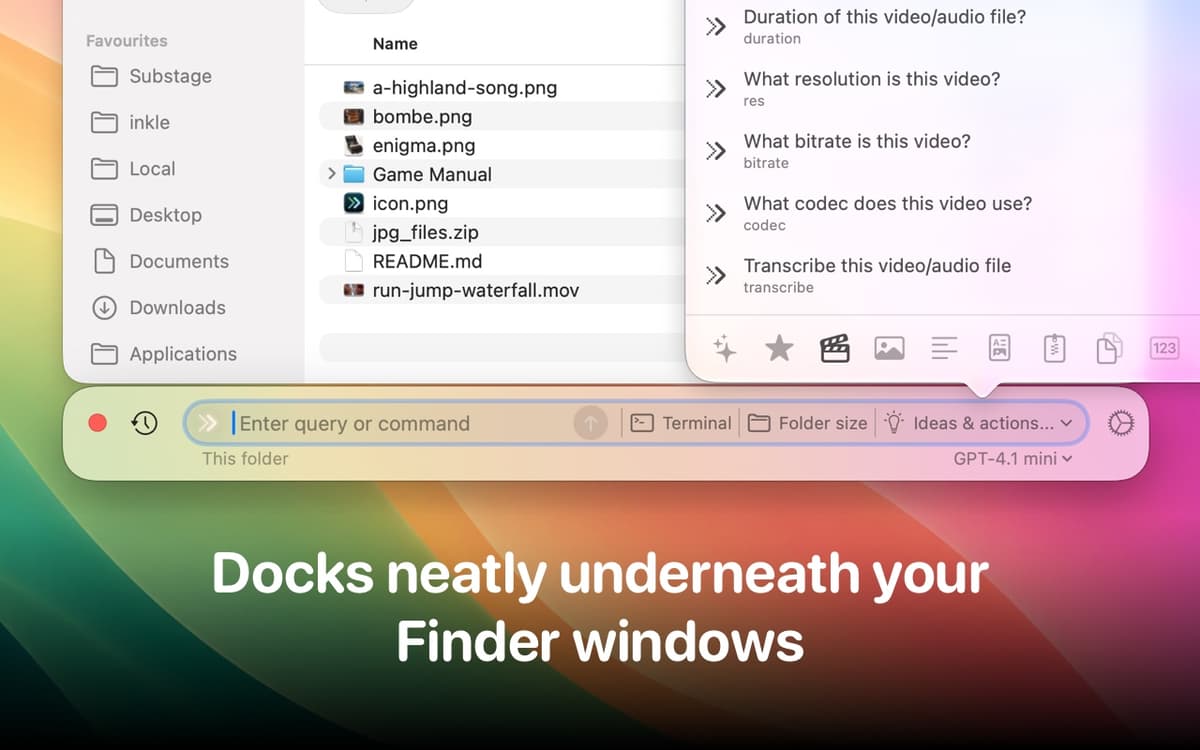
Use o Substage para gerenciar o Mac facilmente com linguagem natural. Ele converte as instruções que você fornece em comandos poderosos do Terminal para simplificar seu fluxo de trabalho. Sem que você precise lidar com sintaxes complicadas! Seja para converter arquivos, editar imagens ou trabalhar com documentos, com o Substage, tudo fica fácil e rápido.
Forneça instruções para o Terminal
Converta mídias sem usar outros apps
Controle os ajustes do sistema mais rápido
Tire dúvidas instantaneamente
Recursos do Substage
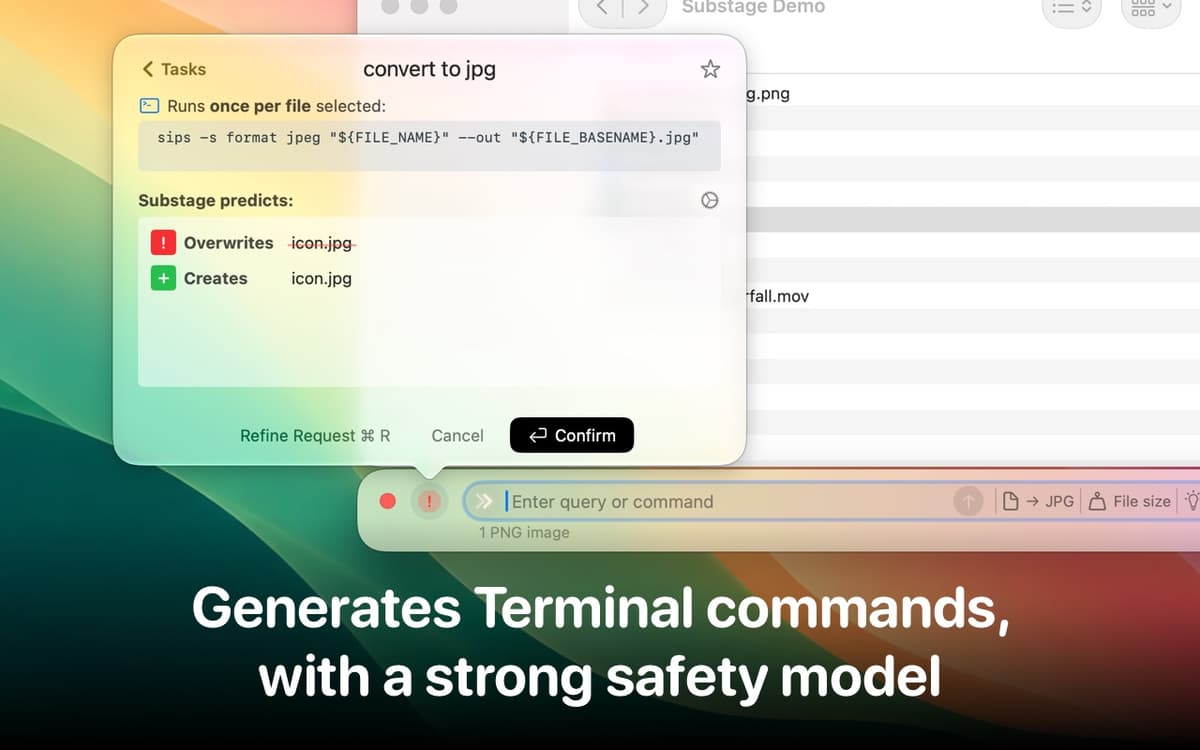
Converta instruções em comandos do Terminal
Use o Substage para converter pedidos feitos em linguagem natural em comandos precisos do Terminal. Assim, você economiza tempo e esforço ao gerenciar arquivos e operar o sistema.
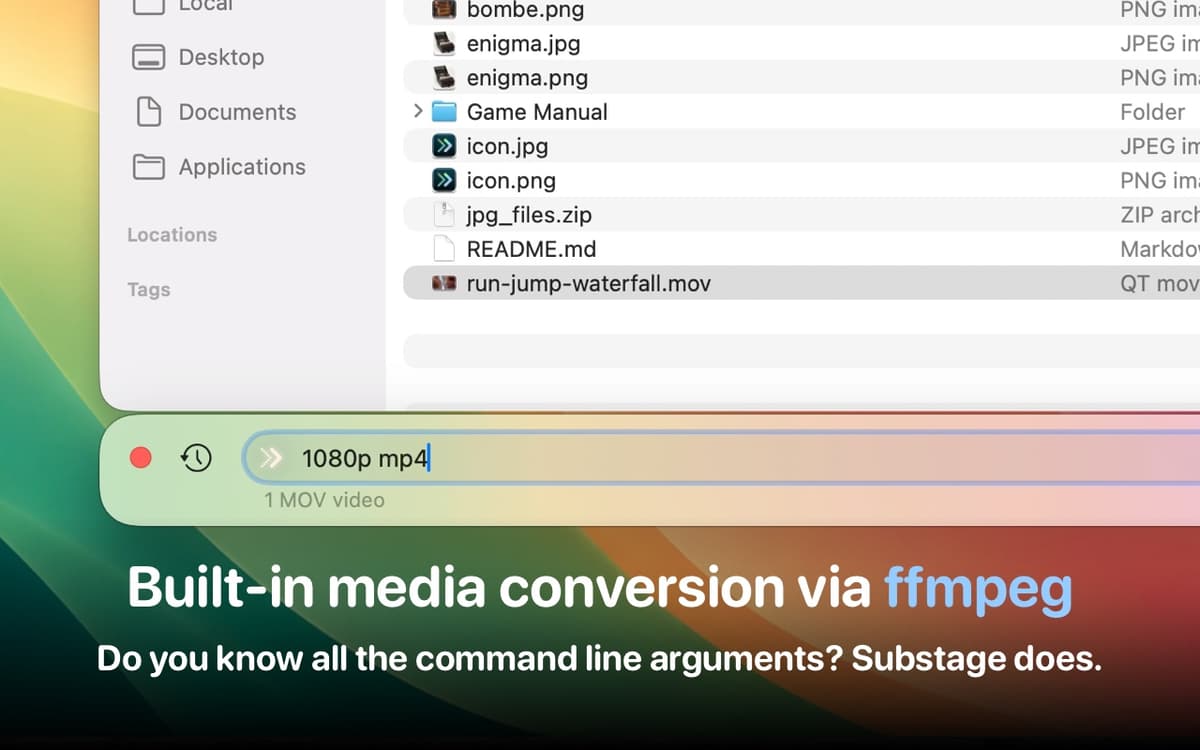
Realize conversões de arquivos rapidamente
Converta facilmente imagens, vídeos e outros arquivos com simples comandos como “converter para JPG” ou “transformar este MOV em MP4 1080p”, tudo sem precisar abrir nenhum outro app.
Controle os ajustes do sistema
Ative o modo escuro, mantenha o Mac desperto ou verifique as informações do hardware. Basta pedir para que o Substage cuide de tudo e elimine a necessidade de navegar por menus ou painéis de ajustes.
Tire dúvidas instantaneamente
Precisando de informações rápidas? Digite “quanto são 5 pés em centímetros?”, “este PDF é de autoria de quem?” ou “de onde baixei este arquivo?” para receber respostas rápidas e precisas.
Avalie a segurança de comandos antes de executá‑los
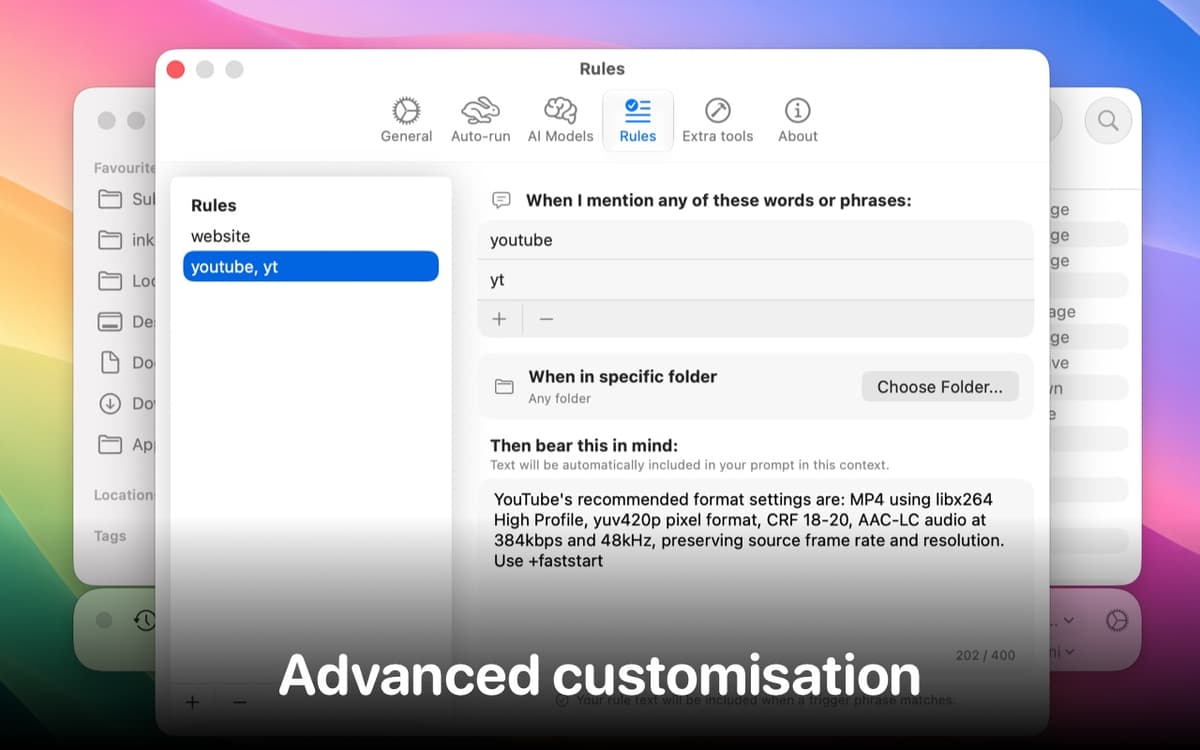
Antes de executar qualquer comando gerado no Terminal, o Substage realiza uma avaliação dos riscos e destaca qualquer problema em potencial. Para controlar o nível de precaução, use o controle nos ajustes do app para exigir aprovação manual ou para executar automaticamente os comandos.
Classificações e avaliações
Substage
•
96 classificações
Sean
8 de out. de 2026
Versão do app: 1.1.4
It won't even open! After installation, it just hangs forever after granting Automation access. I can see in System Settings that it has the approval, but the setup screen just hangs and gives me the beachball of doom. I even Force Quit and reopened it, but it just keeps freezing there. Absolutely pathetic.
Resposta do Desenvolvedor
8 de out. de 2026
Really sorry to hear this isn't working for you! macOS's permission system can be a bit flaky sometimes, though I've never seen it beach balling quite like that! I'm wondering if Substage may be getting stuck waiting for Finder even though you’ve already granted permission. Could you try quitting Substage, relaunching Finder (via Option–Command–Esc), then opening Substage again? Restarting your Mac is another thing to try if that doesn’t help. If it still freezes, feel free to email me: [email protected], with your macOS version, and I'll see if I can get to the bottom of it!
Tiago Sahuquillo
14 de ago. de 2026
Versão do app: 1.1.0
la pantalla de la app bajo el finder, no para de hacer intermitencias. en mac mini M4 con Tahoe.
Victor Cao
10 de jul. de 2026
Versão do app: 1.0.1
It was working when I first installed it, but it doesn’t open anymore. It keeps asking to sign in the Apple.
Obtenha centenas de apps com o Membership
Obtenha um membership do Setapp e use centenas de apps estelares numa única assinatura.
Experimente grátis por 7 dias. Depois, pague um valor único.
Instale o Setapp no Mac
Explore apps para Mac, iOS e web. Encontre formas fáceis de lidar com as tarefas do dia a dia.

Obtenha o app que chamou sua atenção
Aquele app especial está esperando você no Setapp. Instale‑o com um clique.

Substage
Escolha uma assinatura
Um ou mais apps com um membership do Setapp. Obtenha os apps que você quer.

Obtenha centenas de apps com o Membership
Obtenha um membership do Setapp e use centenas de apps estelares numa única assinatura.
Experimente grátis por 7 dias. Depois, pague um valor único.
1
Instale o Setapp no Mac
Explore apps para Mac, iOS e web. Encontre formas fáceis de lidar com as tarefas do dia a dia.
2
Obtenha o app que chamou sua atenção
Aquele app especial está esperando você no Setapp. Instale‑o com um clique.
Substage
3
Escolha uma assinatura
Um ou mais apps com um membership do Setapp. Obtenha os apps que você quer.
A casa dos melhores apps
Desde tarefas rotineiras e de planejamento a atividades criativas e de programação, encare suas tarefas com os apps do Setapp.

TypingMind
IU alternativa para conversar com IA
gere ou resuma textos
use uma biblioteca de ações
IA

Spark Mail
Gerencie e‑mails
IA

CleanMyMac
Limpe os detritos

Bartender
Personalize a barra de menus

CleanShot X
Capturas de tela versáteis

Luminar Neo
Edite suas fotos
IA

ClearVPN
Conecte‑se com mais segurança

Craft
Trabalhe com documentos
IA
Substage
Controle o Finder com linguagem natural