
Taphouse
Homebrew sem digitação
Mac
Versão 1.5.9
macOS 14.0 ou posterior
30.6 MB
6 idiomas
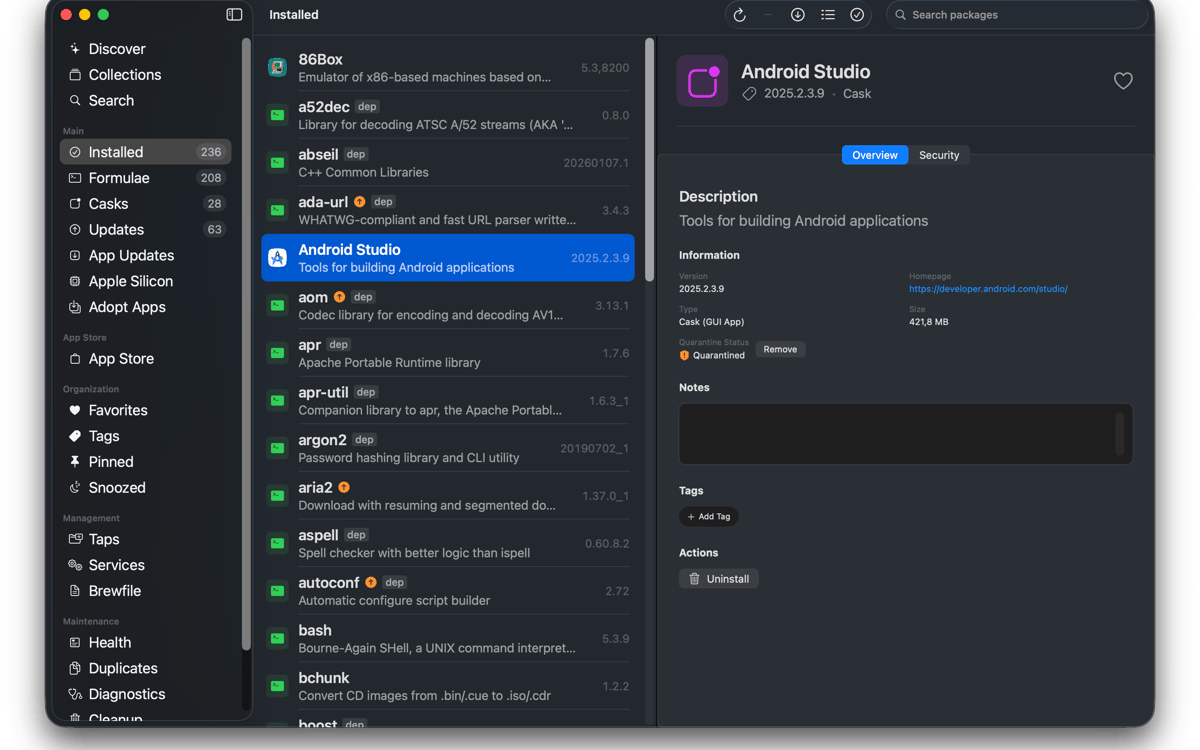
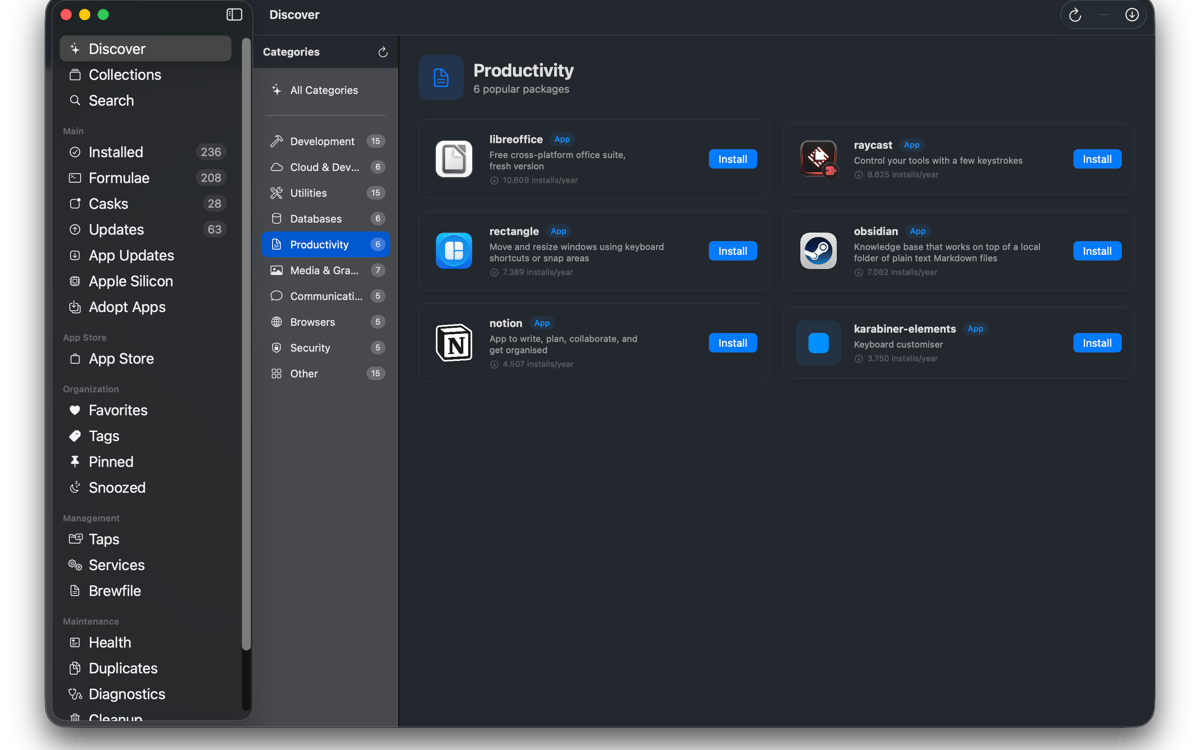
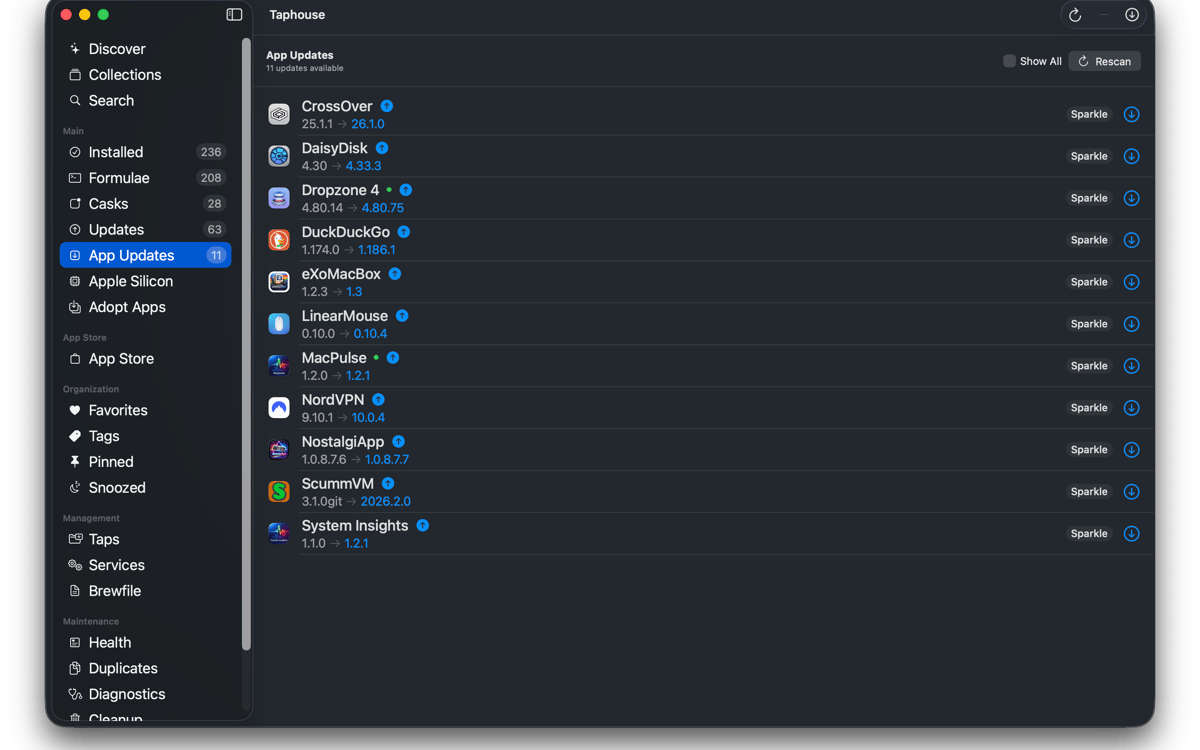
Taphouse é um app nativo do Homebrew para Mac que transforma comandos brew em ações simples de apontar e clicar. Criado em SwiftUI, oferece uma forma mais limpa de navegar, instalar, atualizar e gerenciar pacotes — sem abrir mão do terminal quando você ainda quiser usá-lo.
Instalar apps brew visualmente
Atualize pacotes com um clique
Gerencie serviços do brew facilmente
Transferir configurações entre Macs
Recursos do Taphouse
Navegue e instale
Pesquise fórmulas, casks e taps de terceiros do Homebrew em uma única barra de pesquisa. Verifique dependências, licenças, uso de disco e avisos do Homebrew antes de instalar. Instale pacotes com um clique e veja a saída do comando em tempo real. Sem mistério. É o Homebrew fazendo o que faz de melhor.
Gerencie o que você tem
Veja tudo o que você instalou em uma lista organizada. Filtre por fórmulas, casks, favoritos, pacotes fixados ou atualizações disponíveis. Selecione vários pacotes para atualizar, desinstalar ou fixar de uma só vez. Você pode até mesmo adotar apps já na sua pasta Aplicativos para que atualizações futuras também sejam executadas pelo Homebrew.
Mantenha-se atualizado
Escolha quando o Taphouse verifica atualizações e receba notificações quando algo estiver pronto. Atualizações automáticas em segundo plano também estão disponíveis, com comportamento consciente da bateria para que seu Mac não trabalhe demais no momento errado. O ícone na barra de menus mostra pacotes desatualizados rapidamente. Atualizar apps em execução? O Taphouse pode fechá-los antes da atualização.
Gerencie serviços, taps e Brewfiles
Inicie e pare serviços brew sem digitar comandos manualmente. Adicione, remova e fixe taps com poucos cliques. Importe e exporte Brewfiles para mover sua configuração entre Macs. A busca também oferece suporte completo a caminhos de toque de terceiros e pode adicionar toques ausentes automaticamente.
Mantenha o Homebrew funcionando
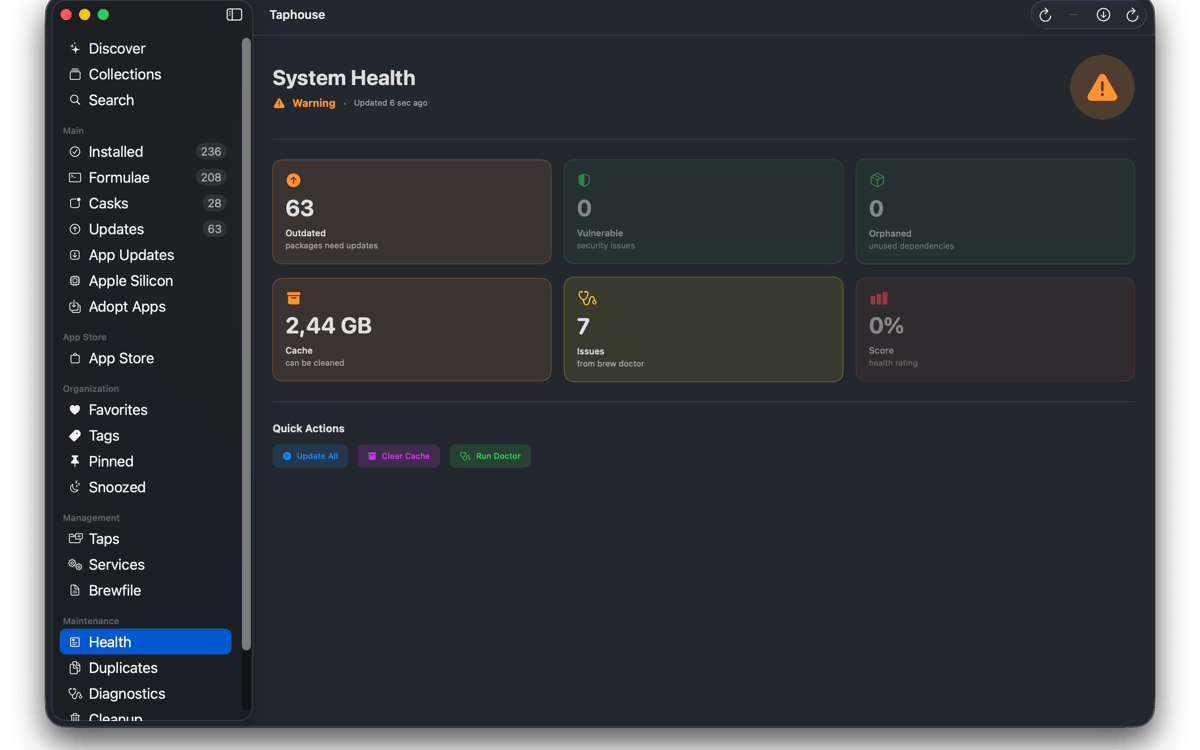
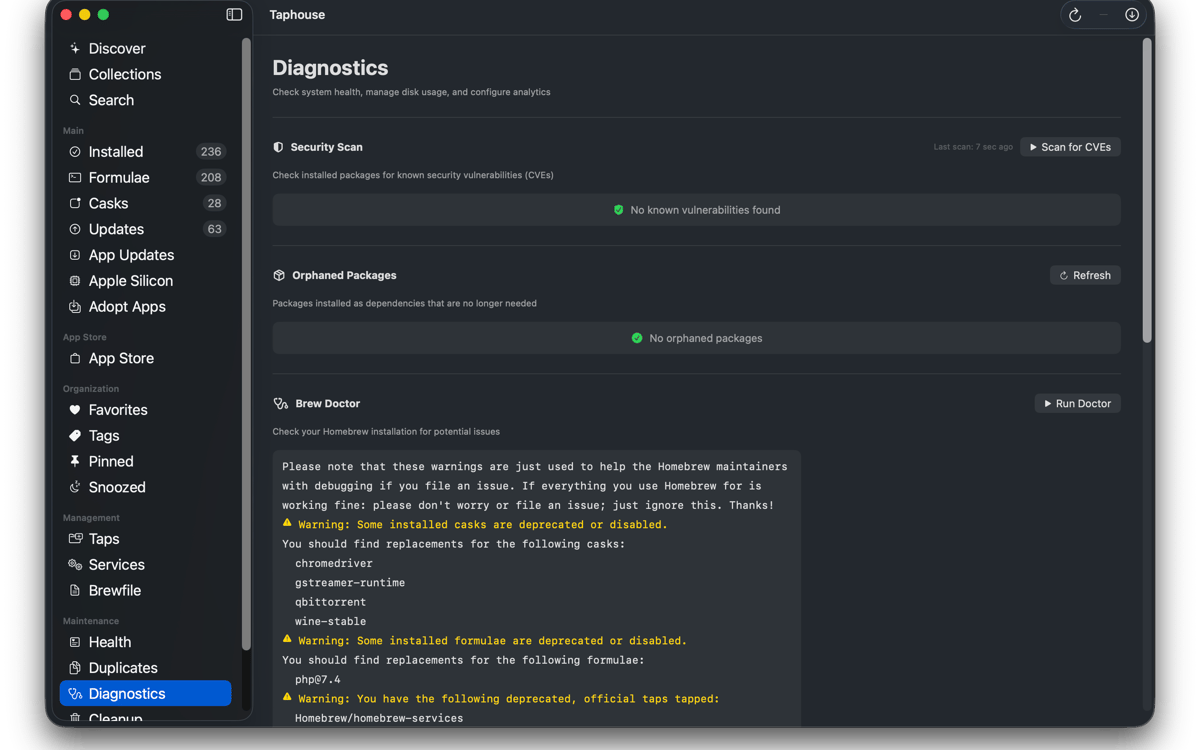
Execute o comando `brew doctor` em uma interface legível em vez de uma parede de texto no Terminal. Veja quanto espaço o Homebrew usa e exclua arquivos desnecessários. Você também pode remover sinalizadores de quarentena, rastrear instalações duplicadas e manter sua configuração de pacotes organizada sem alternar entre ferramentas.
E alguns extras
O Taphouse também inclui histórico de instalação, visualização da árvore de dependências, notas de pacotes, tags e coleções, modo de lista compacta, ferramentas de migração para Apple Silicon e integração com a CLI do mas. Tudo corresponde diretamente aos comandos reais do brew, para que sua configuração permaneça portátil, familiar e totalmente sua.
Classificações e avaliações
Taphouse
•
61 classificações
Steve Solari
14 de out. de 2026
Versão do app: 1.5.8.9
Makes updates easy because everything is in one place
Mike Procario
5 de out. de 2026
Versão do app: 1.5.8.7
I have just started using it. My first time use went well.
Binu Alexander
5 de out. de 2026
Versão do app: 1.5.8.7
Nice app , very useful
Obtenha centenas de apps com o Membership
Obtenha um membership do Setapp e use centenas de apps estelares numa única assinatura.
Experimente grátis por 7 dias. Depois, pague um valor único.
Instale o Setapp no Mac
Explore apps para Mac, iOS e web. Encontre formas fáceis de lidar com as tarefas do dia a dia.

Obtenha o app que chamou sua atenção
Aquele app especial está esperando você no Setapp. Instale‑o com um clique.

Taphouse
Escolha uma assinatura
Um ou mais apps com um membership do Setapp. Obtenha os apps que você quer.

Obtenha centenas de apps com o Membership
Obtenha um membership do Setapp e use centenas de apps estelares numa única assinatura.
Experimente grátis por 7 dias. Depois, pague um valor único.
1
Instale o Setapp no Mac
Explore apps para Mac, iOS e web. Encontre formas fáceis de lidar com as tarefas do dia a dia.
2
Obtenha o app que chamou sua atenção
Aquele app especial está esperando você no Setapp. Instale‑o com um clique.
Taphouse
3
Escolha uma assinatura
Um ou mais apps com um membership do Setapp. Obtenha os apps que você quer.
A casa dos melhores apps
Desde tarefas rotineiras e de planejamento a atividades criativas e de programação, encare suas tarefas com os apps do Setapp.

TypingMind
IU alternativa para conversar com IA
gere ou resuma textos
use uma biblioteca de ações
IA

Spark Mail
Gerencie e‑mails
IA

CleanMyMac
Limpe os detritos

Bartender
Personalize a barra de menus

CleanShot X
Capturas de tela versáteis

Luminar Neo
Edite suas fotos
IA

ClearVPN
Conecte‑se com mais segurança

Craft
Trabalhe com documentos
IA
Taphouse
Homebrew sem digitação