
Taskheat
Aprenda a priorizar tarefas

Mac
Versão 1.11.3
macOS 14.6 ou posterior
28.6 MB
7 idiomas
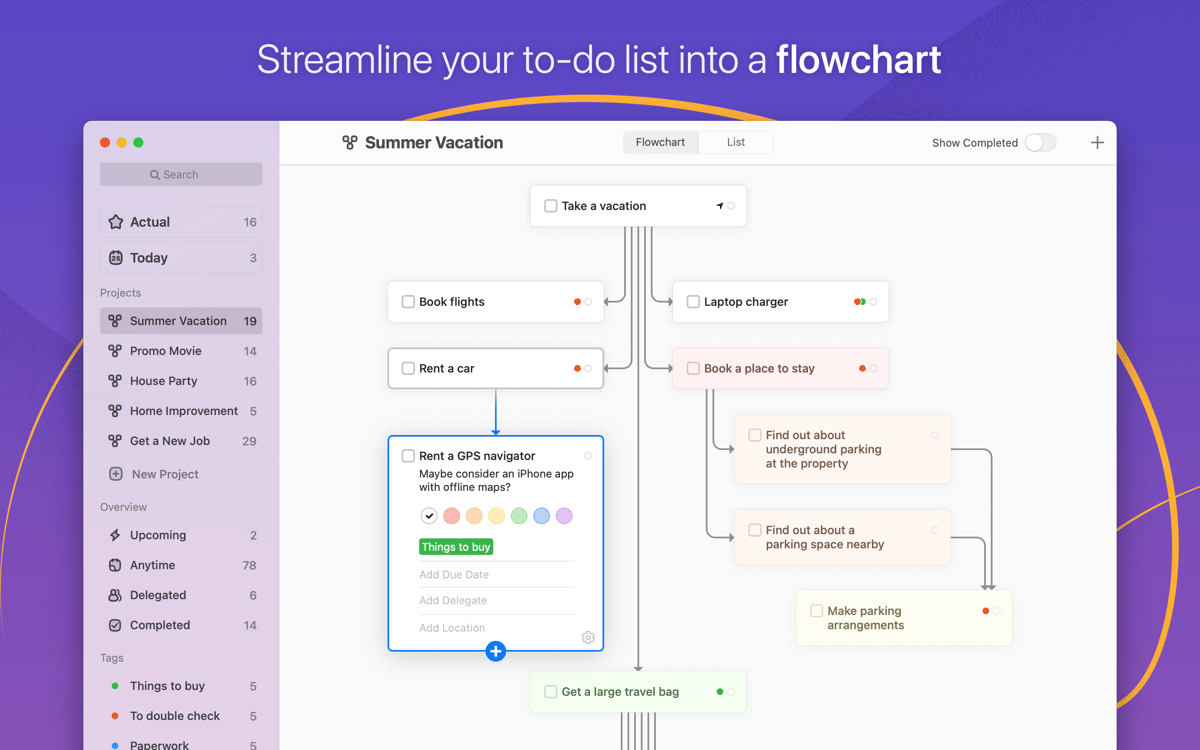
O Taskheat oferece uma maneira inovadora de gerenciar milhares de tarefas. Ao agregar e relacionar tarefas em organogramas lógicos, ele ajuda você a encontrar o seu próprio caminho para o sucesso e concluir tarefas sem se distrair. Uma por vez. Todas no prazo.
Associe tarefas em um organograma
Delegue tarefas a terceiros ou colegas de equipe
Receba notificações de prazo das suas tarefas
Gerencie vários projetos com apenas um app
Recursos do Taskheat
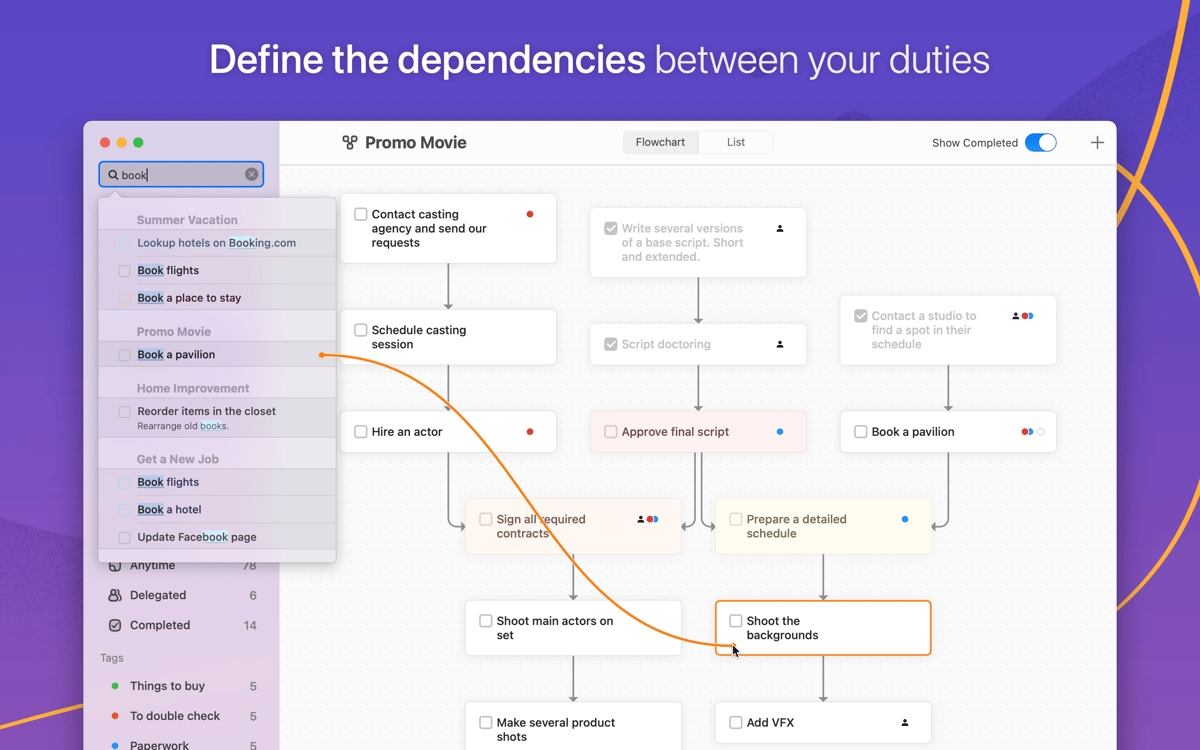
Crie conexões entre tarefas
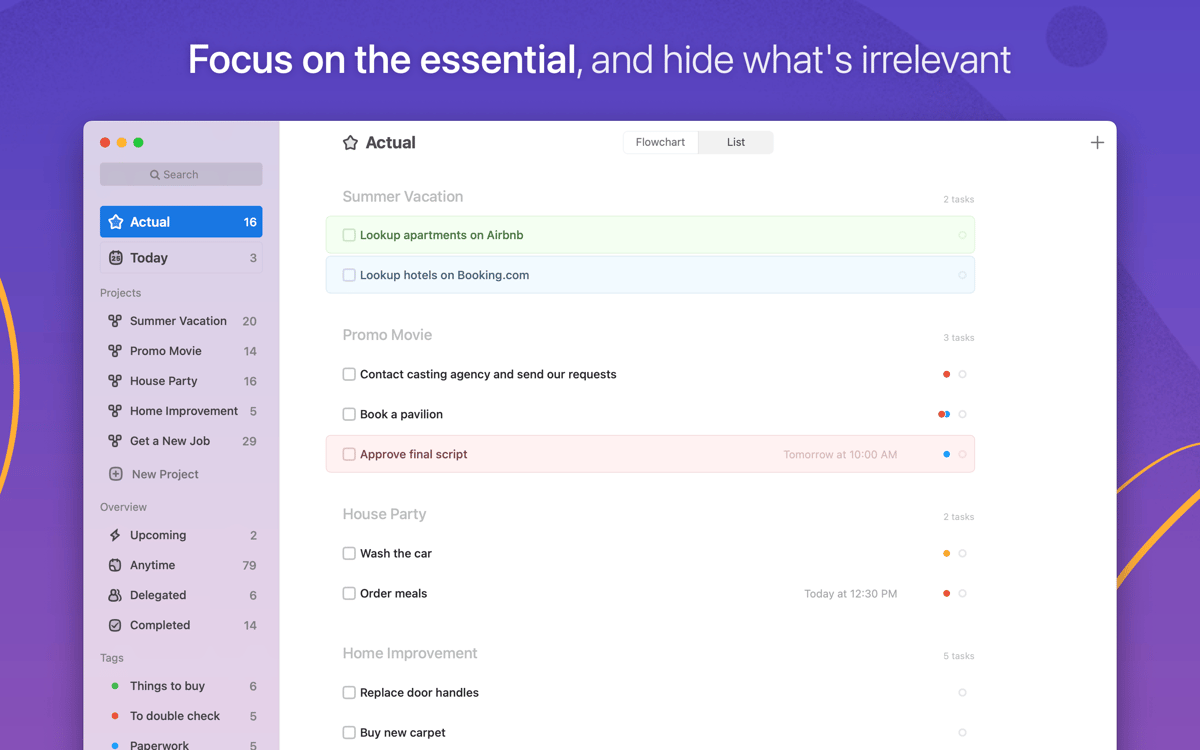
Manter a concentração quando há muito por fazer só é possível quando se sabe priorizar as coisas. O Taskheat ensina você a abordar tarefas da forma certa, usando uma estrutura visual. Identifique o que precisa ser feito. Relacione tarefas nas visualizações de Organograma ou Lista. Foque no que é importante.
Delegue tarefas
Precisa de ajuda? Com o Taskheat, você pode atribuir facilmente qualquer tarefa a uma pessoa específica, com a expertise para concluí-la. O organograma é ajustado automaticamente, o que significa que você não se distrai com tarefas fora do seu controle.
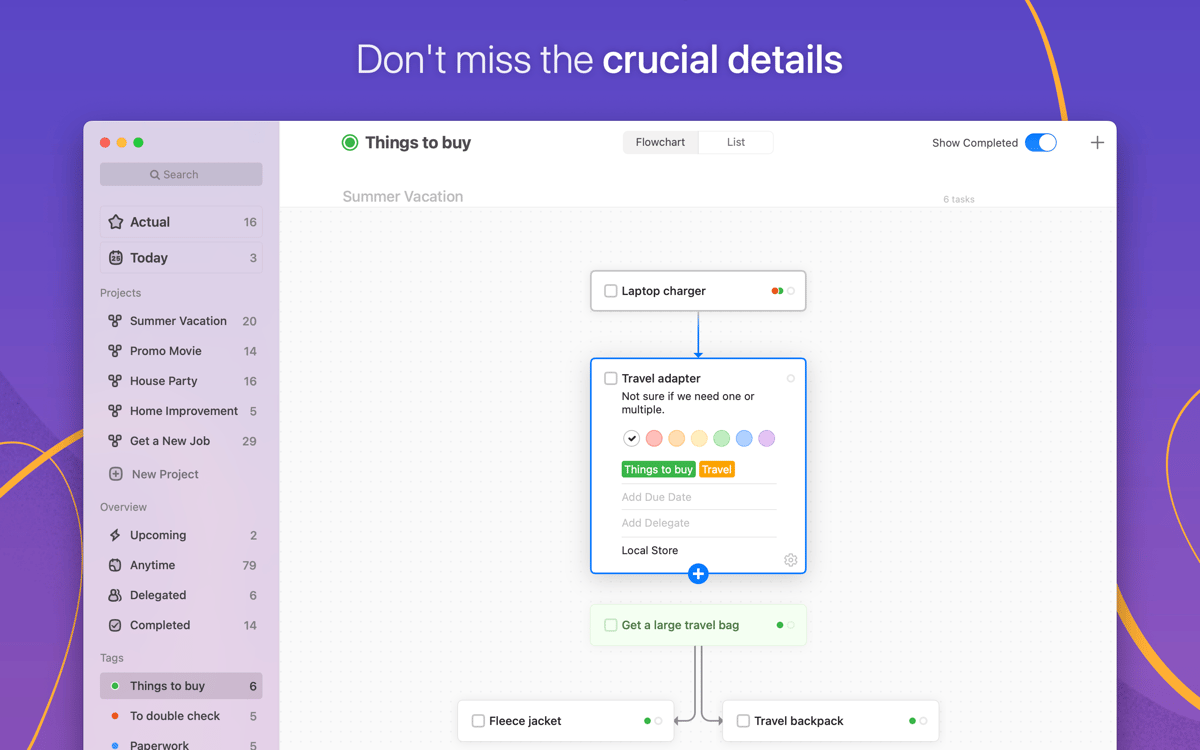
Adicione etiquetas coloridas
Um pouco de cor não só anima o seu dia, como também ajuda a manter a lista de tarefas organizada. Atribua etiquetas coloridas às tarefas para navegar melhor. Sempre que você precisar encontrar um item, basta filtrá‑lo por etiqueta para encontrá‑lo de imediato. Fique sempre no prazo.
Receba notificações
Com o Taskheat, nada se perde. Atribua prazos para cada tarefa planejada, incluindo tarefas facilitadoras e dependentes. Quando uma delas se aproxima do prazo, você recebe um lembrete. Seja uma reunião de trabalho ou a cerveja de sexta‑feira (como se fosse possível se esquecer disso), você nunca perde o controle da sua agenda.
Lembretes por localização
Suas tarefas estão sempre com você — não de uma forma assustadora. Suponha que você precise comprar algo no mercado. O Taskheat atribui facilmente uma localização à tarefa para lembrar quando você estiver por perto. Uma assistência pessoal completa.
Compartilhamento de fluxo
Você pode controlar o fluxo de tarefas ou compartilhá‑lo com outra pessoa facilmente. O Taskheat permite que você personalize um organograma da maneira que desejar e o imprima. Se você não puder imprimir, gere um arquivo PDF e compartilhe‑o on‑line.
Classificações e avaliações
Taskheat
•
314 classificações
Julia
1 de jul. de 2026
Versão do app: 1.11.3
I tried it last yeat (2025) and it wasn’t working properly (lots of freeze, new tasks not showing and that’s impossible for me as I want to add a task fast and be gone until I want to organise everything, it’s supposed to help me win time back, not lose more. <2026.07.01> I chosed to try it again, but sadly the app doesn’t work at all, it’s even worse, impossible to create new Projects, Tasks or anything, I can only modify the text of the main-center Project. I’m going to try a complete uninstall with suppression of all past data to check if it helps, will update as it goes.
Matti White
26 de jun. de 2026
Versão do app: 1.11.3
Similar to others here: Far too slow and buggy to be useable at the moment. Tried to create my first task, nothing happened. A couple of minutes later it created 4 new identical and empty projects for me, and then crashed.
Orc
10 de jun. de 2026
Versão do app: 1.11.3
Used it some years ago and tried it now in June 2026. Crashes everytime when trying to show the avaiable actions. Don’t know if this is because I had previous data still on disk. The devs site is no longer active. Better remove the app from Setapp!
Obtenha centenas de apps com o Membership
Obtenha um membership do Setapp e use centenas de apps estelares numa única assinatura.
Experimente grátis por 7 dias. Depois, pague um valor único.
Instale o Setapp no Mac
Explore apps para Mac, iOS e web. Encontre formas fáceis de lidar com as tarefas do dia a dia.

Obtenha o app que chamou sua atenção
Aquele app especial está esperando você no Setapp. Instale‑o com um clique.

Taskheat
Escolha uma assinatura
Um ou mais apps com um membership do Setapp. Obtenha os apps que você quer.

Obtenha centenas de apps com o Membership
Obtenha um membership do Setapp e use centenas de apps estelares numa única assinatura.
Experimente grátis por 7 dias. Depois, pague um valor único.
1
Instale o Setapp no Mac
Explore apps para Mac, iOS e web. Encontre formas fáceis de lidar com as tarefas do dia a dia.
2
Obtenha o app que chamou sua atenção
Aquele app especial está esperando você no Setapp. Instale‑o com um clique.
Taskheat
3
Escolha uma assinatura
Um ou mais apps com um membership do Setapp. Obtenha os apps que você quer.
A casa dos melhores apps
Desde tarefas rotineiras e de planejamento a atividades criativas e de programação, encare suas tarefas com os apps do Setapp.

TypingMind
IU alternativa para conversar com IA
gere ou resuma textos
use uma biblioteca de ações
IA

Spark Mail
Gerencie e‑mails
IA

CleanMyMac
Limpe os detritos

Bartender
Personalize a barra de menus

CleanShot X
Capturas de tela versáteis

Luminar Neo
Edite suas fotos
IA

ClearVPN
Conecte‑se com mais segurança

Craft
Trabalhe com documentos
IA
Taskheat
Aprenda a priorizar tarefas