TranscribeX
Converta áudio e vídeo em texto
Mac
Versão 10.3
macOS 14.6 ou posterior
267.9 MB
1 idiomas
Arquivos de áudio e vídeo têm informações valiosas. Mas extraí‑las manualmente leva tempo e não é nada prático. O TranscribeX transforma em segundos as suas gravações em um texto limpo e editável, para que você se concentre em pensar, escrever e criar. Como o processamento ocorre no Mac, ele é rápido, totalmente preciso e 100% privado.
Converta gravações em texto preciso
Transcreva conteúdo em mais de 100 idiomas
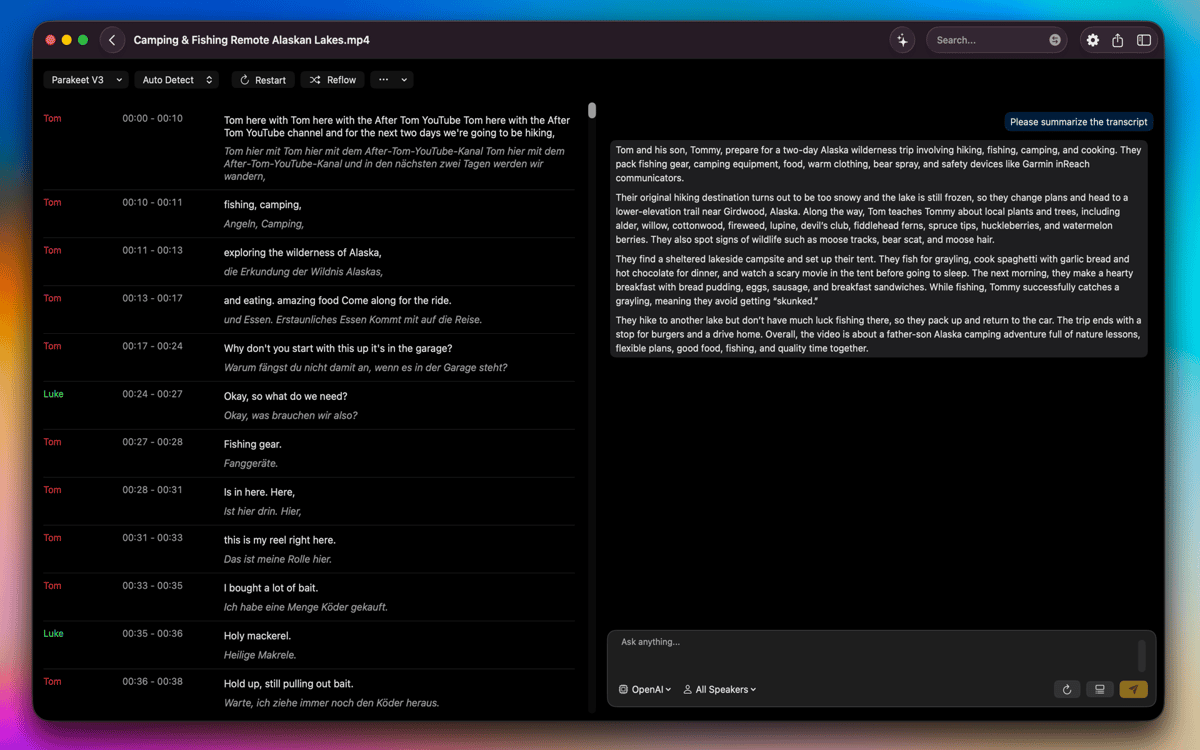
Resuma com ferramentas de IA avançadas
Mantenha todos os arquivos privados
Recursos do TranscribeX
Transcreva áudio e vídeo com precisão excepcional
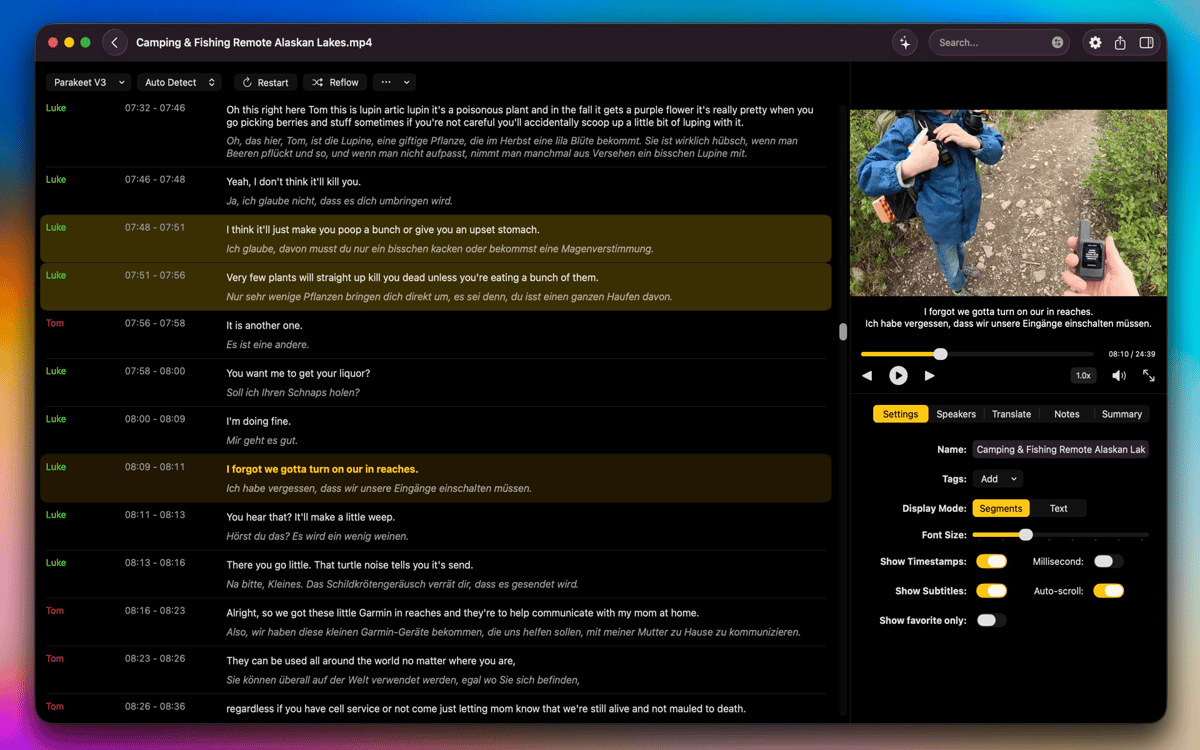
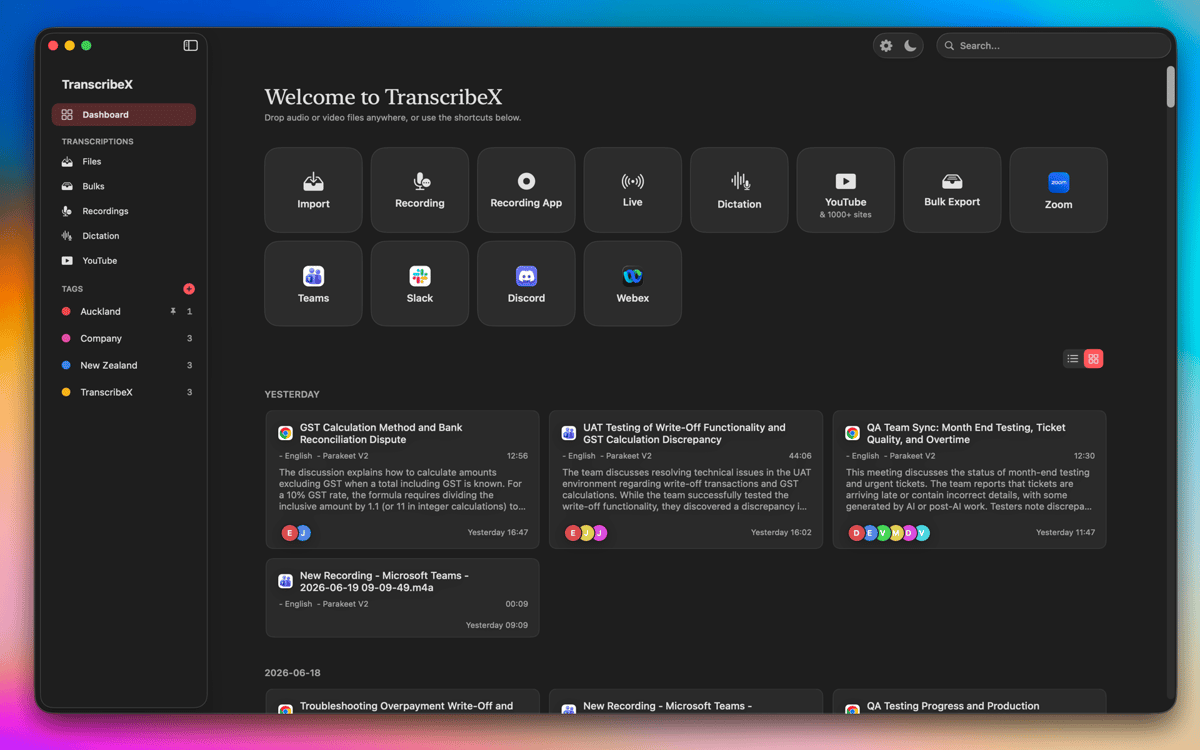
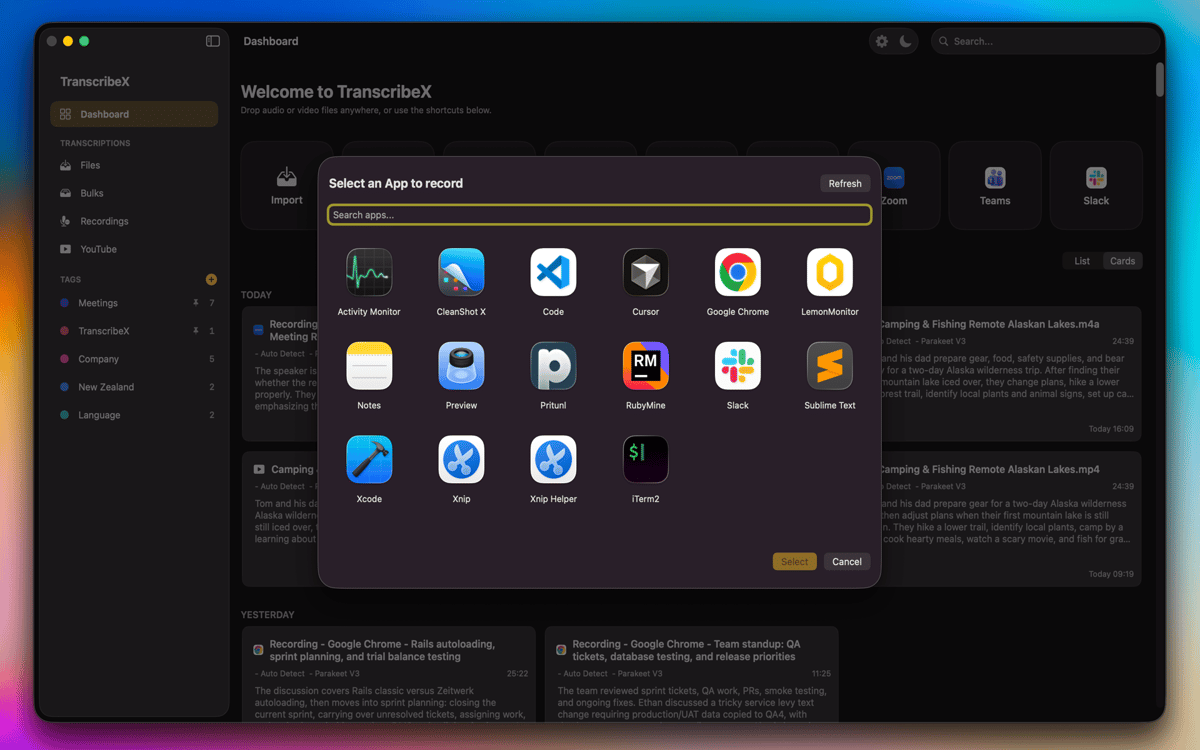
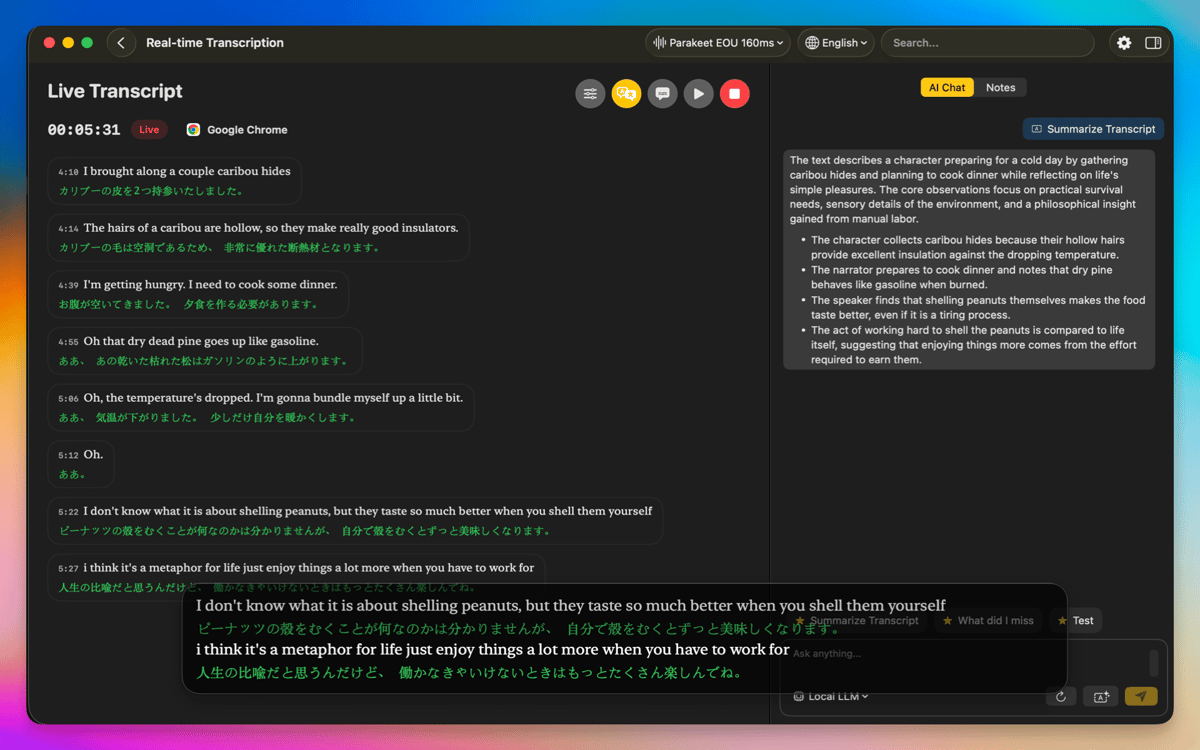
Com o TranscribeX, é fácil transformar suas gravações em transcrições precisas com o uso do Whisper da OpenAI, Parakeet e Apple Intelligence. Basta importar os arquivos de áudio ou vídeo do Mac, arrastar e soltar itens no app ou gravar diretamente com o microfone. Você pode até capturar o áudio de outros apps, como Zoom, Google Meet e outros. E quando precisar lidar com projetos maiores, transcreva diversos arquivos de uma só vez para economizar tempo e manter seu fluxo de trabalho em movimento.
Traduza, resuma e simplifique seu fluxo de trabalho
Com ferramentas de tradução integradas (da Apple e DeepL), você traduz as transcrições em diversos idiomas. Caso precise de uma visão geral rápida de gravações mais longas, crie resumos com o ChatGPT, Gemini e outros modelos de IA com a sua chave de API. O TranscribeX também oferece instruções predefinidas para acelerar o seu fluxo de trabalho.
Edite e refine as transcrições com ferramentas de texto poderosas
Quando a transcrição fica pronta, você pode combinar ou separar segmentos, personalizar o nome de palestrantes, reordenar os segmentos por caracteres ou contagem de palavras, ou ajustar manualmente a marcação de tempo para ter um alinhamento perfeito. Com um texto que segue palavra a palavra, você nunca se perde ao reproduzir o áudio ou vídeo. E com a identificação de quem fala, as diversas vozes são reconhecidas e etiquetadas automaticamente.
Trabalhe localmente com privacidade total e desempenho aprimorado
Todo o processo de transcrição e tradução acontece no Mac para que você tenha o máximo de privacidade, sem que nenhum dado saia do seu dispositivo. A aceleração por GPU garante um desempenho rápido, mesmo em gravações grandes ou complexas. O TranscribeX é compatível com diversos formatos e permite que você alterne entre visualizações compactas e segmentadas, além de incluir opções para mostrar ou apagar os arquivos originais diretamente do Finder. Tudo é feito de forma a ajudar você a trabalhar com fluidez, segurança e eficiência.
Classificações e avaliações
TranscribeX
•
110 classificações
Tobias
7 de out. de 2026
Versão do app: 10.3
Crashed on first use
Resposta do Desenvolvedor
7 de out. de 2026
Hey, could you send us the crash report please? [email protected]
Angela
21 de set. de 2026
Versão do app: 10.2
Works as described! I just use it for transcribing a video every week for YouTube captioning and it has worked great!
Michael
31 de ago. de 2026
Versão do app: 9.3
Praktische Diktierhilfe. Funktioniert besser als die Diktierfunktion von Apple.
Obtenha centenas de apps com o Membership
Obtenha um membership do Setapp e use centenas de apps estelares numa única assinatura.
Experimente grátis por 7 dias. Depois, pague um valor único.
Instale o Setapp no Mac
Explore apps para Mac, iOS e web. Encontre formas fáceis de lidar com as tarefas do dia a dia.

Obtenha o app que chamou sua atenção
Aquele app especial está esperando você no Setapp. Instale‑o com um clique.

TranscribeX
Escolha uma assinatura
Um ou mais apps com um membership do Setapp. Obtenha os apps que você quer.

Obtenha centenas de apps com o Membership
Obtenha um membership do Setapp e use centenas de apps estelares numa única assinatura.
Experimente grátis por 7 dias. Depois, pague um valor único.
1
Instale o Setapp no Mac
Explore apps para Mac, iOS e web. Encontre formas fáceis de lidar com as tarefas do dia a dia.
2
Obtenha o app que chamou sua atenção
Aquele app especial está esperando você no Setapp. Instale‑o com um clique.
TranscribeX
3
Escolha uma assinatura
Um ou mais apps com um membership do Setapp. Obtenha os apps que você quer.
A casa dos melhores apps
Desde tarefas rotineiras e de planejamento a atividades criativas e de programação, encare suas tarefas com os apps do Setapp.

TypingMind
IU alternativa para conversar com IA
gere ou resuma textos
use uma biblioteca de ações
IA

Spark Mail
Gerencie e‑mails
IA

CleanMyMac
Limpe os detritos

Bartender
Personalize a barra de menus

CleanShot X
Capturas de tela versáteis

Luminar Neo
Edite suas fotos
IA

ClearVPN
Conecte‑se com mais segurança

Craft
Trabalhe com documentos
IA
TranscribeX
Converta áudio e vídeo em texto