
Unite Pro
Crie apps sem saber programar
Mac
Versão 10.8
macOS 14.6 ou posterior
76 MB
7 idiomas
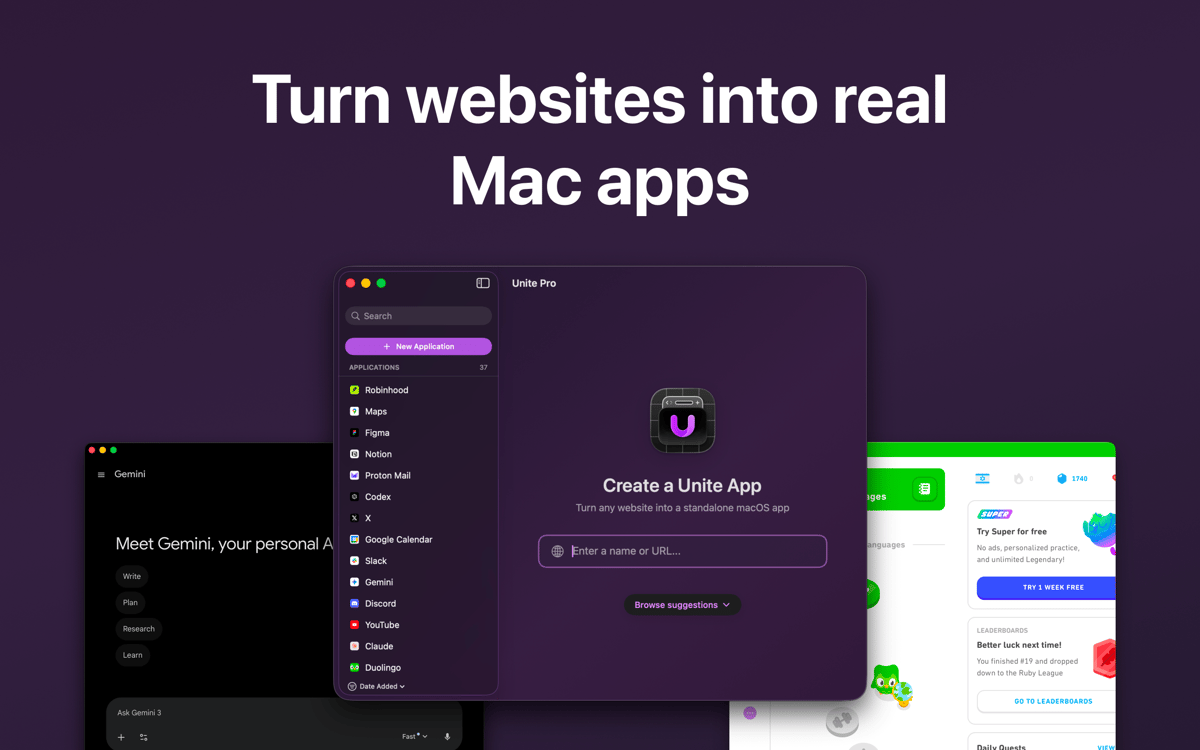
Transforme sites em apps com a poderosa ferramenta de criação do Unite. Personalize seu app com flexibilidade, desde a aparência ao design dentro do app. O Unite faz com que cada app pareça ser nativo do Mac, com uma navegador poderoso como base, suporte às Chaves, notificações, janelas flutuantes e muito mais.
Transforme qualquer site em um app
Adicione ícones personalizados aos apps
Crie apps compactos ou na barra de menus
Use o Twitter ou o Instagram no Mac
Recursos do Unite Pro
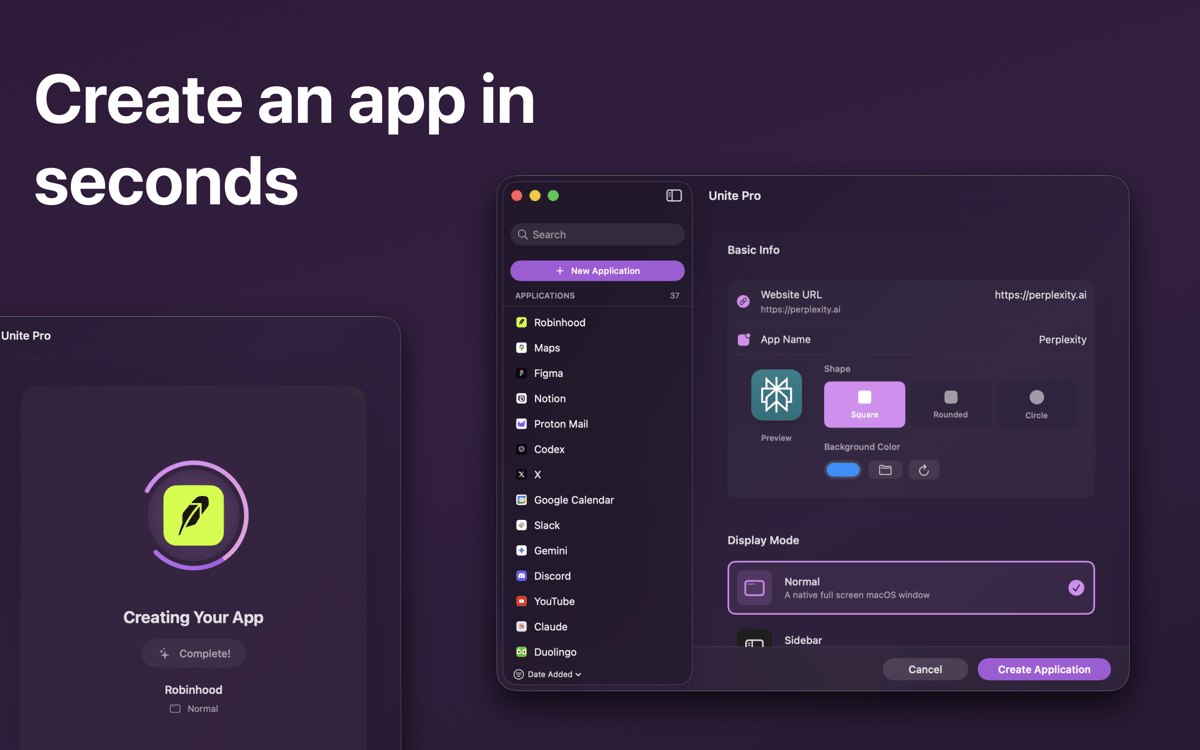
Ferramenta de criação fácil
Se você não entende de código, pode ser intimidante pensar em desenvolver apps. Com o Unite, isso não acontece. Basta digitar o URL e o nome do app para que o Unite escolha um ícone. Você pode fazer com que o ícone combine com o macOS (inclusive no Big Sur), além de ativar o Modo Escuro e alternar entre os modos do app diretamente na ferramenta de criação.
Navegador poderoso como base
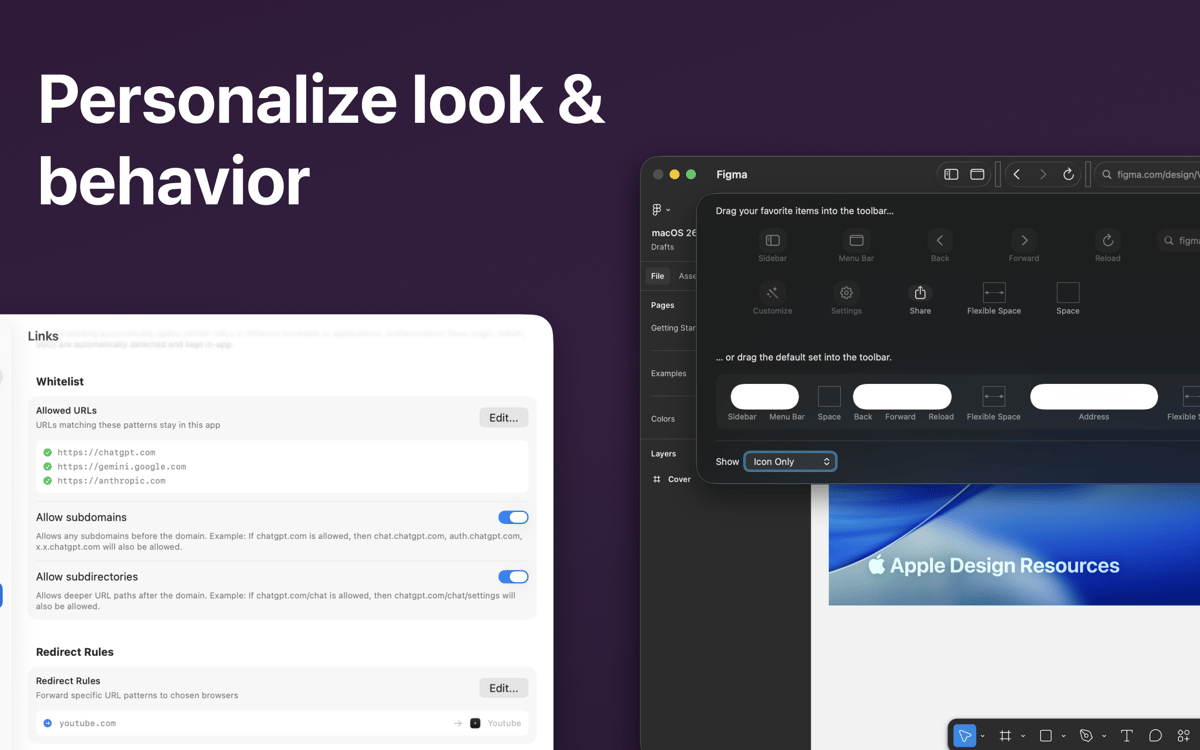
Os apps criados com o Unite são amparados por instâncias isoladas de um navegador baseado em WebKit 2. Isso permite que você trabalhe com as tecnologias mais recentes, crie listas de permissão para definir os URLs de apps criados no Unite, aplique encaminhamento de URLs e muito mais.
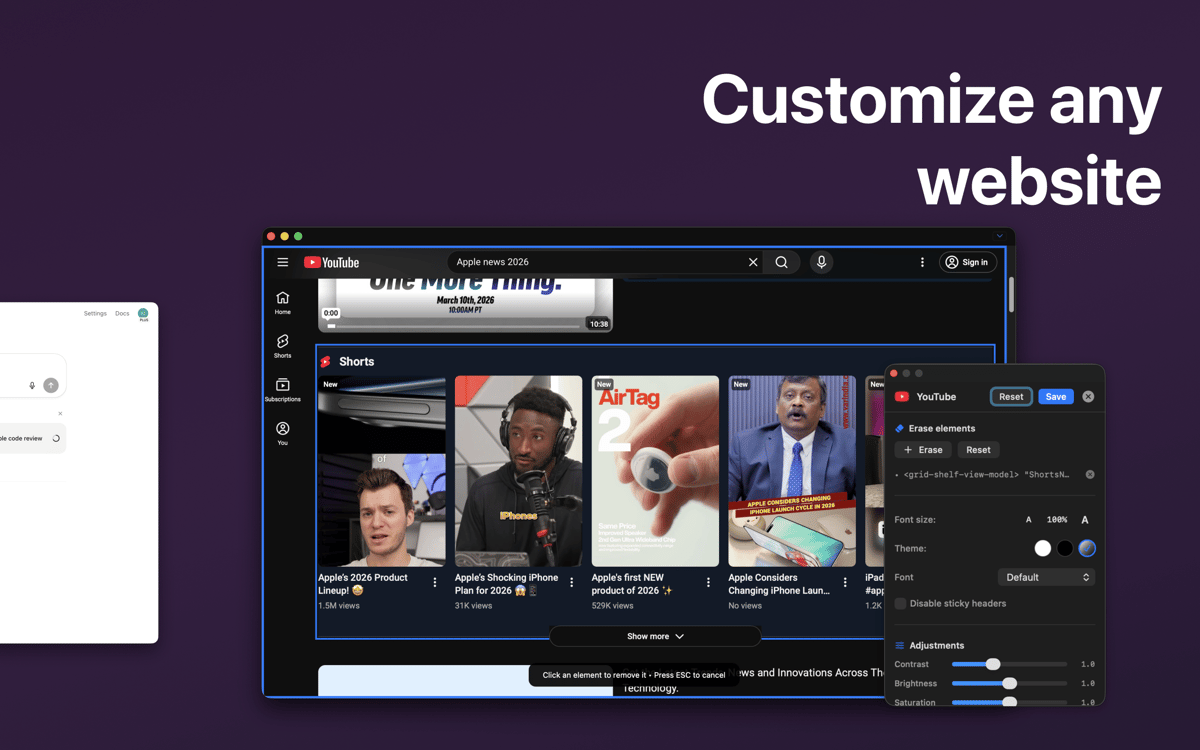
Personalização avançada
O Unite permite que você personalize praticamente tudo. Escolha entre mostrar ou ocultar a barra de título e os botões de controle, personalize as cores do app e muito mais. Capture qualquer parte da janela do app e a defina como o ícone do app no Dock. Você também pode ativar notificações para cada app do Unite.
Apps na barra de menus
Para ter seus apps sempre por perto, você pode mantê‑los na barra de menus. Redimensione para alterar a aparência ou volte ao visual de app tradicional do macOS pela barra de menus. Você também pode ativar o modo de janela flutuante para manter a janela de um app sempre à frente, mesmo quando ela não estiver ativada.
Do telefone para o computador
O Unite permite que você tenha a experiência de um site feito para dispositivos móveis no Mac. Transforme seu feed do Instagram em uma janela prática no macOS ou crie qualquer outro app compacto que ofereça acesso ao conteúdo em dispositivos móveis diretamente no computador.
Experiência segura
Embora cada app do Unite tenha seu próprio navegador, todos os dados são isolados por app. Graças à compatibilidade com as Chaves, o Unite salva e armazena com segurança todas as suas senhas para que você não precise digitá-las novamente.
Classificações e avaliações
Unite Pro
•
45 classificações
MJ
10 de set. de 2026
Versão do app: 10.8
It is nice to be able to create "apps" of individual websites, but there are still rough edges that have persisted for a long time. Password Manager: I keep turning it off, but every time I check, it's back on. Despite saying "This action can't be undone" it isn't possible to delete a password. Nothing happens. SSO doesn't work if you have link forwarding on, even if you put all the SSO URLs in the whitelist for that application (and enable the common SSO setting). Menu-bar apps ignore that setting EVERY TIME. Modes -> Switch to Menu Bar Mode works, so why can't it just start in menu bar mode when it is configured to?
Resposta do Desenvolvedor
20 de set. de 2026
Hi MJ, Thank you for the positive review and sorry for these issues, I can take a look. In regards to the SSO thing, can you please reach out to [email protected] with which sites are not showing SSO?
Dub Werx
24 de ago. de 2026
Versão do app: 10.7
Works like a charm! Easy to use on the first try - very cool!
Resposta do Desenvolvedor
20 de set. de 2026
Thank you!
Manny
20 de jun. de 2026
Versão do app: 10.5
I've been using Setapp since it launched. Every couple years I revisit this particular app to see if it has improved. Every single time I find bugs and failures within minutes. I'm not talking about edge case bugs either. I'm talking about core functionality that is supposed to be built in. This developer constantly disappoints. Again and again, and again. It's actually remarkable how poorly engineered this stuff still is given the recent rise of AI agents.
Resposta do Desenvolvedor
21 de jun. de 2026
If you have any actual feedback, please feel free to share it with support @ bzgapps.com
Obtenha centenas de apps com o Membership
Obtenha um membership do Setapp e use centenas de apps estelares numa única assinatura.
Experimente grátis por 7 dias. Depois, pague um valor único.
Instale o Setapp no Mac
Explore apps para Mac, iOS e web. Encontre formas fáceis de lidar com as tarefas do dia a dia.

Obtenha o app que chamou sua atenção
Aquele app especial está esperando você no Setapp. Instale‑o com um clique.

Unite Pro
Escolha uma assinatura
Um ou mais apps com um membership do Setapp. Obtenha os apps que você quer.

Obtenha centenas de apps com o Membership
Obtenha um membership do Setapp e use centenas de apps estelares numa única assinatura.
Experimente grátis por 7 dias. Depois, pague um valor único.
1
Instale o Setapp no Mac
Explore apps para Mac, iOS e web. Encontre formas fáceis de lidar com as tarefas do dia a dia.
2
Obtenha o app que chamou sua atenção
Aquele app especial está esperando você no Setapp. Instale‑o com um clique.
Unite Pro
3
Escolha uma assinatura
Um ou mais apps com um membership do Setapp. Obtenha os apps que você quer.
A casa dos melhores apps
Desde tarefas rotineiras e de planejamento a atividades criativas e de programação, encare suas tarefas com os apps do Setapp.

TypingMind
IU alternativa para conversar com IA
gere ou resuma textos
use uma biblioteca de ações
IA

Spark Mail
Gerencie e‑mails
IA

CleanMyMac
Limpe os detritos

Bartender
Personalize a barra de menus

CleanShot X
Capturas de tela versáteis

Luminar Neo
Edite suas fotos
IA

ClearVPN
Conecte‑se com mais segurança

Craft
Trabalhe com documentos
IA
Unite Pro
Crie apps sem saber programar