USB Connection Information
Pare de adivinhar. Comece a saber.

Mac
Versão 26.41
macOS 14.0 ou posterior
17.9 MB
22 idiomas
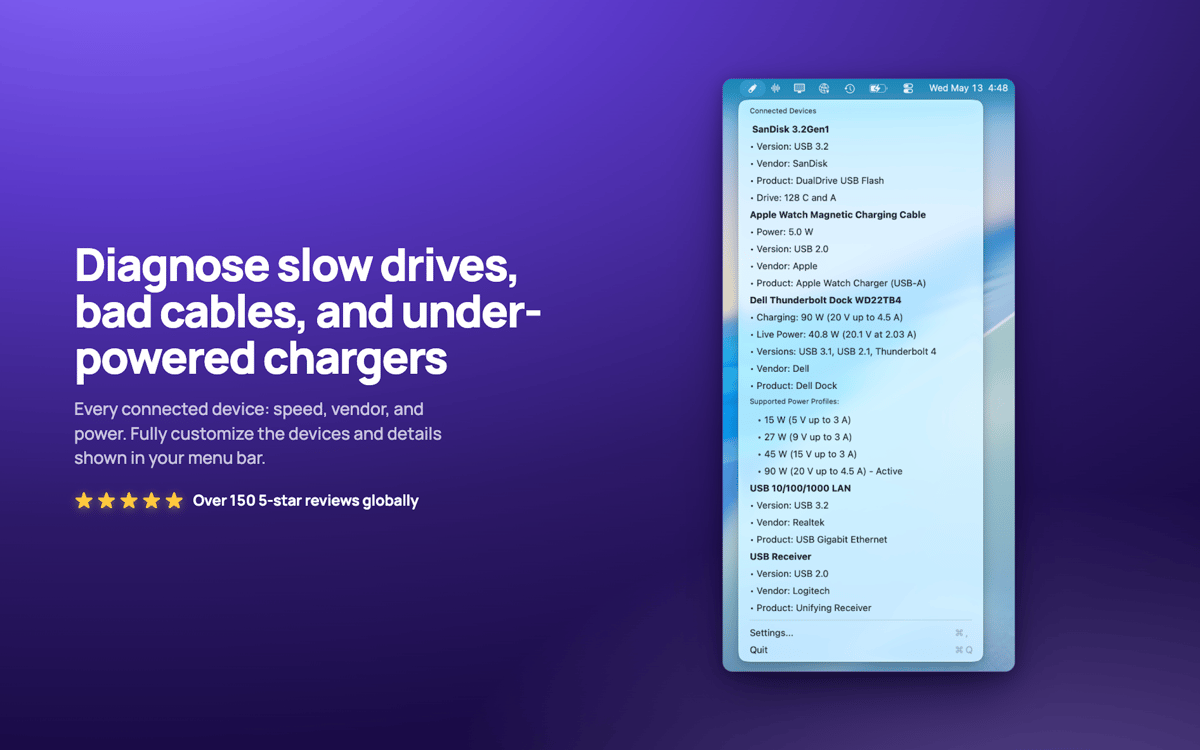
USB Connection Information — Monitor USB e Thunderbolt para Mac. Ele fica na sua barra de menus e mostra a velocidade real negociada de cada dispositivo conectado, para que você saiba no momento em que um cabo "10Gbps" está, na verdade, funcionando na velocidade lenta do USB 2.0. Verifique a potência do carregador ao vivo, o consumo de energia do dispositivo e quais unidades pertencem a quais dispositivos. Chega de ficar na dúvida se o problema está na limitação de velocidade da sua dock ou se o cabo é o elo fraco.
Veja velocidades USB reais rapidamente
Potência e consumo do carregador em tempo real
Detecte cabos limitados na hora
Associar unidades a dispositivos no Finder
Recursos do USB Connection Information
Verificação de velocidade real
Veja a velocidade real negociada de cada conexão, desde USB 1.0 até USB 3.2 e Thunderbolt 1–3. As especificações mentem. Seu Mac não.
Uma barra de menu que se adapta a você
Responda rapidamente às suas dúvidas sobre USB. Exiba só o ícone, contador, potência ou velocidade. O que funciona melhor para você.
Informações em tempo real do carregador
Monitore em tempo real a potência, voltagem, versão PD e perfis de energia compatíveis do carregador do seu MacBook.
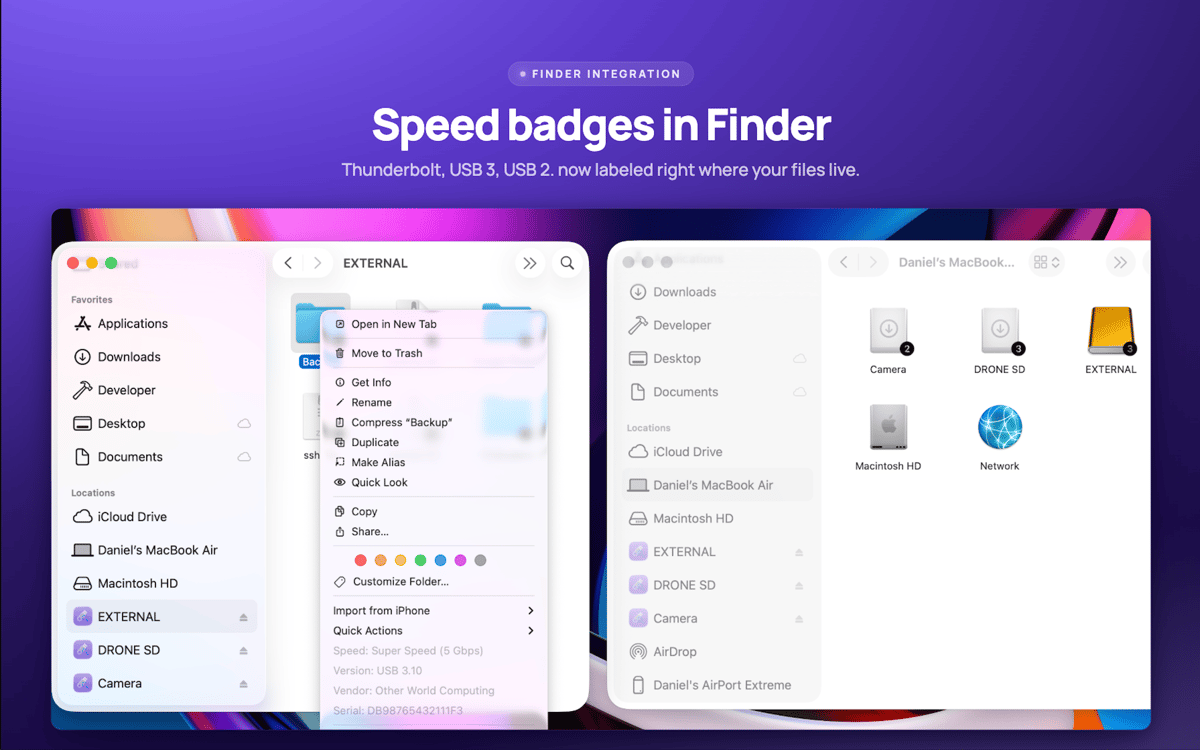
Etiquetas de drive do Finder
A velocidade da conexão aparece diretamente nos ícones das suas unidades no Finder. Clique com o botão direito em qualquer unidade para ver detalhes instantâneos do dispositivo.
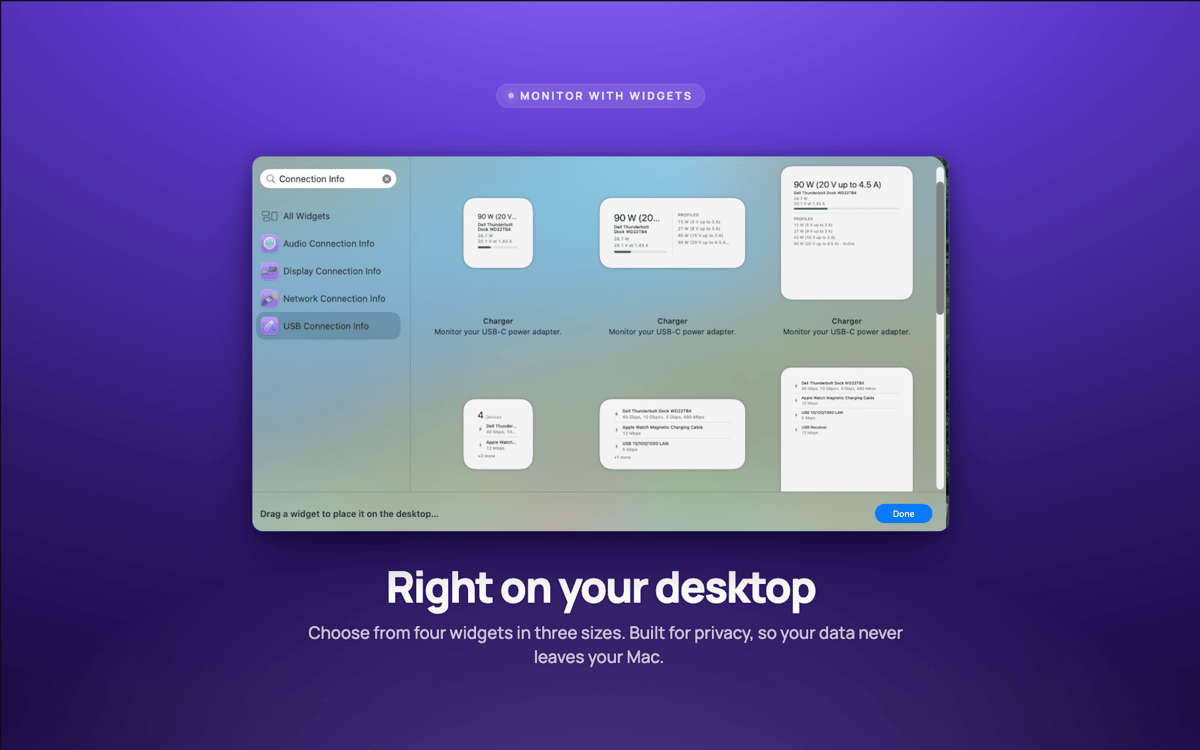
Widgets de desktop
Widgets pequenos, médios e grandes monitoram suas conexões sem precisar abrir nada.
Alertas de velocidade
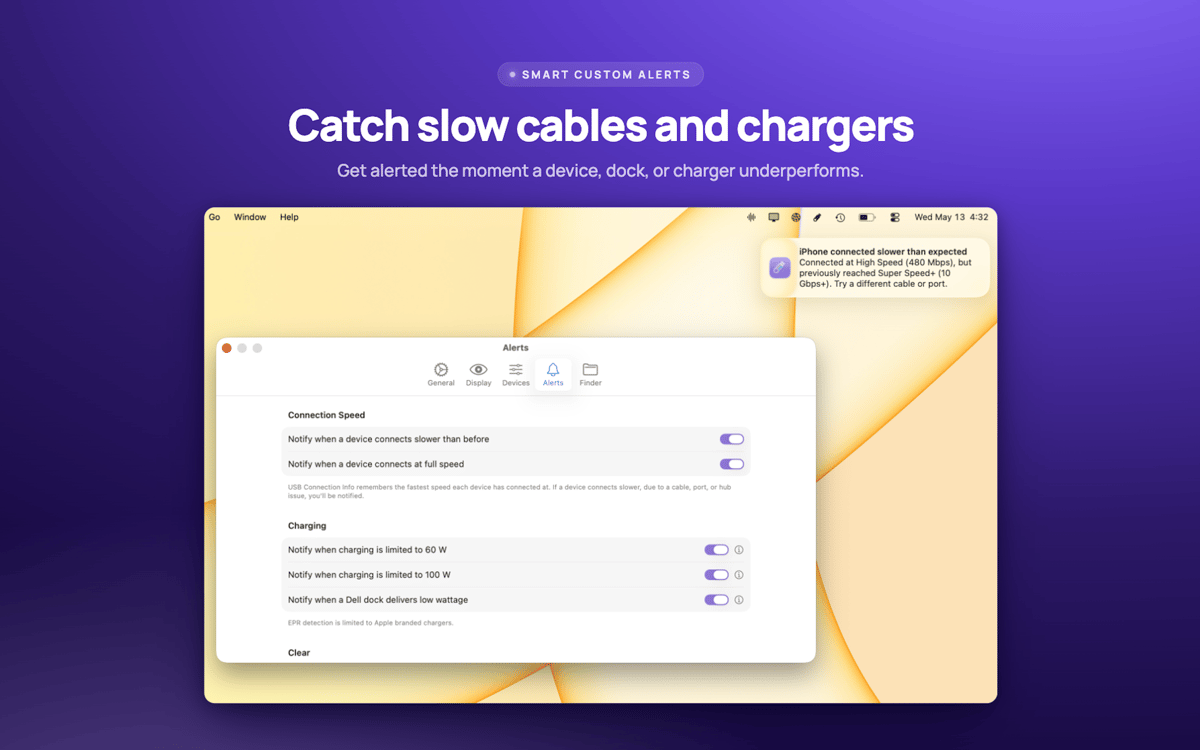
Seja alertado quando um dispositivo negocia mais devagar que deveria — geralmente um sinal de que o cabo é o culpado.
Classificações e avaliações
USB Connection Information
•
3 classificações
Pelle Wessman
5 de jun. de 2026
Versão do app: 26.33
Excellent app that surfaces real useful information and has a really responsive and enthusiastic creator who replies real quick to feature requests and feedback!
Obtenha centenas de apps com o Membership
Obtenha um membership do Setapp e use centenas de apps estelares numa única assinatura.
Experimente grátis por 7 dias. Depois, pague um valor único.
Instale o Setapp no Mac
Explore apps para Mac, iOS e web. Encontre formas fáceis de lidar com as tarefas do dia a dia.

Obtenha o app que chamou sua atenção
Aquele app especial está esperando você no Setapp. Instale‑o com um clique.

USB Connection Information
Escolha uma assinatura
Um ou mais apps com um membership do Setapp. Obtenha os apps que você quer.

Obtenha centenas de apps com o Membership
Obtenha um membership do Setapp e use centenas de apps estelares numa única assinatura.
Experimente grátis por 7 dias. Depois, pague um valor único.
1
Instale o Setapp no Mac
Explore apps para Mac, iOS e web. Encontre formas fáceis de lidar com as tarefas do dia a dia.
2
Obtenha o app que chamou sua atenção
Aquele app especial está esperando você no Setapp. Instale‑o com um clique.
USB Connection Information
3
Escolha uma assinatura
Um ou mais apps com um membership do Setapp. Obtenha os apps que você quer.
A casa dos melhores apps
Desde tarefas rotineiras e de planejamento a atividades criativas e de programação, encare suas tarefas com os apps do Setapp.

TypingMind
IU alternativa para conversar com IA
gere ou resuma textos
use uma biblioteca de ações
IA

Spark Mail
Gerencie e‑mails
IA

CleanMyMac
Limpe os detritos

Bartender
Personalize a barra de menus

CleanShot X
Capturas de tela versáteis

Luminar Neo
Edite suas fotos
IA

ClearVPN
Conecte‑se com mais segurança

Craft
Trabalhe com documentos
IA
USB Connection Information
Pare de adivinhar. Comece a saber.