
WallCal
Um calendário limpo na mesa

Mac
Versão 1.13.0
macOS 11.0 ou posterior
11.3 MB
13 idiomas
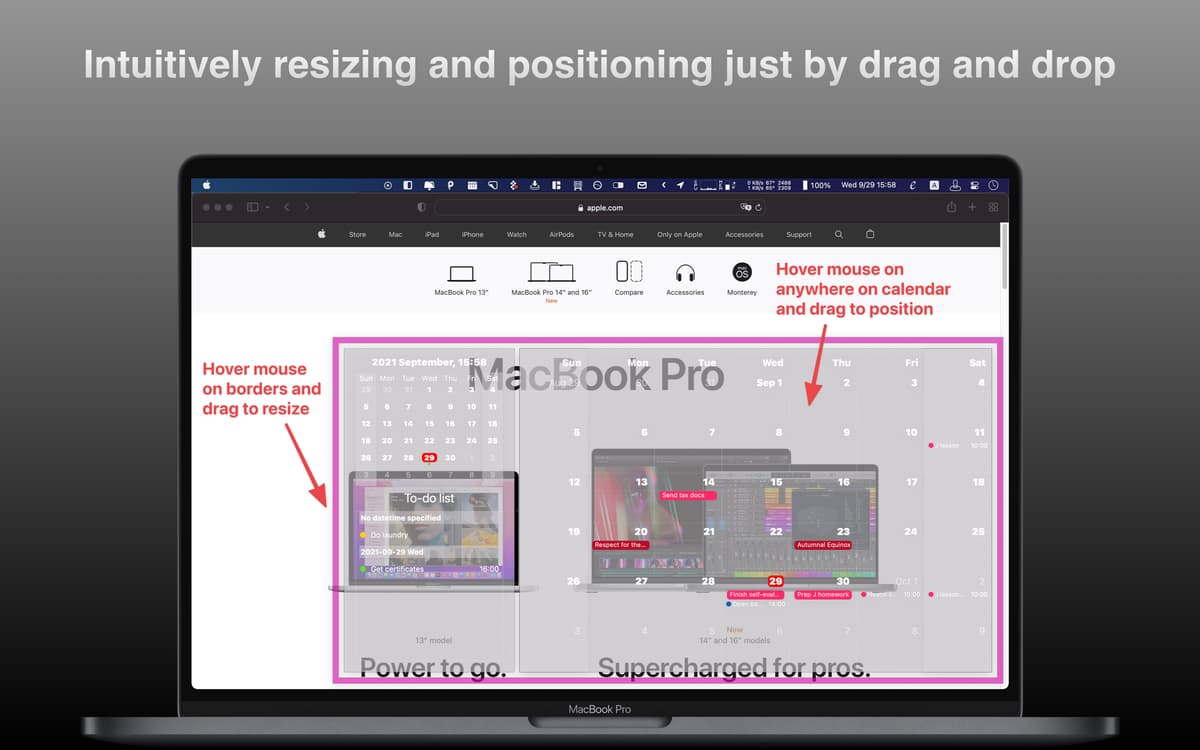
A praticidade pode ser algo lindo. E o WallCal é prova viva disso. Este app prático usa os dados dos seus calendários existentes e os apresenta em um calendário transparente sobre a mesa. Veja a agenda do dia, do mês inteiro ou personalize ou mostre apenas um certo número de dias.
Veja o seu calendário na mesa
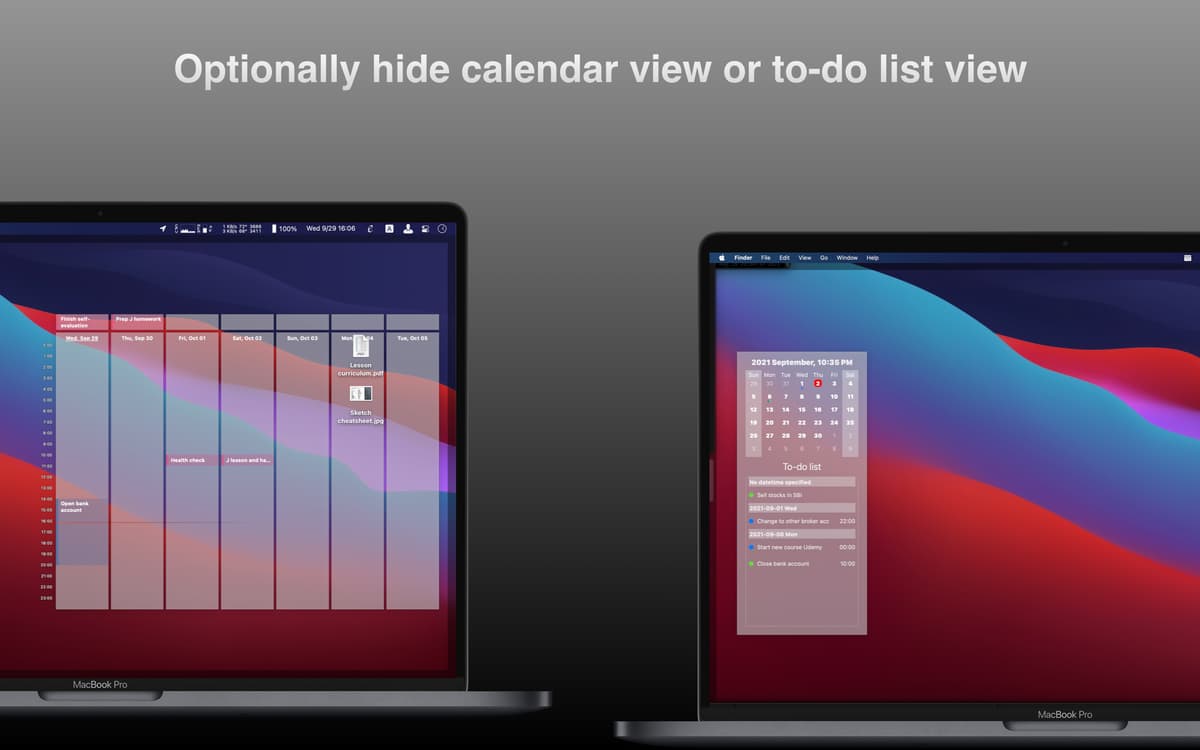
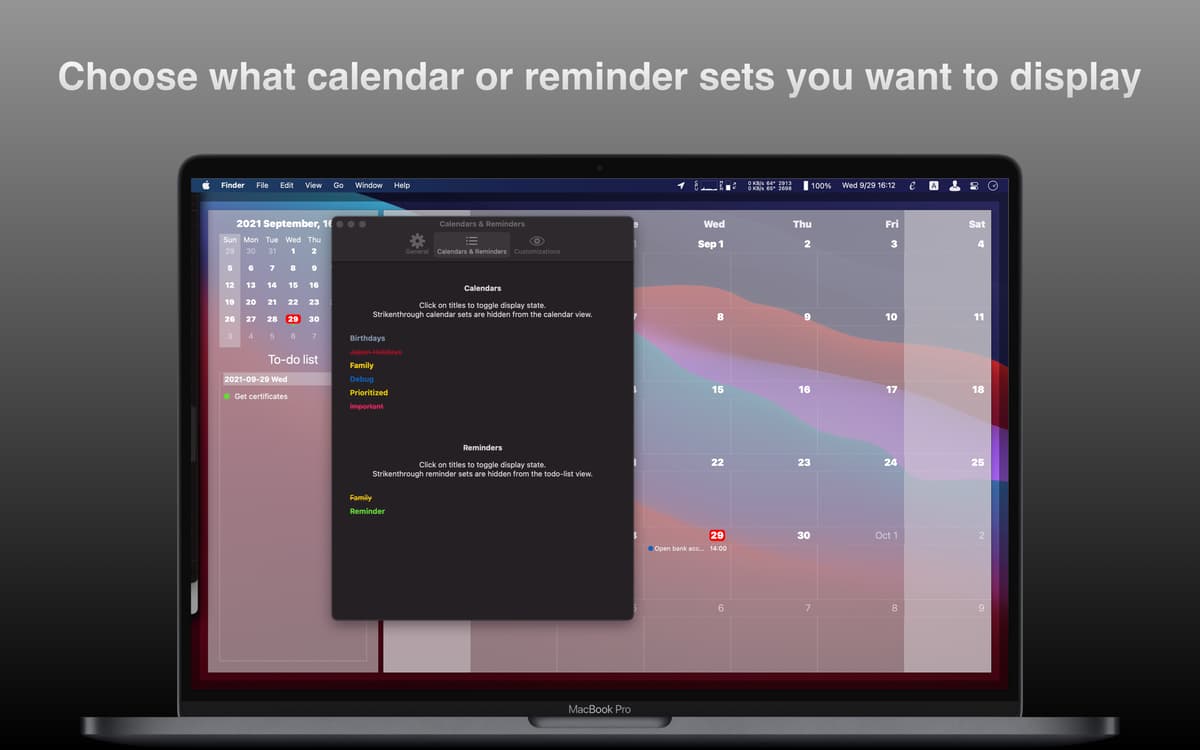
Mostre ou oculte calendários
Mostre a agenda mensal ou diária
Personalize o intervalo de tempo visível
Recursos do WallCal
Veja os seus calendários
O WallCal permite combinar seus calendários em uma bela visualização na mesa, com um layout transparente. Personalize o visual facilmente e tenha a sua agenda sempre à mão. Note que não é possível editar os eventos de calendário nem os lembretes no WallCal. Ele serve apenas para mostrar os calendários existentes.
Personalize os dias mostrados
Você decide exatamente o que aparece na mesa: a agenda do dia, do mês inteiro ou apenas da semana vigente. Na visualização semanal, você pode escolher o número de dias que deseja ver, assim como o intervalo de tempo visível. E você também pode mostrar ou ocultar certos calendários.
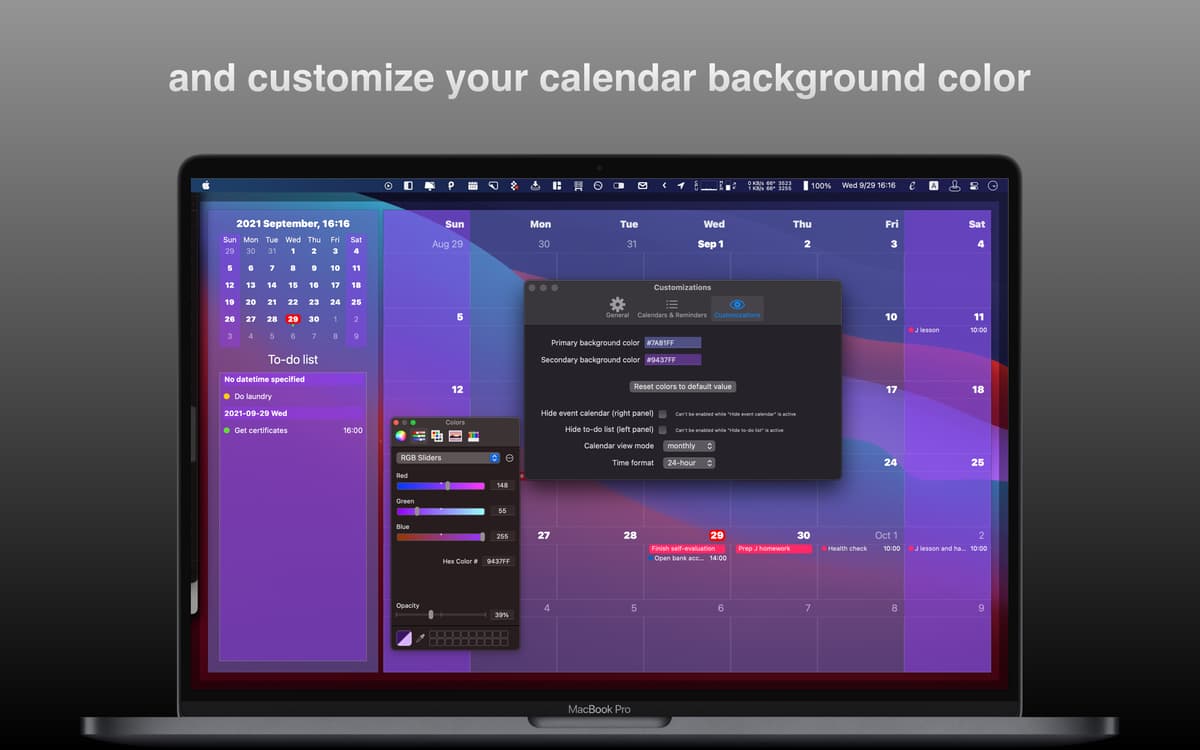
Ajuste a aparência
Personalize o visual do calendário na mesa com as práticas ferramentas do WallCal: escolha o tamanho e as cores ou deixe‑o transparente. Você pode até fixar o calendário a uma tela secundária.
Veja os seus afazeres
Algumas coisas simplesmente não têm um horário fixo no calendário, mas ainda assim, precisam ser feitas. Você pode mostrar a sua lista de tarefas no WallCal para saber exatamente o que precisa ser feito em um certo dia.
Em primeiro plano
Quando você quiser colocar o calendário na frente de tudo, basta clicar ou pressionar um atalho. Configure o app para mostrar apenas os calendários que você quer ver para ter um visual conveniente e personalizado.
Use em outros idiomas
Além de inglês, o WallCal também oferece outros idiomas. Atualmente, você pode usá‑lo em chinês, japonês e alemão.
Classificações e avaliações
WallCal
•
207 classificações
Laura Baldwin
28 de ago. de 2026
Versão do app: 1.13.0
The UI is a little fiddly - to get a single-day calendar I have to hide the minicalendar and resize the full calendar, which took a while to sort out.
Christian
27 de fev. de 2025
Versão do app: 1.11.1
I like the app’s concept, but in practice, the overlay is difficult to read and adds a bit of clutter to the desktop.
OO
20 de nov. de 2024
Versão do app: 1.9.5
Works well
Obtenha centenas de apps com o Membership
Obtenha um membership do Setapp e use centenas de apps estelares numa única assinatura.
Experimente grátis por 7 dias. Depois, pague um valor único.
Instale o Setapp no Mac
Explore apps para Mac, iOS e web. Encontre formas fáceis de lidar com as tarefas do dia a dia.

Obtenha o app que chamou sua atenção
Aquele app especial está esperando você no Setapp. Instale‑o com um clique.

WallCal
Escolha uma assinatura
Um ou mais apps com um membership do Setapp. Obtenha os apps que você quer.

Obtenha centenas de apps com o Membership
Obtenha um membership do Setapp e use centenas de apps estelares numa única assinatura.
Experimente grátis por 7 dias. Depois, pague um valor único.
1
Instale o Setapp no Mac
Explore apps para Mac, iOS e web. Encontre formas fáceis de lidar com as tarefas do dia a dia.
2
Obtenha o app que chamou sua atenção
Aquele app especial está esperando você no Setapp. Instale‑o com um clique.
WallCal
3
Escolha uma assinatura
Um ou mais apps com um membership do Setapp. Obtenha os apps que você quer.
A casa dos melhores apps
Desde tarefas rotineiras e de planejamento a atividades criativas e de programação, encare suas tarefas com os apps do Setapp.

TypingMind
IU alternativa para conversar com IA
gere ou resuma textos
use uma biblioteca de ações
IA

Spark Mail
Gerencie e‑mails
IA

CleanMyMac
Limpe os detritos

Bartender
Personalize a barra de menus

CleanShot X
Capturas de tela versáteis

Luminar Neo
Edite suas fotos
IA

ClearVPN
Conecte‑se com mais segurança

Craft
Trabalhe com documentos
IA
WallCal
Um calendário limpo na mesa