
WidgetWall
Adicione widgets à mesa do Mac



Mac
Versão 4.1.3
macOS 12.0 ou posterior
449.3 MB
44 idiomas
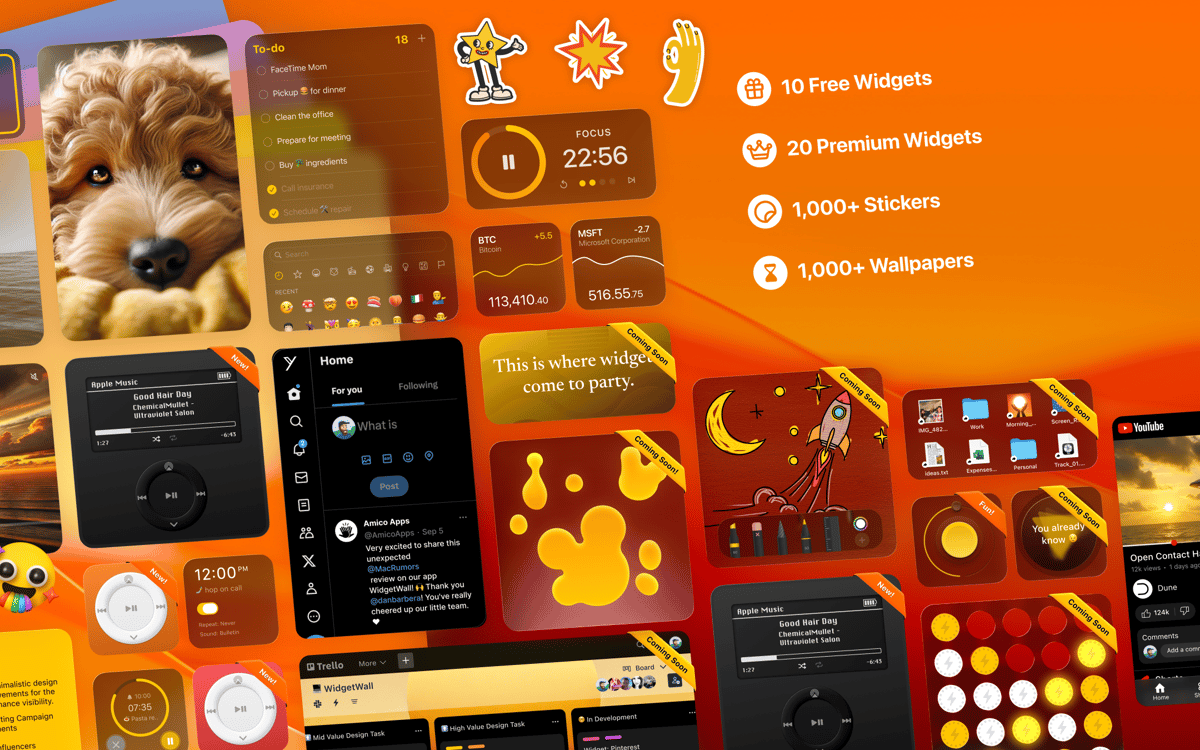
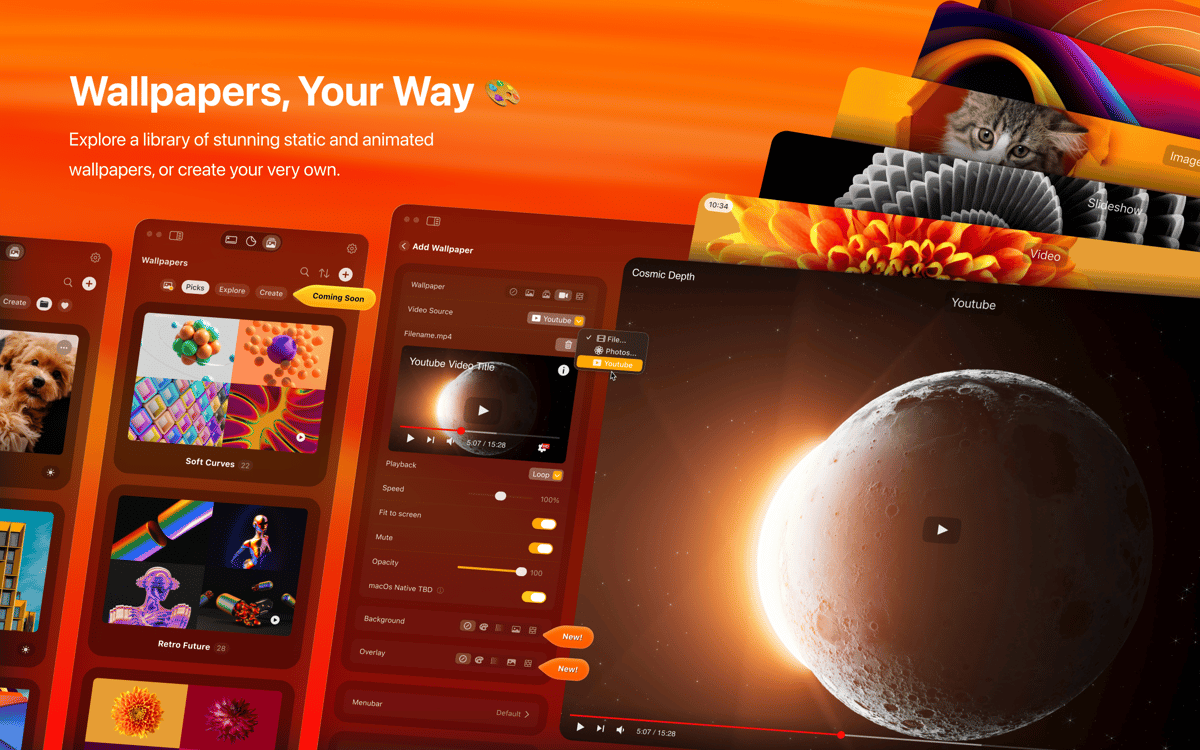
Personalize a mesa do Mac com widgets: adicione apps favoritos, fotos, estatísticas do Mac e até sites para acesso rápido. Crie a sua própria parede de widgets na mesa com o WidgetWall.
Crie uma parede de widgets na mesa do Mac
Widgets com estatísticas, apps e imagens
Tenha os itens mais usados sempre à mão
Monitore o estado do Mac direto da mesa
Recursos do WidgetWall
Sobreposição na mesa
Adicione widgets à mesa do Mac com o WidgetWall. Os widgets ficam sempre disponíveis para que você acesse rapidamente apps, sites ou dados que deseje monitorar.
Acesso rápido a ferramentas
Use o WidgetWall para colocar suas ferramentas mais usadas na mesa e ter acesso rápido a vários apps do Mac. Adicione vários widgets de relógio e tempo, estatísticas do Mac e muito mais.
Widgets de foto
Veja suas fotos favoritas na mesa como widgets do WidgetWall. Escolha uma pasta para mostrar e tenha uma ou várias molduras diretamente na mesa!
Widget de navegador
Transforme qualquer site em um widget para ficar em dia com os seus sites favoritos e fazer com que a mesa seja uma verdadeira central de produtividade com esse tipo de widget no WidgetWall.
Personalização fácil
Personalize todos os widgets adicionados à mesa: mude cor, tamanho e local para deixar o layout exatamente da maneira que você quer.
Classificações e avaliações
WidgetWall
•
544 classificações
Joeri Woldberg
29 de set. de 2026
Versão do app: 4.1.3
Great widgets, very usefull. Unfortunatly Apple won’t allow them access to their API so the widgets are usualy not in the place I left them after boot. So I need to manualy move them in to their places. Small anoyance (Apple fault) for otherwise great app.
jake
14 de set. de 2026
Versão do app: 3.15.2
good
Brian Williams
11 de set. de 2026
Versão do app: 3.15.1
Very nice to look at and use. I used to be a “clean desktop” kind of person but after using this app to keep helpful widgets on my desktop that go beyond stock MacOS widgets, I see the power and usefullness of this application.
Obtenha centenas de apps com o Membership
Obtenha um membership do Setapp e use centenas de apps estelares numa única assinatura.
Experimente grátis por 7 dias. Depois, pague um valor único.
Instale o Setapp no Mac
Explore apps para Mac, iOS e web. Encontre formas fáceis de lidar com as tarefas do dia a dia.

Obtenha o app que chamou sua atenção
Aquele app especial está esperando você no Setapp. Instale‑o com um clique.

WidgetWall
Escolha uma assinatura
Um ou mais apps com um membership do Setapp. Obtenha os apps que você quer.

Obtenha centenas de apps com o Membership
Obtenha um membership do Setapp e use centenas de apps estelares numa única assinatura.
Experimente grátis por 7 dias. Depois, pague um valor único.
1
Instale o Setapp no Mac
Explore apps para Mac, iOS e web. Encontre formas fáceis de lidar com as tarefas do dia a dia.
2
Obtenha o app que chamou sua atenção
Aquele app especial está esperando você no Setapp. Instale‑o com um clique.
WidgetWall
3
Escolha uma assinatura
Um ou mais apps com um membership do Setapp. Obtenha os apps que você quer.
A casa dos melhores apps
Desde tarefas rotineiras e de planejamento a atividades criativas e de programação, encare suas tarefas com os apps do Setapp.

TypingMind
IU alternativa para conversar com IA
gere ou resuma textos
use uma biblioteca de ações
IA

Spark Mail
Gerencie e‑mails
IA

CleanMyMac
Limpe os detritos

Bartender
Personalize a barra de menus

CleanShot X
Capturas de tela versáteis

Luminar Neo
Edite suas fotos
IA

ClearVPN
Conecte‑se com mais segurança

Craft
Trabalhe com documentos
IA
WidgetWall
Adicione widgets à mesa do Mac