
WiFi Signal
Monitore sua conexão Wi-Fi
Mac
Versão 4.5.3
macOS 13.5 ou posterior
12.9 MB
2 idiomas
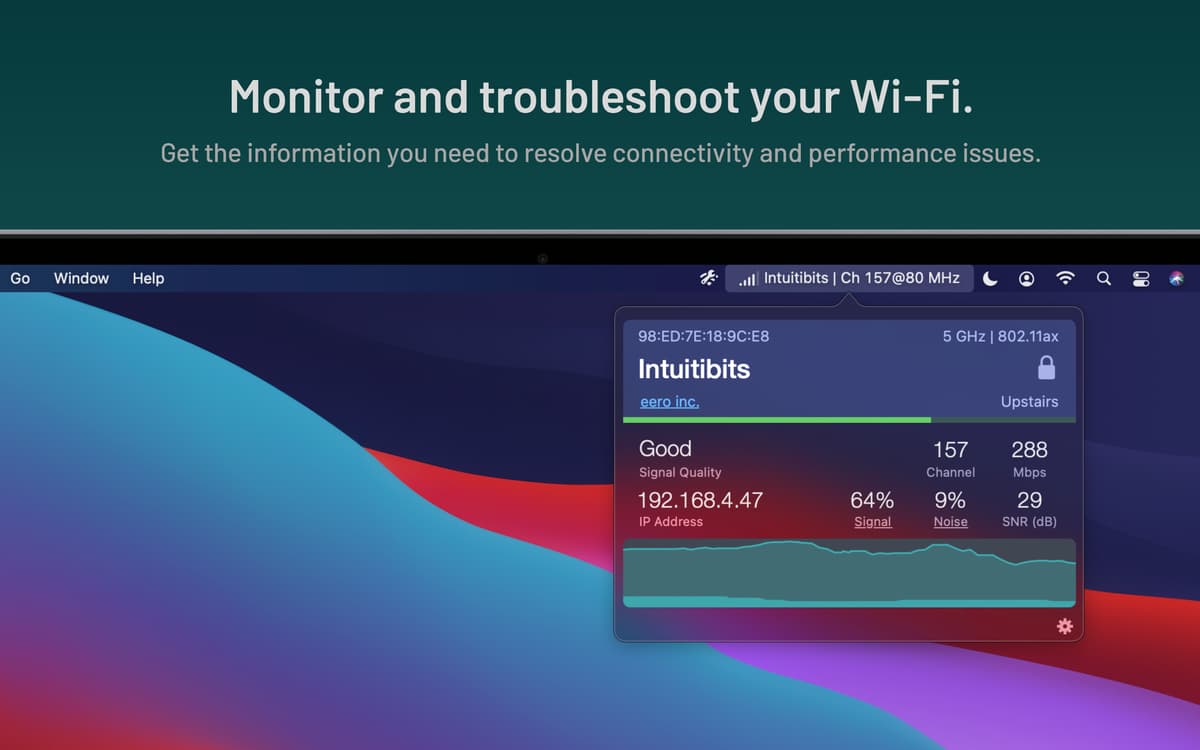
Use o app WiFi Signal para monitorar facilmente sua conexão Wi‑Fi. Essa ferramenta pequena e poderosa pode mostrar na barra de menus do Mac as informações que você precisa saber sobre o Wi‑Fi: desde o endereço IP ou BSSID ao fluxo de dados ou intensidade do sinal.
Monitore o sinal Wi-Fi
Receba notificações de mudanças no Wi‑Fi
Veja o endereço IP na barra de menus
Mostre o BSSID na barra de menus
Recursos do WiFi Signal
Monitore a intensidade do sinal
Fique de olho na conectividade e desempenho com o WiFi Signal. O app monitora o sinal Wi‑Fi e gera um gráfico útil, que você vê em tempo real com um único clique no ícone do app na barra de menus. Verifique rapidamente seu IP, intensidade do sinal, ruído, velocidade e muito mais!
Adicione itens à barra de menus
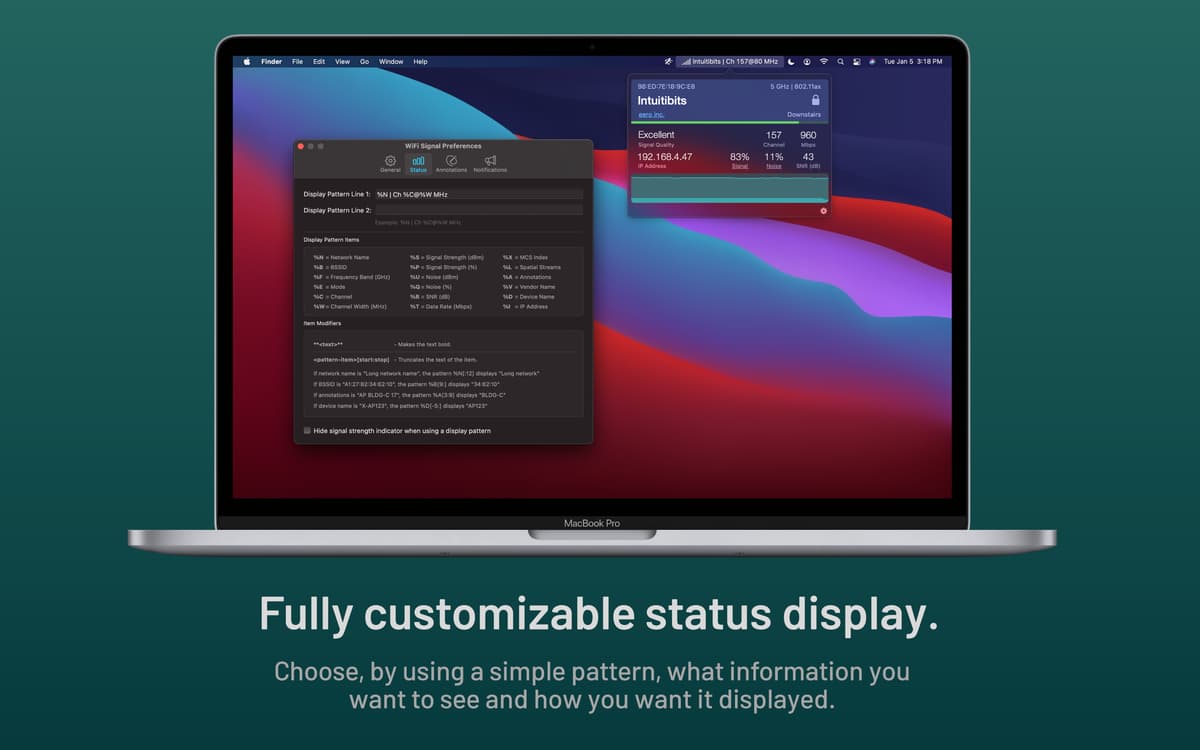
Você também pode ver informações sobre a conexão Wi‑Fi diretamente na barra de menus. Abra os ajustes do app para escolher os dois parâmetros que deseja exibir. Duas boas opções são endereço IP e BSSID. Você também pode adicionar informações de fluxo de dados ou de intensidade do sinal, ou escolher entre dezenas de outros parâmetros da conexão para mostrar na barra de menus.
Configure notificações
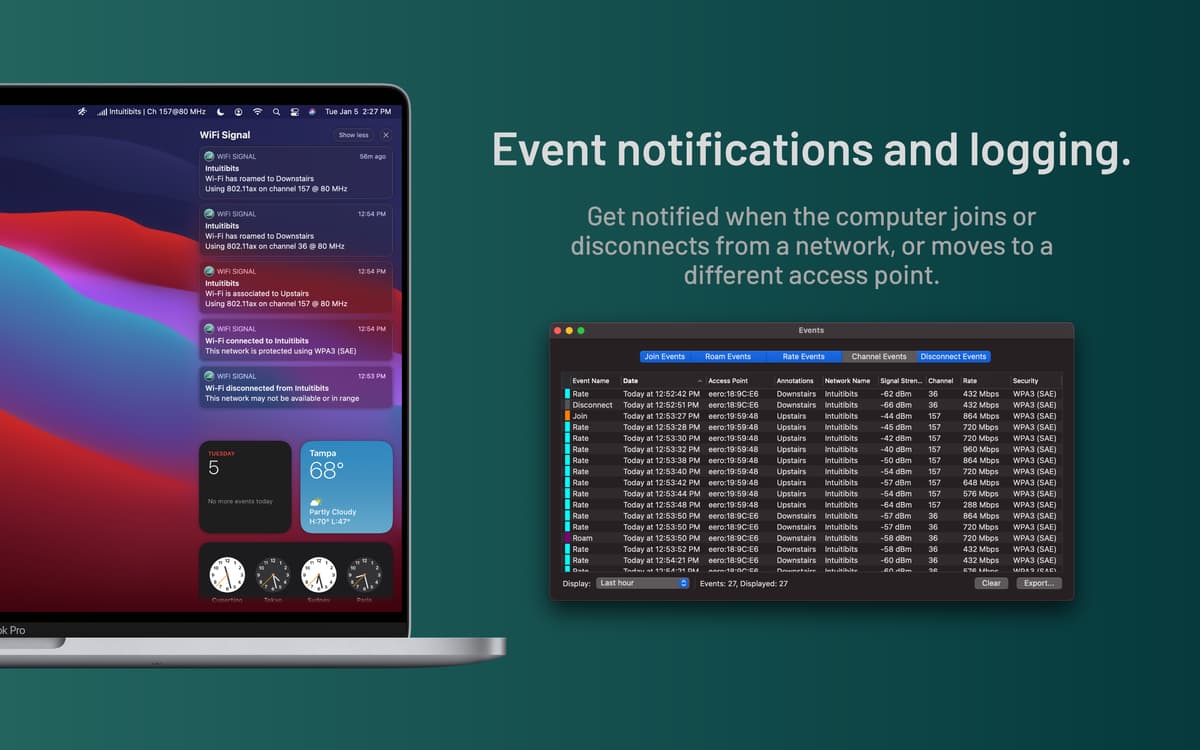
Receba notificações sobre a atividade de rede do Mac com o WiFi Signal. O app pode notificar quando você se conecta ou desconecta de uma rede ou passa para outro ponto de acesso. Você também pode optar por receber uma notificação quando a velocidade ou qualidade da conexão estiver abaixo de um certo nível.
Use anotações
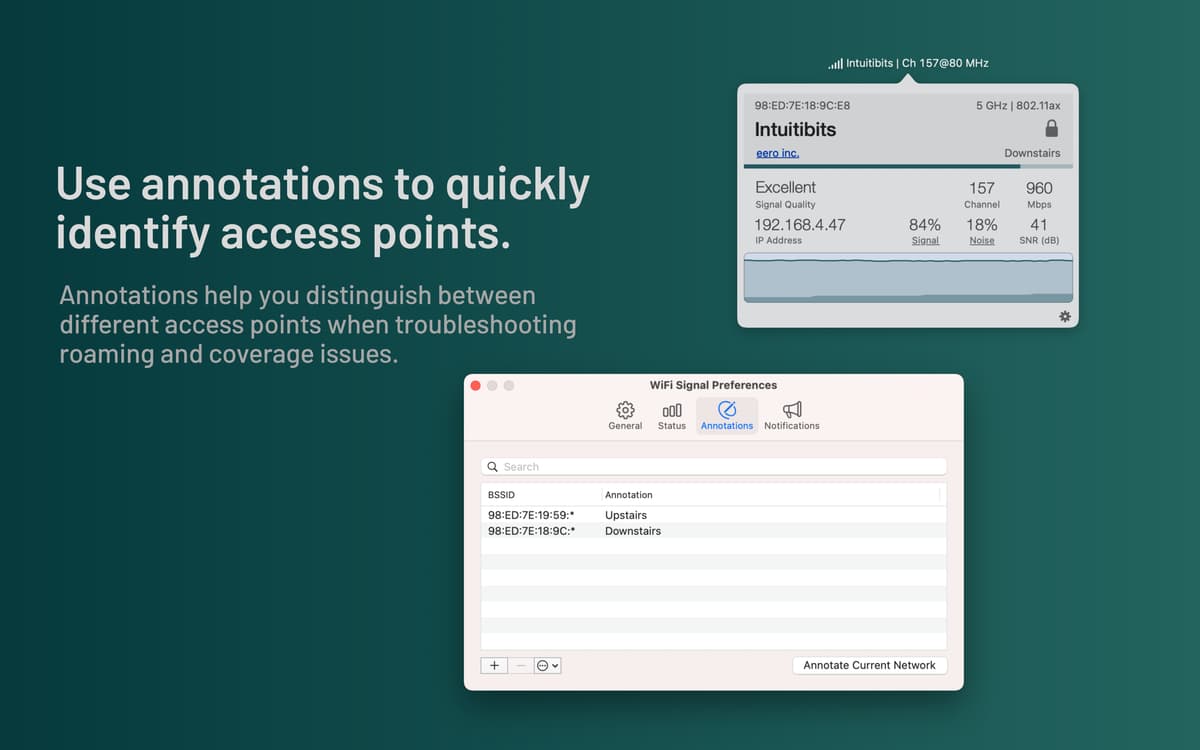
No WiFi Signal, você pode adicionar anotações a redes para que elas tenham etiquetas personalizadas. Isso faz com que seja mais fácil diferenciar os pontos de acesso para, por exemplo, identificar em qual andar um ponto de acesso se encontra.
Classificações e avaliações
WiFi Signal
•
404 classificações
Thomas Strong
28 de jun. de 2026
Versão do app: 4.5.1
i don’t know it doesn’t seem to open anymore
Resposta do Desenvolvedor
28 de jun. de 2026
Hi, thank you for your feedback. If the WiFi Signal icon is missing from the system menu bar, it’s likely due to limited menu bar space. WiFi Signal is a menu bar app, and macOS automatically hides menu bar icons when space runs out to prioritize application menus. Quitting unused menu bar apps can often free up enough space for the icon to reappear. If you’re using a display pattern that takes up a significant amount of menu bar space, this can also cause the icon to disappear. If you’re unable to restore the icon, please contact us at [email protected], and we’ll be happy to guide you through additional troubleshooting steps.
Melissa Davis
30 de mai. de 2026
Versão do app: 4.5
The app is well-designed but it didn't meet my use case. I was hoping to see the devices on my own network.
Clay
6 de jan. de 2026
Versão do app: 4.4.14
So far, so good!
Obtenha centenas de apps com o Membership
Obtenha um membership do Setapp e use centenas de apps estelares numa única assinatura.
Experimente grátis por 7 dias. Depois, pague um valor único.
Instale o Setapp no Mac
Explore apps para Mac, iOS e web. Encontre formas fáceis de lidar com as tarefas do dia a dia.

Obtenha o app que chamou sua atenção
Aquele app especial está esperando você no Setapp. Instale‑o com um clique.

WiFi Signal
Escolha uma assinatura
Um ou mais apps com um membership do Setapp. Obtenha os apps que você quer.

Obtenha centenas de apps com o Membership
Obtenha um membership do Setapp e use centenas de apps estelares numa única assinatura.
Experimente grátis por 7 dias. Depois, pague um valor único.
1
Instale o Setapp no Mac
Explore apps para Mac, iOS e web. Encontre formas fáceis de lidar com as tarefas do dia a dia.
2
Obtenha o app que chamou sua atenção
Aquele app especial está esperando você no Setapp. Instale‑o com um clique.
WiFi Signal
3
Escolha uma assinatura
Um ou mais apps com um membership do Setapp. Obtenha os apps que você quer.
A casa dos melhores apps
Desde tarefas rotineiras e de planejamento a atividades criativas e de programação, encare suas tarefas com os apps do Setapp.

TypingMind
IU alternativa para conversar com IA
gere ou resuma textos
use uma biblioteca de ações
IA

Spark Mail
Gerencie e‑mails
IA

CleanMyMac
Limpe os detritos

Bartender
Personalize a barra de menus

CleanShot X
Capturas de tela versáteis

Luminar Neo
Edite suas fotos
IA

ClearVPN
Conecte‑se com mais segurança

Craft
Trabalhe com documentos
IA
WiFi Signal
Monitore sua conexão Wi-Fi