
Boomkey
Wrong layout? Fixed in a tap
Mac
Versión 1.2.3
macOS 14.0 o posterior
22 MB
4 idiomas
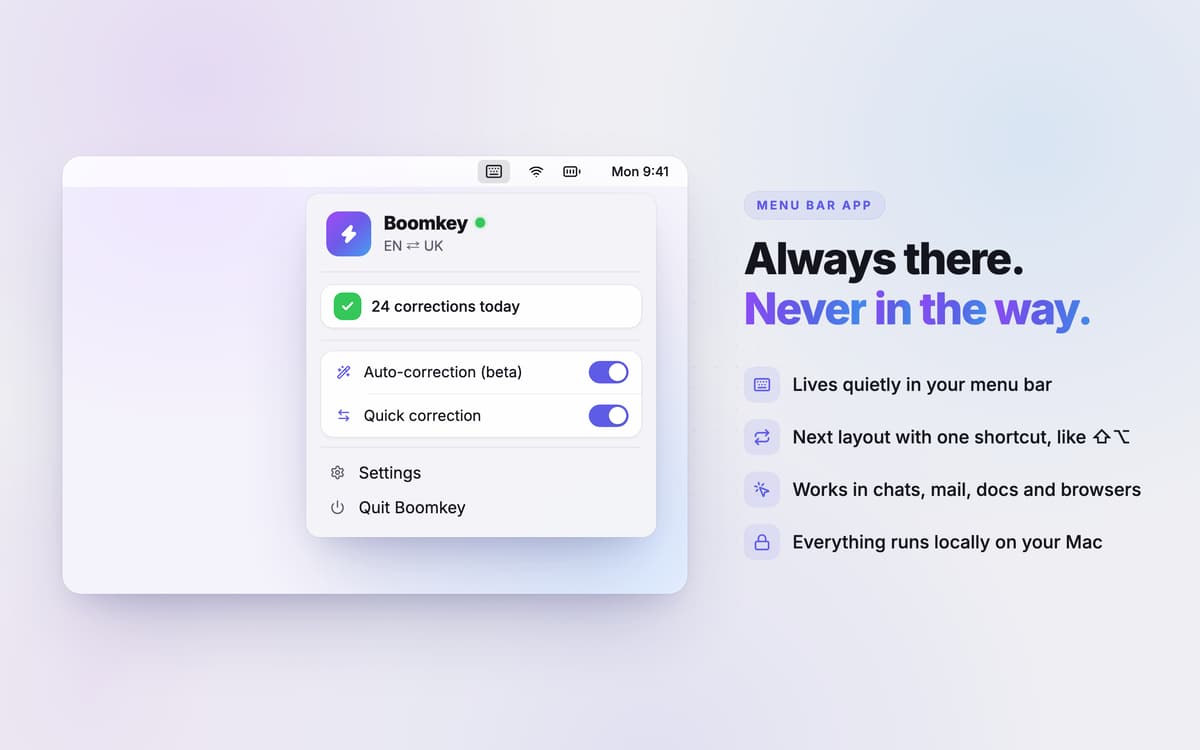
Boomkey is a keyboard layout fixer for Mac that turns wrong-layout gibberish into the text you meant to type. Select it, double-tap Shift, done. No backspacing, no retyping. Boomkey lives in your menu bar, works offline, and supports 90+ languages. It can even remember which layout each app needs, so the mix-ups happen less often.
Fix gibberish typed in the wrong layout
Auto-correct words as you hit Space
Pin a keyboard layout to each app
Switch layouts without the macOS lag
Características de Boomkey
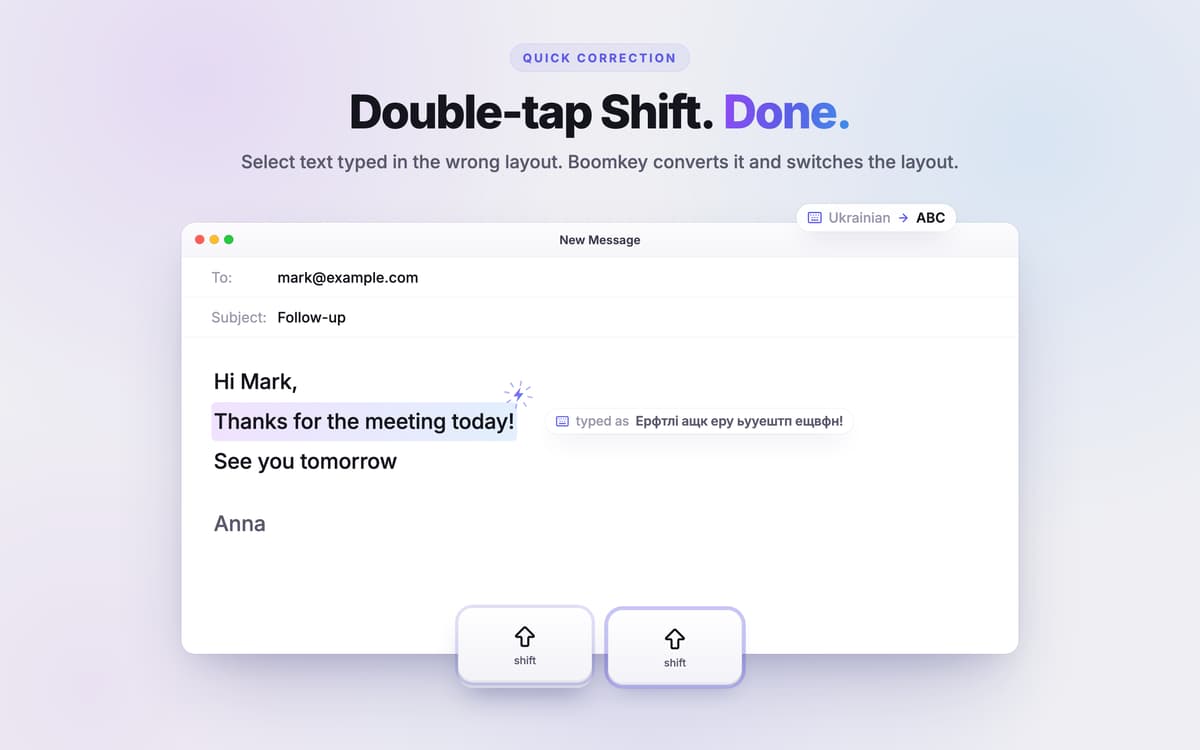
Fix text with a double-tap of Shift
Tidyshot reads the text in a screenshot, identifies its source app, and creates a descriptive filename such as figma-pricing-page-20260925-101532.png. Build your own naming style with tokens including app, date, and keywords.
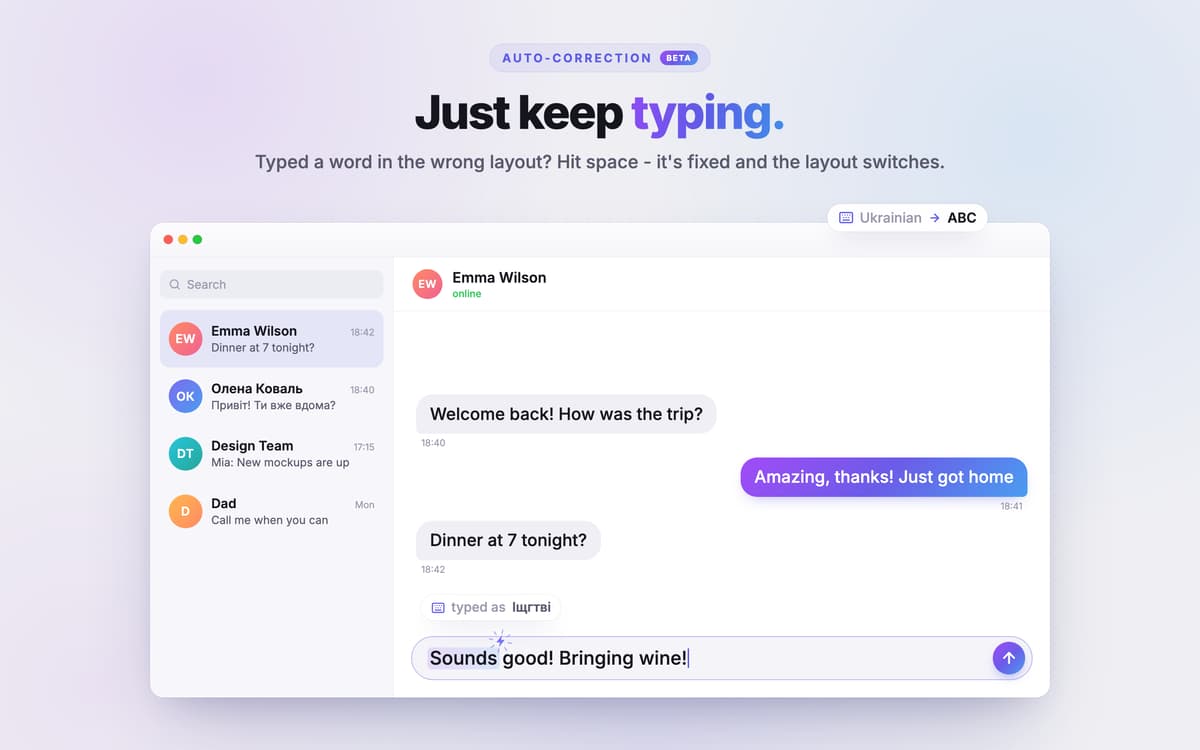
Auto-correct on Space
Boomkey checks your words in the background. When you hit Space after a wrong-layout word, it swaps in the right one. The models run offline.
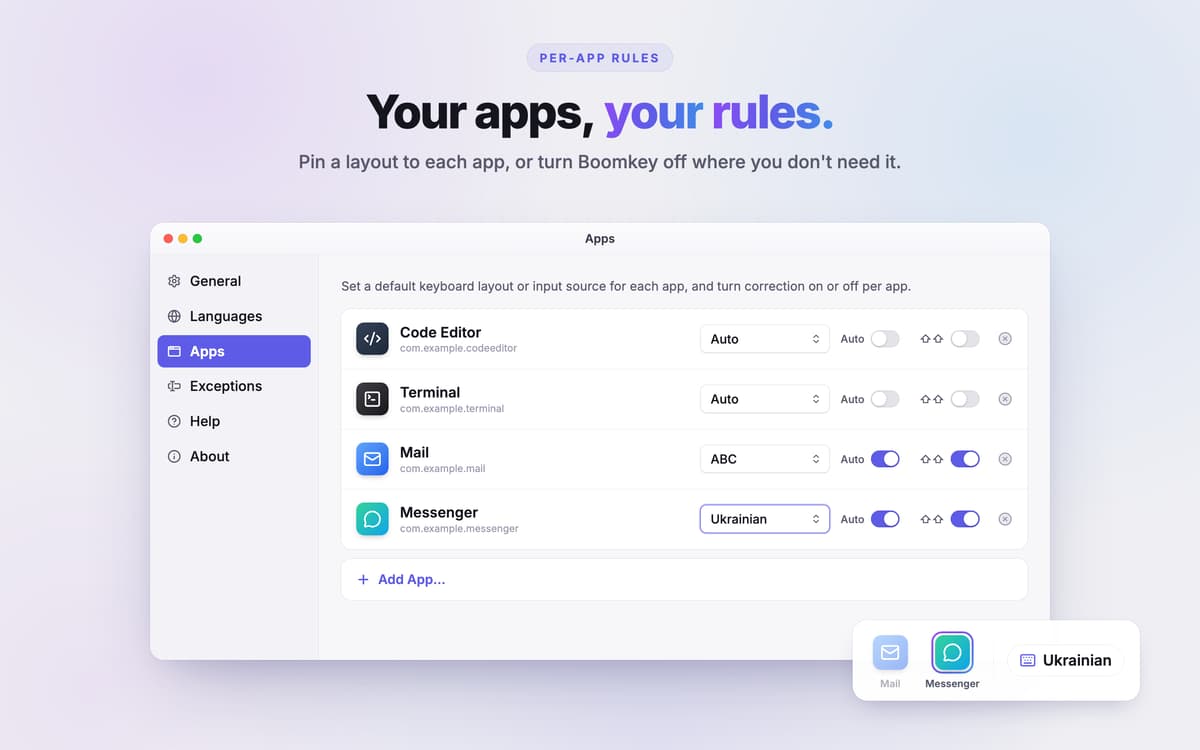
Per-app layout memory
Give each app its own layout. Keep Terminal and your IDE on English, and let Slack or Notes open in Ukrainian. Boomkey switches layouts when you switch windows, so you don't have to think about it.
Faster layout switching
macOS can lag when you change input sources. Boomkey's custom shortcut doesn't. Got three or more layouts? Pick the ones you want to cycle through and skip the languages you rarely use.
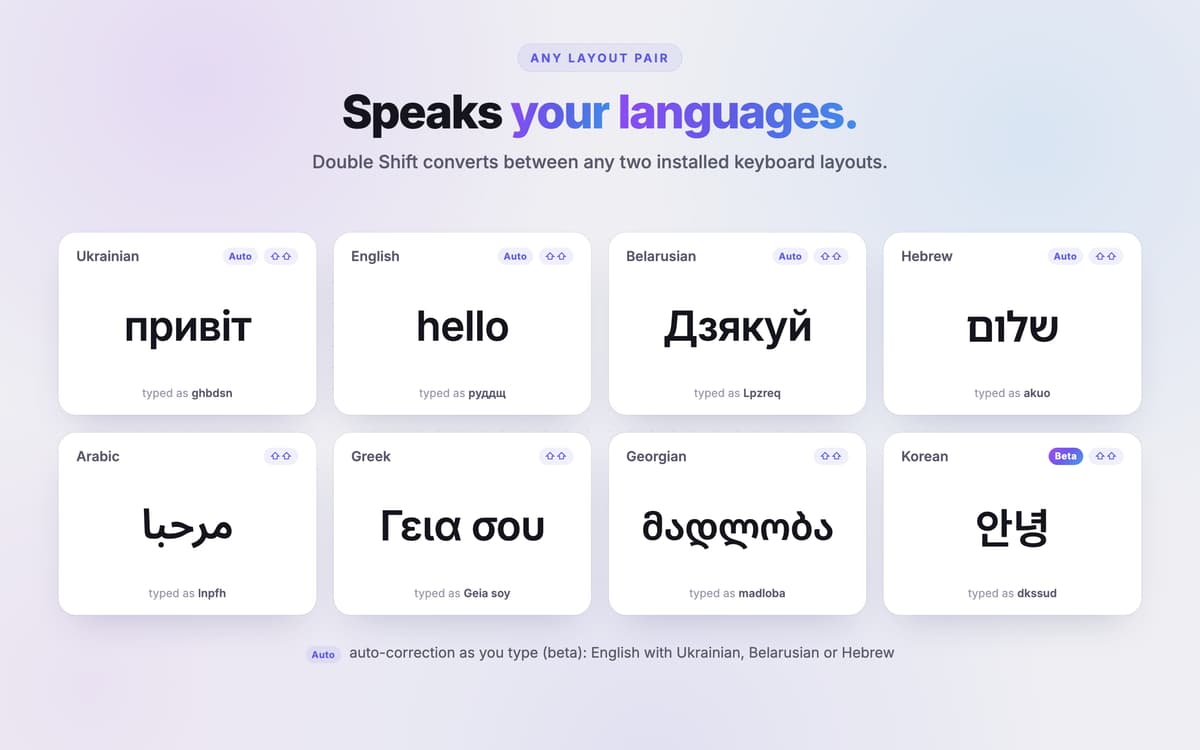
90+ languages, 8 scripts
Double-Shift works with Latin, Cyrillic, Greek, Hebrew, Yiddish, Georgian, Armenian, Arabic-script languages, and Korean (2-set layout). It reads your macOS layouts as you go, including Option-key symbols. Chinese, Japanese, and Indic languages aren't supported.
Private and out of your way
Boomkey doesn't log keystrokes or make cloud calls. It turns itself off in password fields, code editors, and URLs, so it won't touch things it shouldn't. It sits in the menu bar and barely uses any CPU or RAM.
Valoraciones y reseñas
Boomkey
•
2 valoraciones
Oleksii_Zubko
15 oct 2026
Versión de la app: 1.2.1
Reminds me punto switcher for windows, but with more features. I use three keyboard layouts, and since I only need the third one in a specific app, I set it as the default for that app. Also, I've assigned the other two languages to Command + Shift, so switching between that pair doesn't conflict with the third one, which is awesome. Auto correction works great even with 1–2 letter words. It would be great to add more languages for auto correction. Good tool who uses more than 1 language
Respuesta del desarrollador
20 oct 2026
Thank you!
Orest
12 oct 2026
Versión de la app: 1.2.0
works perfect!
Respuesta del desarrollador
20 oct 2026
Thanks.
Suscríbete y accede a cientos de apps
Suscríbete a Setapp y usa cientos de apps fantásticas con una sola suscripción.
Pruébalo 7 días gratis y luego paga una única cuota.
Instala Setapp en tu Mac
Apps de Mac, iOS y web para encontrar soluciones a tus desafíos cotidianos.

Consigue la app que buscabas
Esa app increíble y reluciente te espera en Setapp. Instálala con un clic.

Boomkey
Elige la suscripción
Una app o más con Setapp Membership. Consigue las apps a tu manera.

Suscríbete y accede a cientos de apps
Suscríbete a Setapp y usa cientos de apps fantásticas con una sola suscripción.
Pruébalo 7 días gratis y luego paga una única cuota.
1
Instala Setapp en tu Mac
Apps de Mac, iOS y web para encontrar soluciones a tus desafíos cotidianos.
2
Consigue la app que buscabas
Esa app increíble y reluciente te espera en Setapp. Instálala con un clic.
Boomkey
3
Elige la suscripción
Una app o más con Setapp Membership. Consigue las apps a tu manera.
Las mejores apps bajo un mismo paraguas
Tanto para las tareas rutinarias como para los proyectos creativos, programación o planificación, todo es más fácil con las apps de Setapp.

TypingMind
Chat de IA con una interfaz alternativa
genera o resume texto
usa la biblioteca de prompts
IA

Spark Mail
Gestiona tus correos
IA

CleanMyMac
Elimina los archivos de más

Bartender
Personaliza la barra de menús

CleanShot X
Personaliza tus capturas de pantalla

Luminar Neo
Edita tus fotos
IA

ClearVPN
Conéctate con más seguridad

Craft
Trabaja con documentos
IA
Boomkey
Wrong layout? Fixed in a tap