Chunk
Time-block your whole day
Mac
Versión 3.4.4
macOS 13.0 o posterior
223.5 MB
32 idiomas
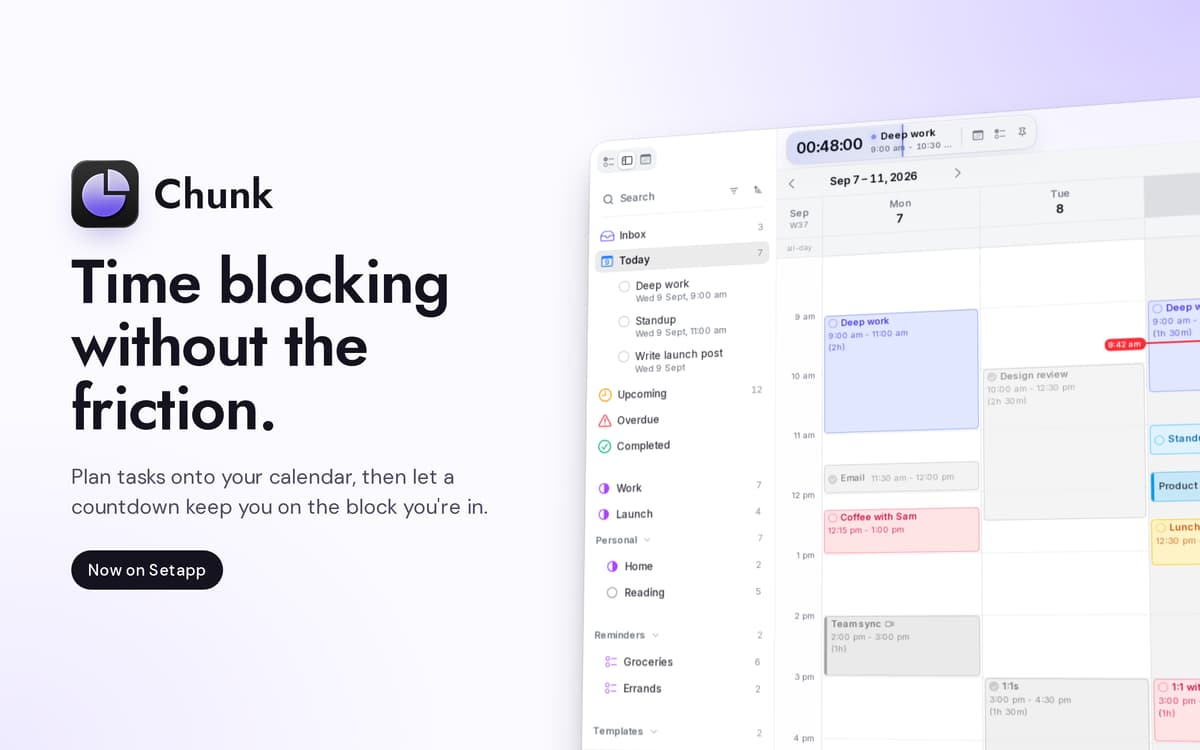
Chunk es un bloqueador de tiempo en la barra de menús para Mac. Pulsa Cmd+T y aparecerá un panel translúcido, listo para bloques codificados por colores. Arrastra reuniones, trabajo que requiere concentración y el café de la tarde a una línea de tiempo de 24 horas, y la barra de menús cuenta atrás el tiempo restante de tu bloque actual. La sincronización bidireccional con Google Calendar, Outlook y Apple Calendar mantiene todo en un solo lugar; el calendario en sí reside en tu Mac.
Planifica mañana en 30 segundos
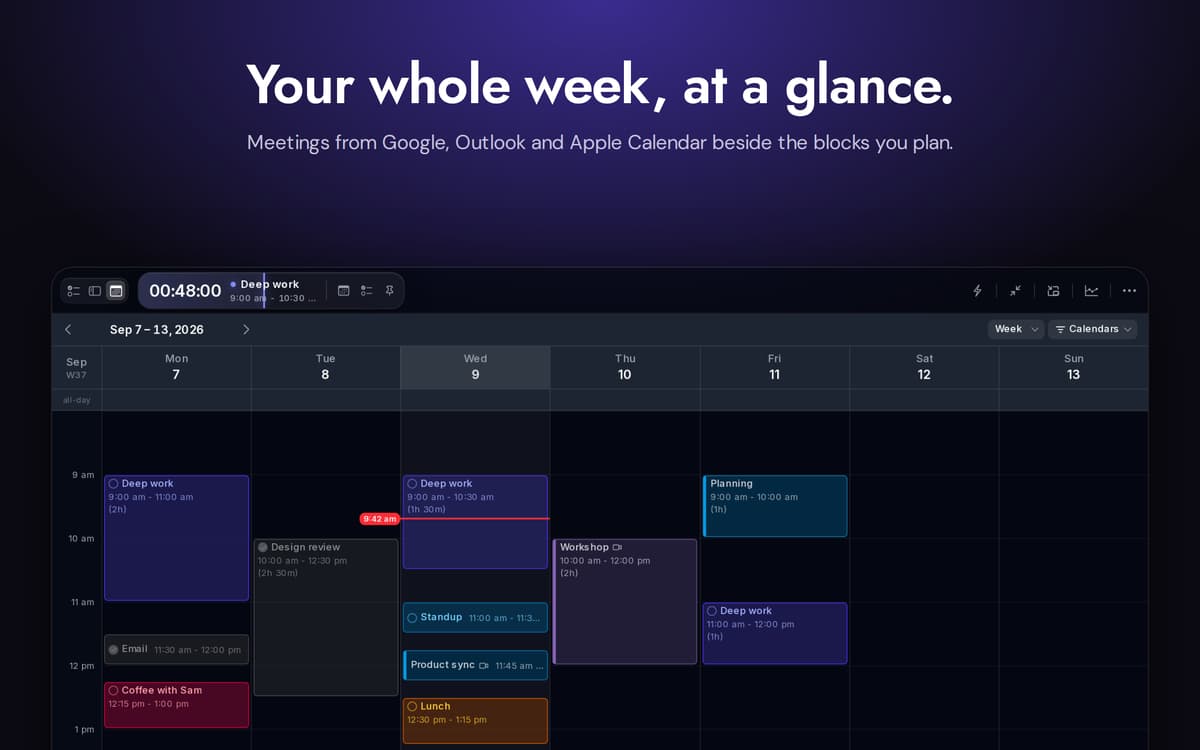
Sincroniza calendarios de Google, Outlook y Apple
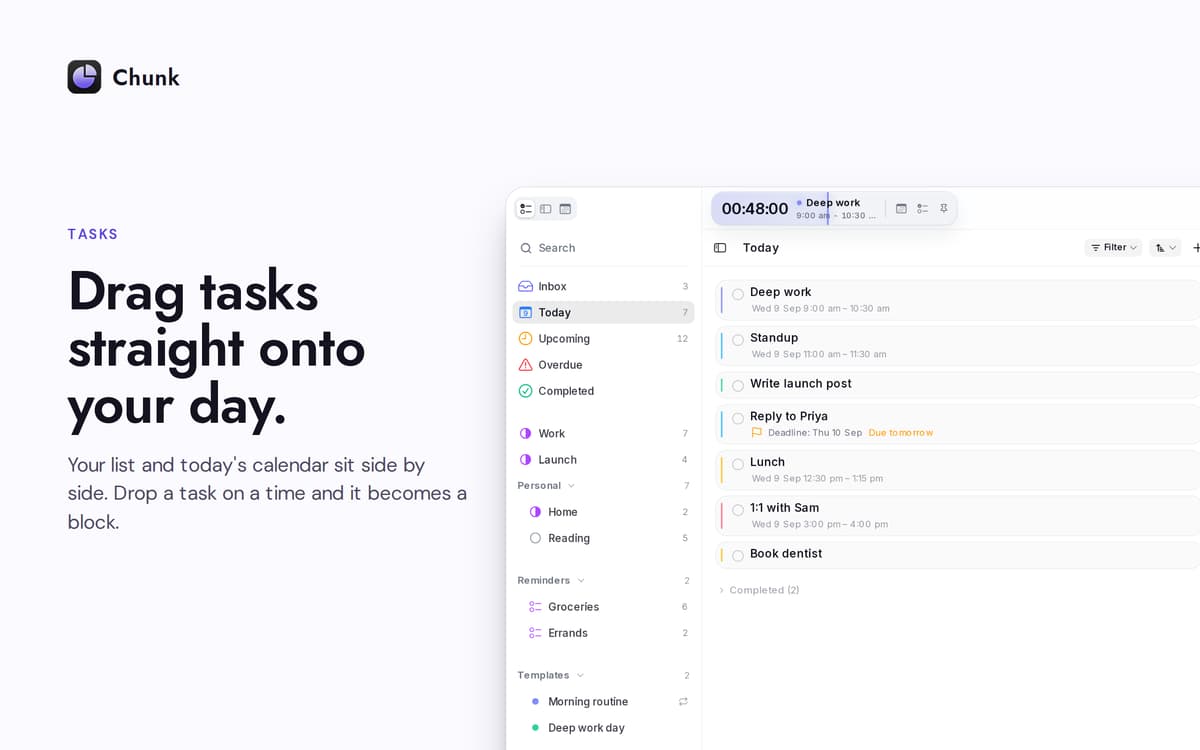
Arrastra las tareas directamente a tu día
Replanifica sin perder la concentración
Características de Chunk
Línea de tiempo de arrastrar para bloquear
Una línea de tiempo vertical de 24 horas que creas arrastrando. Redimensiona bloques desde cualquier borde. El intervalo de ajuste se reduce cuanto más acercas el zoom, hasta llegar a un minuto cuando lo necesitas.
Calendarios sincronizados
Conecta Google, Outlook o Apple Calendar: elige uno o elige los tres. Cualquier cambio que hagas en Chunk se sincroniza con el origen en segundos. Los eventos externos aparecen en la misma cronología que tus propios bloques, así que solo tienes que consultar un lugar.
Apple Reminders, en paralelo
Tus listas de Recordatorios aparecen en la barra lateral de tareas de Chunk. Marca algo aquí y quedará marcado en la aplicación Recordatorios del sistema. Arrastra un recordatorio a tu día para convertirlo en un bloque de tiempo.
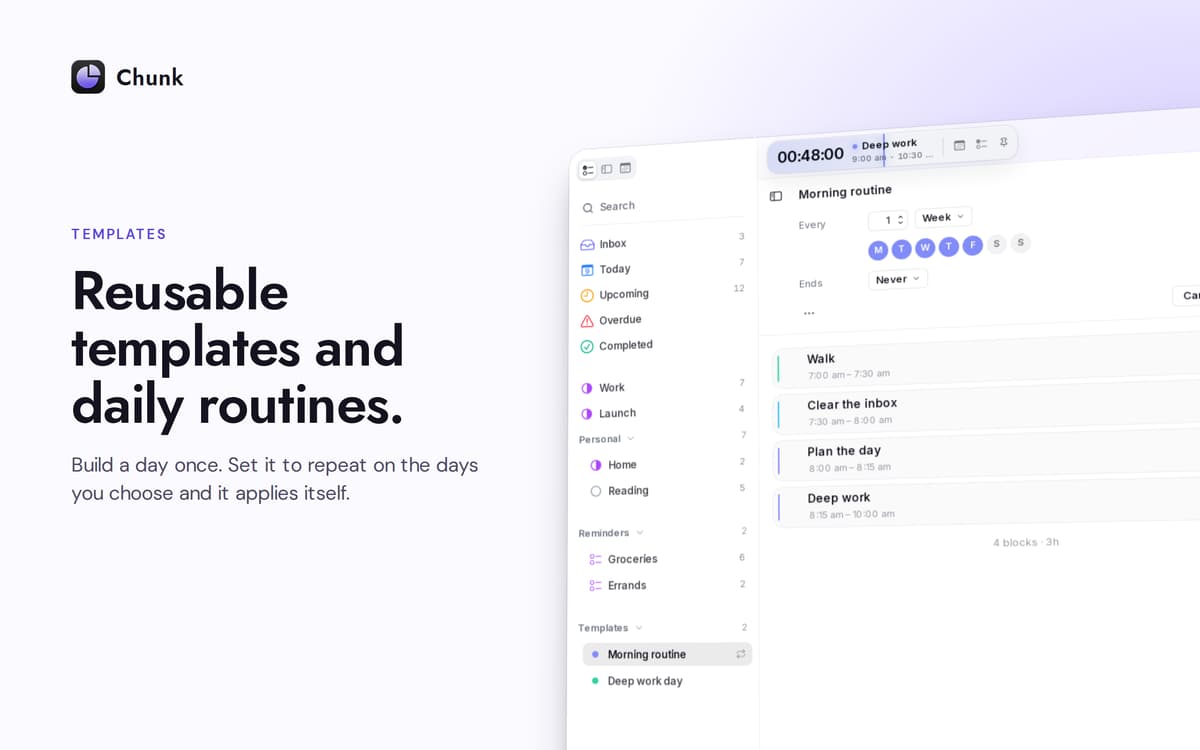
Plantillas que aparecen por sí solas
Guarda un día típico una sola vez. Elige en qué días de la semana debe aplicarse automáticamente. Chunk rellena tu calendario antes incluso de que abras el panel: una semana nueva, ya planificada.
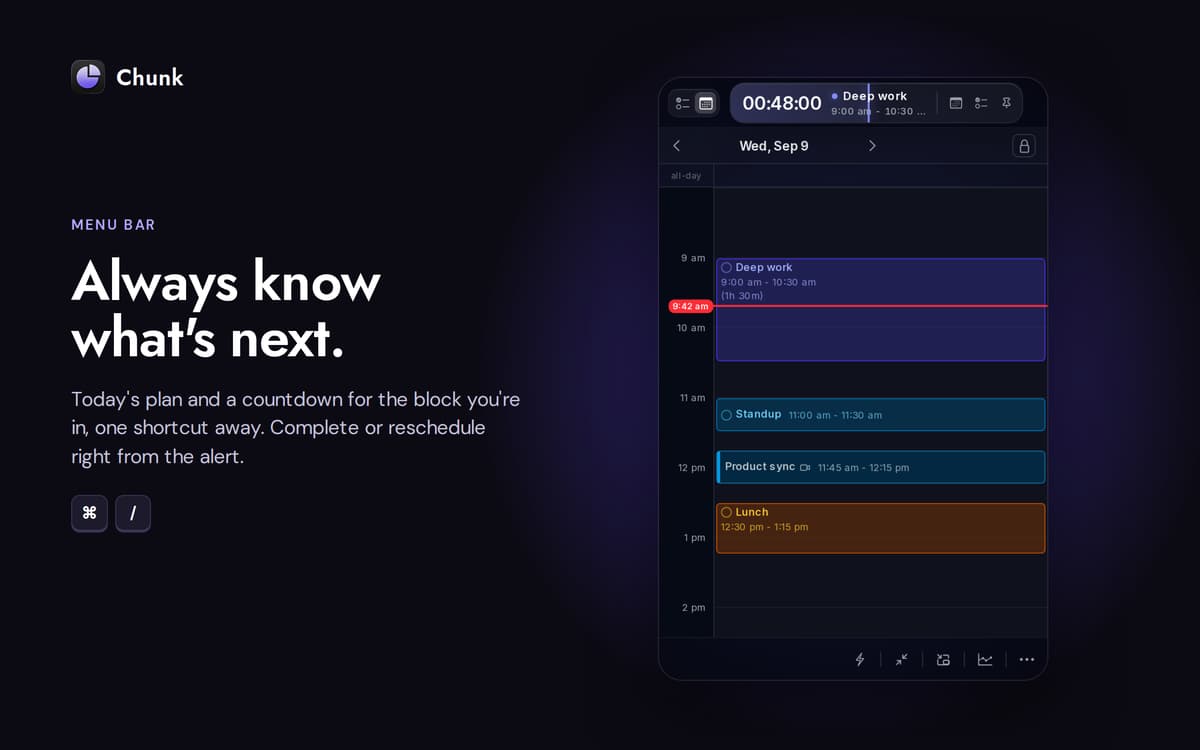
Una cuenta atrás que no se oculta
La barra de menú muestra el tiempo que queda en tu bloque actual. El panel principal flota sobre las aplicaciones a pantalla completa, por lo que echar un vistazo rápido o replantear algo al momento nunca te hará perder lo que estabas haciendo.
Planifica con Claude en tu Mac
Conecta Chunk con Claude y deja que redacte, mueva o reorganice tu día a partir de instrucciones en lenguaje natural. La conexión se ejecuta localmente; tu programación nunca sale del dispositivo.
Suscríbete y accede a cientos de apps
Suscríbete a Setapp y usa cientos de apps fantásticas con una sola suscripción.
Pruébalo 7 días gratis y luego paga una única cuota.
Instala Setapp en tu Mac
Apps de Mac, iOS y web para encontrar soluciones a tus desafíos cotidianos.

Consigue la app que buscabas
Esa app increíble y reluciente te espera en Setapp. Instálala con un clic.

Chunk
Elige la suscripción
Una app o más con Setapp Membership. Consigue las apps a tu manera.

Suscríbete y accede a cientos de apps
Suscríbete a Setapp y usa cientos de apps fantásticas con una sola suscripción.
Pruébalo 7 días gratis y luego paga una única cuota.
1
Instala Setapp en tu Mac
Apps de Mac, iOS y web para encontrar soluciones a tus desafíos cotidianos.
2
Consigue la app que buscabas
Esa app increíble y reluciente te espera en Setapp. Instálala con un clic.
Chunk
3
Elige la suscripción
Una app o más con Setapp Membership. Consigue las apps a tu manera.
Las mejores apps bajo un mismo paraguas
Tanto para las tareas rutinarias como para los proyectos creativos, programación o planificación, todo es más fácil con las apps de Setapp.

TypingMind
Chat de IA con una interfaz alternativa
genera o resume texto
usa la biblioteca de prompts
IA

Spark Mail
Gestiona tus correos
IA

CleanMyMac
Elimina los archivos de más

Bartender
Personaliza la barra de menús

CleanShot X
Personaliza tus capturas de pantalla

Luminar Neo
Edita tus fotos
IA

ClearVPN
Conéctate con más seguridad

Craft
Trabaja con documentos
IA
Chunk
Time-block your whole day