
DroidPort
Your Android, on your Mac
Mac
Versión 1.5.4
macOS 14.0 o posterior
66.2 MB
1 idiomas
DroidPort — Android-to-Mac companion app for Mac. Connect your Android phone to your Mac over your own Wi-Fi and keep both devices in sync — no cloud required, no data collected. Read and reply to texts, catch calls, act on notifications, transfer files, and browse your camera roll right from your Mac. Everything travels directly between your two devices over an encrypted local connection. DroidPort is sandboxed, signed, and private by design.
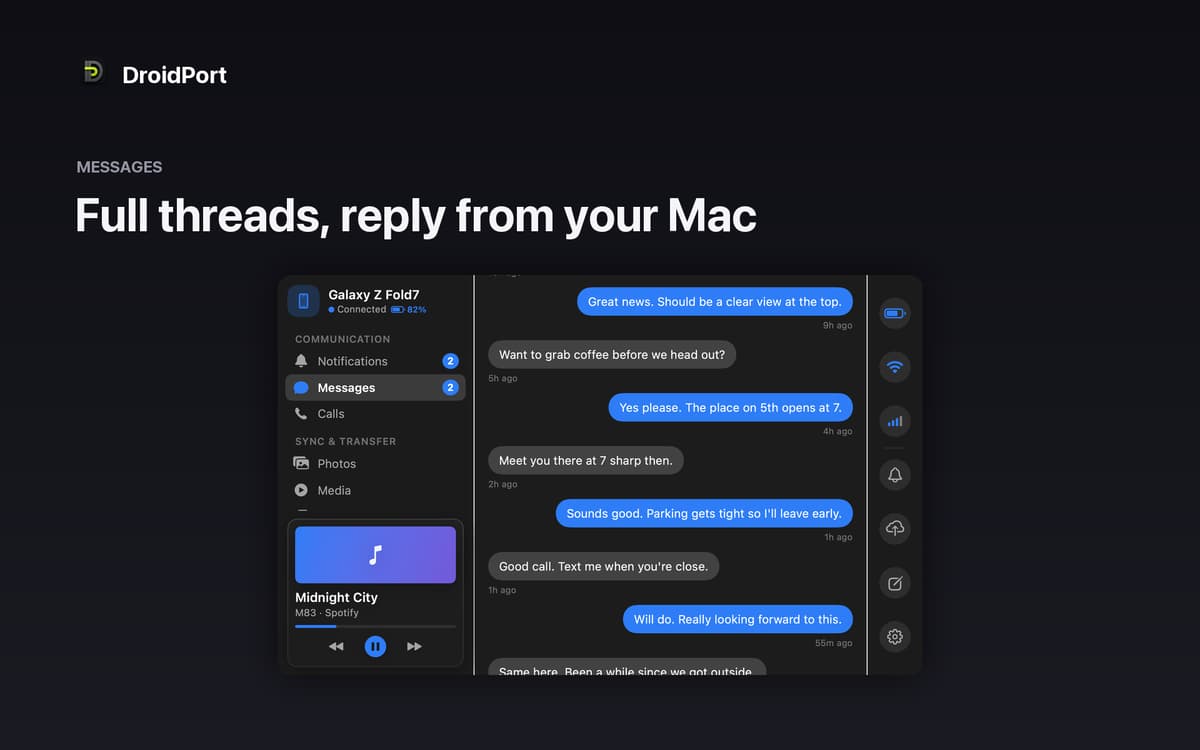
Text and reply without touching your phone
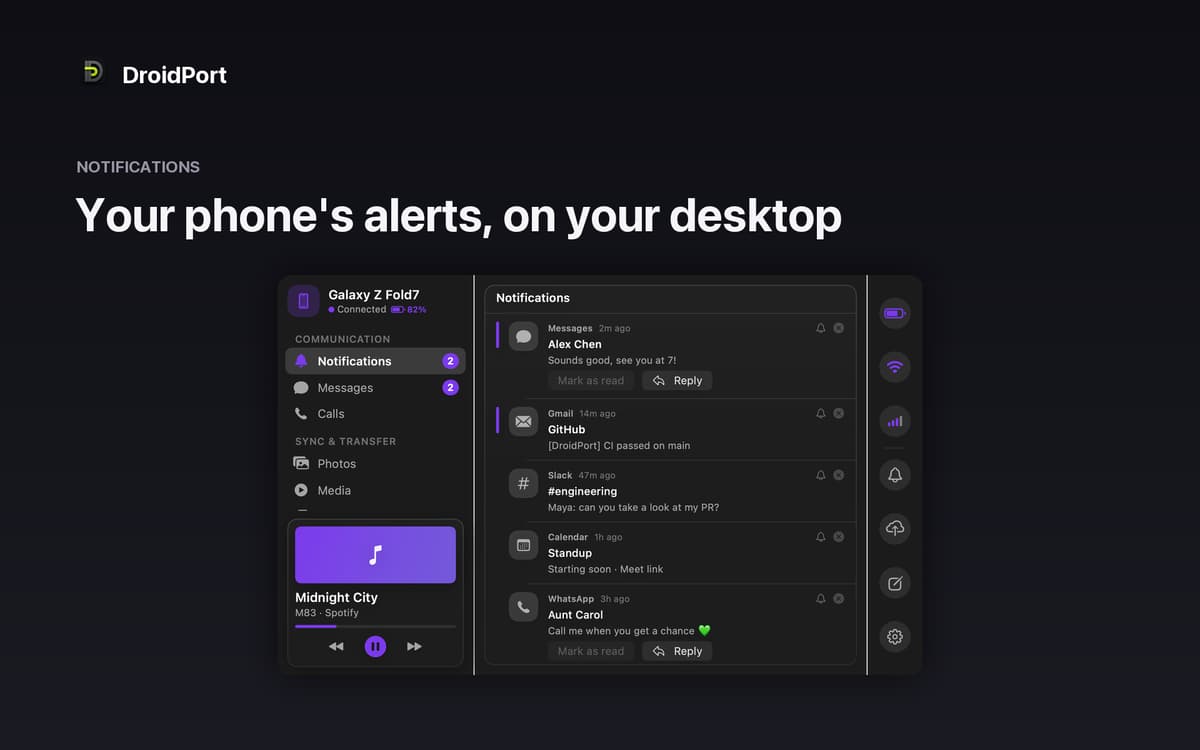
See and act on notifications instantly
Browse and save photos from your camera roll
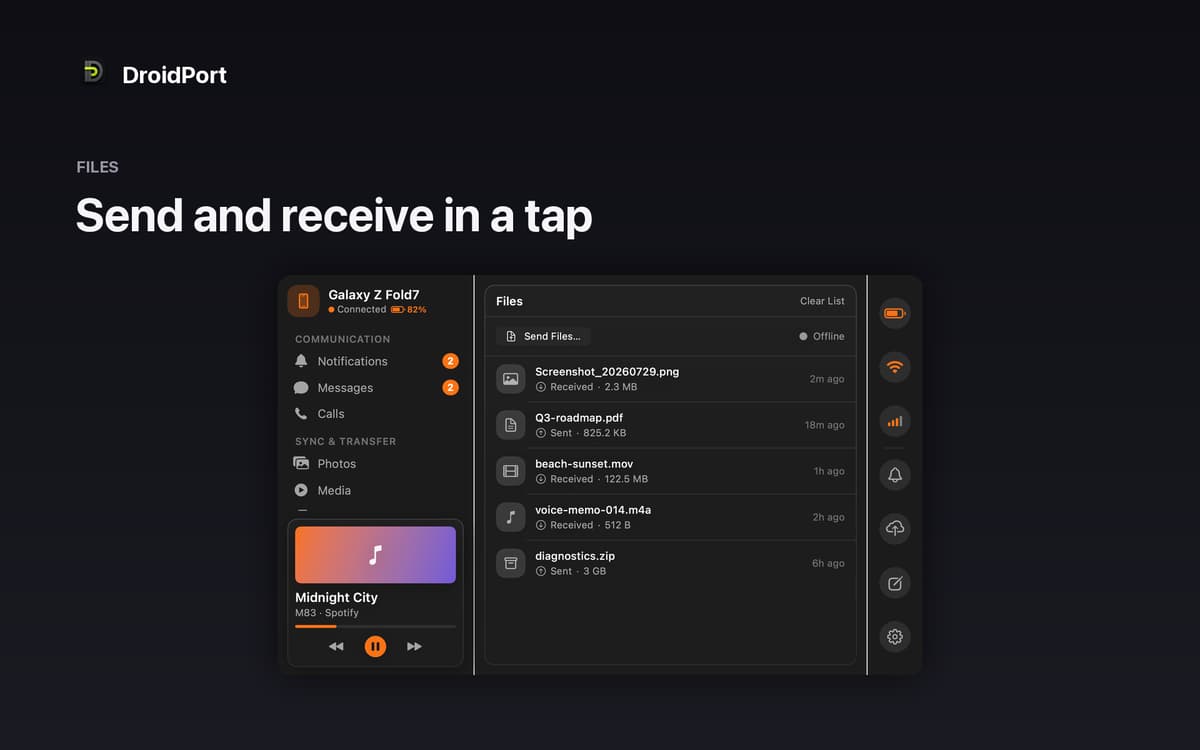
Share files and clipboard in a tap
Características de DroidPort
Messages and notifications, right on your Mac
Stop picking up your phone every five minutes. DroidPort brings your texts and notifications to your Mac in real time — full conversation threads, inline replies, notification actions, and one-click dismissal. If your phone rings, you'll see it on screen. Missed calls show up too, so nothing slips by while you're heads-down at your desk.
Truly private — no cloud, no middleman
DroidPort connects your Mac and your Android phone directly over your local Wi-Fi using the open KDE Connect protocol. Nothing is uploaded anywhere. The connection is end-to-end encrypted and confirmed by a code you approve on both devices. Your data stays between you and your two devices — full stop.
Photos and files without the cable
Browse your Android camera roll straight from your Mac, open shots at full resolution, drag them to Finder, or pull in everything new since your last session. Sending files works both ways: drop something onto your phone or receive files straight to your Mac. No cable, no cloud storage, no workarounds.
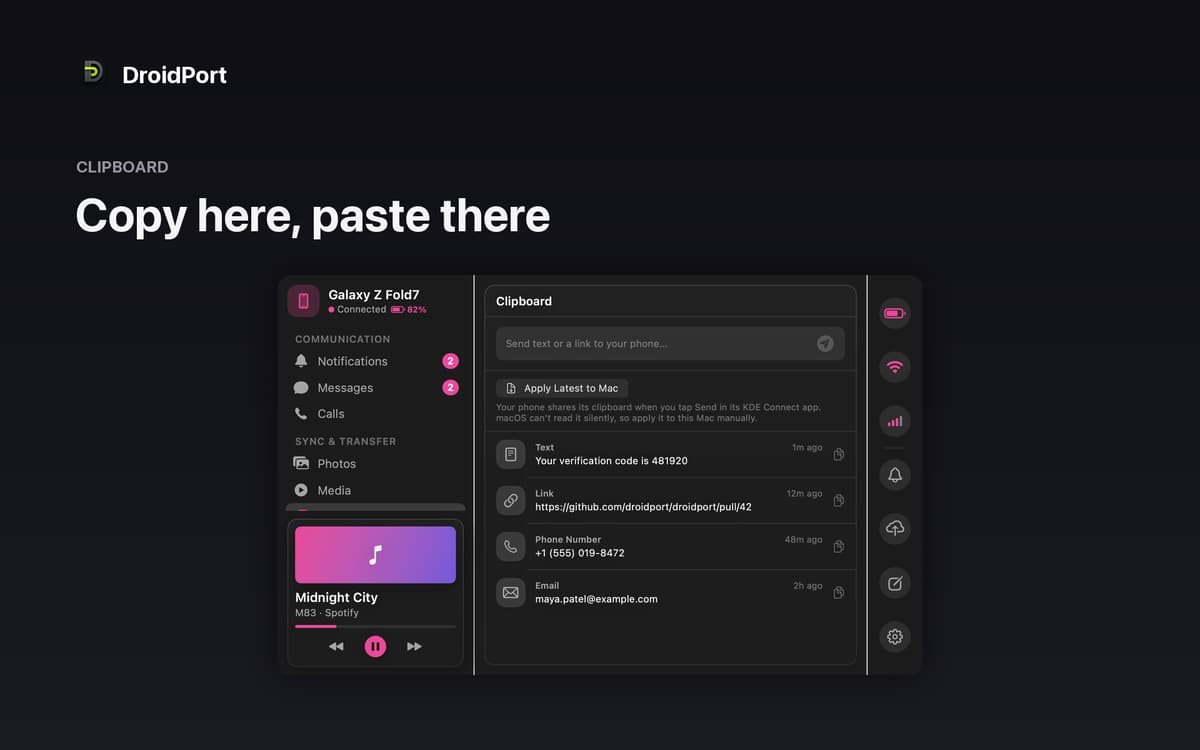
Shared clipboard and media control
Copy something on your Mac, paste it on your phone — or the other way around. DroidPort syncs your clipboard between devices in a tap. You can also control whatever's playing on your Android phone right from the Mac menu bar, without switching windows or reaching for your device.
Battery, signal, and Wi-Fi at a glance
Keep an eye on your phone's battery level, signal strength, and Wi-Fi status from your Mac. The kind of small detail that saves you from a dead phone right when you need it most.
Try it before you pair
Not sure if it's for you? Choose "Explore a Demo Device" to walk through every screen with sample data — no phone required, no pairing needed. Get a real feel for DroidPort before you commit to setting anything up.
Suscríbete y accede a cientos de apps
Suscríbete a Setapp y usa cientos de apps fantásticas con una sola suscripción.
Pruébalo 7 días gratis y luego paga una única cuota.
Instala Setapp en tu Mac
Apps de Mac, iOS y web para encontrar soluciones a tus desafíos cotidianos.

Consigue la app que buscabas
Esa app increíble y reluciente te espera en Setapp. Instálala con un clic.

DroidPort
Elige la suscripción
Una app o más con Setapp Membership. Consigue las apps a tu manera.

Suscríbete y accede a cientos de apps
Suscríbete a Setapp y usa cientos de apps fantásticas con una sola suscripción.
Pruébalo 7 días gratis y luego paga una única cuota.
1
Instala Setapp en tu Mac
Apps de Mac, iOS y web para encontrar soluciones a tus desafíos cotidianos.
2
Consigue la app que buscabas
Esa app increíble y reluciente te espera en Setapp. Instálala con un clic.
DroidPort
3
Elige la suscripción
Una app o más con Setapp Membership. Consigue las apps a tu manera.
Las mejores apps bajo un mismo paraguas
Tanto para las tareas rutinarias como para los proyectos creativos, programación o planificación, todo es más fácil con las apps de Setapp.

TypingMind
Chat de IA con una interfaz alternativa
genera o resume texto
usa la biblioteca de prompts
IA

Spark Mail
Gestiona tus correos
IA

CleanMyMac
Elimina los archivos de más

Bartender
Personaliza la barra de menús

CleanShot X
Personaliza tus capturas de pantalla

Luminar Neo
Edita tus fotos
IA

ClearVPN
Conéctate con más seguridad

Craft
Trabaja con documentos
IA
DroidPort
Your Android, on your Mac