
EasyWhen
Drop a date and time in a click
Mac
Versión 2.3.0
macOS 14.0 o posterior
15.4 MB
11 idiomas
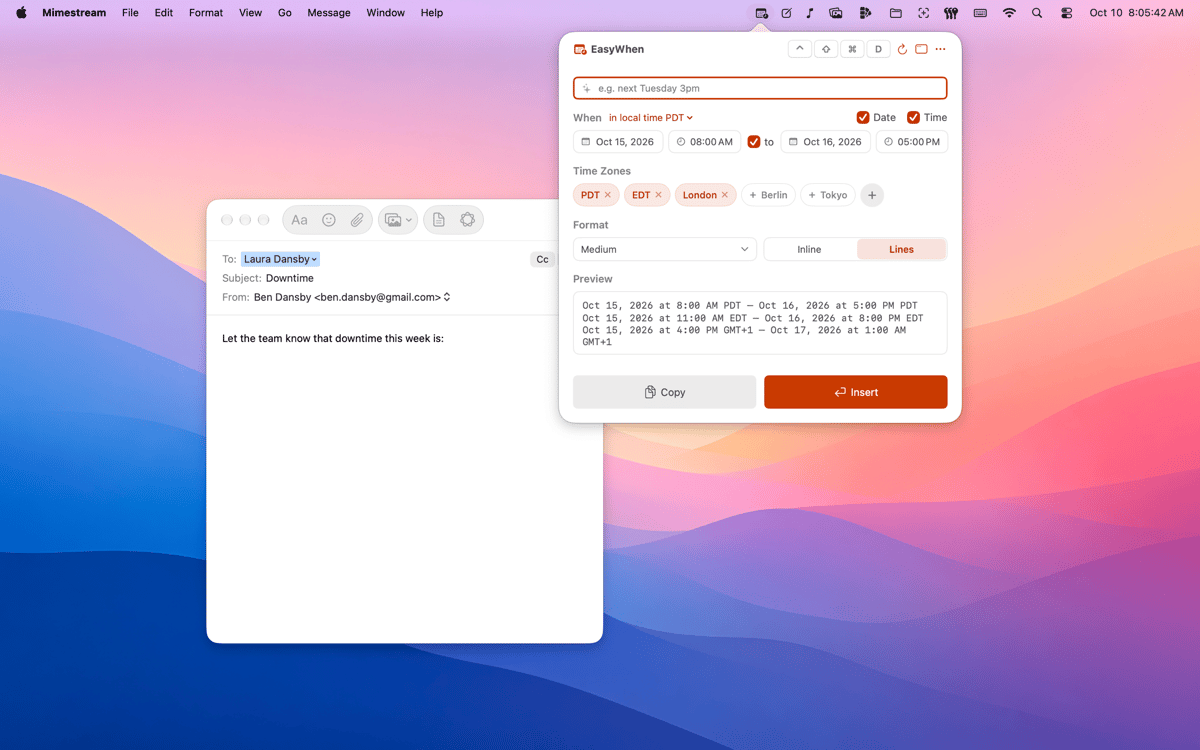
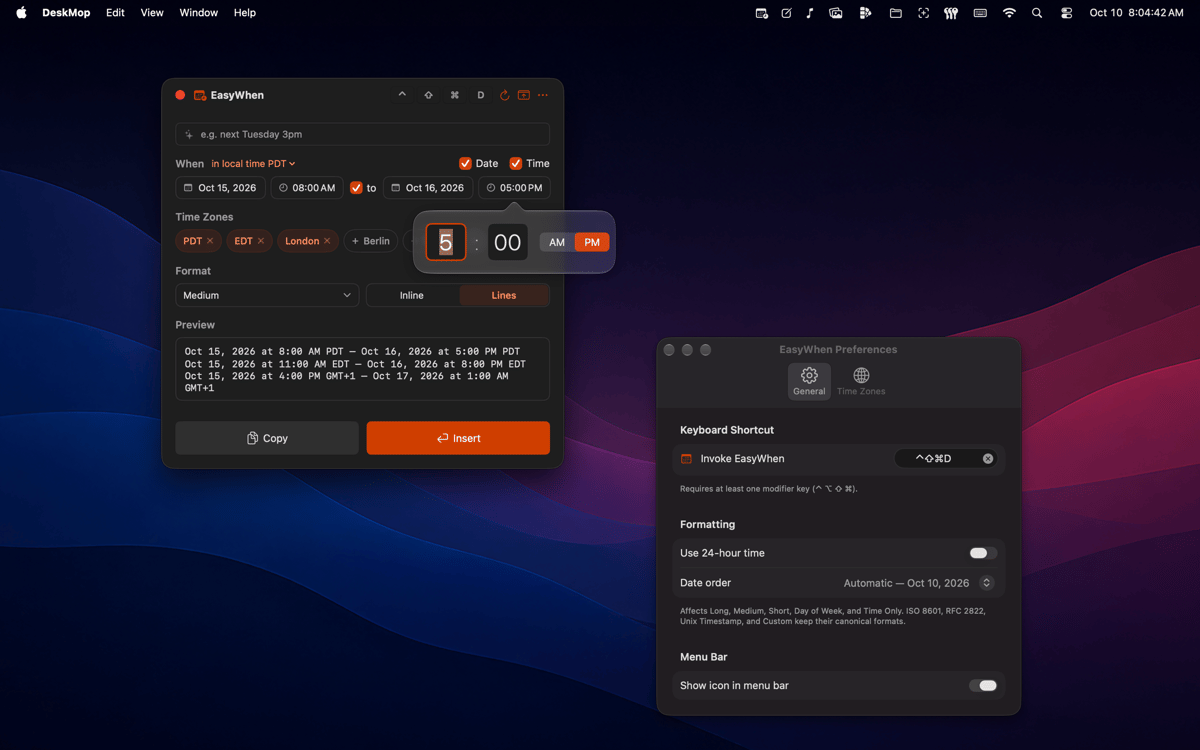
EasyWhen sits in your menu bar with every date and time format you actually use. Pick your date and time, then copy or insert — no typing, no re-formatting, no second-guessing. It speaks every time zone, every locale, and any custom format you save.
Meeting times across time zones
Timestamps for files and exports
Invoices and receipts, dated right
Custom formats — save once, reuse forever
Características de EasyWhen
Always one shortcut away
A global hotkey brings EasyWhen up from anywhere on your Mac — mid-document, mid-email, mid-anything. No switching windows, no hunting through apps. It's just there when you need it.
Every format you actually use
ISO, RFC, polite-email, filename-safe — EasyWhen comes loaded with the formats that show up in real work. Switch between them in a click. No formatting guides needed, ever again.
Time-zone aware from the start
Set up the time zones you work with and EasyWhen remembers them. Pick your time, choose your zone, paste — and everyone on the other end sees the right time in their locale. No mental math, no timezone converters.
Build your own formats
If none of the defaults fit, build one that does. EasyWhen’s custom format builder lets you create exactly the pattern you need and save it for later. Type it once, never again.
Menu-bar native, nothing to manage
EasyWhen doesn't ask for a window or a spot in your Dock. It sits quietly in the menu bar and appears on demand. Clean, lightweight, and always exactly where you left it.
Tiny on memory
Native Swift, no Electron, no background drain.
Suscríbete y accede a cientos de apps
Suscríbete a Setapp y usa cientos de apps fantásticas con una sola suscripción.
Pruébalo 7 días gratis y luego paga una única cuota.
Instala Setapp en tu Mac
Apps de Mac, iOS y web para encontrar soluciones a tus desafíos cotidianos.

Consigue la app que buscabas
Esa app increíble y reluciente te espera en Setapp. Instálala con un clic.

EasyWhen
Elige la suscripción
Una app o más con Setapp Membership. Consigue las apps a tu manera.

Suscríbete y accede a cientos de apps
Suscríbete a Setapp y usa cientos de apps fantásticas con una sola suscripción.
Pruébalo 7 días gratis y luego paga una única cuota.
1
Instala Setapp en tu Mac
Apps de Mac, iOS y web para encontrar soluciones a tus desafíos cotidianos.
2
Consigue la app que buscabas
Esa app increíble y reluciente te espera en Setapp. Instálala con un clic.
EasyWhen
3
Elige la suscripción
Una app o más con Setapp Membership. Consigue las apps a tu manera.
Las mejores apps bajo un mismo paraguas
Tanto para las tareas rutinarias como para los proyectos creativos, programación o planificación, todo es más fácil con las apps de Setapp.

TypingMind
Chat de IA con una interfaz alternativa
genera o resume texto
usa la biblioteca de prompts
IA

Spark Mail
Gestiona tus correos
IA

CleanMyMac
Elimina los archivos de más

Bartender
Personaliza la barra de menús

CleanShot X
Personaliza tus capturas de pantalla

Luminar Neo
Edita tus fotos
IA

ClearVPN
Conéctate con más seguridad

Craft
Trabaja con documentos
IA
EasyWhen
Drop a date and time in a click