
FinderCraft
Finder, but more in control
Mac
Versión 1.0.13
macOS 14.0 o posterior
22.2 MB
1 idiomas
FinderCraft — file manager for Mac. It adds a staging Shelf and a set of focused file tools right inside the Finder windows you already use, so moving, renaming, and organizing files feels calm instead of chaotic. Stage files from any Finder window, compare folders before copying anything, preview renames before they happen. FinderCraft is careful by default: it shows you what'll change, never silently overwrites, and keeps a log so you can undo. Everything runs locally — no account, no cloud, nothing leaves your Mac.
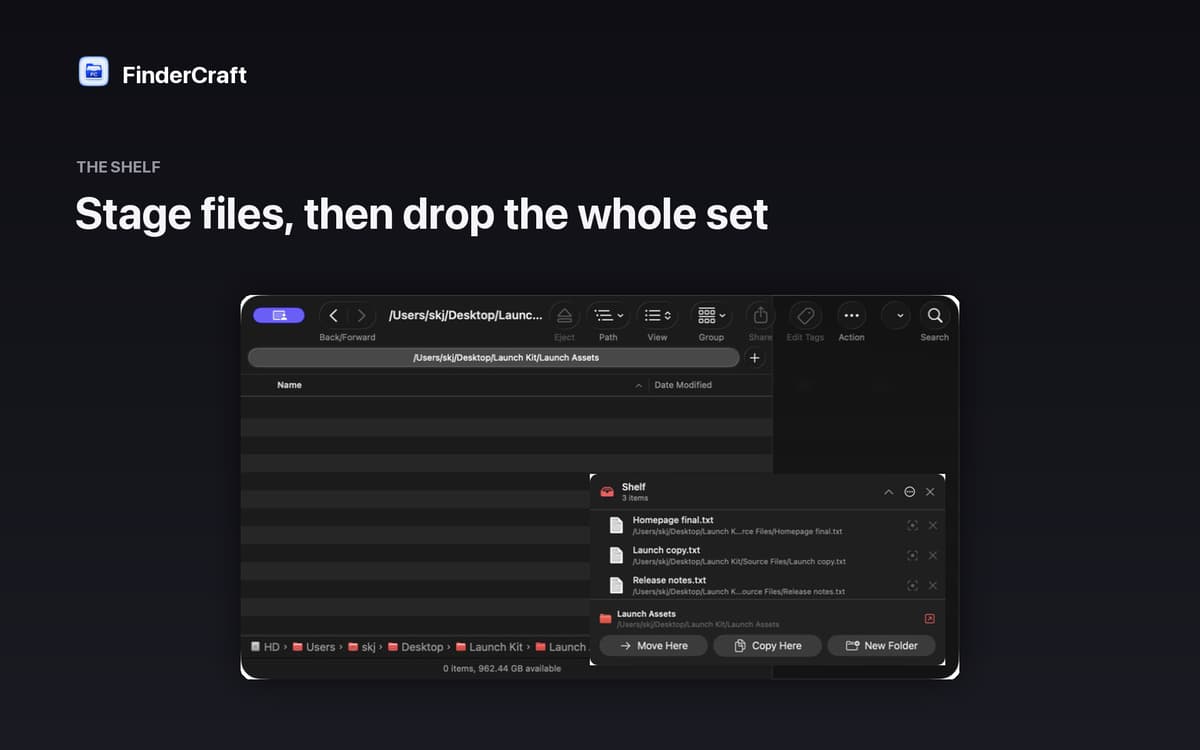
Stage files before you move them
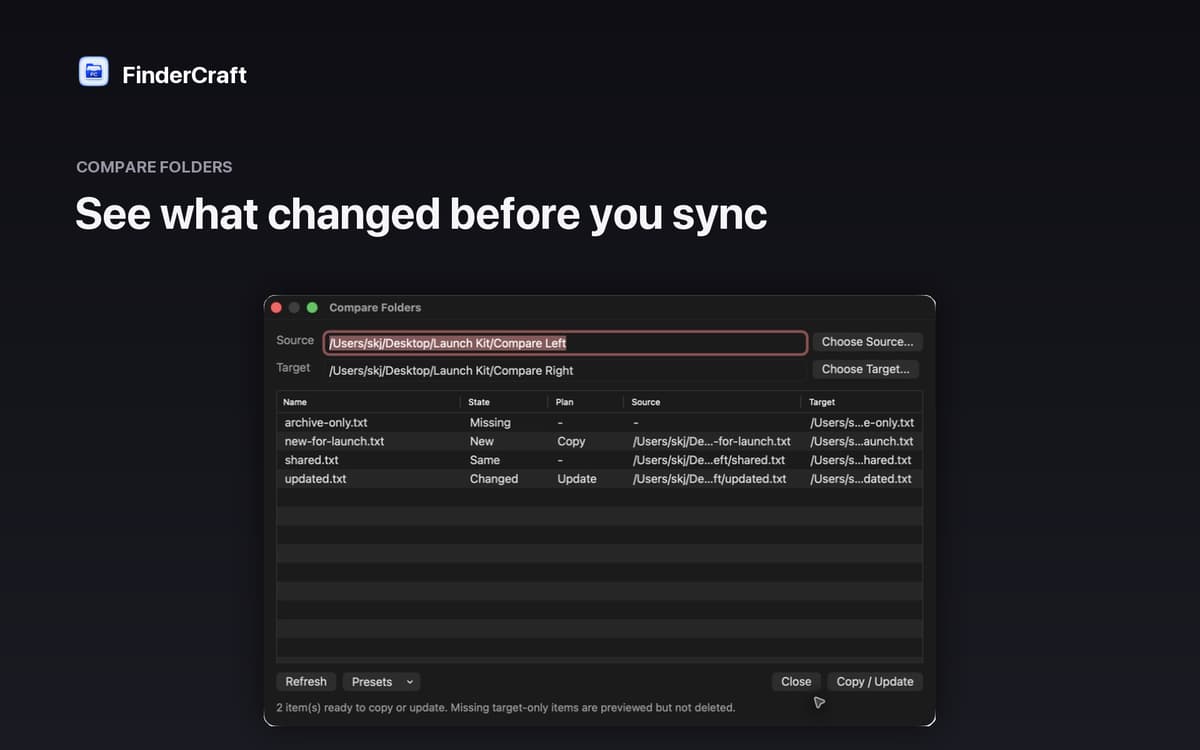
Compare two folders side by side
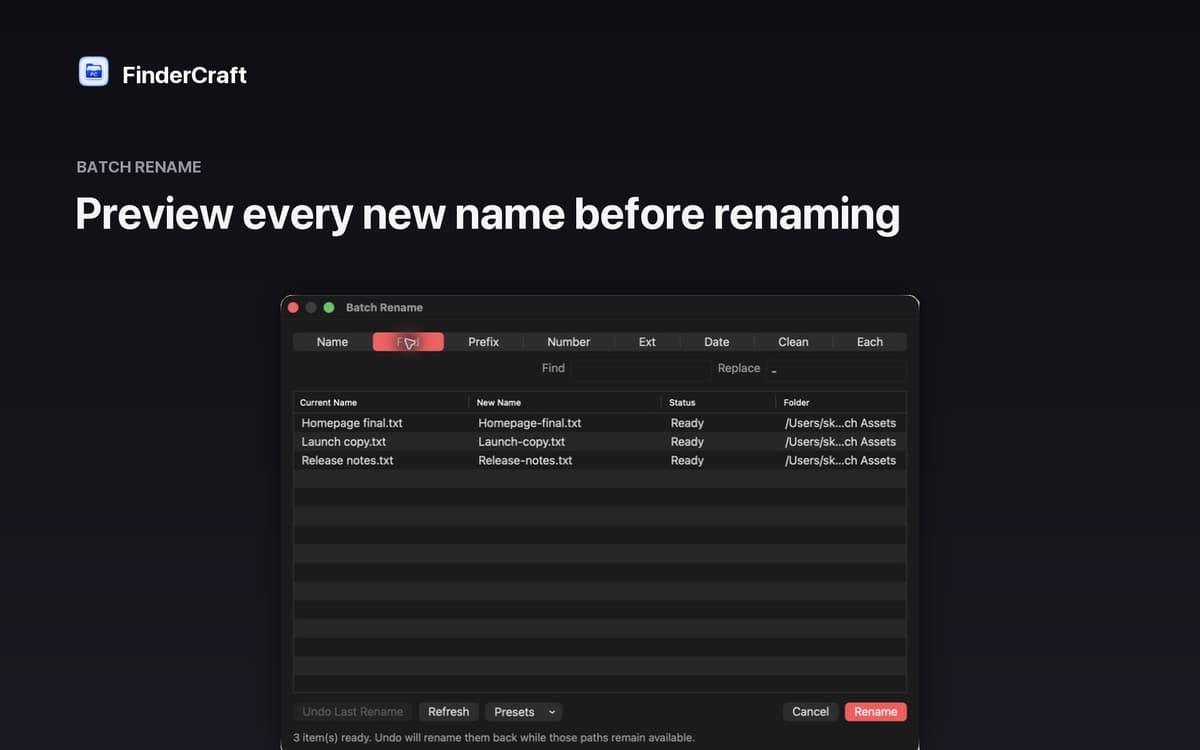
Batch rename with a live preview
Sort files into folders in one go
Características de FinderCraft
The Shelf: your staging tray
Moving files between folders usually means juggling two windows at once. The Shelf gives you a neutral staging area instead. Drop files from any Finder window, then move the whole batch to its destination in one calm step. Less chaos, fewer mistakes.
Keyboard shuttle
Don't want to reach for the mouse every time? Stage your current Finder selection onto the Shelf with a single keystroke. It's a small thing that makes a big difference when you're working through a lot of files quickly.
Compare Folders
Not sure what's actually different between two folders? FinderCraft lines them up and tells you exactly what's missing, new, identical, or changed — before touching anything. You review the plan, then decide what to copy or update.
Batch Rename
Renaming files one by one is tedious. With Batch Rename, you see every new filename next to the original before committing. Adjust the pattern, check the preview, confirm — done. No surprises.
Tidy Up
Screenshots piling up on your Desktop? Tidy Up sorts files into clear folders by type — images, documents, audio, video, archives, code, and more. One action, instant order.
Safe by default
FinderCraft previews risky changes before they happen, never silently overwrites files, and records what it did so you can undo. Native AppKit, built for macOS 14 and later. Private by design: no account, no analytics, no trackers.
Suscríbete y accede a cientos de apps
Suscríbete a Setapp y usa cientos de apps fantásticas con una sola suscripción.
Pruébalo 7 días gratis y luego paga una única cuota.
Instala Setapp en tu Mac
Apps de Mac, iOS y web para encontrar soluciones a tus desafíos cotidianos.

Consigue la app que buscabas
Esa app increíble y reluciente te espera en Setapp. Instálala con un clic.

FinderCraft
Elige la suscripción
Una app o más con Setapp Membership. Consigue las apps a tu manera.

Suscríbete y accede a cientos de apps
Suscríbete a Setapp y usa cientos de apps fantásticas con una sola suscripción.
Pruébalo 7 días gratis y luego paga una única cuota.
1
Instala Setapp en tu Mac
Apps de Mac, iOS y web para encontrar soluciones a tus desafíos cotidianos.
2
Consigue la app que buscabas
Esa app increíble y reluciente te espera en Setapp. Instálala con un clic.
FinderCraft
3
Elige la suscripción
Una app o más con Setapp Membership. Consigue las apps a tu manera.
Las mejores apps bajo un mismo paraguas
Tanto para las tareas rutinarias como para los proyectos creativos, programación o planificación, todo es más fácil con las apps de Setapp.

TypingMind
Chat de IA con una interfaz alternativa
genera o resume texto
usa la biblioteca de prompts
IA

Spark Mail
Gestiona tus correos
IA

CleanMyMac
Elimina los archivos de más

Bartender
Personaliza la barra de menús

CleanShot X
Personaliza tus capturas de pantalla

Luminar Neo
Edita tus fotos
IA

ClearVPN
Conéctate con más seguridad

Craft
Trabaja con documentos
IA
FinderCraft
Finder, but more in control