
FocuSee
Graba la pantalla y mejora los videos
Mac
Versión 2.5.0
macOS 11.5 o posterior
300.9 MB
8 idiomas
Editar videos para los tutoriales, demos o las redes sociales puede llevar horas. FocuSee simplifica el proceso agregando de forma automática el zoom, los resaltados del cursor, fondos y superposiciones para que tus videos sean impecables. Solo tienes que hacer la grabación y FocuSee transformará tu grabación sin editar en un contenido de aspecto profesional de forma rápida y sencilla.
Graba la pantalla, la webcam y la voz a la vez
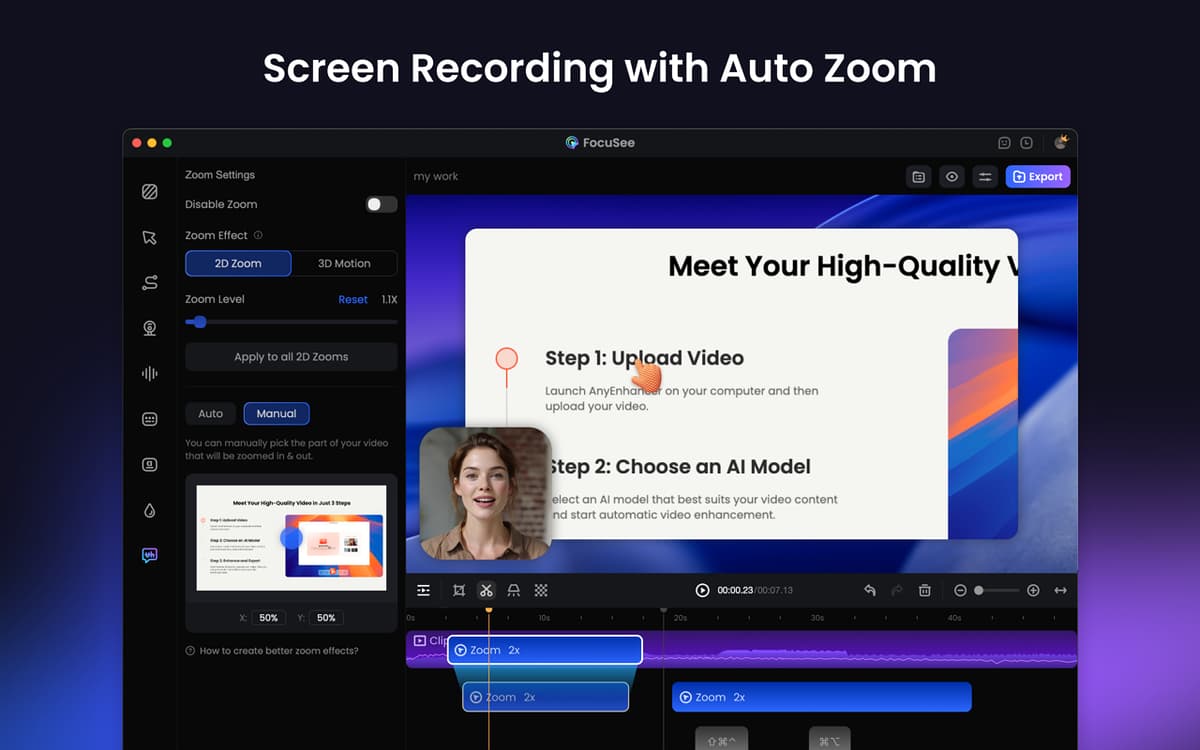
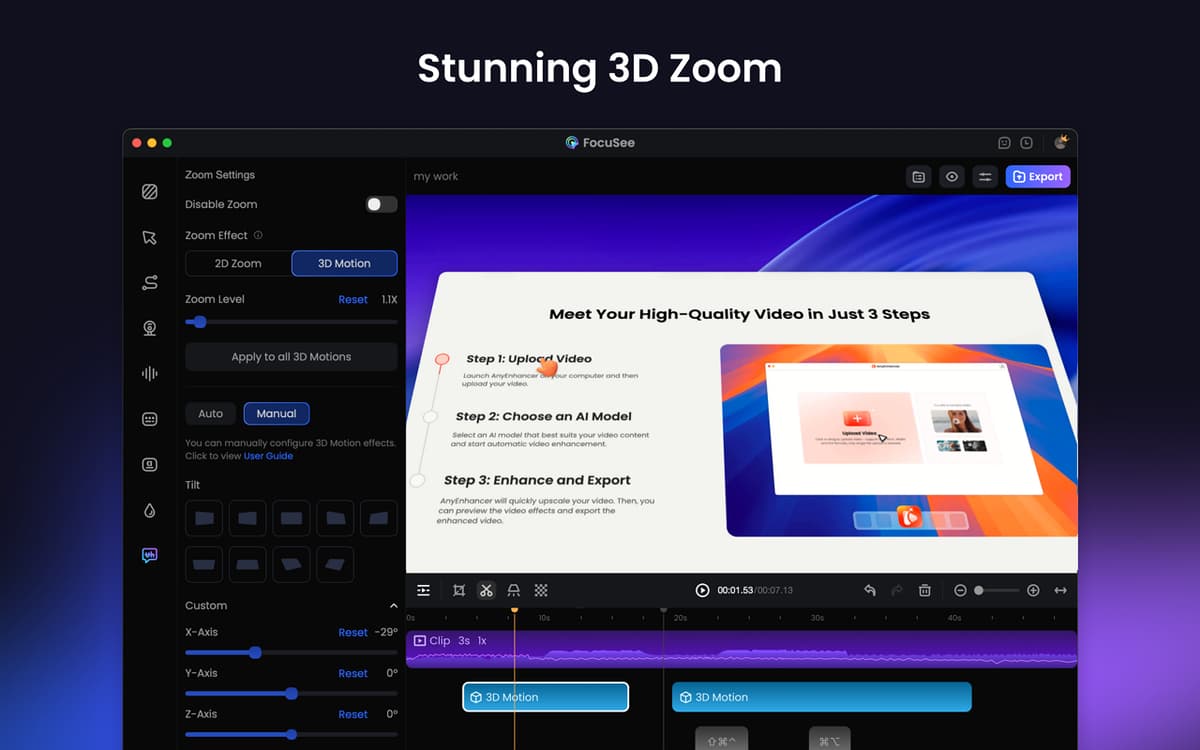
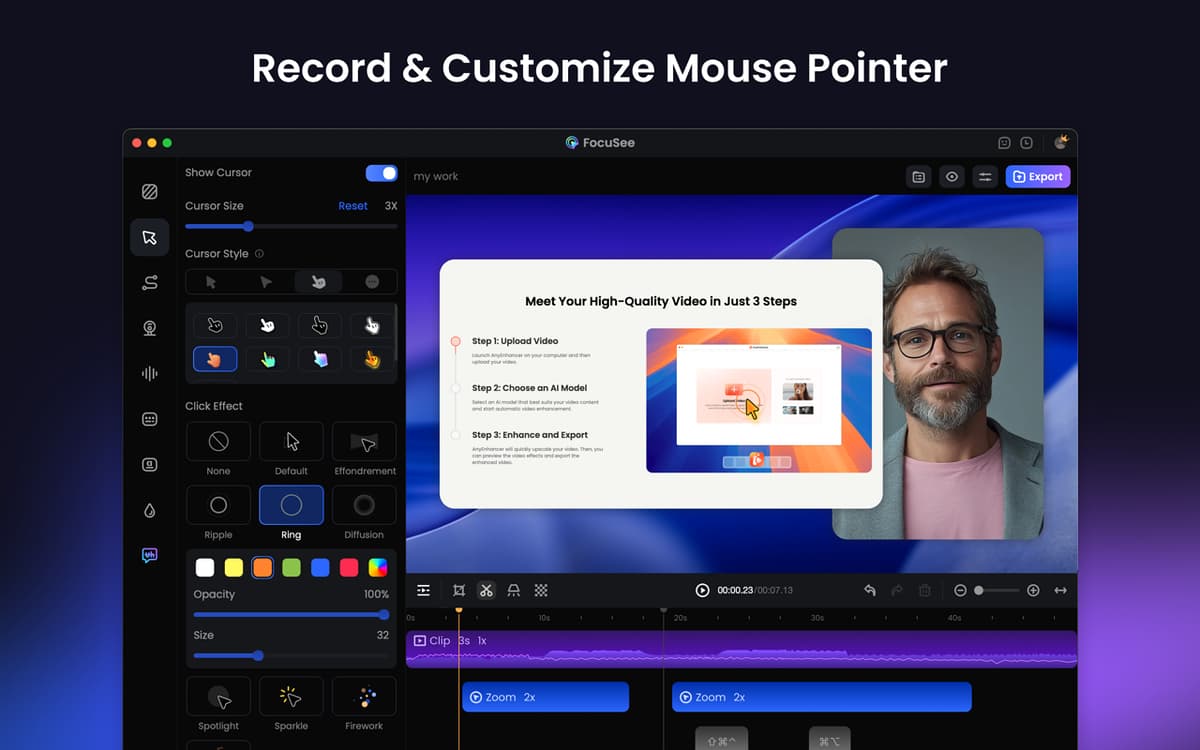
Resalta las acciones con el cursor y el zoom
Recorta, ajusta la velocidad, elimina el ruido
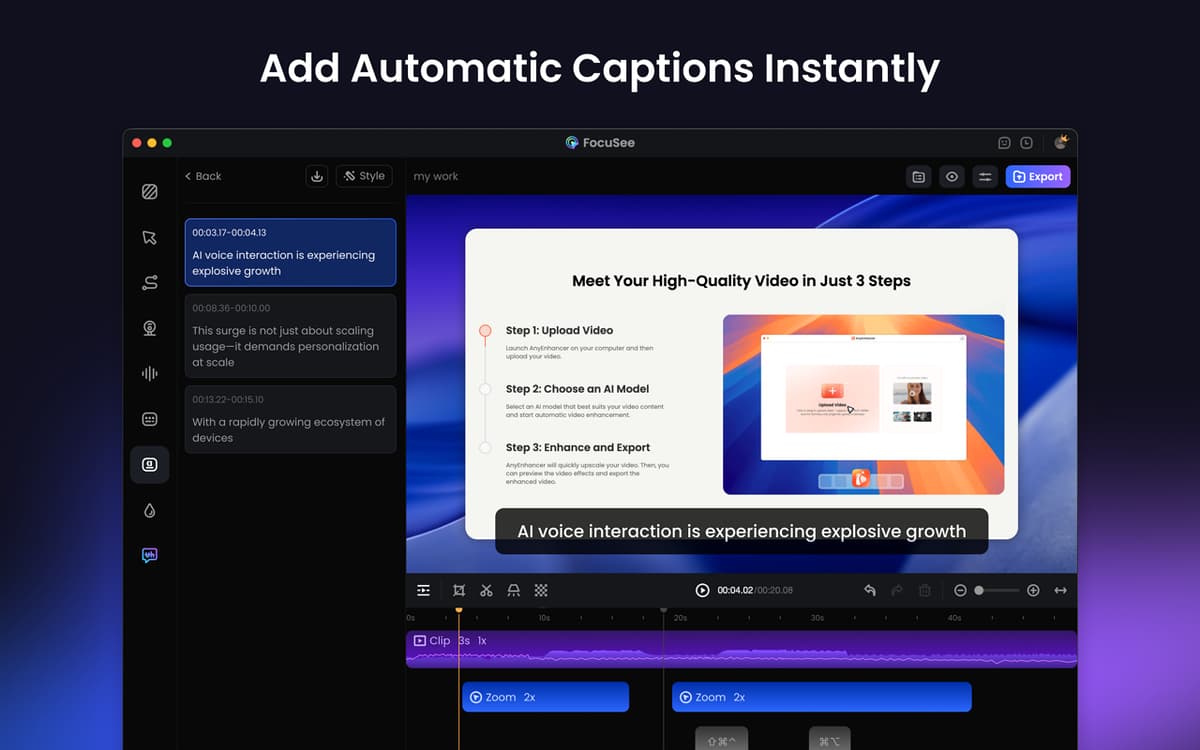
Usa el script de desplazamiento y añade subtítulos
Características de FocuSee
Captúralo todo a la vez
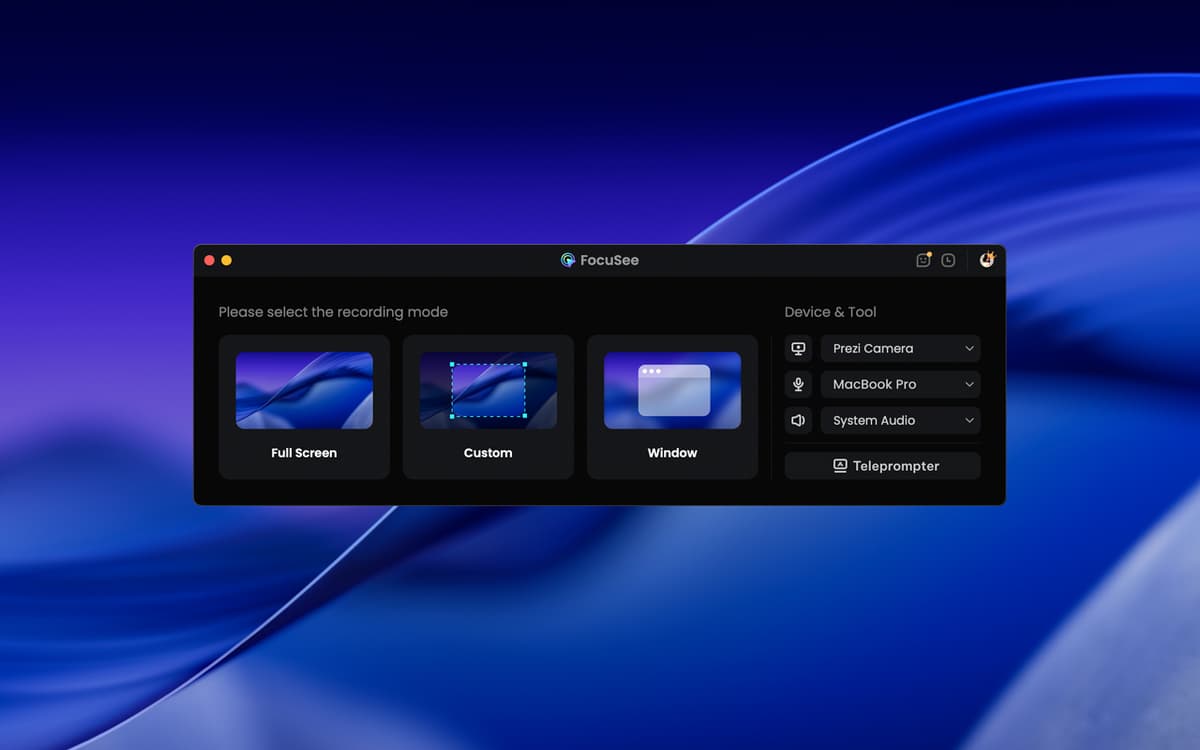
FocuSee te permite capturar tu pantalla, cámara web y voz de forma simultánea. Puedes grabar toda la pantalla, una ventana específica o un área específico. Perfecto para las demos, tutoriales, presentaciones de ventas y mucho más. La app puede seguir el cursor automáticamente, resaltar lo que es más importante e incluso agregar zooms de forma suave. ¿Quieres mostrar atajos de teclado durante la grabación? También puedes hacerlo.
Mejora y personaliza tus vídeos
Después de hacer la grabación, puedes recortar los clips, cambiar la velocidad de reproducción (incluso para secciones específicas), agregar llamadas a la acción, usar marcos y filtros de cámara, agregar fondos y muchas cosas más. ¿Lo mejor de todo? Puedes guardar tus ajustes preferidos en forma de preajustes para utilizarlos en el futuro, lo cual agilizará y optimizará tu flujo de trabajo.
Añade narración y subtítulos
Utiliza la función de teleprompter para ver el guion en la pantalla, haciendo que puedas verlo fácilmente y grabar vídeos de forma fluida y segura. También puedes aumentar el volumen del audio y reducir el ruido de fondo para obtener un sonido nítido y de alta calidad. Por último, añade subtítulos para quienes lo necesiten para comprender mejor el contenido.
Comparte tus vídeos en cualquier lugar
Exporta tus vídeos en alta calidad — desde HD hasta 4K — listos para ser subidos a YouTube, las redes sociales o usados en las presentaciones. Cambia el tamaño para diferentes plataformas con solo hacer varios clics. Además, crea un enlace para compartir tus videos fácilmente para que puedas enviarlos directamente o incluirlos en tu sitio web o cursos online.
Valoraciones y reseñas
FocuSee
•
181 valoraciones
Giuseppe Mineo
10 oct 2026
Versión de la app: 2.5.0
love it!
Ariadny Austin
21 sept 2026
Versión de la app: 2.5.0
excelente programa para hacer tutoriales muy facil de utilizar
D
4 ago 2026
Versión de la app: 2.4.0
Love the ease and flexibility of this app and that it gives a polished look automatically.
Suscríbete y accede a cientos de apps
Suscríbete a Setapp y usa cientos de apps fantásticas con una sola suscripción.
Pruébalo 7 días gratis y luego paga una única cuota.
Instala Setapp en tu Mac
Apps de Mac, iOS y web para encontrar soluciones a tus desafíos cotidianos.

Consigue la app que buscabas
Esa app increíble y reluciente te espera en Setapp. Instálala con un clic.

FocuSee
Elige la suscripción
Una app o más con Setapp Membership. Consigue las apps a tu manera.

Suscríbete y accede a cientos de apps
Suscríbete a Setapp y usa cientos de apps fantásticas con una sola suscripción.
Pruébalo 7 días gratis y luego paga una única cuota.
1
Instala Setapp en tu Mac
Apps de Mac, iOS y web para encontrar soluciones a tus desafíos cotidianos.
2
Consigue la app que buscabas
Esa app increíble y reluciente te espera en Setapp. Instálala con un clic.
FocuSee
3
Elige la suscripción
Una app o más con Setapp Membership. Consigue las apps a tu manera.
Las mejores apps bajo un mismo paraguas
Tanto para las tareas rutinarias como para los proyectos creativos, programación o planificación, todo es más fácil con las apps de Setapp.

TypingMind
Chat de IA con una interfaz alternativa
genera o resume texto
usa la biblioteca de prompts
IA

Spark Mail
Gestiona tus correos
IA

CleanMyMac
Elimina los archivos de más

Bartender
Personaliza la barra de menús

CleanShot X
Personaliza tus capturas de pantalla

Luminar Neo
Edita tus fotos
IA

ClearVPN
Conéctate con más seguridad

Craft
Trabaja con documentos
IA
FocuSee
Graba la pantalla y mejora los videos