
Insomniac
Mantén tu Mac despierto, con inteligencia
Mac
Versión 1.0.2
macOS 13.5 o posterior
21.8 MB
15 idiomas
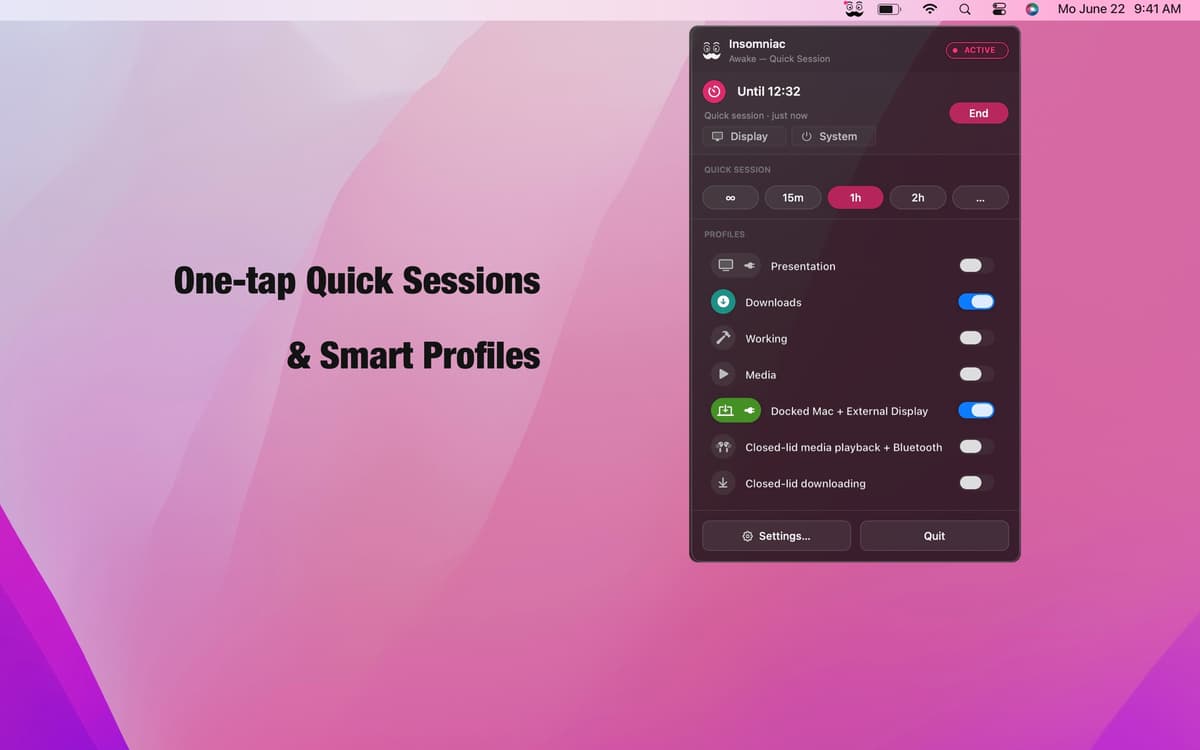
Insomniac es una aplicación para Mac que evita el reposo del sistema de forma inteligente según el contexto. Olvídate del interruptor siempre activo: usa un motor de reglas en su lugar. Crea perfiles a partir de más de 30 activadores, como el estado de la tapa, la reproducción de audio, la carga de la CPU, los eventos del calendario y la alimentación de CA, e Insomniac hace el resto: activa el ordenador cuando se cumple la condición y lo suspende cuando no. Los ajustes inteligentes de batería, calor y calendario garantizan que nunca trabaje en tu contra. Vive en tu barra de menús. No te interrumpe.
Mantén tu Mac activo durante las presentaciones
Evita que el Mac entre en reposo al descargar
Mantente despierto con la pantalla externa activa
Pausa automática cuando la batería está baja
Características de Insomniac
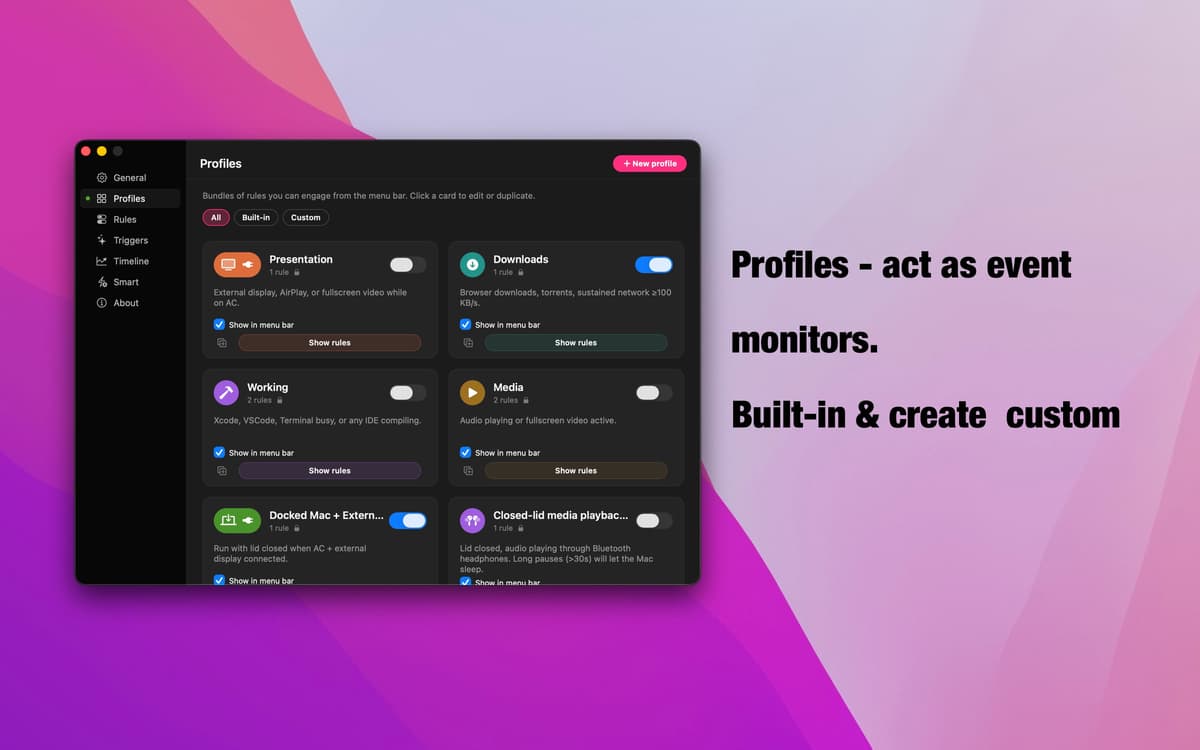
Perfiles: monitorización basada en eventos
Siete perfiles predefinidos cubren los escenarios más comunes: presentaciones, descargas, reproducción multimedia, configuraciones acopladas, modo con la tapa cerrada y más. Cada uno vigila una señal concreta, se activa automáticamente cuando se produce y se detiene al terminar. Crea el tuyo en segundos: ponle un nombre, añade tus reglas y listo.
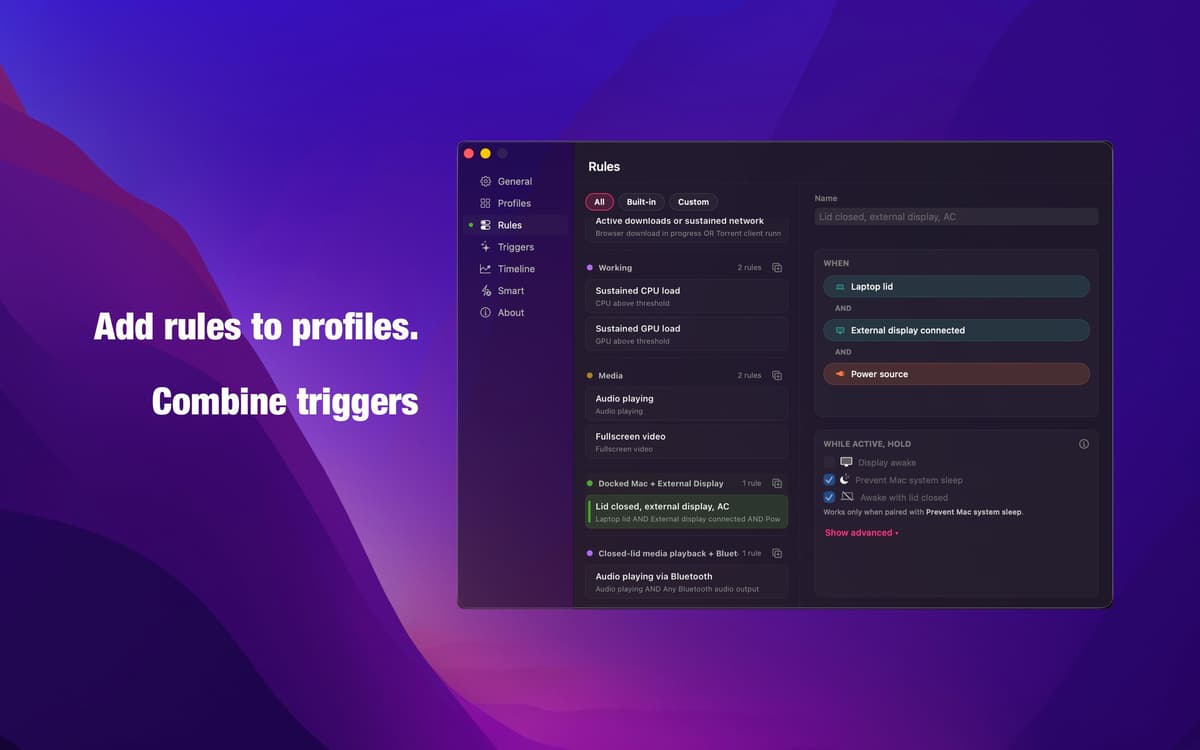
Editor de reglas: lógica que hace lo que dices
Combina cualquier activador con lógica AND, OR y NOT para crear exactamente la condición que necesitas. Sin modos automáticos imprecisos, sin suposiciones. El mismo motor que impulsa todos los perfiles integrados está completamente a tu disposición: preciso, transparente y configurable a tu gusto.
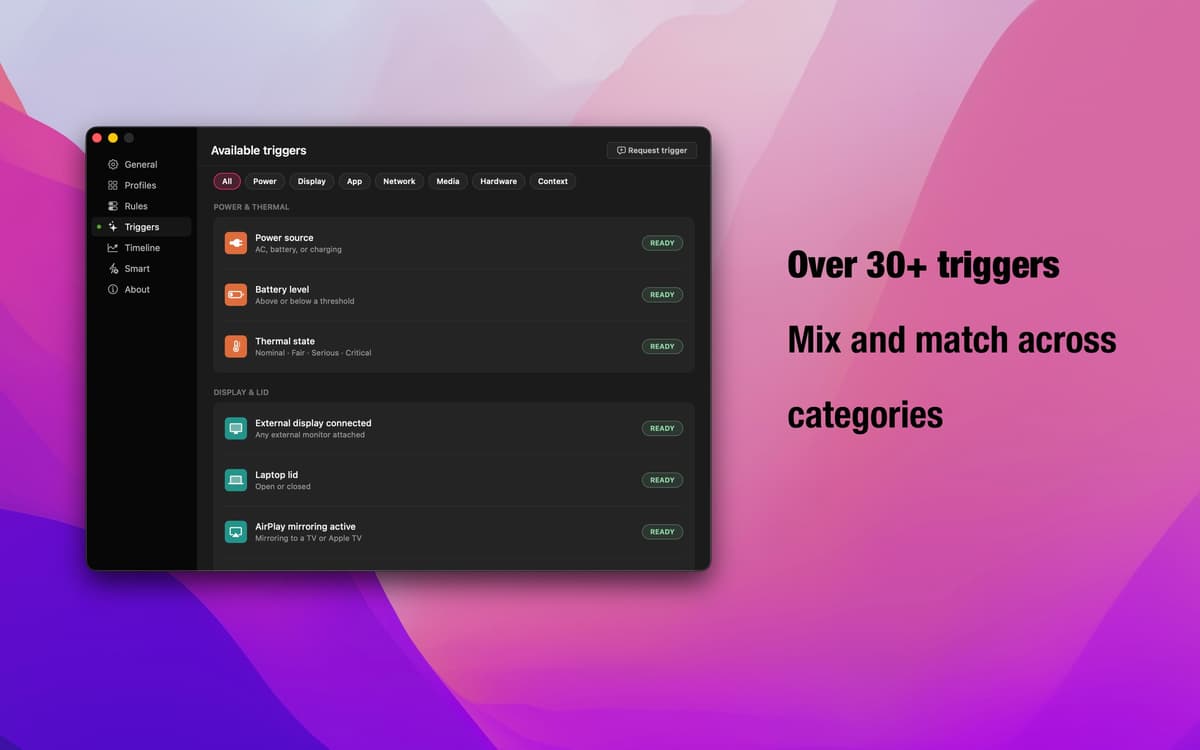
Más de 30 activadores: todas las señales de macOS
Estado de la tapa, pantalla externa, AirPlay, aplicaciones en ejecución, descargas del navegador, reproducción de audio, conexiones Bluetooth, eventos del calendario, carga de CPU y GPU, franjas horarias, alimentación de CA, rendimiento de la red — y más. Combina diferentes categorías para cubrir cualquier flujo de trabajo.
Anulaciones inteligentes: tu red de seguridad
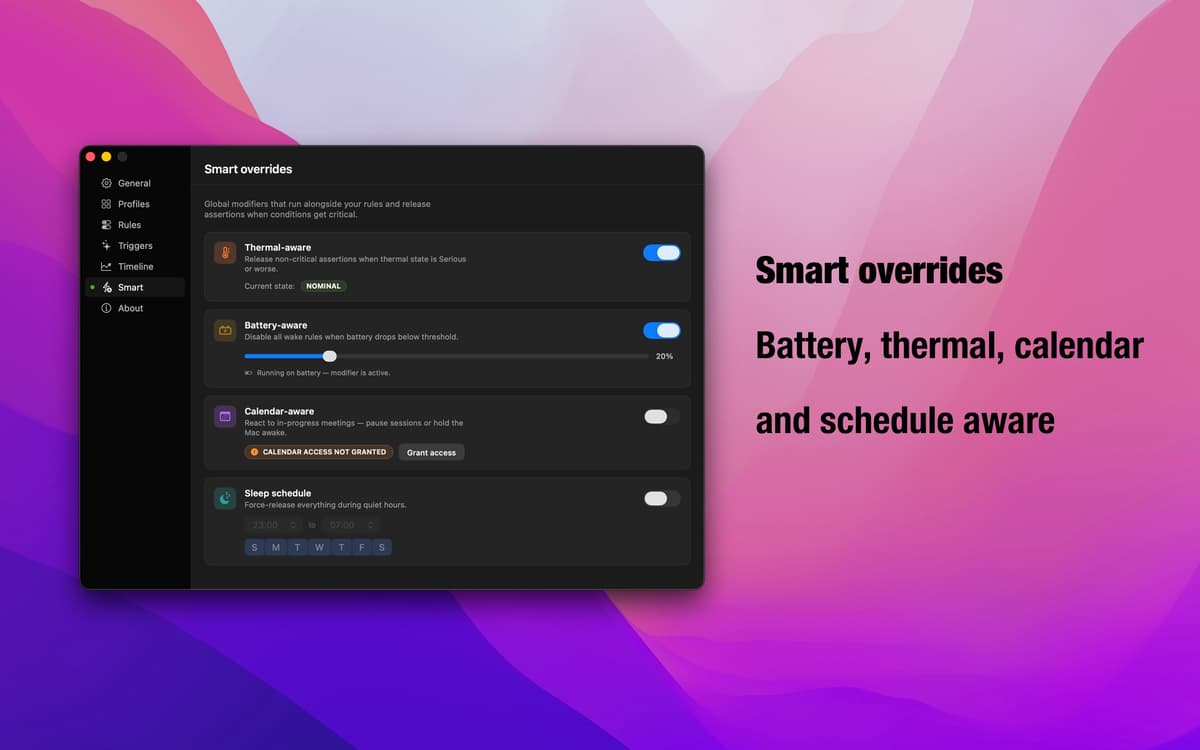
¿Te estás quedando sin batería? ¿El rendimiento de tu Mac se ve afectado por el calor? ¿Reuniones consecutivas? Las anulaciones inteligentes detectan estas condiciones y pausan automáticamente los perfiles activos. Tú decides si cada anulación detiene la prevención del modo de reposo o mantiene el Mac activo. Insomniac se adapta a lo que realmente está ocurriendo.
Aplicación en la barra de menús: siempre presente, nunca molesta
Insomniac vive discretamente en tu barra de menú. Comprueba qué está activo, cambia de perfil o ajusta la configuración sin interrumpir tu flujo. Sin icono en el Dock, sin ventanas de configuración a pantalla completa: solo los controles que necesitas, justo cuando los necesitas.
Suscríbete y accede a cientos de apps
Suscríbete a Setapp y usa cientos de apps fantásticas con una sola suscripción.
Pruébalo 7 días gratis y luego paga una única cuota.
Instala Setapp en tu Mac
Apps de Mac, iOS y web para encontrar soluciones a tus desafíos cotidianos.

Consigue la app que buscabas
Esa app increíble y reluciente te espera en Setapp. Instálala con un clic.

Insomniac
Elige la suscripción
Una app o más con Setapp Membership. Consigue las apps a tu manera.

Suscríbete y accede a cientos de apps
Suscríbete a Setapp y usa cientos de apps fantásticas con una sola suscripción.
Pruébalo 7 días gratis y luego paga una única cuota.
1
Instala Setapp en tu Mac
Apps de Mac, iOS y web para encontrar soluciones a tus desafíos cotidianos.
2
Consigue la app que buscabas
Esa app increíble y reluciente te espera en Setapp. Instálala con un clic.
Insomniac
3
Elige la suscripción
Una app o más con Setapp Membership. Consigue las apps a tu manera.
Las mejores apps bajo un mismo paraguas
Tanto para las tareas rutinarias como para los proyectos creativos, programación o planificación, todo es más fácil con las apps de Setapp.

TypingMind
Chat de IA con una interfaz alternativa
genera o resume texto
usa la biblioteca de prompts
IA

Spark Mail
Gestiona tus correos
IA

CleanMyMac
Elimina los archivos de más

Bartender
Personaliza la barra de menús

CleanShot X
Personaliza tus capturas de pantalla

Luminar Neo
Edita tus fotos
IA

ClearVPN
Conéctate con más seguridad

Craft
Trabaja con documentos
IA
Insomniac
Mantén tu Mac despierto, con inteligencia