
InSpec
The inspector that remembers
Mac
Versión 1.8
macOS 14.0 o posterior
31.9 MB
13 idiomas
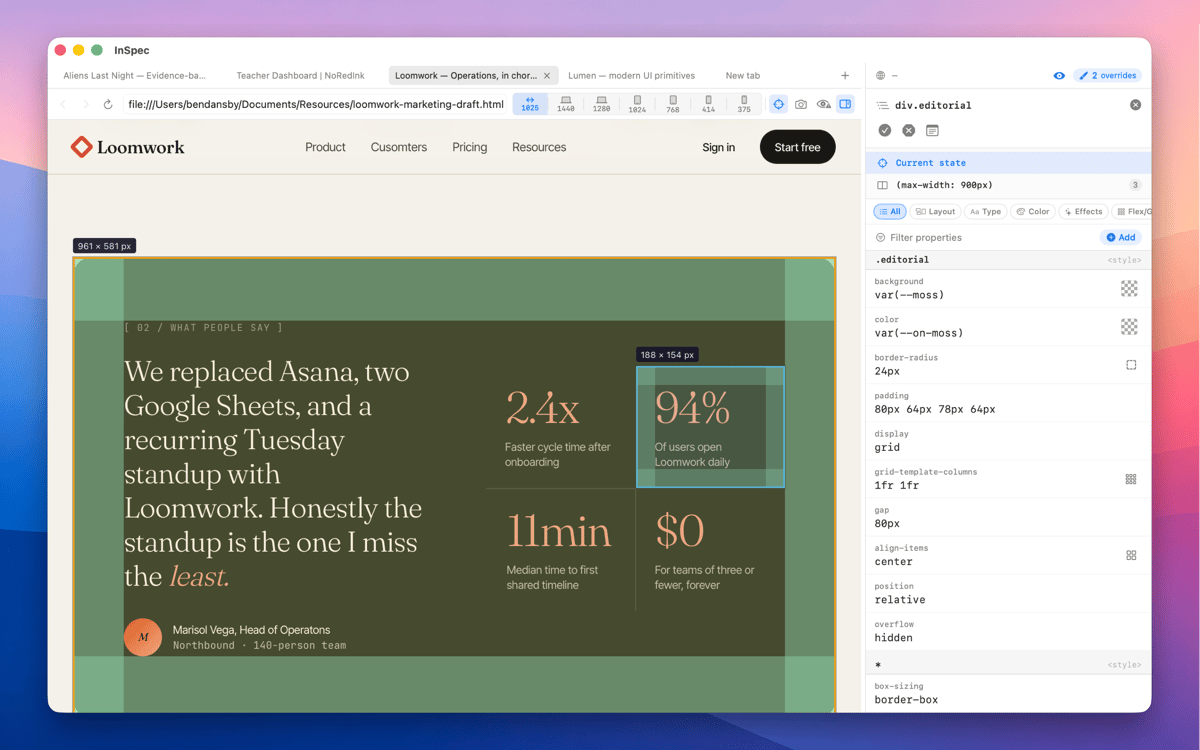
InSpec is a standalone Mac CSS editor for live web pages. Click any element to see every matching ruleset, edit declarations with real visual controls, and save your changes straight back to the right stylesheet — or into the HTML itself. Unlike browser DevTools, InSpec's edits survive reloads, tab closes, even a quit and relaunch.
Edit live CSS without losing changes
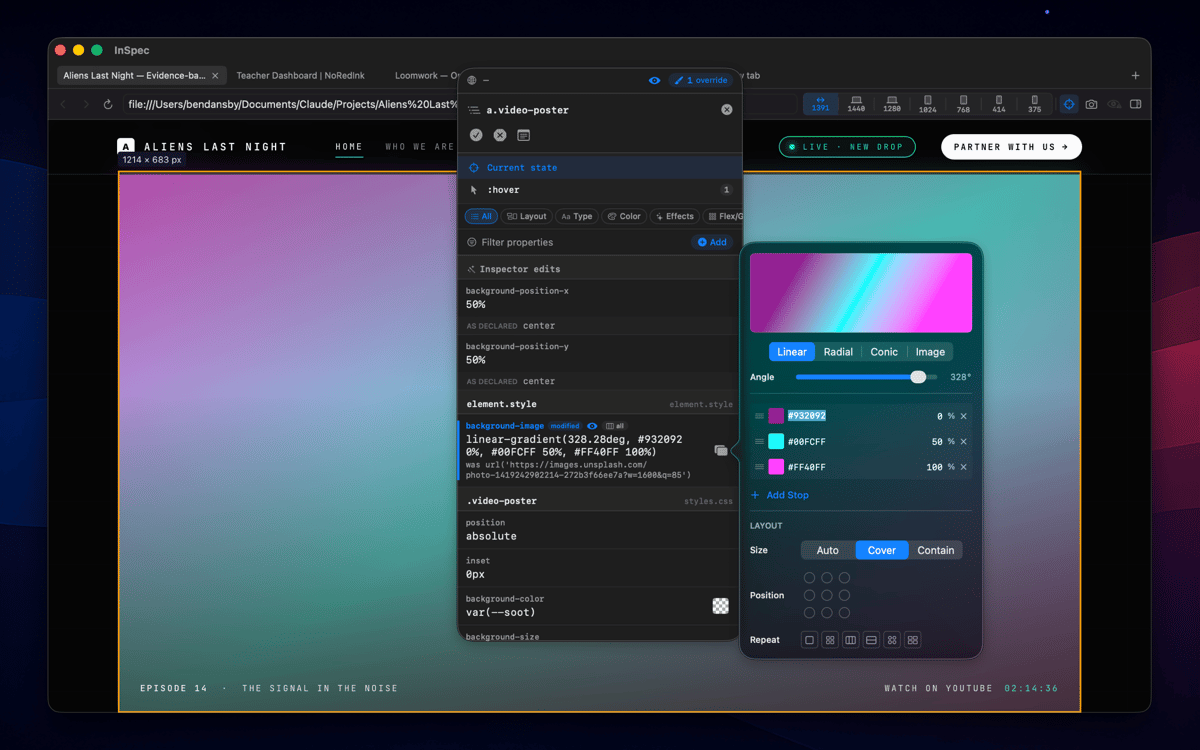
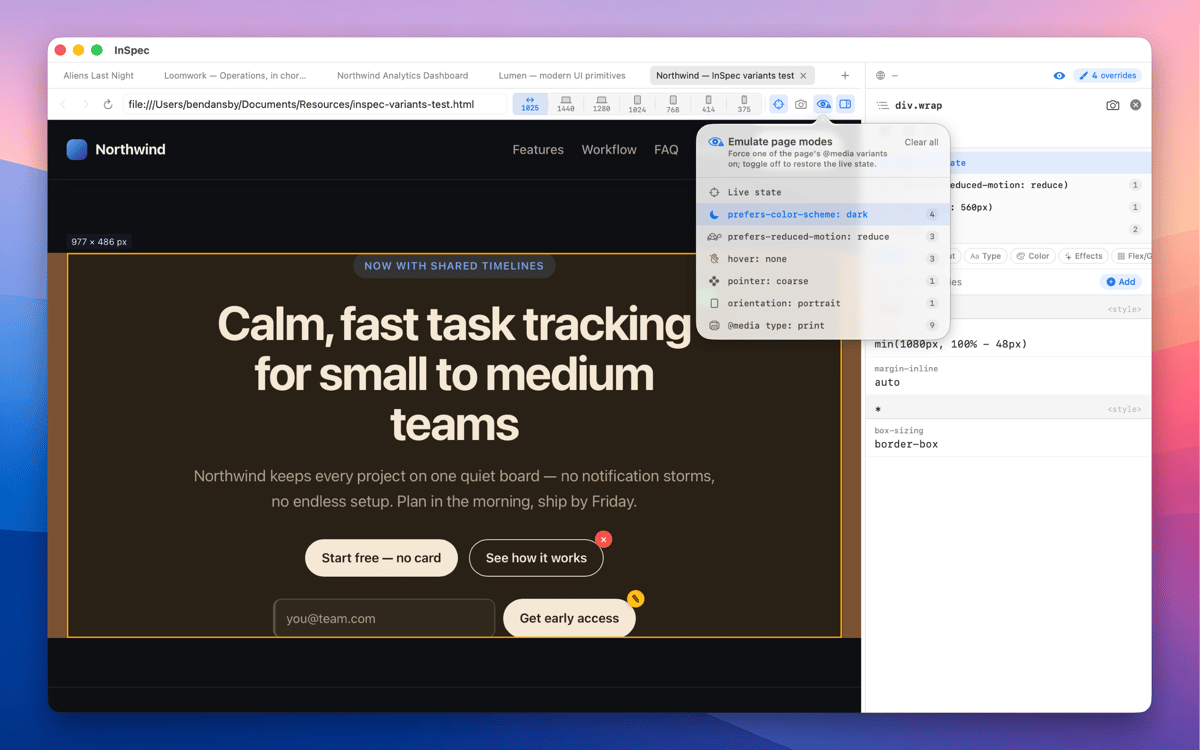
Inspect hover & dark mode states
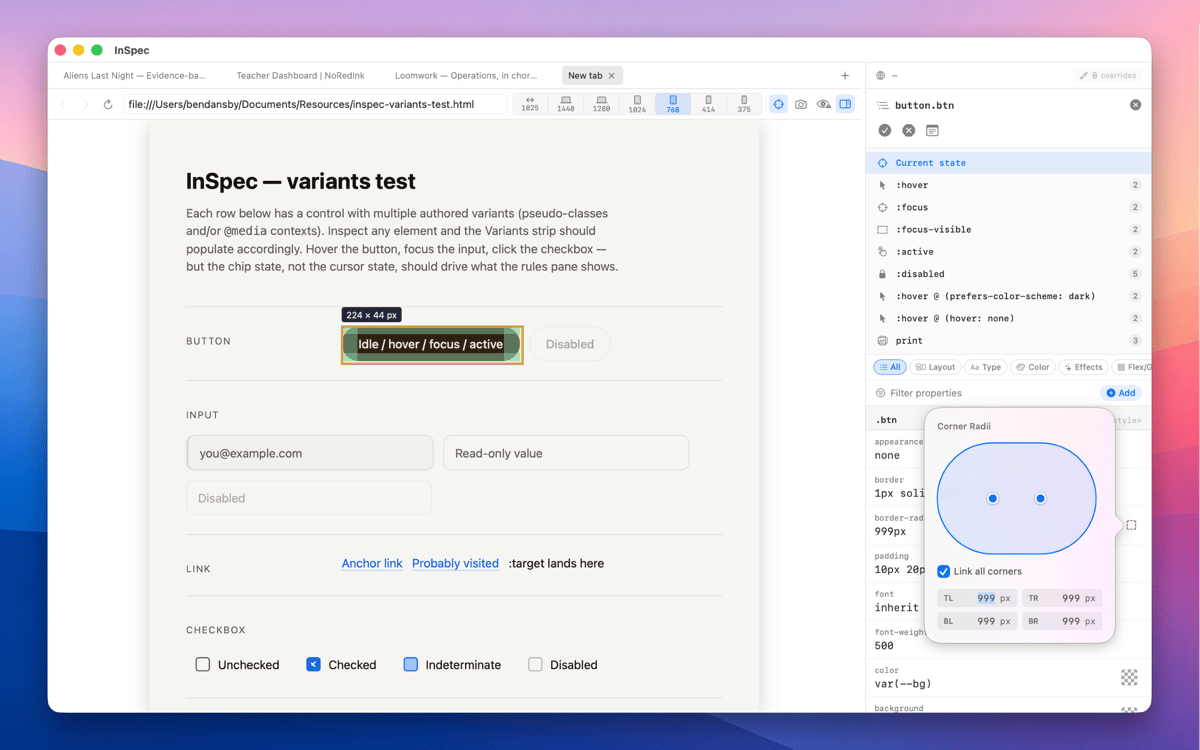
Save style edits straight to source
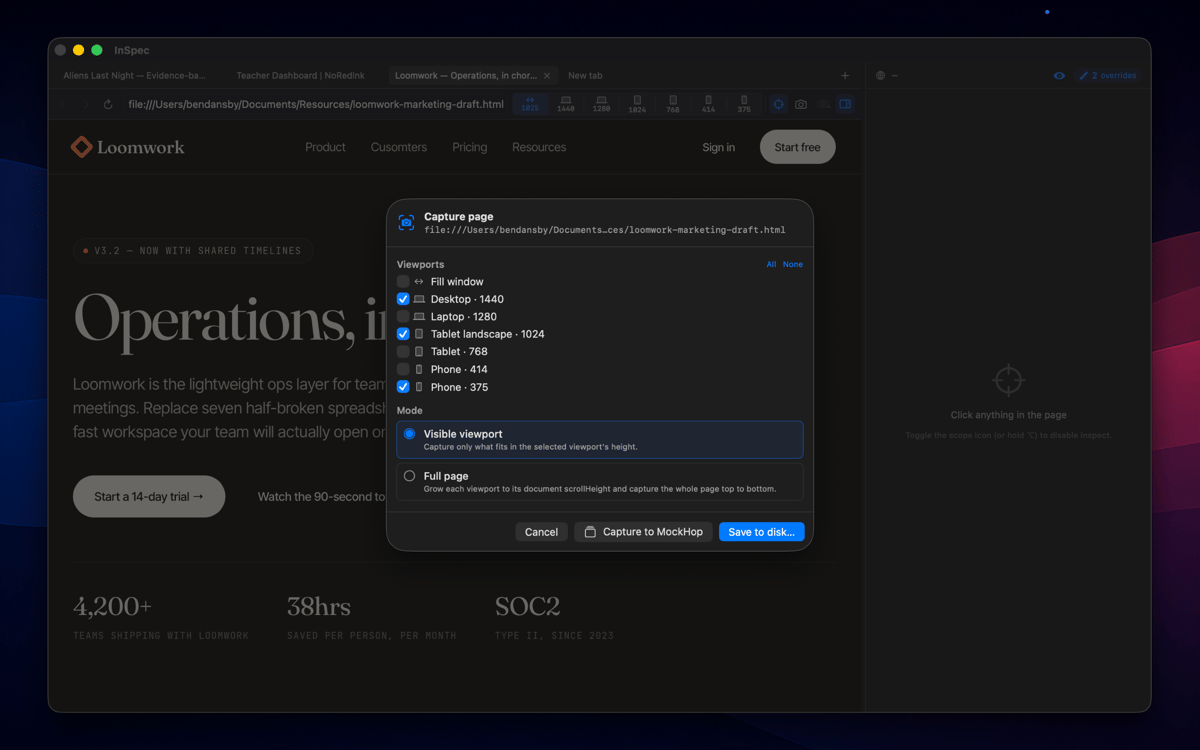
Capture styled pages at any viewport
Características de InSpec
Every variant, one click away
Switch into :hover, :focus-visible, dark mode, and other states without holding a key or freezing the DOM. InSpec just shows you the element as it actually behaves — so you can edit the styles that matter, not just the ones that are easy to reach.
Edits that survive a reload
Close the tab, reload the page, quit and relaunch — InSpec's overrides are still there. Browser DevTools forgets everything the moment the page moves. InSpec doesn't, which means you can work iteratively without starting from scratch every time.
Built for the handoff
Done tweaking? Copy your edits as clean, ready-to-paste CSS, or save them straight back to the right stylesheet or HTML file. No manual transcription, no diffing what changed. InSpec gets your edits where they need to go.
Visual editing, not just reading
Every CSS property gets the control it deserves — sliders for spacing and sizing, a color picker for anything color-related, shorthand builders for properties like border or transition. You're editing visually, not typing values blind and hoping for the best.
A spacious dedicated window
InSpec lives in its own Mac window, not squeezed into a browser sidebar you have to keep resizing. More room to see your ruleset, more room to edit, and it stays exactly where you left it.
Capture as image
Screenshot any page at any viewport size — mobile, tablet, desktop — and bake your annotations straight into the image. Useful for documentation, async feedback, or handing off exactly what you saw to a developer or client.
Suscríbete y accede a cientos de apps
Suscríbete a Setapp y usa cientos de apps fantásticas con una sola suscripción.
Pruébalo 7 días gratis y luego paga una única cuota.
Instala Setapp en tu Mac
Apps de Mac, iOS y web para encontrar soluciones a tus desafíos cotidianos.

Consigue la app que buscabas
Esa app increíble y reluciente te espera en Setapp. Instálala con un clic.

InSpec
Elige la suscripción
Una app o más con Setapp Membership. Consigue las apps a tu manera.

Suscríbete y accede a cientos de apps
Suscríbete a Setapp y usa cientos de apps fantásticas con una sola suscripción.
Pruébalo 7 días gratis y luego paga una única cuota.
1
Instala Setapp en tu Mac
Apps de Mac, iOS y web para encontrar soluciones a tus desafíos cotidianos.
2
Consigue la app que buscabas
Esa app increíble y reluciente te espera en Setapp. Instálala con un clic.
InSpec
3
Elige la suscripción
Una app o más con Setapp Membership. Consigue las apps a tu manera.
Las mejores apps bajo un mismo paraguas
Tanto para las tareas rutinarias como para los proyectos creativos, programación o planificación, todo es más fácil con las apps de Setapp.

TypingMind
Chat de IA con una interfaz alternativa
genera o resume texto
usa la biblioteca de prompts
IA

Spark Mail
Gestiona tus correos
IA

CleanMyMac
Elimina los archivos de más

Bartender
Personaliza la barra de menús

CleanShot X
Personaliza tus capturas de pantalla

Luminar Neo
Edita tus fotos
IA

ClearVPN
Conéctate con más seguridad

Craft
Trabaja con documentos
IA
InSpec
The inspector that remembers