
Kerlig
Escribe mejor en cualquier aplicación de Mac
Mac
Versión 2.8.4
macOS 12.0 o posterior
573.5 MB
1 idiomas
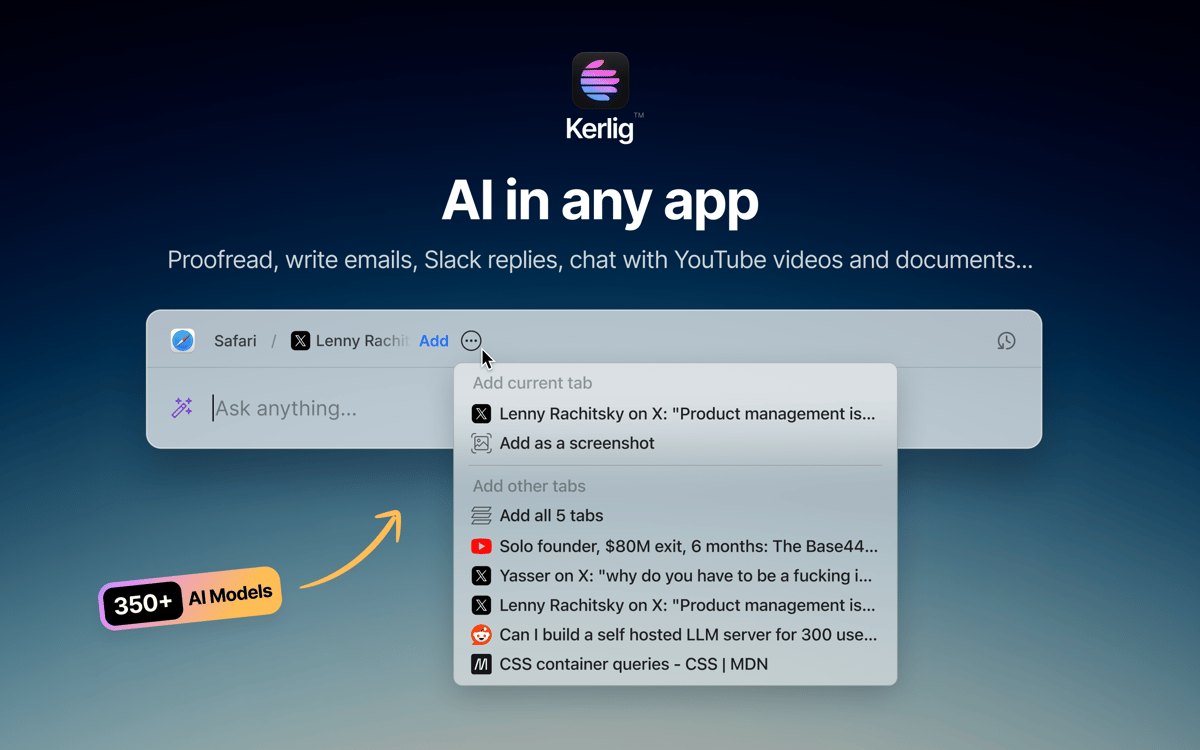
Kerlig es un asistente de escritura con IA que vive en la barra de menús de tu Mac. Pulsa un atajo y ahí estará — sin pestañas del navegador, sin cambiar de contexto. Úsalo para revisar mensajes, redactar respuestas, resumir documentos o ejecutar acciones personalizadas en cualquier app. Funciona con más de 350 modelos de OpenAI, Anthropic, Google y más, usando tus propias claves de API.
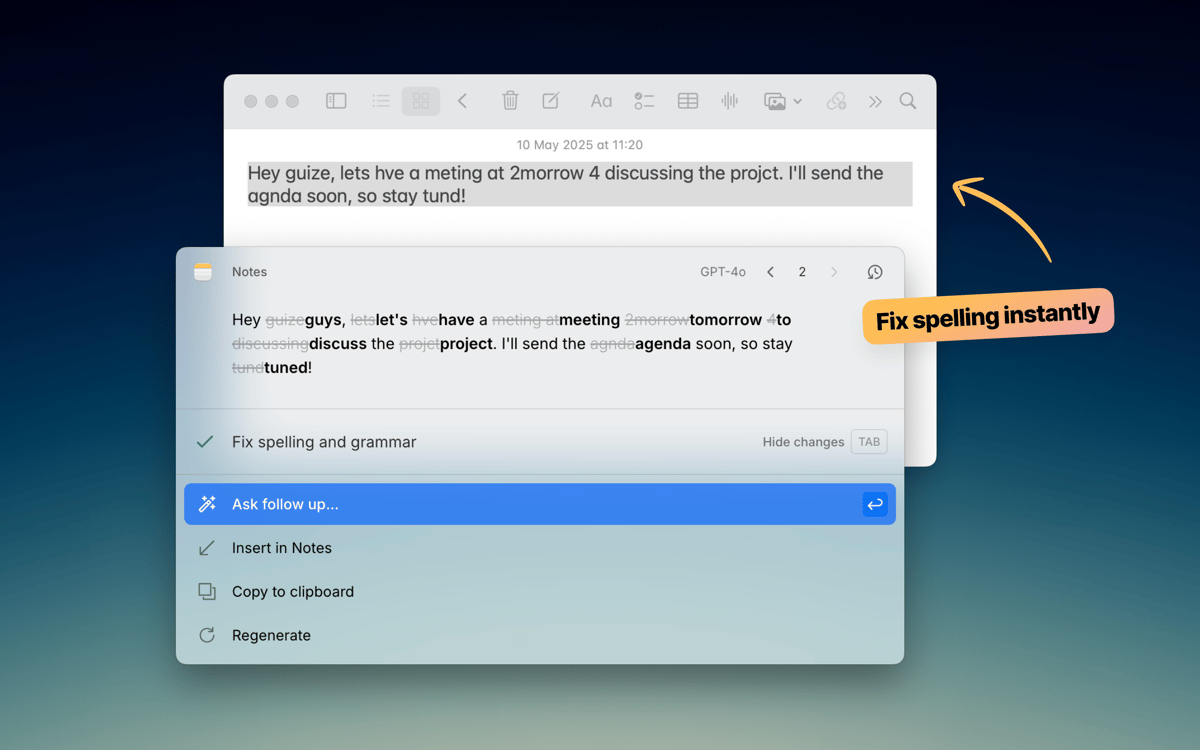
Revisa el texto antes de pulsar Enviar
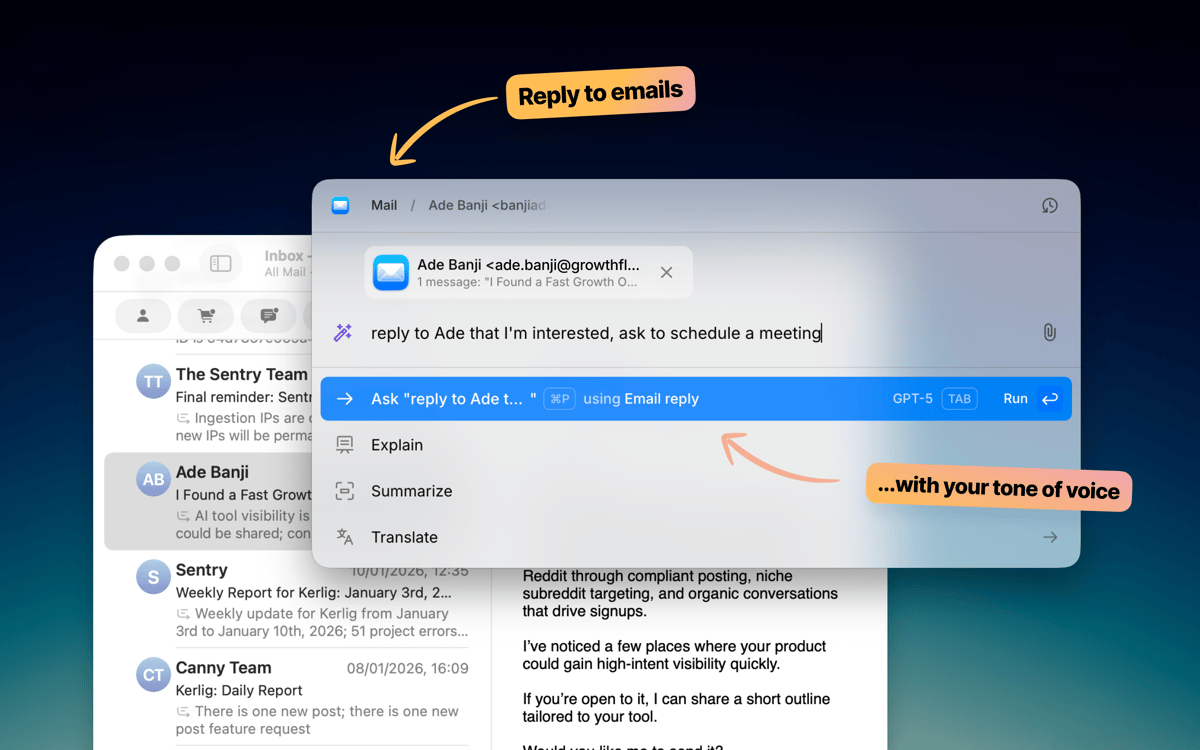
Redacta correos y respuestas en Slack más rápido
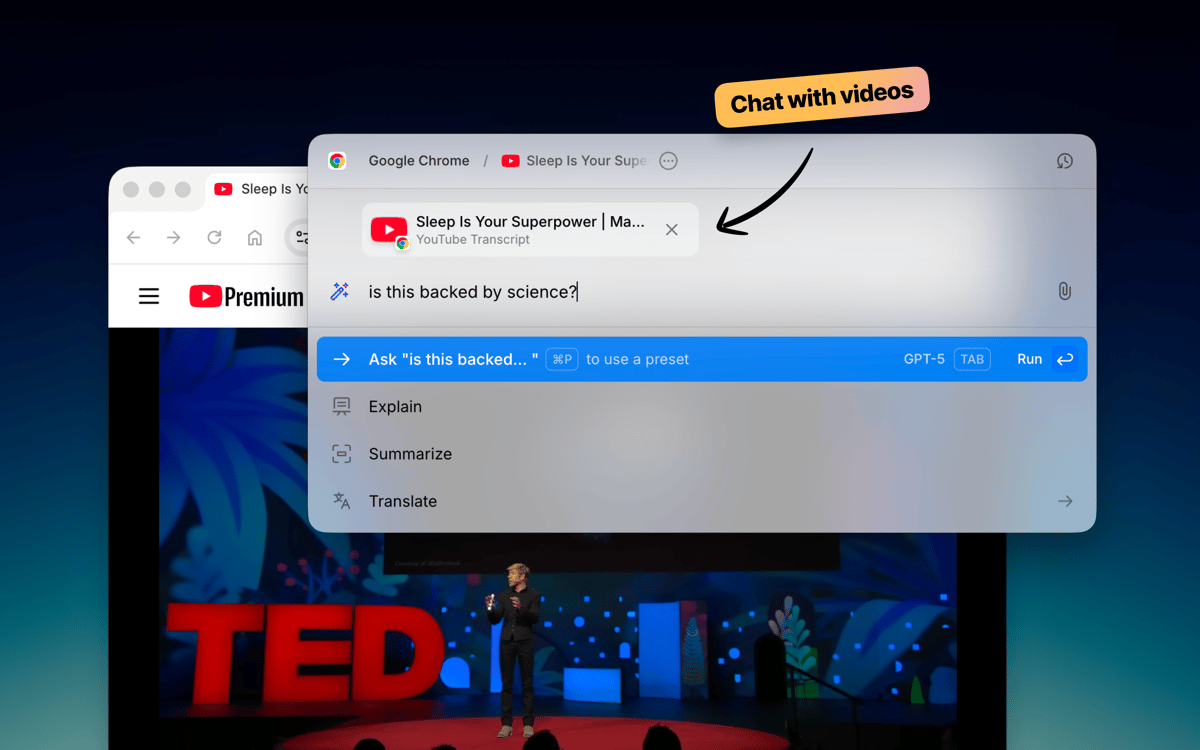
Conversa con documentos y páginas web
Ejecuta acciones de IA en cualquier app
Características de Kerlig
Escribe sin salir de tu aplicación
Kerlig no interrumpe hasta que lo necesitas. Pulsa un atajo de teclado y aparece justo donde estás trabajando — ya sea Mail, Slack, Notion u otra aplicación. Corrige la gramática, mejora un mensaje o redacta una respuesta sin abrir ni una sola pestaña del navegador. Se integra perfectamente con tu flujo de trabajo habitual en Mac.
Elige tu modelo de IA
No todas las tareas requieren el mismo modelo. Kerlig se conecta con más de 350 modelos entre OpenAI, Anthropic, Google, Groq, Perplexity y más. Cambia entre ellos con un solo clic. También puedes ejecutar modelos locales a través de Ollama, LM Studio o Apple Foundation Models si prefieres mantener todo en tu dispositivo.
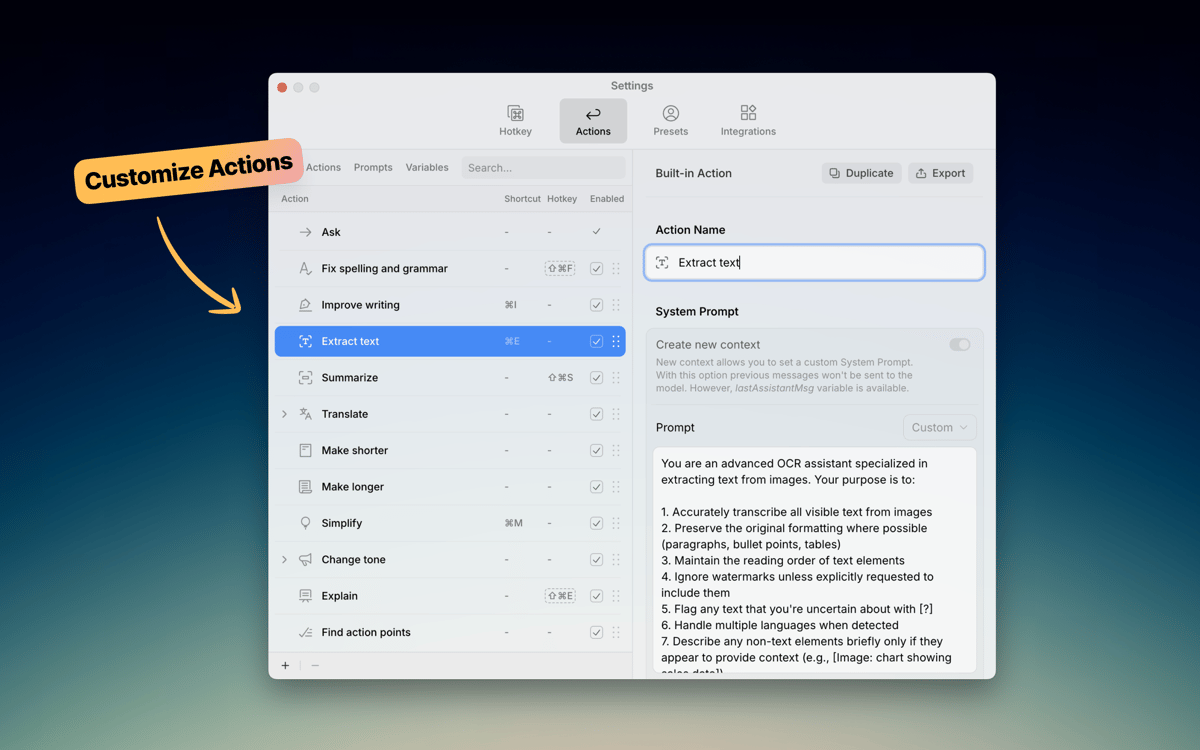
Crea tus propias acciones
Kerlig incluye prácticas acciones integradas como revisión, resumen y traducción. Pero el verdadero poder está en crear las tuyas propias. Crea indicaciones personalizadas para tareas repetitivas — redactar tickets en Jira, convertir código, generar publicaciones en redes sociales — y actívalas al instante desde el menú de atajos. Tus flujos de trabajo, tus reglas.
Conversa con documentos
Agrega un PDF, página web, libro electrónico o imagen y empieza a hacer preguntas. Kerlig te permite analizar y resumir documentos directamente en la aplicación, sin copiar y pegar fragmentos en un navegador. Es una forma rápida de obtener información relevante de los archivos con los que ya trabajas.
Configura tu tono de voz
Cada persona escribe de manera diferente. Kerlig te permite guardar ajustes de tono: informal para Slack, pulido para correos de clientes, conciso para tickets — para que tus textos generados por IA suenen como tú. Cambia entre tonos con un clic y mantén tu voz consistente en cada mensaje.
Mantén tu escritura privada
Kerlig no almacena ni utiliza tus datos para entrenamiento. Tu historial de chats permanece cifrado en tu Mac, y siempre tienes el control sobre qué proveedor de IA procesa tus solicitudes. Escribe con libertad, sabiendo que tus mensajes y documentos no se recopilan ni comparten a escondidas.
Valoraciones y reseñas
Kerlig
•
25 valoraciones
Matthias Honert
15 jul 2026
Versión de la app: 2.6.0
Yeah, nice tool. Text review is now easier than before in during different apps
kyo kou
8 may 2026
Versión de la app: 2.5.5
This app is really amazing! I particularly love its action feature, which makes everything so much easier. Before, I had to open a website to get certain AI responses, but now I can do it all with just a shortcut key.
Bowser
1 may 2026
Versión de la app: 2.5.4
This app is fantastic. I LOVE it. It’s easy to use, does what it says, and is great for changing copy on the fly without using the Claude / ChatGPT platform. Highly Recommended.
Suscríbete y accede a cientos de apps
Suscríbete a Setapp y usa cientos de apps fantásticas con una sola suscripción.
Pruébalo 7 días gratis y luego paga una única cuota.
Instala Setapp en tu Mac
Apps de Mac, iOS y web para encontrar soluciones a tus desafíos cotidianos.

Consigue la app que buscabas
Esa app increíble y reluciente te espera en Setapp. Instálala con un clic.

Kerlig
Elige la suscripción
Una app o más con Setapp Membership. Consigue las apps a tu manera.

Suscríbete y accede a cientos de apps
Suscríbete a Setapp y usa cientos de apps fantásticas con una sola suscripción.
Pruébalo 7 días gratis y luego paga una única cuota.
1
Instala Setapp en tu Mac
Apps de Mac, iOS y web para encontrar soluciones a tus desafíos cotidianos.
2
Consigue la app que buscabas
Esa app increíble y reluciente te espera en Setapp. Instálala con un clic.
Kerlig
3
Elige la suscripción
Una app o más con Setapp Membership. Consigue las apps a tu manera.
Las mejores apps bajo un mismo paraguas
Tanto para las tareas rutinarias como para los proyectos creativos, programación o planificación, todo es más fácil con las apps de Setapp.

TypingMind
Chat de IA con una interfaz alternativa
genera o resume texto
usa la biblioteca de prompts
IA

Spark Mail
Gestiona tus correos
IA

CleanMyMac
Elimina los archivos de más

Bartender
Personaliza la barra de menús

CleanShot X
Personaliza tus capturas de pantalla

Luminar Neo
Edita tus fotos
IA

ClearVPN
Conéctate con más seguridad

Craft
Trabaja con documentos
IA
Kerlig
Escribe mejor en cualquier aplicación de Mac