KeyStruck
Make every shortcut visible
Mac
Versión 1.1.6
macOS 13.0 o posterior
15.6 MB
11 idiomas
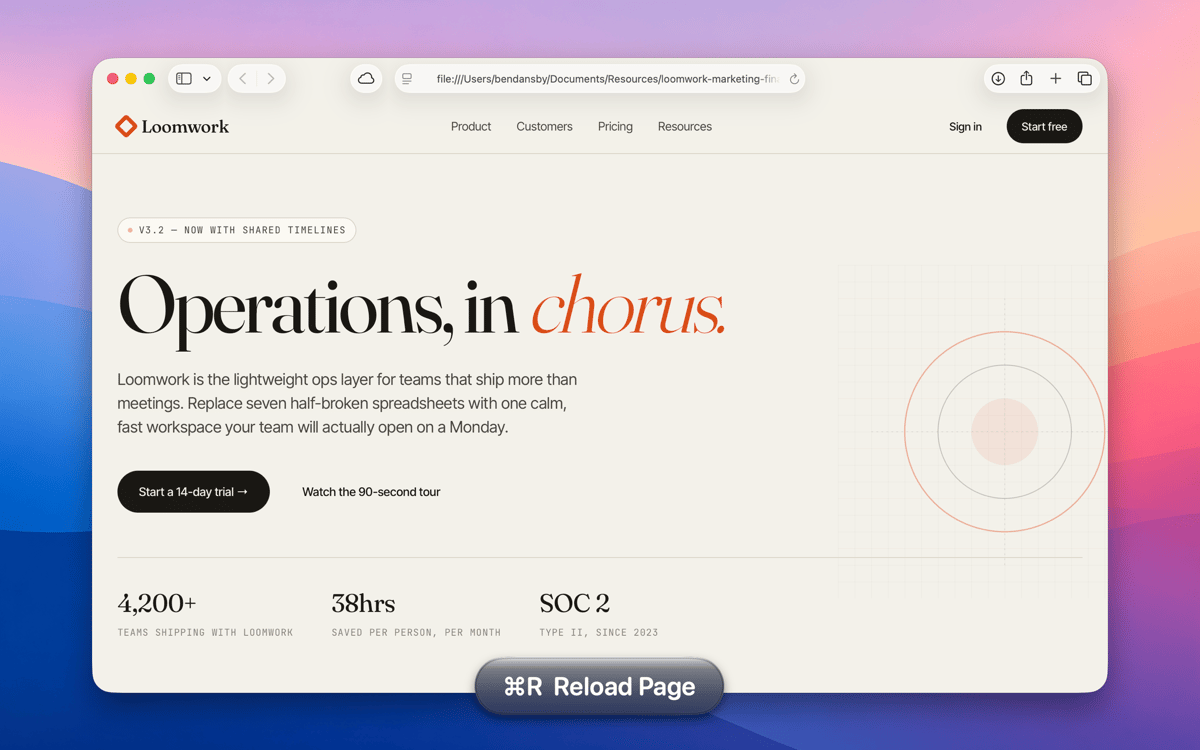
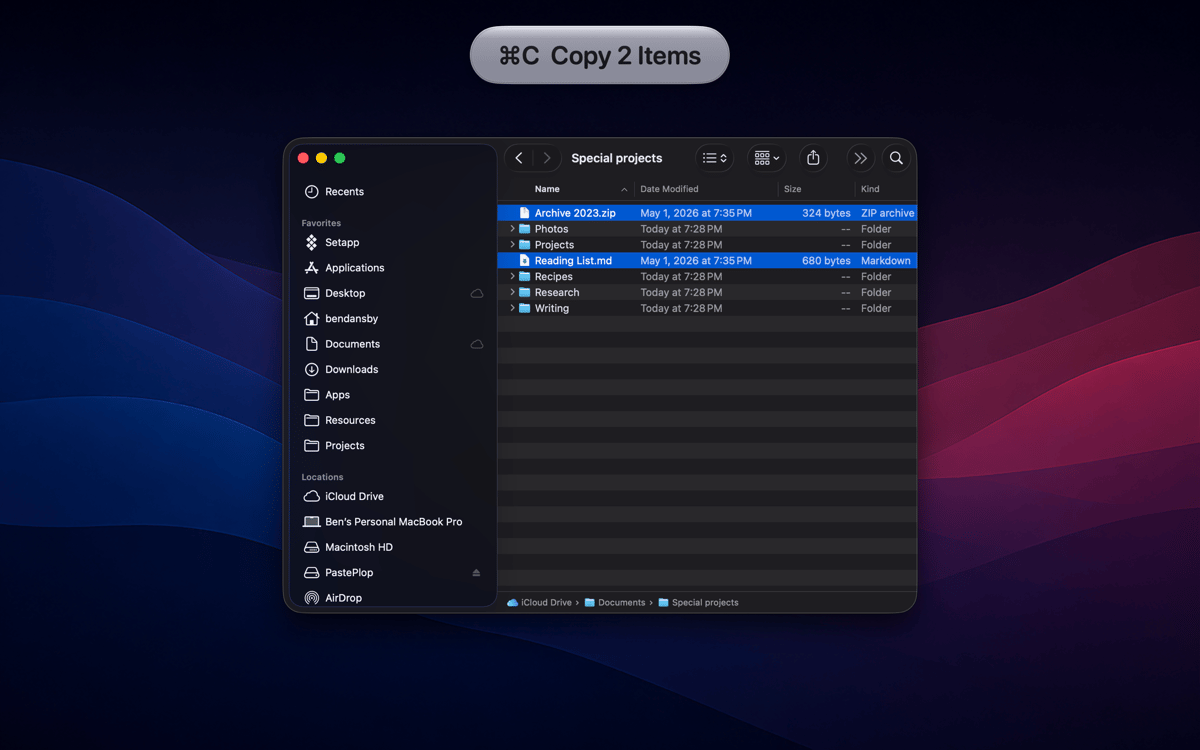
KeyStruck pops a clean HUD with the action name every time you fire a keyboard shortcut. Record a demo, run a class, or share your screen, and the audience sees what you're doing instead of leaning in to read your keyboard. It’s also great for anyone learning shortcuts and to feel confident you invoked the right function.
Record tutorials without narrating keys
Learn a new app's shortcuts fast
Confirm you hit the right shortcut
Create onboarding videos that teach
Características de KeyStruck
HUD on every shortcut
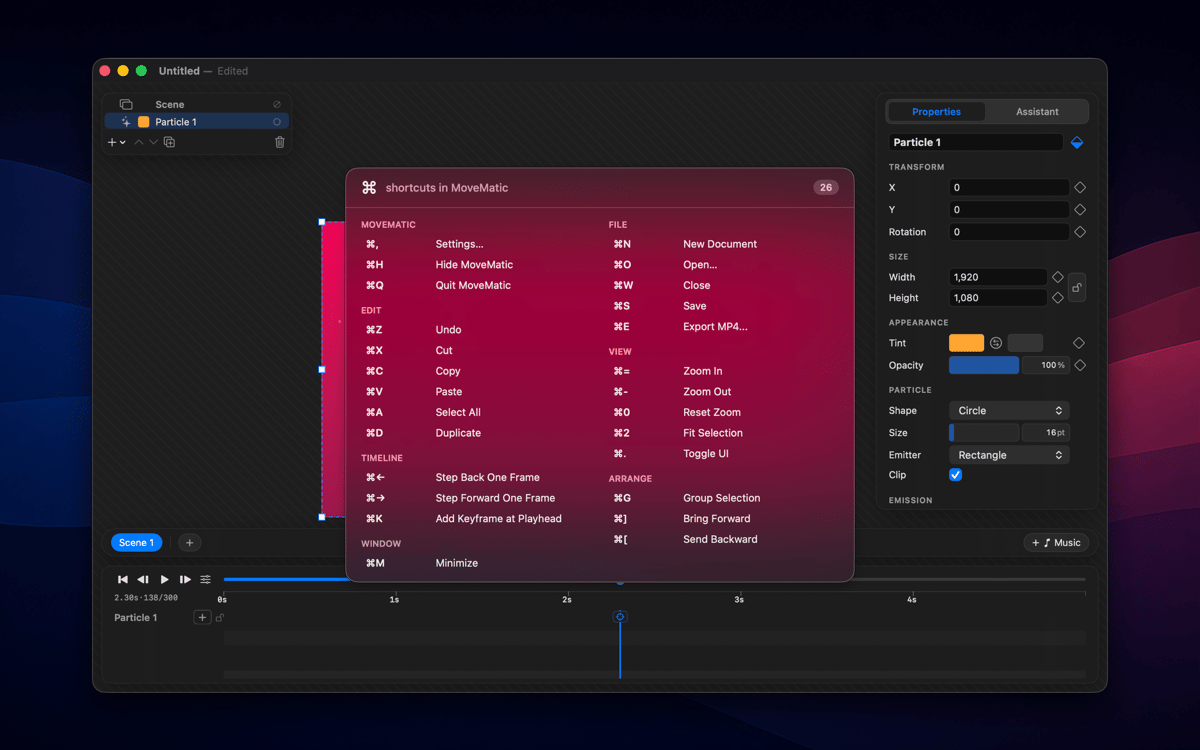
The moment you hit a keyboard shortcut, KeyStruck pops a small, readable overlay showing the menu action's name. No need to pause and explain what just happened — your audience can read it right on screen. It works quietly in the background and shows up only when it's needed.
Make it yours
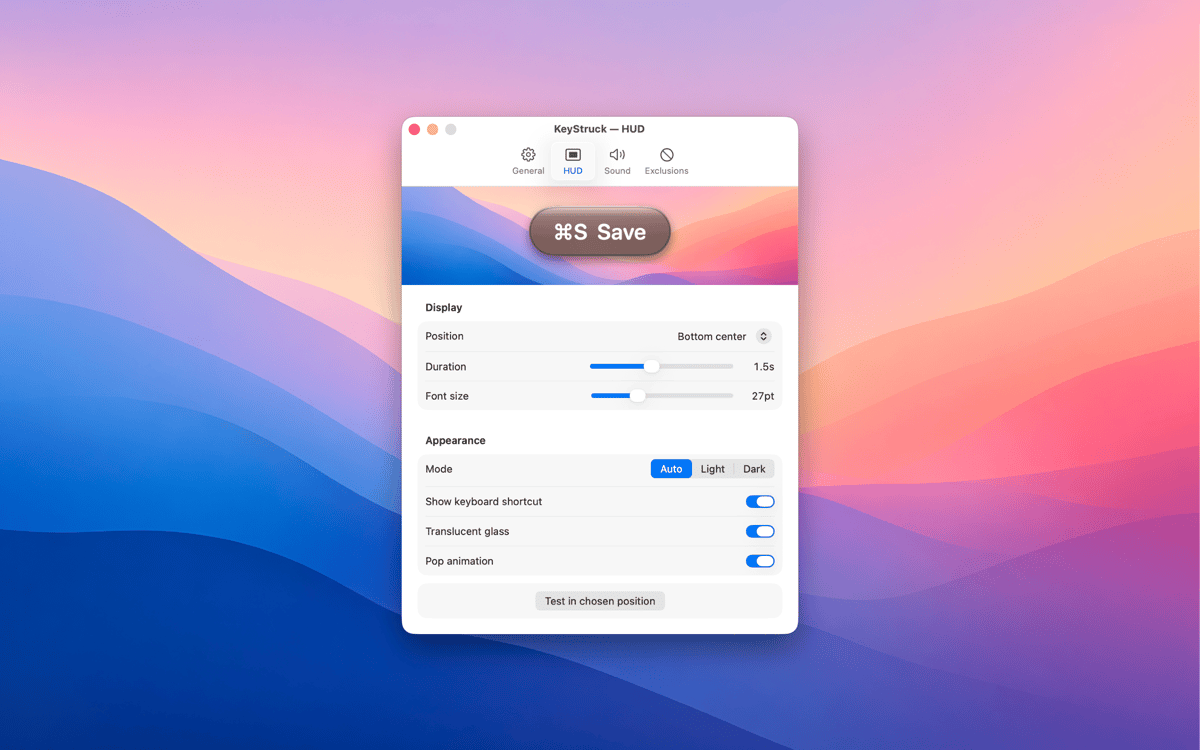
KeyStruck comes with light, dark, glossy, and flat themes so the overlay fits whatever's on screen. Pick a position that works for you — top-left, bottom-right, center, or anywhere in between. The HUD is there to help, not to get in the way.
Mute it when you need to
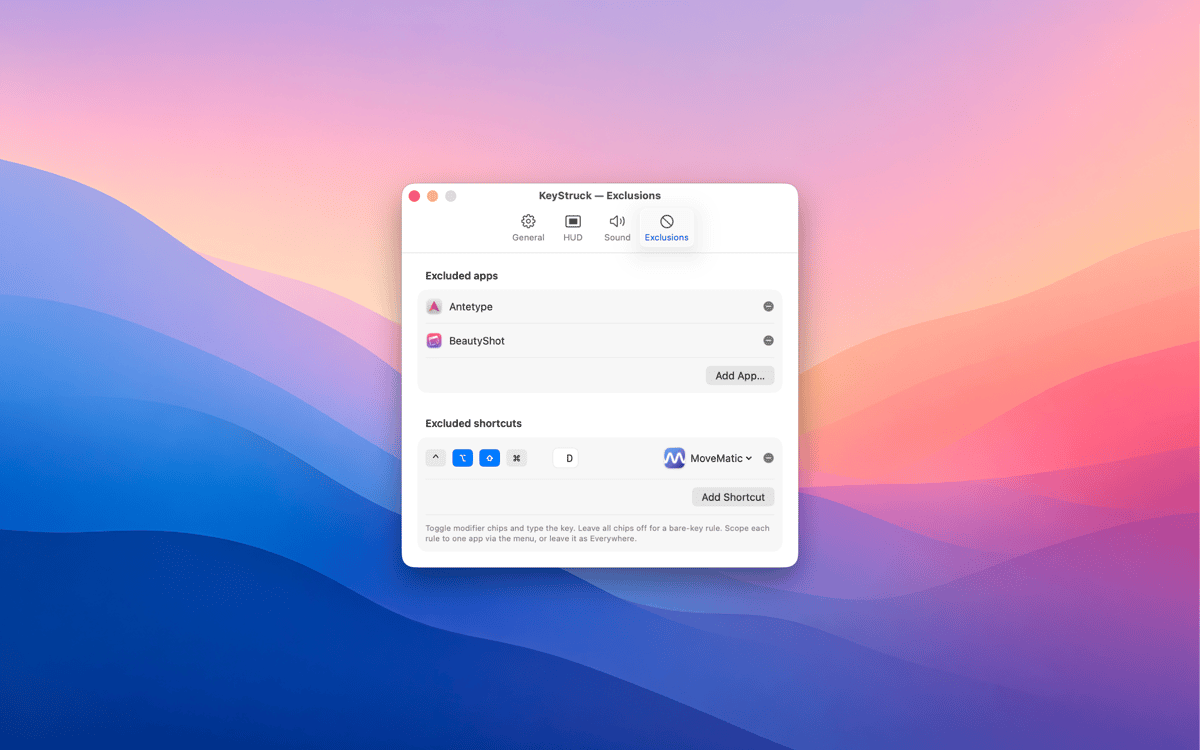
Not every shortcut needs an audience. With exclusions, you can silence the HUD for specific apps or particular shortcuts you'd rather keep private. Share your screen confidently, knowing KeyStruck only shows what you want it to show.
Built-in shortcut cheat sheet
Forget Alt-tabbing to a reference doc. KeyStruck can display every shortcut available in the active app, right there when you need it. It's a great way to explore an app's shortcuts or brush up on ones you haven't memorized yet.
Menu-bar only, no distractions
KeyStruck lives in your menu bar and stays out of your Dock. When you don't need it, pause it with one click. It's the kind of tool that only shows up when it's useful — which is exactly the kind of tool you want.
Suscríbete y accede a cientos de apps
Suscríbete a Setapp y usa cientos de apps fantásticas con una sola suscripción.
Pruébalo 7 días gratis y luego paga una única cuota.
Instala Setapp en tu Mac
Apps de Mac, iOS y web para encontrar soluciones a tus desafíos cotidianos.

Consigue la app que buscabas
Esa app increíble y reluciente te espera en Setapp. Instálala con un clic.

KeyStruck
Elige la suscripción
Una app o más con Setapp Membership. Consigue las apps a tu manera.

Suscríbete y accede a cientos de apps
Suscríbete a Setapp y usa cientos de apps fantásticas con una sola suscripción.
Pruébalo 7 días gratis y luego paga una única cuota.
1
Instala Setapp en tu Mac
Apps de Mac, iOS y web para encontrar soluciones a tus desafíos cotidianos.
2
Consigue la app que buscabas
Esa app increíble y reluciente te espera en Setapp. Instálala con un clic.
KeyStruck
3
Elige la suscripción
Una app o más con Setapp Membership. Consigue las apps a tu manera.
Las mejores apps bajo un mismo paraguas
Tanto para las tareas rutinarias como para los proyectos creativos, programación o planificación, todo es más fácil con las apps de Setapp.

TypingMind
Chat de IA con una interfaz alternativa
genera o resume texto
usa la biblioteca de prompts
IA

Spark Mail
Gestiona tus correos
IA

CleanMyMac
Elimina los archivos de más

Bartender
Personaliza la barra de menús

CleanShot X
Personaliza tus capturas de pantalla

Luminar Neo
Edita tus fotos
IA

ClearVPN
Conéctate con más seguridad

Craft
Trabaja con documentos
IA
KeyStruck
Make every shortcut visible