
Leftovers
Clasifica archivos sin esfuerzo
Mac
Versión 1.3
macOS 14.6 o posterior
26.3 MB
1 idiomas
Leftovers es un organizador de la carpeta de descargas para Mac. Es muy probable que tu carpeta de Descargas sea un cementerio de antiguos DMG, PDF aleatorios y archivos que pretendías organizar hace seis meses. Leftovers lo soluciona con un simple gesto: conserva, elimina o mueve archivos uno por uno, sin que se sienta como una tarea pesada. Una notificación emergente te avisa a los pocos segundos de que llegue un archivo, así nada se acumula desde el primer momento.
Limpia tu carpeta de Descargas rápidamente
Organiza los archivos nuevos nada más llegar
Renombra y comparte archivos sin usar Finder
Conserva solo lo que realmente necesitas
Características de Leftovers
Desliza para ordenar
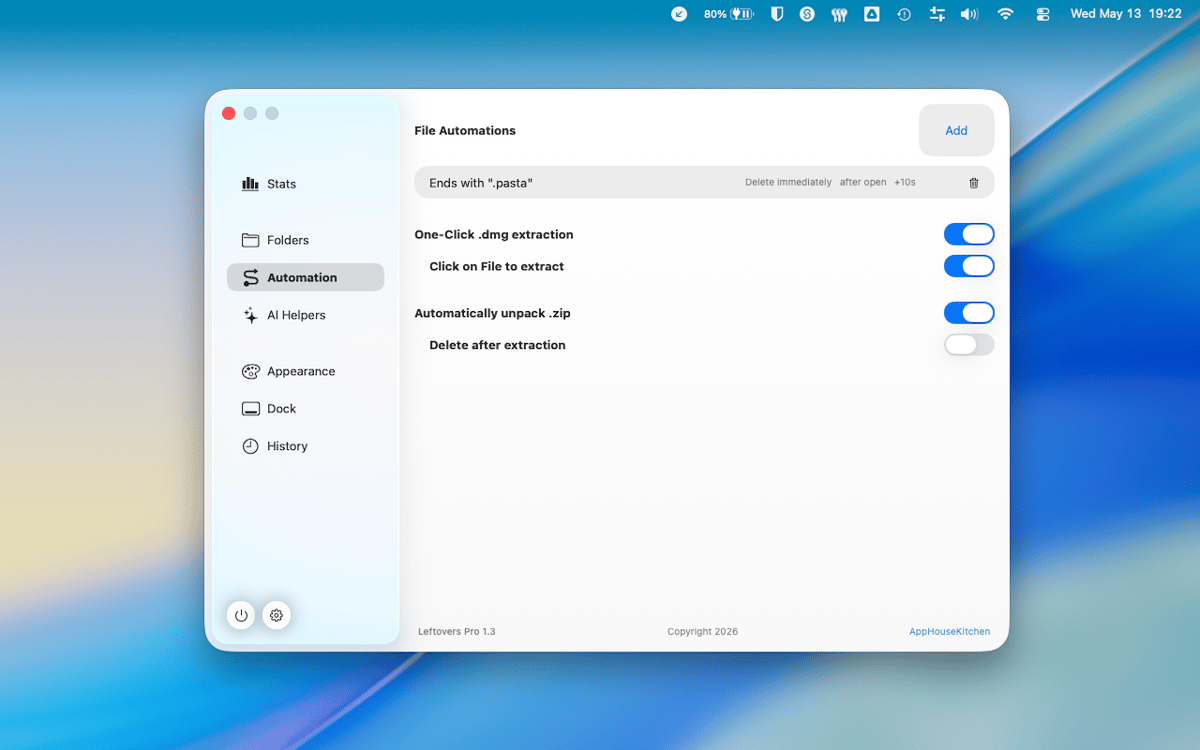
Organiza tu carpeta de Descargas como si pasaras cartas una a una. Desliza un archivo hacia la izquierda para enviarlo a la papelera, hacia la derecha para conservarlo o arrástralo directamente a una carpeta. Es rápido, satisfactorio y sorprendentemente difícil de estropear.
Ventana emergente en el notch para nuevas descargas
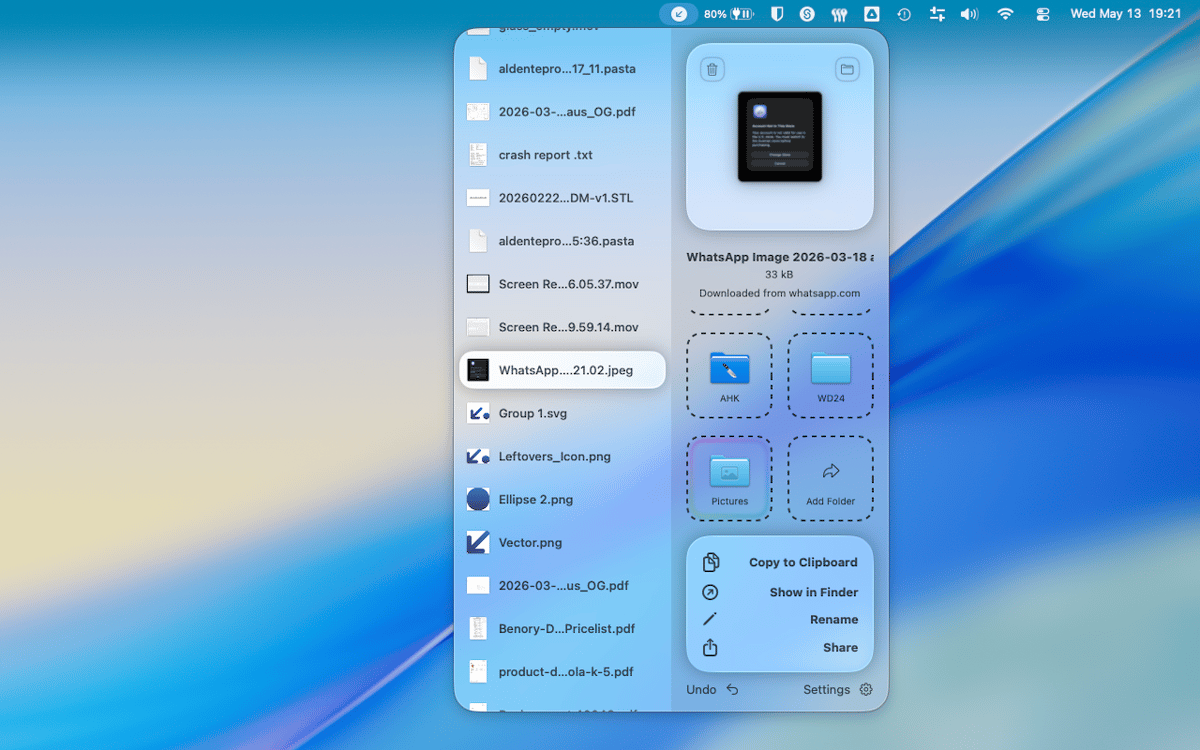
Unos segundos después de que un archivo llegue a tu carpeta de Descargas, Leftovers aparece en el notch para preguntarte qué quieres hacer con él. Ocúpate de ello ahora o pospónlo para después: de cualquier manera, nada quedará enterrado.
Acceso rápido, en cualquier lugar
Copia un archivo al portapapeles, cámbiale el nombre o compártelo, todo sin salir de Leftovers ni abrir Finder. Las funciones de acceso rápido están ahí cuando las necesitas y no molestan cuando no las necesitas.
Deshacer todo
¿Cometiste un error? En Leftovers, todas las acciones se pueden deshacer. ¿Has movido algo a la carpeta equivocada o eliminado el archivo incorrecto? Simplemente deshaz la acción y continúa. No hay motivo para el pánico.
Funciona en cualquier carpeta
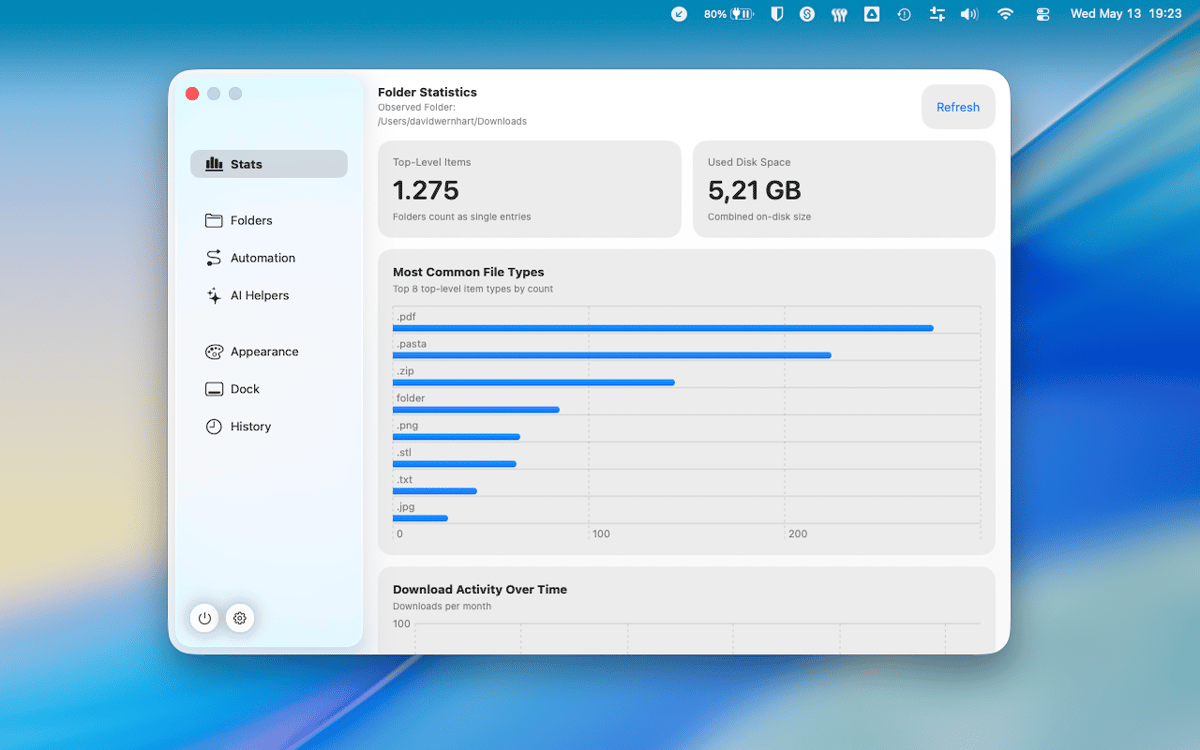
Descargas es la carpeta predeterminada, pero Leftovers funciona con cualquier carpeta que le indiques. Caos en el escritorio, carpetas de proyectos, montones de capturas de pantalla: el mismo flujo de trabajo intuitivo, en cualquier lugar de tu Mac.
No se recopilaron datos
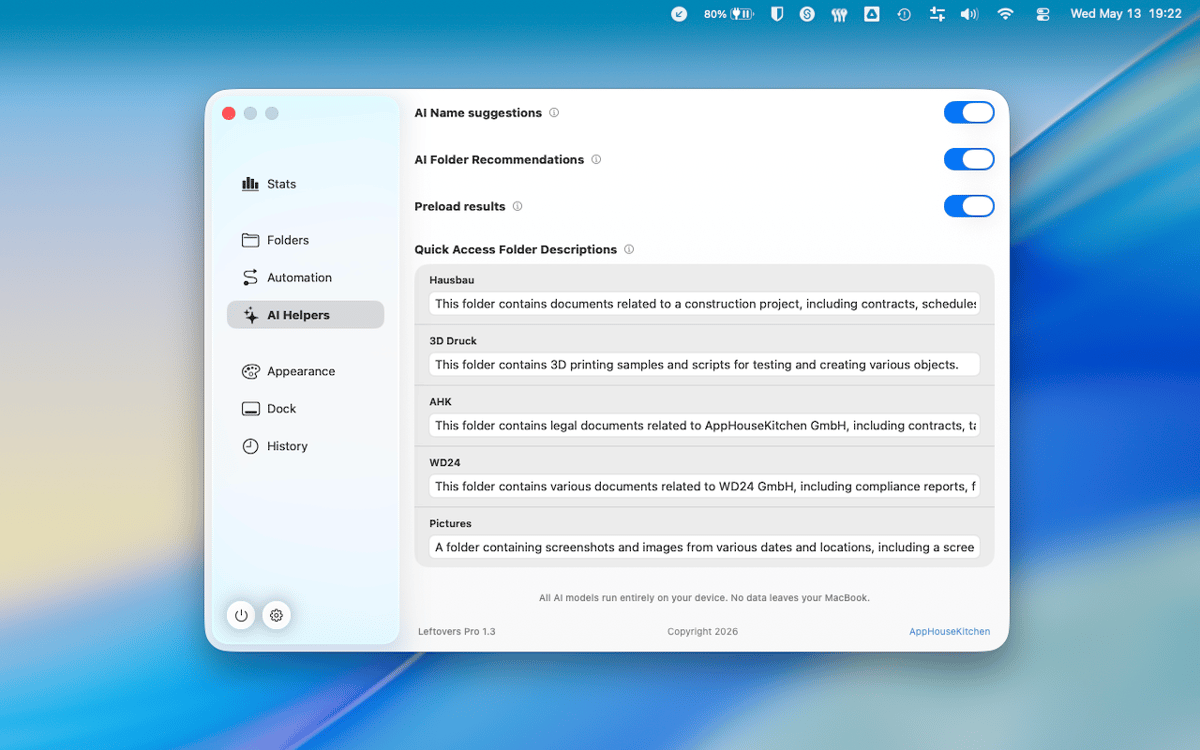
Leftovers no recopila ningún dato sobre ti. Lo que está en tu Mac se queda en tu Mac, punto.
Suscríbete y accede a cientos de apps
Suscríbete a Setapp y usa cientos de apps fantásticas con una sola suscripción.
Pruébalo 7 días gratis y luego paga una única cuota.
Instala Setapp en tu Mac
Apps de Mac, iOS y web para encontrar soluciones a tus desafíos cotidianos.

Consigue la app que buscabas
Esa app increíble y reluciente te espera en Setapp. Instálala con un clic.

Leftovers
Elige la suscripción
Una app o más con Setapp Membership. Consigue las apps a tu manera.

Suscríbete y accede a cientos de apps
Suscríbete a Setapp y usa cientos de apps fantásticas con una sola suscripción.
Pruébalo 7 días gratis y luego paga una única cuota.
1
Instala Setapp en tu Mac
Apps de Mac, iOS y web para encontrar soluciones a tus desafíos cotidianos.
2
Consigue la app que buscabas
Esa app increíble y reluciente te espera en Setapp. Instálala con un clic.
Leftovers
3
Elige la suscripción
Una app o más con Setapp Membership. Consigue las apps a tu manera.
Las mejores apps bajo un mismo paraguas
Tanto para las tareas rutinarias como para los proyectos creativos, programación o planificación, todo es más fácil con las apps de Setapp.

TypingMind
Chat de IA con una interfaz alternativa
genera o resume texto
usa la biblioteca de prompts
IA

Spark Mail
Gestiona tus correos
IA

CleanMyMac
Elimina los archivos de más

Bartender
Personaliza la barra de menús

CleanShot X
Personaliza tus capturas de pantalla

Luminar Neo
Edita tus fotos
IA

ClearVPN
Conéctate con más seguridad

Craft
Trabaja con documentos
IA
Leftovers
Clasifica archivos sin esfuerzo