
MacMD Viewer
Lector de Markdown nativo para Mac
Mac
Versión 1.6.1
macOS 14.0 o posterior
20.1 MB
1 idiomas
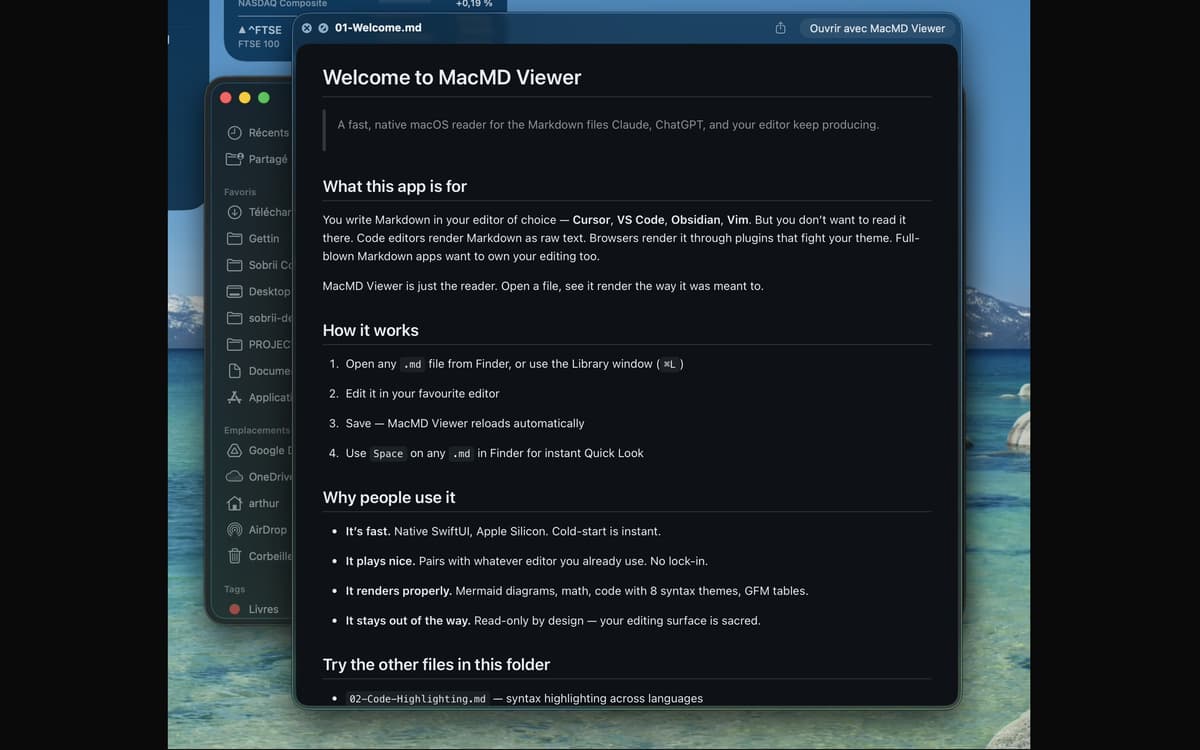
MacMD Viewer es un lector de markdown para Mac. Abre un archivo .md y se renderiza exactamente como debe: tipografía limpia, bloques de código con resaltado de sintaxis, tablas funcionales y diagramas Mermaid. Se integra con cualquier editor que ya uses, supervisa el archivo y se recarga en el momento en que lo guardas. Sin editar, sin complicaciones: solo tu contenido con el aspecto que debe tener.
Previsualiza archivos README sin texto sin formato
Lee documentos generados por IA de Claude o GPT
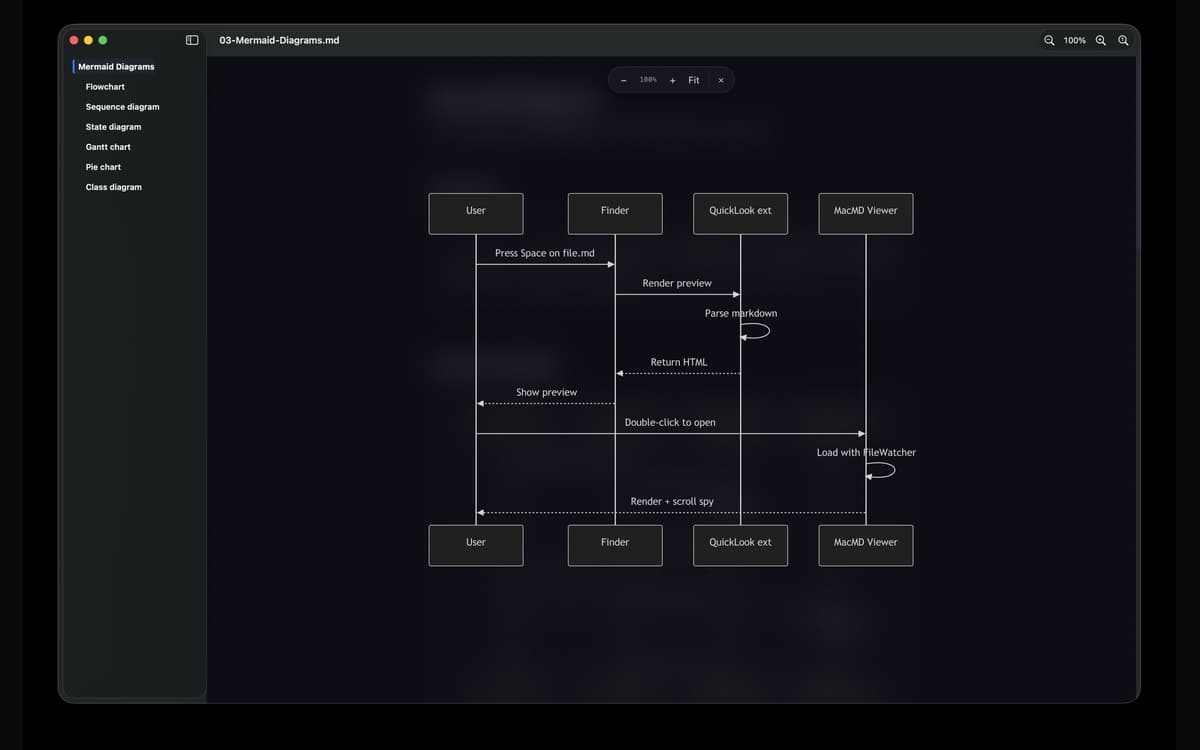
Ver diagramas Mermaid renderizados completos
Vista previa de archivos .md desde el Finder
Características de MacMD Viewer
Hermosa representación, de inmediato
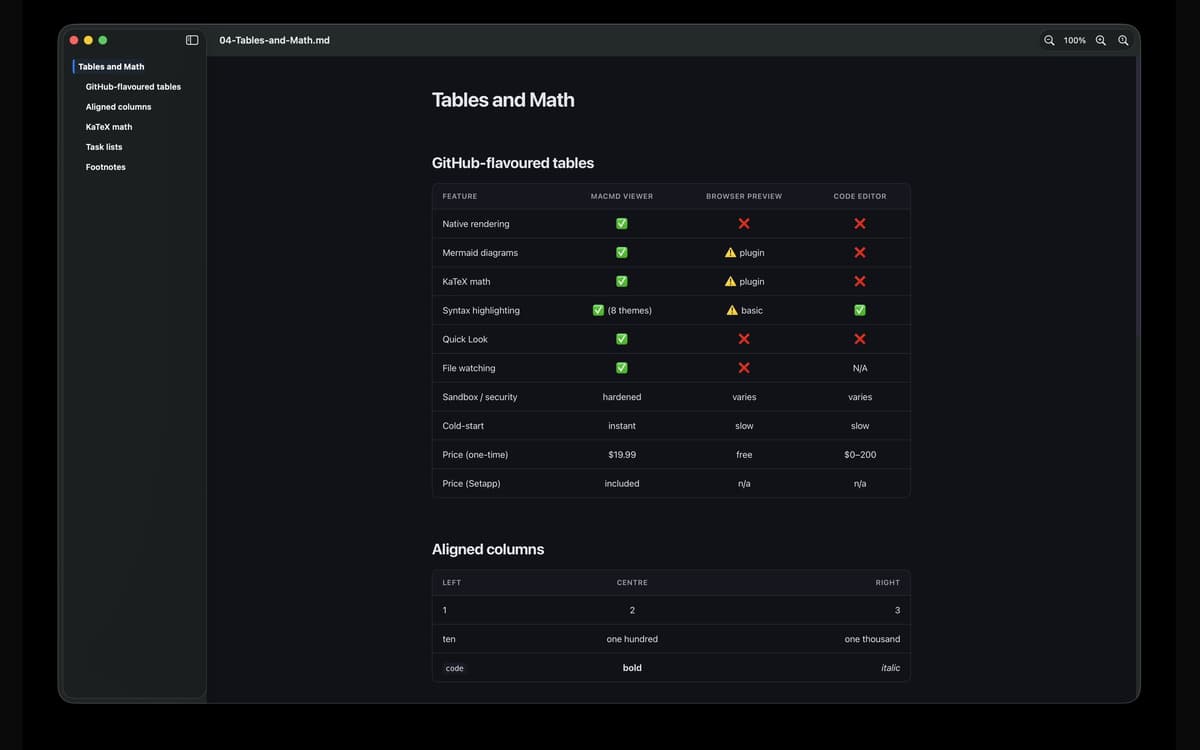
Abre cualquier archivo .md y MacMD Viewer hace lo único para lo que está diseñado: mostrarlo correctamente. Las mesas se alinean. Los bloques de código se resaltan. Los diagramas de sirenas realmente dibujan. Sin texto sin formato, sin conjeturas.
Vista rápida que realmente funciona
Pulsa la barra espaciadora en cualquier archivo .md en Finder y verás una vista previa renderizada real, no un muro de sintaxis. Es la mejora que debería haber incluido la Vista Rápida de macOS desde el principio.
Visualización de archivos en directo
MacMD Viewer vigila tu archivo. En cuanto guardas en tu editor —VS Code, Cursor, Vim, Obsidian, cualquiera— la vista previa se actualiza automáticamente. No es necesario actualizar manualmente.
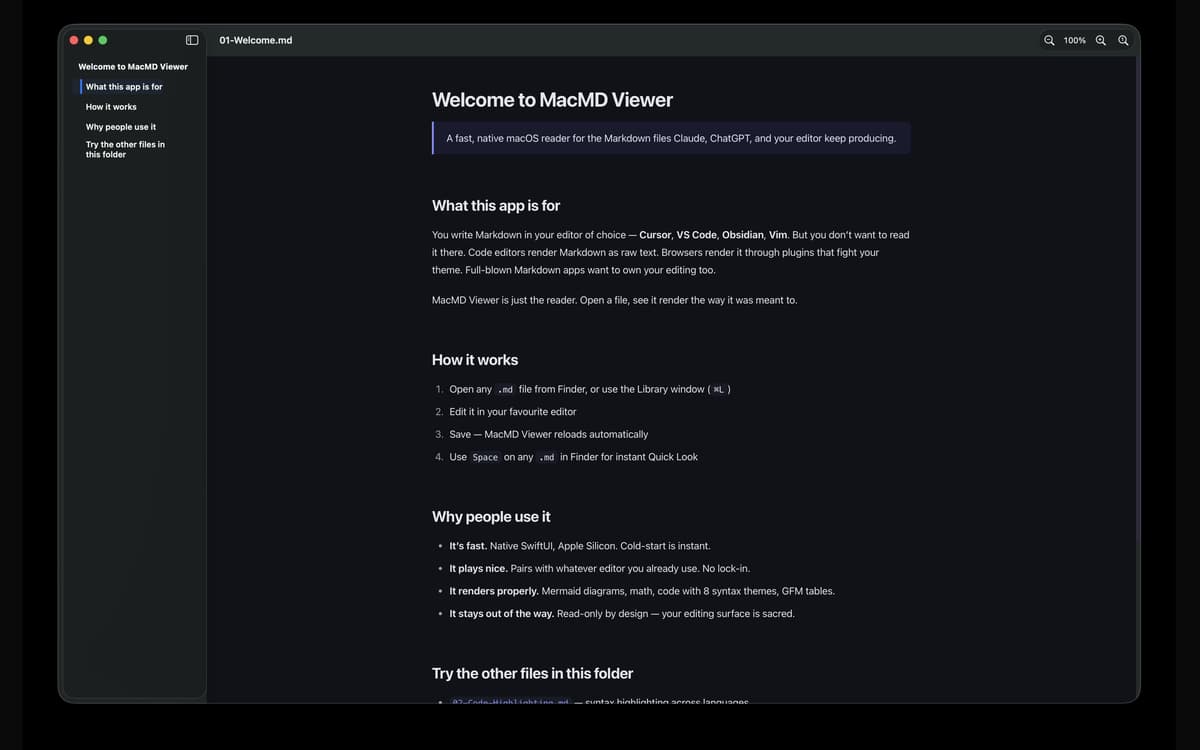
Tabla de contenidos (barra lateral)
Los documentos largos son más fáciles de navegar con una barra lateral que sigue tu posición mientras te desplazas. Ve a cualquier sección con un clic y mantente siempre ubicado en el documento.
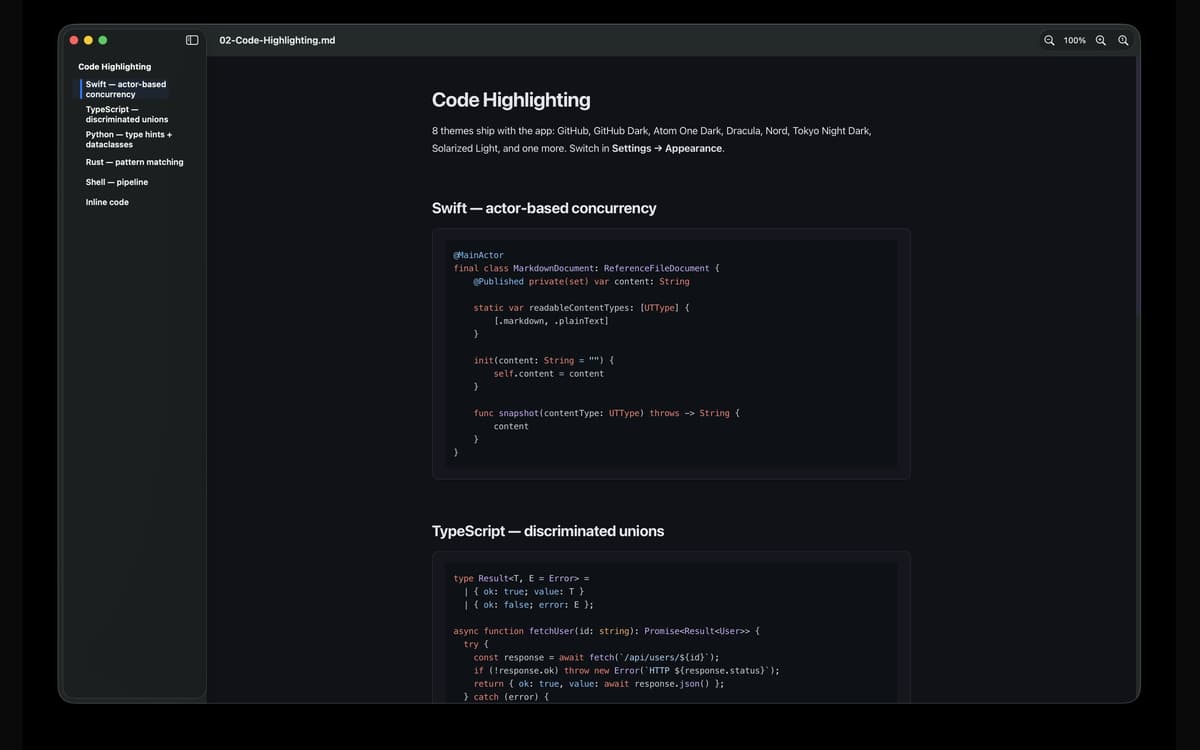
Siete temas para resaltar la sintaxis
Cambia entre GitHub, GitHub Dark, Atom One Dark, Dracula, Nord, Solarized Light y Tokyo Night Dark. Claro, Oscuro o Seguir el sistema: incluye la opción de personalizar la apariencia por aplicación. Tus ojos, tu decisión.
Diseñado para Mac, correctamente
Interfaz de usuario nativa de Swift. Binario universal para Apple Silicon e Intel. El arranque en frío es instantáneo. Entorno de ejecución reforzado y aislado, por lo que los archivos vinculados se abren a través de los permisos estándar de macOS: sin sorpresas ni trucos.
Valoraciones y reseñas
MacMD Viewer
•
1 valoraciones
Aldo Bergamini
1 jul 2026
Versión de la app: 1.2.2
Surprised by how well the app fits with my evolving AI coding setup. Well thought product.
Suscríbete y accede a cientos de apps
Suscríbete a Setapp y usa cientos de apps fantásticas con una sola suscripción.
Pruébalo 7 días gratis y luego paga una única cuota.
Instala Setapp en tu Mac
Apps de Mac, iOS y web para encontrar soluciones a tus desafíos cotidianos.

Consigue la app que buscabas
Esa app increíble y reluciente te espera en Setapp. Instálala con un clic.

MacMD Viewer
Elige la suscripción
Una app o más con Setapp Membership. Consigue las apps a tu manera.

Suscríbete y accede a cientos de apps
Suscríbete a Setapp y usa cientos de apps fantásticas con una sola suscripción.
Pruébalo 7 días gratis y luego paga una única cuota.
1
Instala Setapp en tu Mac
Apps de Mac, iOS y web para encontrar soluciones a tus desafíos cotidianos.
2
Consigue la app que buscabas
Esa app increíble y reluciente te espera en Setapp. Instálala con un clic.
MacMD Viewer
3
Elige la suscripción
Una app o más con Setapp Membership. Consigue las apps a tu manera.
Las mejores apps bajo un mismo paraguas
Tanto para las tareas rutinarias como para los proyectos creativos, programación o planificación, todo es más fácil con las apps de Setapp.

TypingMind
Chat de IA con una interfaz alternativa
genera o resume texto
usa la biblioteca de prompts
IA

Spark Mail
Gestiona tus correos
IA

CleanMyMac
Elimina los archivos de más

Bartender
Personaliza la barra de menús

CleanShot X
Personaliza tus capturas de pantalla

Luminar Neo
Edita tus fotos
IA

ClearVPN
Conéctate con más seguridad

Craft
Trabaja con documentos
IA
MacMD Viewer
Lector de Markdown nativo para Mac