MacNotch
Utilidad Notch para Mac
Mac
Versión 1.9.9.6
macOS 14.0 o posterior
241.6 MB
11 idiomas
MacNotch: utilidad del notch para Mac. Convierte la muesca de tu MacBook en un centro de control inteligente para música, tareas y acciones rápidas. Controla la reproducción, organiza tu día y accede a herramientas sin perder la concentración. Mantiene lo importante a la vista, pero nunca se interpone en tu camino.
Controla la música sin cambiar de app
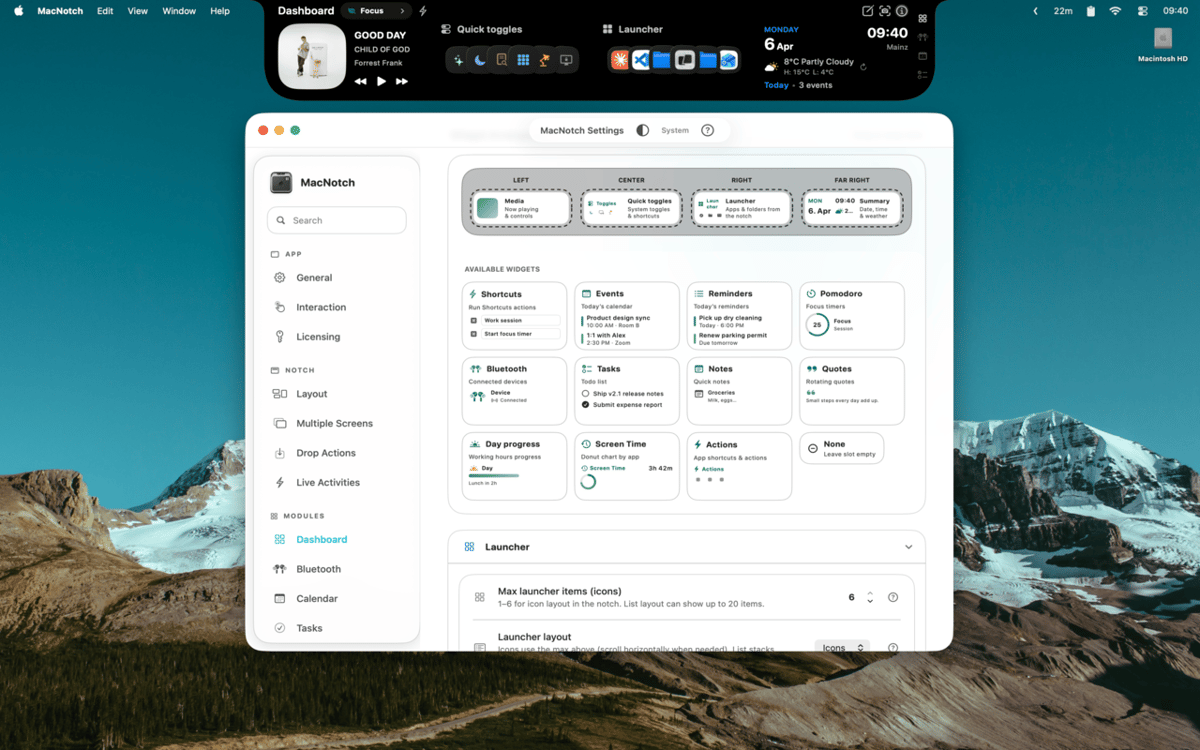
Personaliza tu notch con widgets
Controla tareas, eventos y timers rápidamente
Arrastra archivos para actuar al instante
Características de MacNotch
Controla tu música y contenidos multimedia
Ve qué se está reproduciendo con carátulas de álbum, barras musicales animadas y controles de reproducción completos, directamente desde el notch. MacNotch funciona con Spotify, Apple Music, YouTube y otros reproductores del navegador, así que no importa de dónde venga el sonido. Cambia de pista, navega por una canción o simplemente echa un vistazo a la carátula sin abrir nada.
Controla tu día
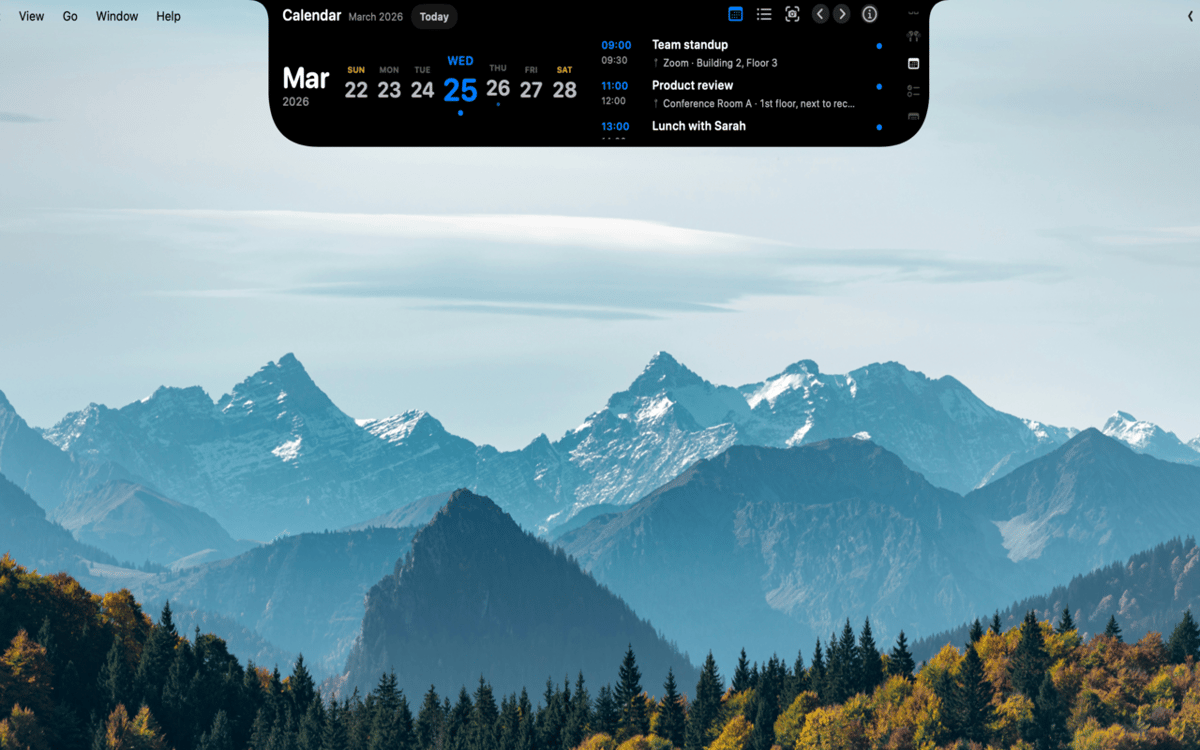
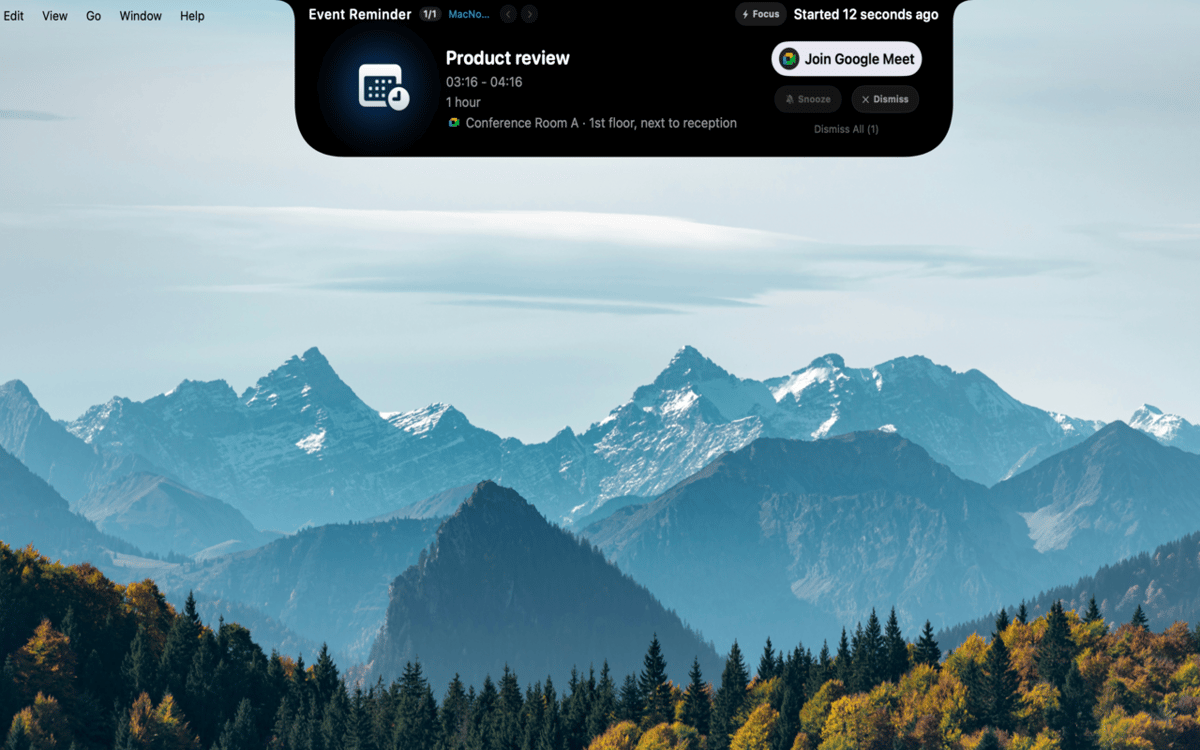
Mantén eventos, recordatorios y sesiones de concentración en un solo lugar. MacNotch muestra los próximos eventos del calendario con temporizadores de cuenta atrás y detecta reuniones activas para que siempre sepas qué viene después. Incluye un temporizador Pomodoro integrado con progreso visual, una lista de tareas ligera que se sincroniza con Recordatorios de macOS y un módulo de notas de captura rápida, todo sin salir de tu flujo de trabajo.
Crea tu propio panel de control
Rellena una cuadrícula de widgets personalizable con el tiempo, lanzadores de aplicaciones y accesos rápidos para el modo oscuro, True Tone y Night Shift. Crea perfiles como Trabajo, Personal o Concentración para que tu configuración se adapte a lo que estés haciendo. También puedes controlar el uso de CPU, RAM y almacenamiento, o traducir texto al instante con OpenAI o una instancia local de Ollama.
Mantén un control de tus dispositivos
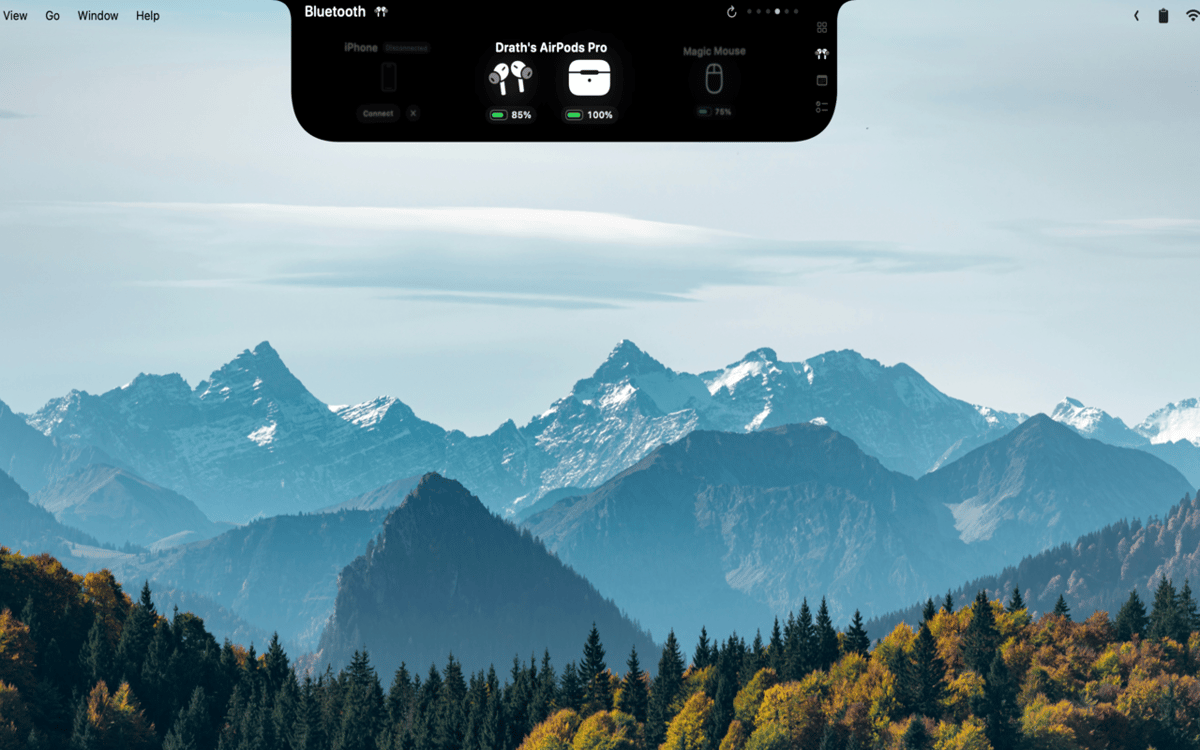
Consulta en tiempo real los niveles de batería de los AirPods (izquierdo, derecho y estuche), auriculares, ratones, teclados, trackpads y mandos de juegos. MacNotch te avisa cuando cualquier dispositivo se queda sin batería, para que nunca te pille desprevenido durante una llamada o partida.
Arrastra archivos y haz las cosas
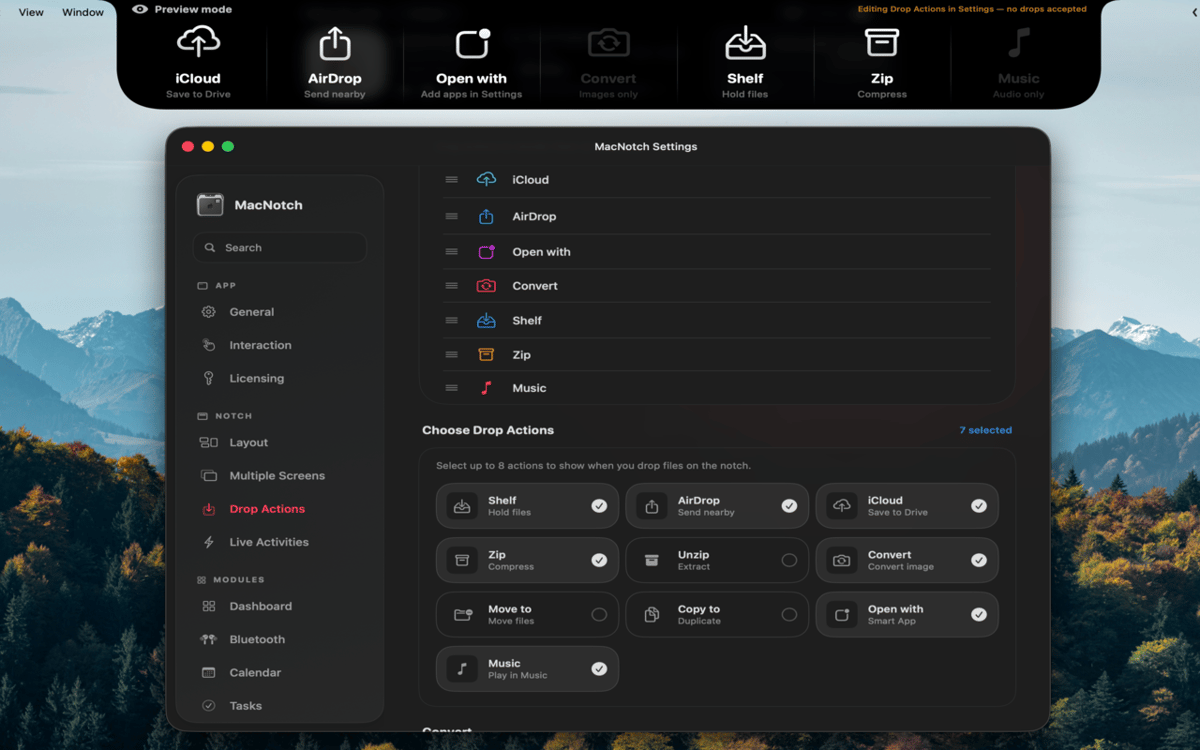
Arrastra un archivo al notch para enviarlo al instante con AirDrop, comprimirlo, convertir imágenes, moverlo o copiarlo a una carpeta, o abrirlo con una aplicación específica. Olvídate de buscar en los menús del Finder: solo arrastra y listo. Es el tipo de acceso directo que parece obvio una vez que lo tienes.
Siempre útil, incluso cuando está oculta
Cuando la muesca está oculta, sigue mostrando actividades en directo: información de reproducción, temporizadores Pomodoro, eventos próximos y estado del Bluetooth. Los cambios de volumen y brillo aparecen como un HUD del sistema directamente en el notch. La información que te importa siempre está ahí, nunca molesta.
Valoraciones y reseñas
MacNotch
•
33 valoraciones
Aarsh Oza
21 sept 2026
Versión de la app: 1.9.9.5
The app is looking and functioning top notch. Just few things that needs to be there is first to polish the look and also able to resize the notch when its active instead of taking up half of the width of screen.
Marcelo
10 sept 2026
Versión de la app: 1.9.9.4
Estou gostando bastante do MacNotch! Só notei algo que talvez seja um bug: depois que desliguei e liguei o notebook novamente, a opção de mostrar em telas externas ficou desativada, mesmo estando ativada antes. Mas a ferramenta é sensacional!
Georgi Kolev
9 sept 2026
Versión de la app: 1.9.9.4
Not bad but it needs live sports and finance tickers.
Suscríbete y accede a cientos de apps
Suscríbete a Setapp y usa cientos de apps fantásticas con una sola suscripción.
Pruébalo 7 días gratis y luego paga una única cuota.
Instala Setapp en tu Mac
Apps de Mac, iOS y web para encontrar soluciones a tus desafíos cotidianos.

Consigue la app que buscabas
Esa app increíble y reluciente te espera en Setapp. Instálala con un clic.

MacNotch
Elige la suscripción
Una app o más con Setapp Membership. Consigue las apps a tu manera.

Suscríbete y accede a cientos de apps
Suscríbete a Setapp y usa cientos de apps fantásticas con una sola suscripción.
Pruébalo 7 días gratis y luego paga una única cuota.
1
Instala Setapp en tu Mac
Apps de Mac, iOS y web para encontrar soluciones a tus desafíos cotidianos.
2
Consigue la app que buscabas
Esa app increíble y reluciente te espera en Setapp. Instálala con un clic.
MacNotch
3
Elige la suscripción
Una app o más con Setapp Membership. Consigue las apps a tu manera.
Las mejores apps bajo un mismo paraguas
Tanto para las tareas rutinarias como para los proyectos creativos, programación o planificación, todo es más fácil con las apps de Setapp.

TypingMind
Chat de IA con una interfaz alternativa
genera o resume texto
usa la biblioteca de prompts
IA

Spark Mail
Gestiona tus correos
IA

CleanMyMac
Elimina los archivos de más

Bartender
Personaliza la barra de menús

CleanShot X
Personaliza tus capturas de pantalla

Luminar Neo
Edita tus fotos
IA

ClearVPN
Conéctate con más seguridad

Craft
Trabaja con documentos
IA
MacNotch
Utilidad Notch para Mac