
MenuBarMonitor
Your Mac's vitals, at a glance

Mac
Versión 0.2.0
macOS 13.0 o posterior
8.6 MB
1 idiomas
MenuBarMonitor is a system performance monitor for Mac. It puts live CPU, GPU, RAM, temperature, and fan speed right in your menu bar — always visible, never in the way. Click once to go deeper: per-core activity, real memory pressure, disk I/O, battery health, and a background hog detector that helps you catch resource-hungry apps before they cause trouble. Built natively for Apple Silicon, it reads the numbers that actually matter on an M-series Mac — with no root access required and no telemetry, ever.
See live CPU and GPU load in your menu bar
See live CPU and GPU load in your menu bar
Track fan speed and temperature in real time
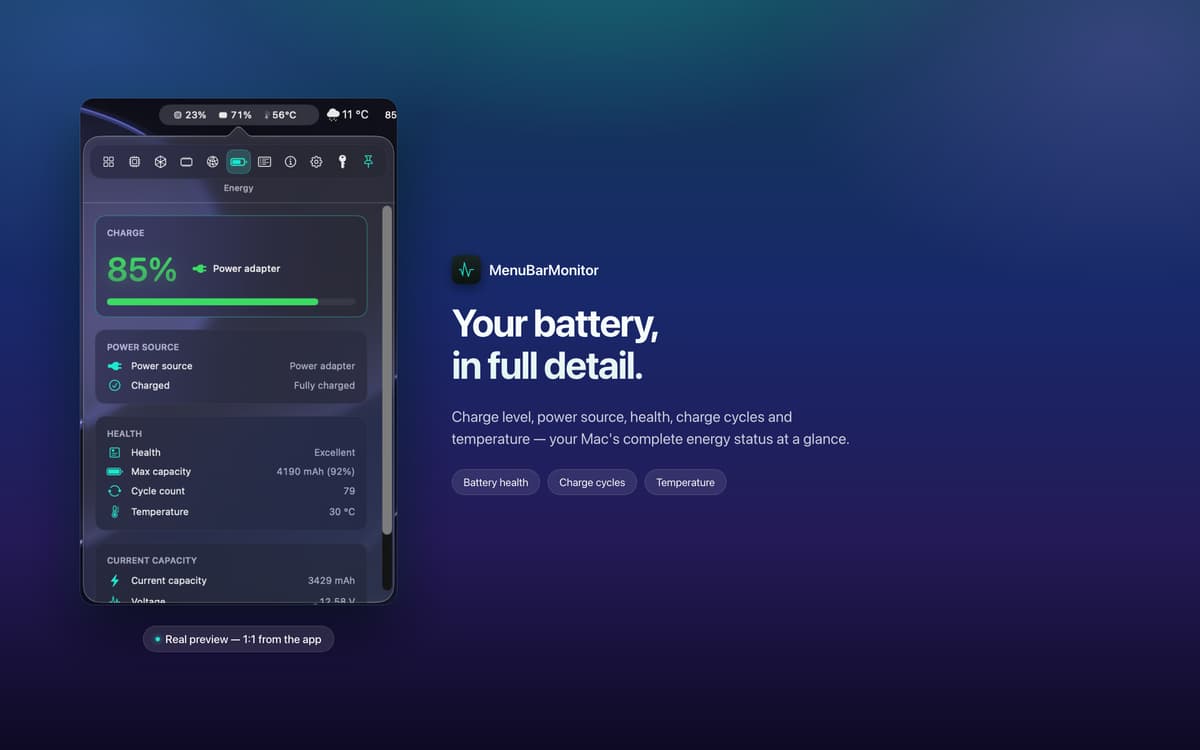
Monitor battery and disk I/O at a glance
Características de MenuBarMonitor
Your vitals, always in view
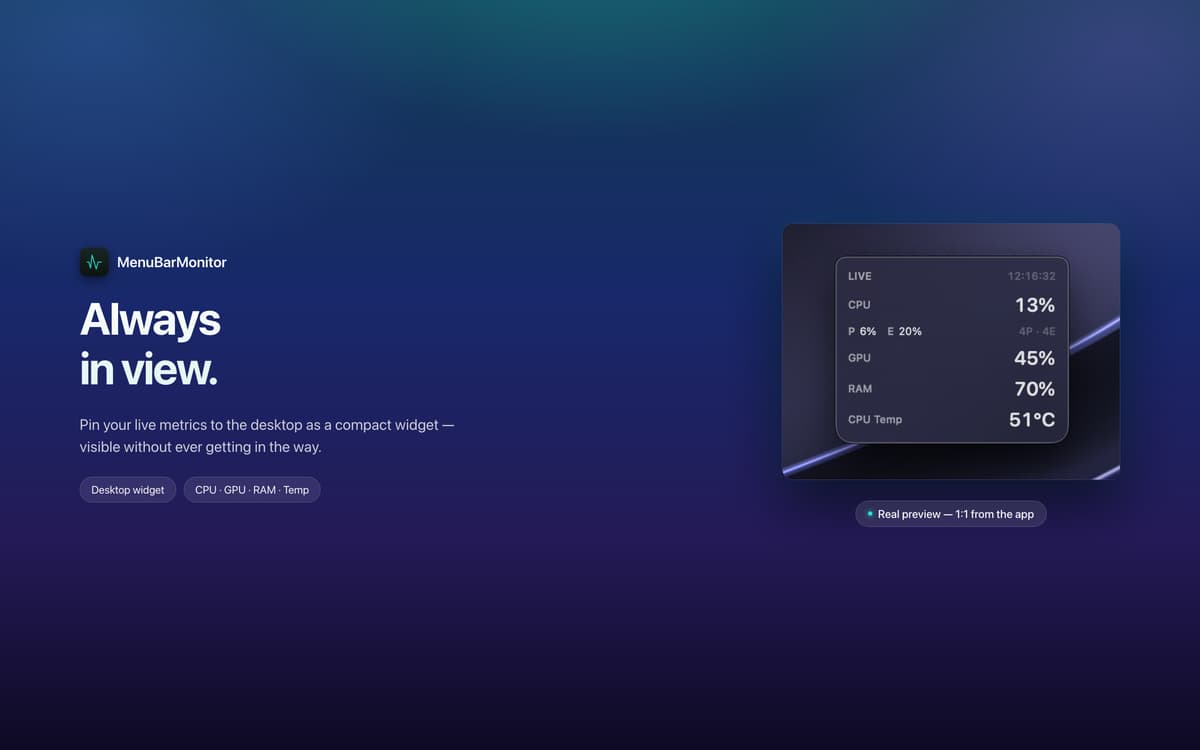
MenuBarMonitor sits quietly in your menu bar, showing a clean monochrome line with your CPU, GPU, RAM, and temperature at all times. No hunting through system utilities, no extra clicks — just the numbers you need, right where you're already looking.
Deep stats, one click away
Tap the menu bar to open the full dashboard. See per-core load across performance and efficiency cores, live clock speeds, GPU utilization, genuine memory-pressure events, fan RPM, disk I/O, and battery health — exactly the way macOS reports them.
Built right for Apple Silicon
MenuBarMonitor reads M-series-specific metrics directly, not generic estimates. If you're on Apple Silicon, you're getting accurate, native data — the kind that actually tells you what your chip is doing.
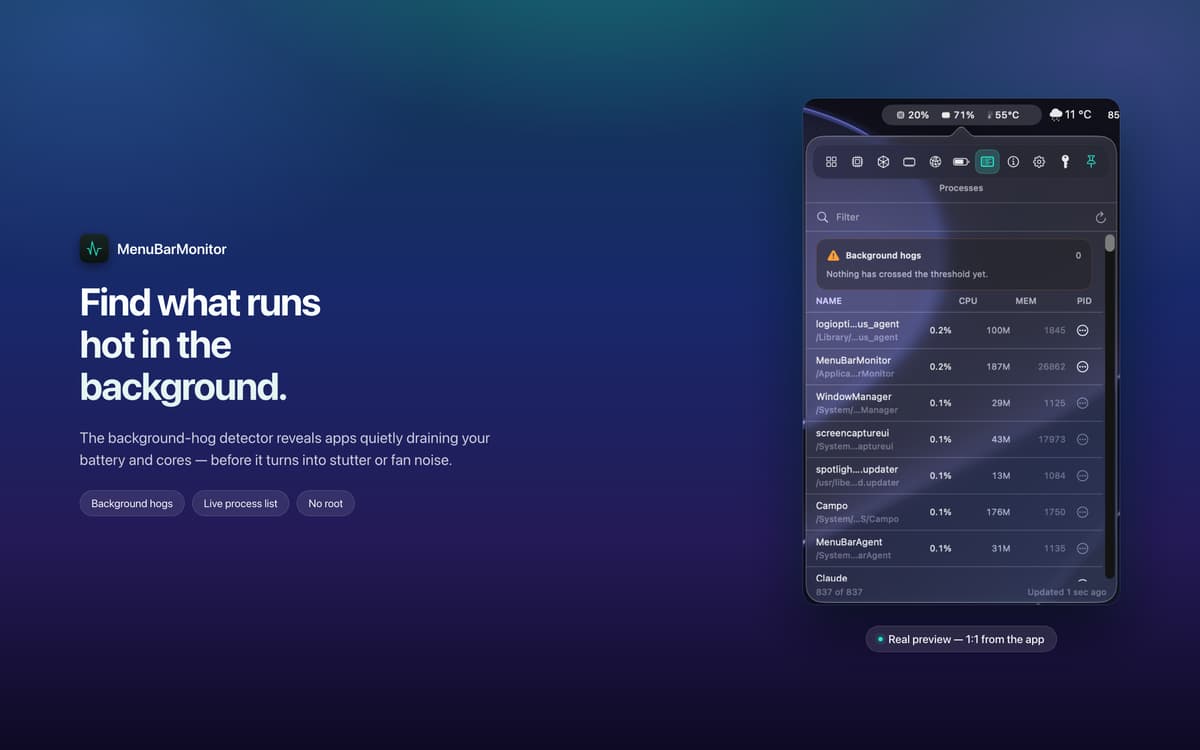
Catch the app that's hogging your Mac
Something running hot in the background before you've even noticed? The built-in hog detector flags resource-hungry apps early, so you can deal with them before the fans spin up or performance takes a hit.
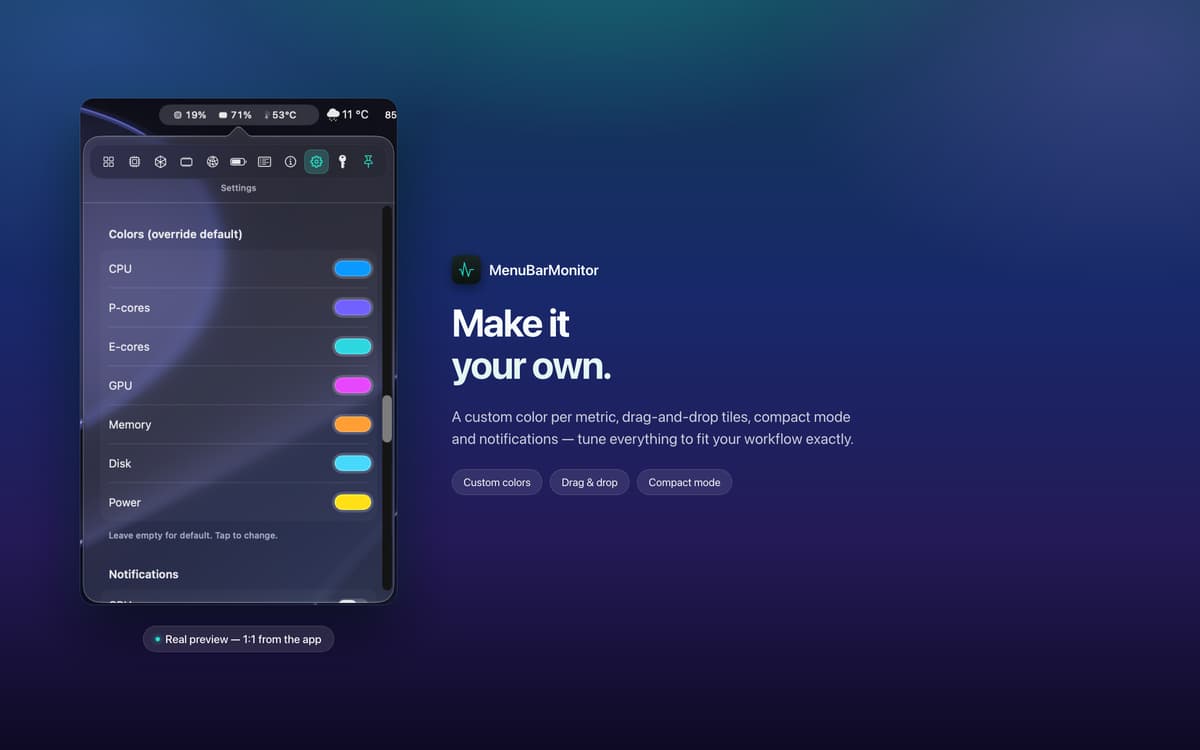
Make it yours
Drag and drop tiles to reorder your metrics, switch to Compact Mode for a smaller footprint, or start from a preset and fine-tune from there. MenuBarMonitor works the way you work.
Private and lightweight by design
MenuBarMonitor needs no root access and collects zero telemetry. Your data never leaves your machine. It's also light on system resources itself — a performance monitor that doesn't eat into the performance it's monitoring.
Suscríbete y accede a cientos de apps
Suscríbete a Setapp y usa cientos de apps fantásticas con una sola suscripción.
Pruébalo 7 días gratis y luego paga una única cuota.
Instala Setapp en tu Mac
Apps de Mac, iOS y web para encontrar soluciones a tus desafíos cotidianos.

Consigue la app que buscabas
Esa app increíble y reluciente te espera en Setapp. Instálala con un clic.

MenuBarMonitor
Elige la suscripción
Una app o más con Setapp Membership. Consigue las apps a tu manera.

Suscríbete y accede a cientos de apps
Suscríbete a Setapp y usa cientos de apps fantásticas con una sola suscripción.
Pruébalo 7 días gratis y luego paga una única cuota.
1
Instala Setapp en tu Mac
Apps de Mac, iOS y web para encontrar soluciones a tus desafíos cotidianos.
2
Consigue la app que buscabas
Esa app increíble y reluciente te espera en Setapp. Instálala con un clic.
MenuBarMonitor
3
Elige la suscripción
Una app o más con Setapp Membership. Consigue las apps a tu manera.
Las mejores apps bajo un mismo paraguas
Tanto para las tareas rutinarias como para los proyectos creativos, programación o planificación, todo es más fácil con las apps de Setapp.

TypingMind
Chat de IA con una interfaz alternativa
genera o resume texto
usa la biblioteca de prompts
IA

Spark Mail
Gestiona tus correos
IA

CleanMyMac
Elimina los archivos de más

Bartender
Personaliza la barra de menús

CleanShot X
Personaliza tus capturas de pantalla

Luminar Neo
Edita tus fotos
IA

ClearVPN
Conéctate con más seguridad

Craft
Trabaja con documentos
IA
MenuBarMonitor
Your Mac's vitals, at a glance