
ShowRunner
Demos that run themselves
Mac
Versión 2.9.1
macOS 15.0 o posterior
117.4 MB
11 idiomas
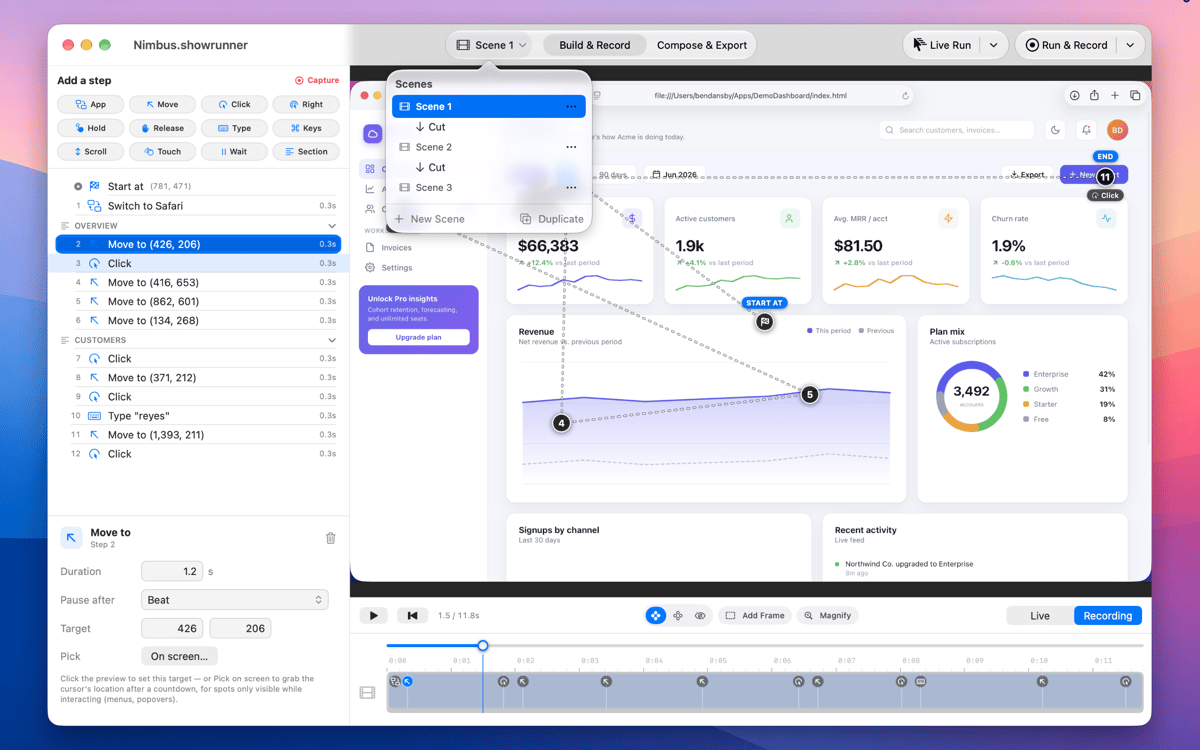
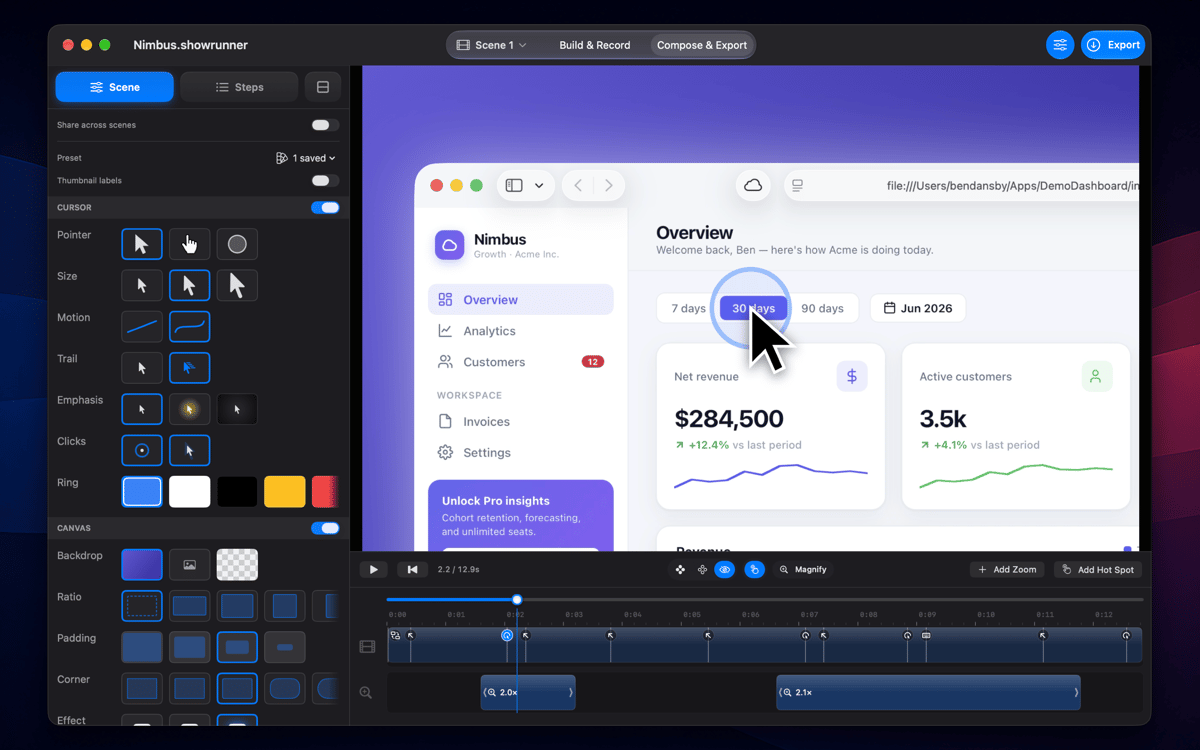
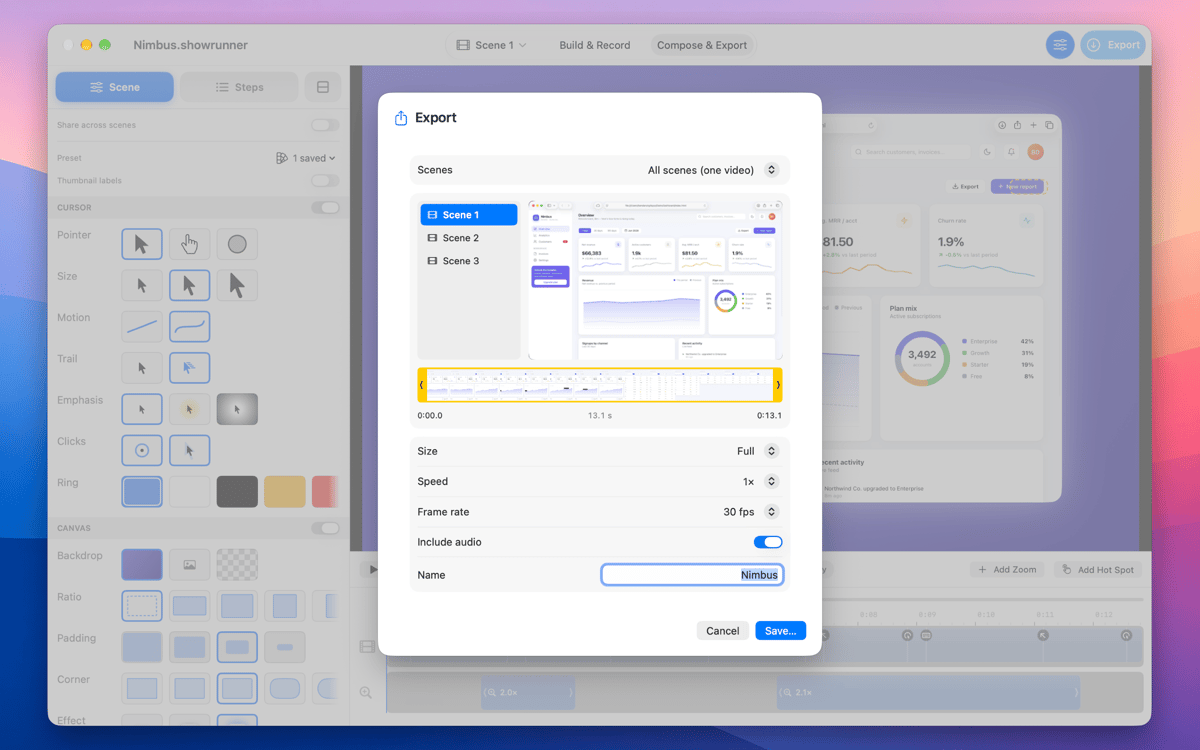
ShowRunner is a native Mac app that turns a list of clicks and keystrokes into a polished demo video — or drives your real cursor through the exact same steps live. Build the flow once with a step palette, then export a clean MP4 with the cursor, zooms, and a scene background baked in, or run it live for a distraction-free walkthrough. Auto-zoom, hot spots, a customizable cursor, and a webcam-plus-mic bubble round out the editor.
Record smooth software tutorials
Build product feature demo videos
Create app listing & social clips
Turn onboarding into a walkthrough
Características de ShowRunner
Step-based flow builder
Add moves, clicks, keystrokes, waits, and more from a step palette — then let ShowRunner replay them pixel-perfect every time. Build the flow once and it runs the same way on every export, every live session, every time you need it. No re-recording because you clicked the wrong thing.
Run Live
Hand it off or present it yourself — Run Live drives your actual cursor and keyboard through the flow in real time. It looks completely natural on screen because it is your screen, not a recording of one. And if something goes sideways, Esc kills it instantly.
Run & Record
Don't want to capture separately? Run & Record runs the flow and captures the footage at the same time. ShowRunner drives the steps, the recording follows along, and you get a finished clip without touching a separate screen recorder or syncing anything up afterward.
Auto-zoom
ShowRunner reads each action in the flow and lays smooth zoom spans automatically — no manual keyframing, no jarring cuts in and out. The camera follows what matters, stays there for the right amount of time, and moves on. It just looks like someone knew what they were doing.
Camera + mic bubble
Drop a webcam corner into the composition and narrate as the flow runs. The camera feed and your audio mix straight into the export — no separate recording track to sync, no post-production juggling. Useful for tutorials, onboarding walkthroughs, or anything that benefits from a face and a voice.
Multi-scene documents
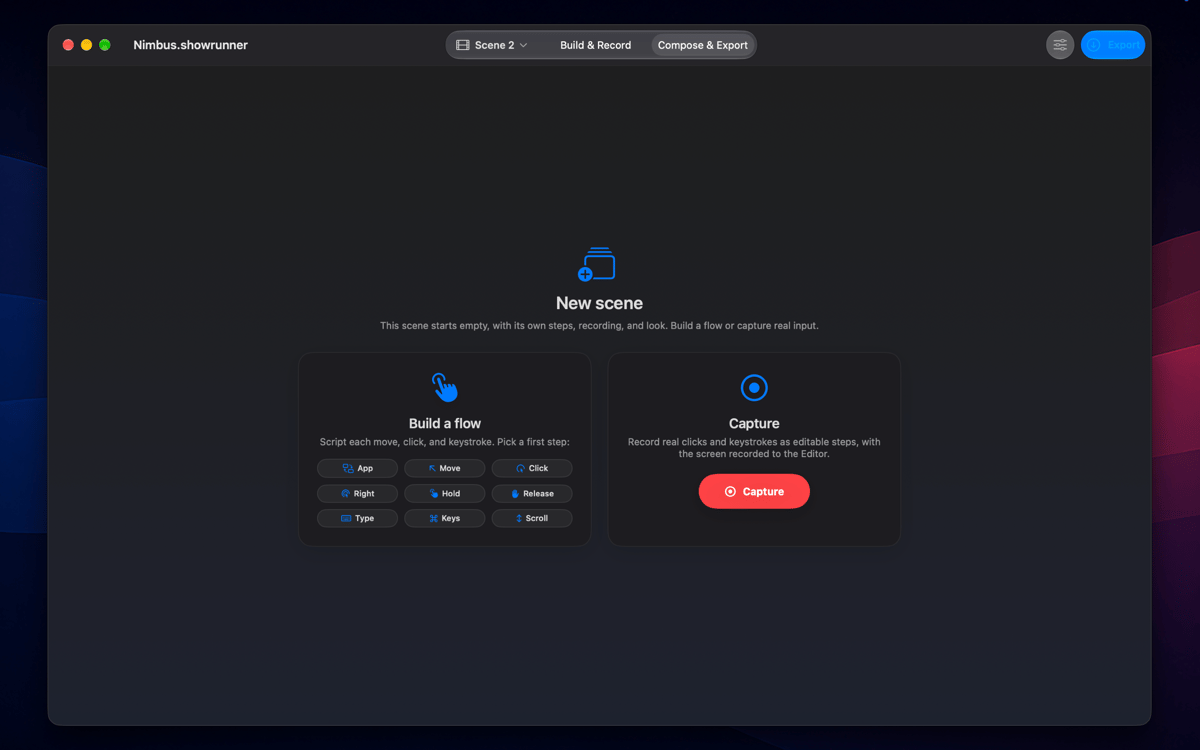
Chain scenes together with transitions and render everything as one continuous video. Each scene has its own steps, its own timeline, its own background — but they flow into each other like a single polished production. Long walkthroughs and multi-feature demos finally have the structure they need.
Suscríbete y accede a cientos de apps
Suscríbete a Setapp y usa cientos de apps fantásticas con una sola suscripción.
Pruébalo 7 días gratis y luego paga una única cuota.
Instala Setapp en tu Mac
Apps de Mac, iOS y web para encontrar soluciones a tus desafíos cotidianos.

Consigue la app que buscabas
Esa app increíble y reluciente te espera en Setapp. Instálala con un clic.

ShowRunner
Elige la suscripción
Una app o más con Setapp Membership. Consigue las apps a tu manera.

Suscríbete y accede a cientos de apps
Suscríbete a Setapp y usa cientos de apps fantásticas con una sola suscripción.
Pruébalo 7 días gratis y luego paga una única cuota.
1
Instala Setapp en tu Mac
Apps de Mac, iOS y web para encontrar soluciones a tus desafíos cotidianos.
2
Consigue la app que buscabas
Esa app increíble y reluciente te espera en Setapp. Instálala con un clic.
ShowRunner
3
Elige la suscripción
Una app o más con Setapp Membership. Consigue las apps a tu manera.
Las mejores apps bajo un mismo paraguas
Tanto para las tareas rutinarias como para los proyectos creativos, programación o planificación, todo es más fácil con las apps de Setapp.

TypingMind
Chat de IA con una interfaz alternativa
genera o resume texto
usa la biblioteca de prompts
IA

Spark Mail
Gestiona tus correos
IA

CleanMyMac
Elimina los archivos de más

Bartender
Personaliza la barra de menús

CleanShot X
Personaliza tus capturas de pantalla

Luminar Neo
Edita tus fotos
IA

ClearVPN
Conéctate con más seguridad

Craft
Trabaja con documentos
IA
ShowRunner
Demos that run themselves