
Sidekick
Solo pregunta. Tu Mac lo hace



Mac
Versión 1.5.46
macOS 15.0 o posterior
9.6 MB
1 idiomas
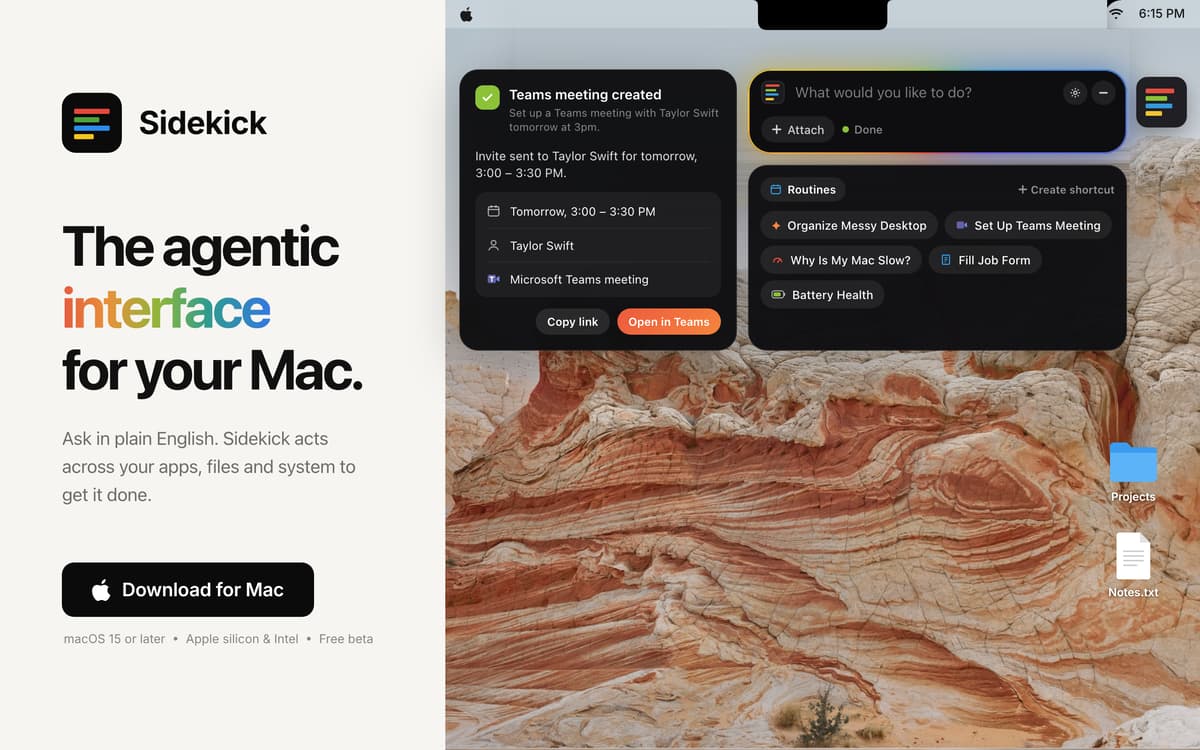
Sidekick es un agente de IA para tu Mac. Pídeselo en lenguaje sencillo y se encarga de hacerlo. Rellena formularios, ordena tu escritorio y organiza reuniones sin mover un dedo.
Rellena formularios de Safari de una vez
Ordena 200 archivos del escritorio
Configura reuniones de Teams en dos clics
Cierra pestañas sociales de una vez
Características de Sidekick
Relleno avanzado de formularios en Safari
Sidekick lee todo el formulario, rellena tus datos y marca cualquier información que necesite de ti.
Ordena tu escritorio
Di «ordena mi escritorio» y tus archivos se organizan en carpetas en cuestión de segundos.
Configura reuniones de Teams
Di la fecha y la hora, y la invitación estará lista en dos clics.
Encuentra cualquier archivo
Descríbelo de forma aproximada y Sidekick lo encontrará y lo abrirá. Basta con una palabra del nombre.
Tú sigues al mando
Sidekick solo actúa cuando se lo pides, pregunta antes de borrar nada y te permite deshacer los cambios.
Valoraciones y reseñas
Sidekick
•
15 valoraciones
Simon Thompson
5 nov 2026
Versión de la app: 1.5.42
Like the app but there is NO way to change the Ai provider, sort this and you have a winner amigo!
Respuesta del desarrollador
5 nov 2026
I appreciate the appreciation Simon! That's a good point about the AI. I've added a drop down which now lets you pick the model. It'll be available in the next update, around tomorrow. Currently it's only AI models by Claude as Sidekick works best with it. Will be adding other providers once we get them to give the best possible results for users.
RoMaN
4 nov 2026
Versión de la app: 1.5.41
Honestly, looks like an app with so much potential, easy to use and with a great design. Unfortunately, it spent my entire monthly quota of AI Credits in 4-5 things I asked it for while testing and trying it out. It wasn’t anything overly long or complicated. Check battery health, ran once the “Clean Mac” shortcut and so on. And it seems to be almost useless without the AI Credits, there’s no option to use my own models, so, sadly, after only a couple of hours I’m uninstalling it…
Respuesta del desarrollador
4 nov 2026
Thank you for giving Sidekick a proper try. We're sorry about this. Until now, every task ran on Setapp's most capable AI model, even the quick ones. The latest update adds an AI Mode menu, right next to where you type. Choose Balanced and Sidekick uses a lighter model for simple jobs like battery health, saving the stronger one for harder tasks. Choose Fast and it always uses the light model with a super low credit usage. Do come back and try out our latest "Control your Mac via Telegram" feature. Message Sidekick from your phone, wherever you are, and it does the job on your Mac. Connecting takes about ten seconds. I'd love for you to give it another go. Tell me how it works for you. You can always email me at [email protected].
Tortoise
4 nov 2026
Versión de la app: 1.5.41
I downloaded the app because it looked good but the privacy policy is too opaque. For an AI app to say content may be sent to AI third parties but not give any further information is reckless.
Respuesta del desarrollador
4 nov 2026
Thanks for raising this. The privacy section on our home page is only a short summary. The full policy is here: https://sidekick-os.online/privacy.html It names exactly who handles your data. Requests go through Setapp AI (run by MacPaw) to Anthropic's Claude models. Anthropic doesn't train on them and deletes them within 30 days. It also lists what each kind of task sends, what never leaves your Mac, and what we keep and for how long. Your requests aren't stored on our servers, and Sidekick never reads password fields. Any questions, email me at [email protected].
Suscríbete y accede a cientos de apps
Suscríbete a Setapp y usa cientos de apps fantásticas con una sola suscripción.
Pruébalo 7 días gratis y luego paga una única cuota.
Instala Setapp en tu Mac
Apps de Mac, iOS y web para encontrar soluciones a tus desafíos cotidianos.

Consigue la app que buscabas
Esa app increíble y reluciente te espera en Setapp. Instálala con un clic.

Sidekick
Elige la suscripción
Una app o más con Setapp Membership. Consigue las apps a tu manera.

Suscríbete y accede a cientos de apps
Suscríbete a Setapp y usa cientos de apps fantásticas con una sola suscripción.
Pruébalo 7 días gratis y luego paga una única cuota.
1
Instala Setapp en tu Mac
Apps de Mac, iOS y web para encontrar soluciones a tus desafíos cotidianos.
2
Consigue la app que buscabas
Esa app increíble y reluciente te espera en Setapp. Instálala con un clic.
Sidekick
3
Elige la suscripción
Una app o más con Setapp Membership. Consigue las apps a tu manera.
Las mejores apps bajo un mismo paraguas
Tanto para las tareas rutinarias como para los proyectos creativos, programación o planificación, todo es más fácil con las apps de Setapp.

TypingMind
Chat de IA con una interfaz alternativa
genera o resume texto
usa la biblioteca de prompts
IA

Spark Mail
Gestiona tus correos
IA

CleanMyMac
Elimina los archivos de más

Bartender
Personaliza la barra de menús

CleanShot X
Personaliza tus capturas de pantalla

Luminar Neo
Edita tus fotos
IA

ClearVPN
Conéctate con más seguridad

Craft
Trabaja con documentos
IA
Sidekick
Solo pregunta. Tu Mac lo hace