
SmashTunes
Tu música, siempre a la vista
Mac
Versión 5.12.1
macOS 13.5 o posterior
27.1 MB
3 idiomas
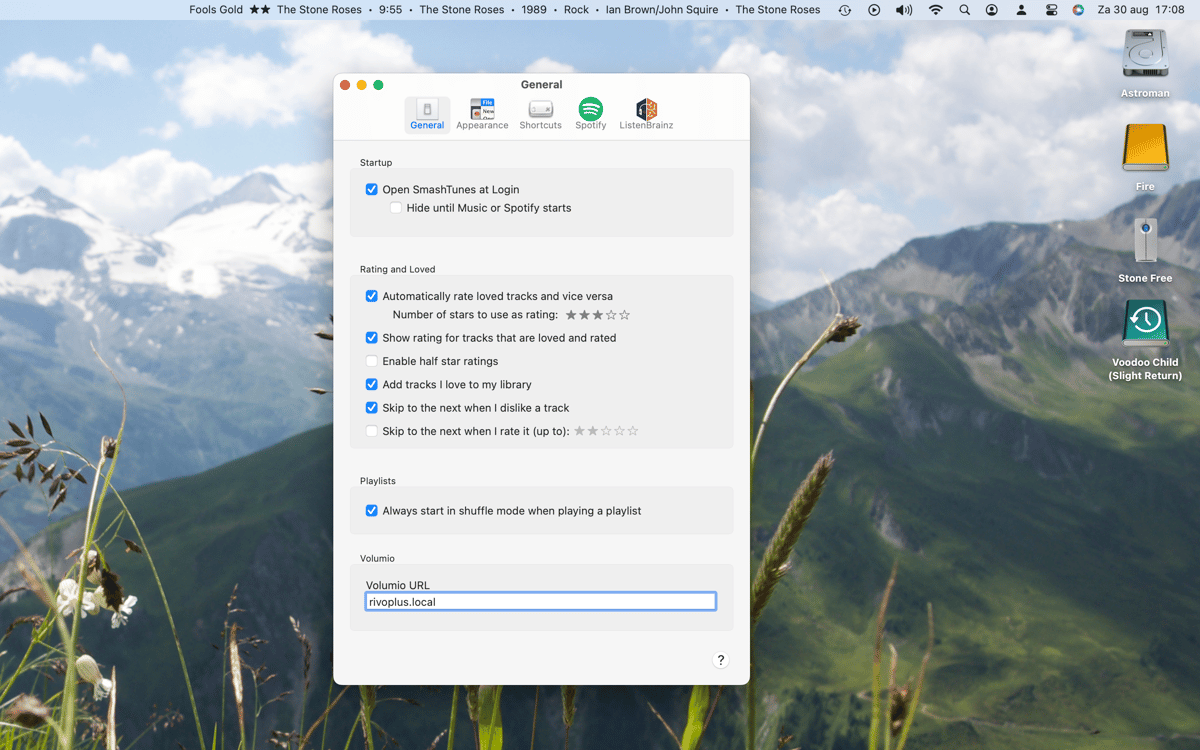
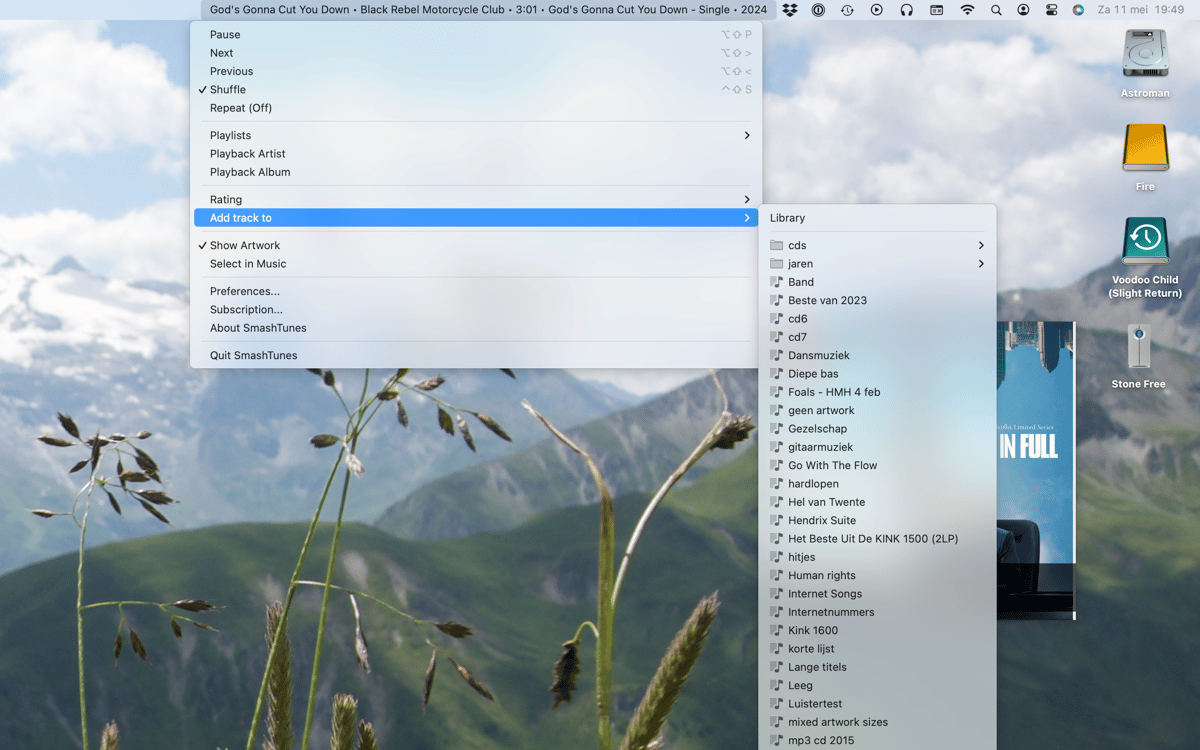
SmashTunes es un reproductor de música en la barra de menú para Mac. Muestra la canción que se está reproduciendo en Spotify o Apple Music directamente en la barra de menús: tú eliges qué información mostrar y cuánto espacio puede ocupar. Controla la reproducción, guarda canciones en tu biblioteca y gestiona las listas de reproducción sin salir de lo que estás haciendo. También es compatible con el scrobbling de ListenBrainz e incluye un widget de escritorio que muestra la portada del álbum y los detalles de las pistas.
Descubre de un vistazo qué se está reproduciendo
Controla la música sin cambiar de app
Guarda pistas en biblioteca o en tus playlists
Registra tus escuchas en ListenBrainz
Características de SmashTunes
Siempre sabrá qué está sonando
SmashTunes coloca la canción que estás reproduciendo directamente en la barra de menú, para que nunca tengas que cambiar de aplicación solo para ver qué está sonando. Funciona con Spotify y Apple Music, y se adapta al espacio que tengas disponible. Selecciona exactamente qué detalles de la pista quieres mostrar —título, artista, álbum— y deja que SmashTunes se integre discretamente en tu flujo de trabajo.
Controla la reproducción desde cualquier lugar
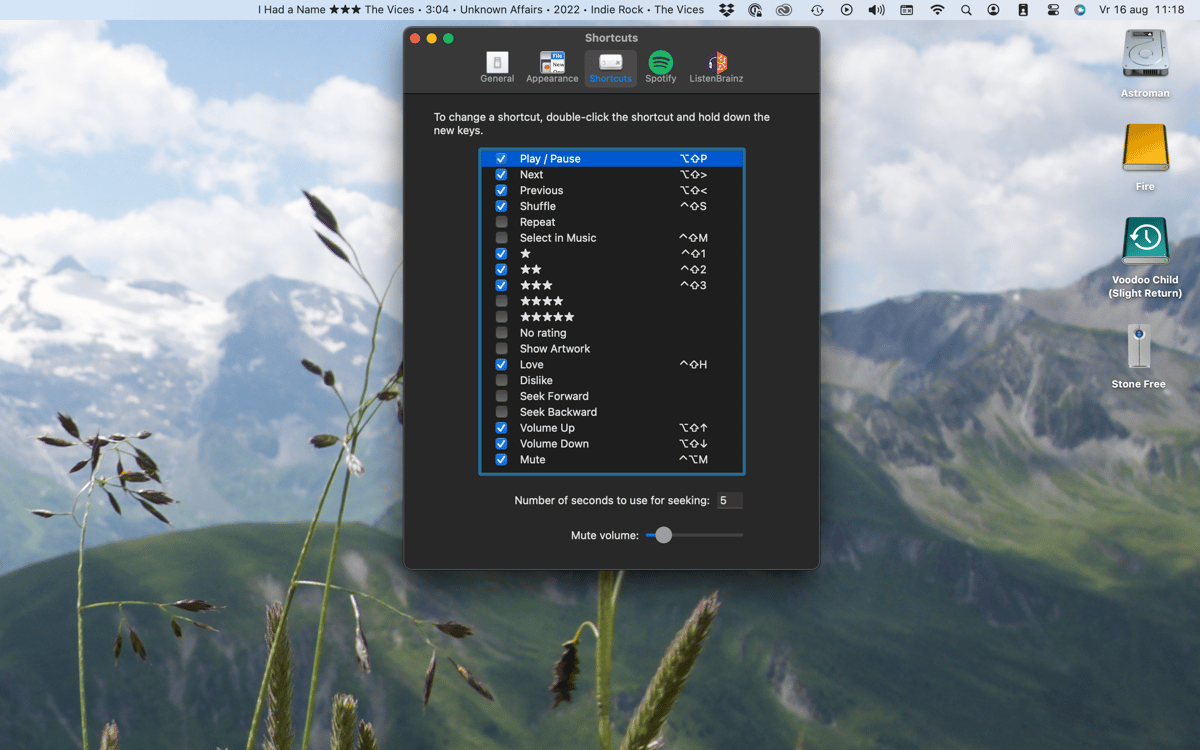
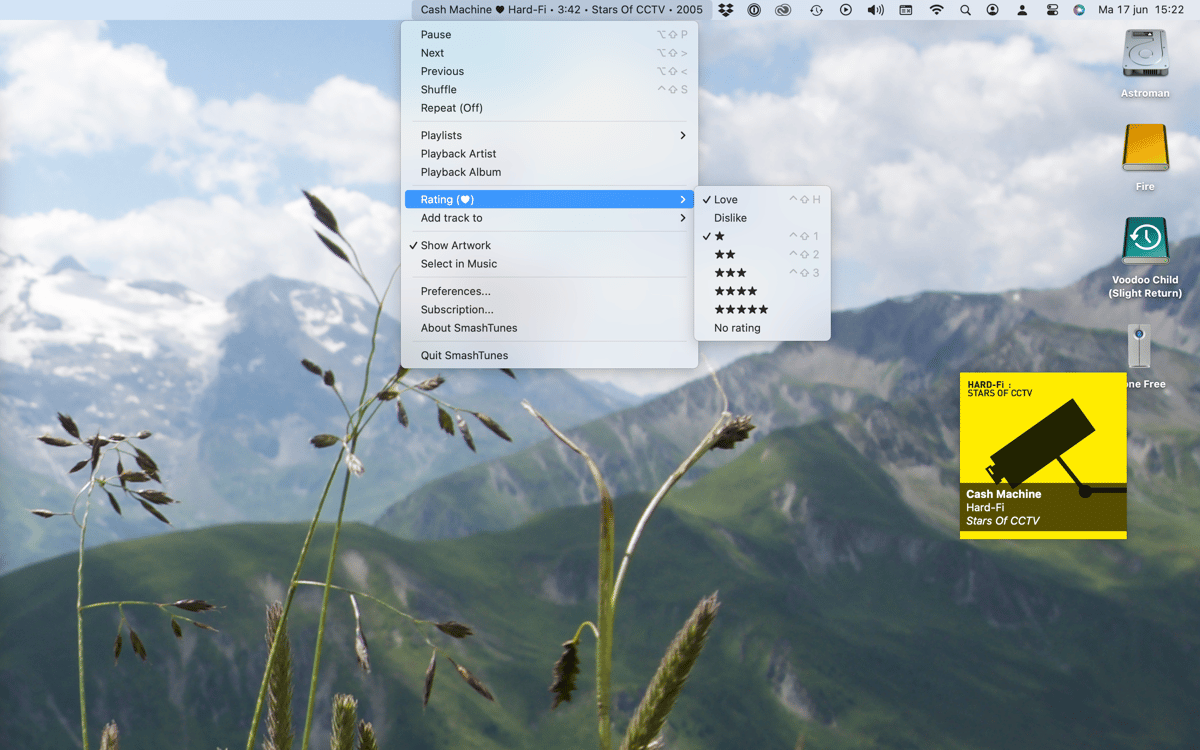
Salta, pausa o retrocede sin abrir Spotify ni Música. SmashTunes te ofrece controles de reproducción completos directamente desde la barra de menús. ¿Prefieres no soltar el teclado? Configura atajos de teclado totalmente personalizables y gestiona todo sin tocar el ratón.
Guarda las pistas al instante
¿Has escuchado algo que te guste? Añádelo a tu biblioteca o a una lista de reproducción directamente desde la barra de menú. No hace falta cambiar de reproductor, buscar la canción ni navegar por los menús: SmashTunes lo pone a un solo clic.
Scrobble en ListenBrainz
SmashTunes se integra con ListenBrainz, de modo que tu historial de escucha se registra automáticamente mientras escuchas. Si quieres hacer un seguimiento de tus hábitos musicales o simplemente llevar un registro de lo que estás escuchando, todo ocurre automáticamente en segundo plano.
Widget de escritorio con ilustración
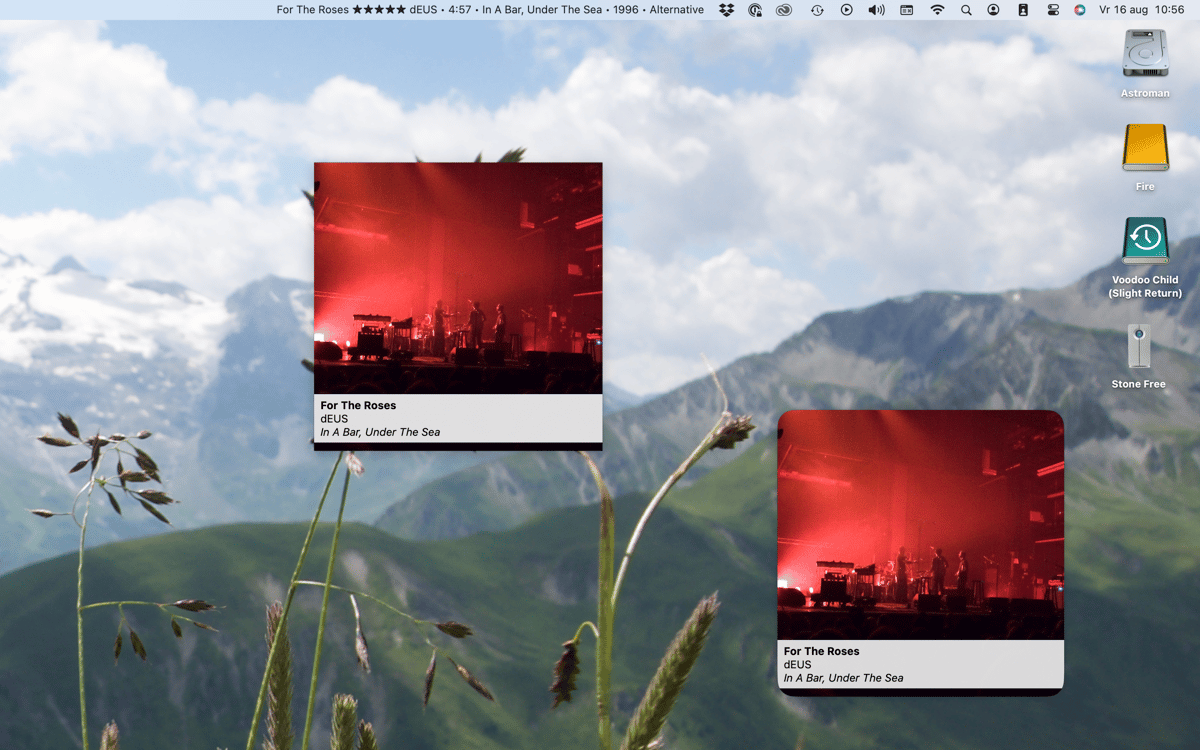
SmashTunes incluye un widget de escritorio nativo para macOS que muestra la carátula del álbum y la información de la pista que se esté reproduciendo en ese momento. Es una vista clara e intuitiva que funciona perfectamente en cualquier configuración de escritorio, sin necesidad de clics adicionales.
Suscríbete y accede a cientos de apps
Suscríbete a Setapp y usa cientos de apps fantásticas con una sola suscripción.
Pruébalo 7 días gratis y luego paga una única cuota.
Instala Setapp en tu Mac
Apps de Mac, iOS y web para encontrar soluciones a tus desafíos cotidianos.

Consigue la app que buscabas
Esa app increíble y reluciente te espera en Setapp. Instálala con un clic.

SmashTunes
Elige la suscripción
Una app o más con Setapp Membership. Consigue las apps a tu manera.

Suscríbete y accede a cientos de apps
Suscríbete a Setapp y usa cientos de apps fantásticas con una sola suscripción.
Pruébalo 7 días gratis y luego paga una única cuota.
1
Instala Setapp en tu Mac
Apps de Mac, iOS y web para encontrar soluciones a tus desafíos cotidianos.
2
Consigue la app que buscabas
Esa app increíble y reluciente te espera en Setapp. Instálala con un clic.
SmashTunes
3
Elige la suscripción
Una app o más con Setapp Membership. Consigue las apps a tu manera.
Las mejores apps bajo un mismo paraguas
Tanto para las tareas rutinarias como para los proyectos creativos, programación o planificación, todo es más fácil con las apps de Setapp.

TypingMind
Chat de IA con una interfaz alternativa
genera o resume texto
usa la biblioteca de prompts
IA

Spark Mail
Gestiona tus correos
IA

CleanMyMac
Elimina los archivos de más

Bartender
Personaliza la barra de menús

CleanShot X
Personaliza tus capturas de pantalla

Luminar Neo
Edita tus fotos
IA

ClearVPN
Conéctate con más seguridad

Craft
Trabaja con documentos
IA
SmashTunes
Tu música, siempre a la vista