
Taphouse
Homebrew sin escribir
Mac
Versión 1.5.9
macOS 14.0 o posterior
30.6 MB
6 idiomas
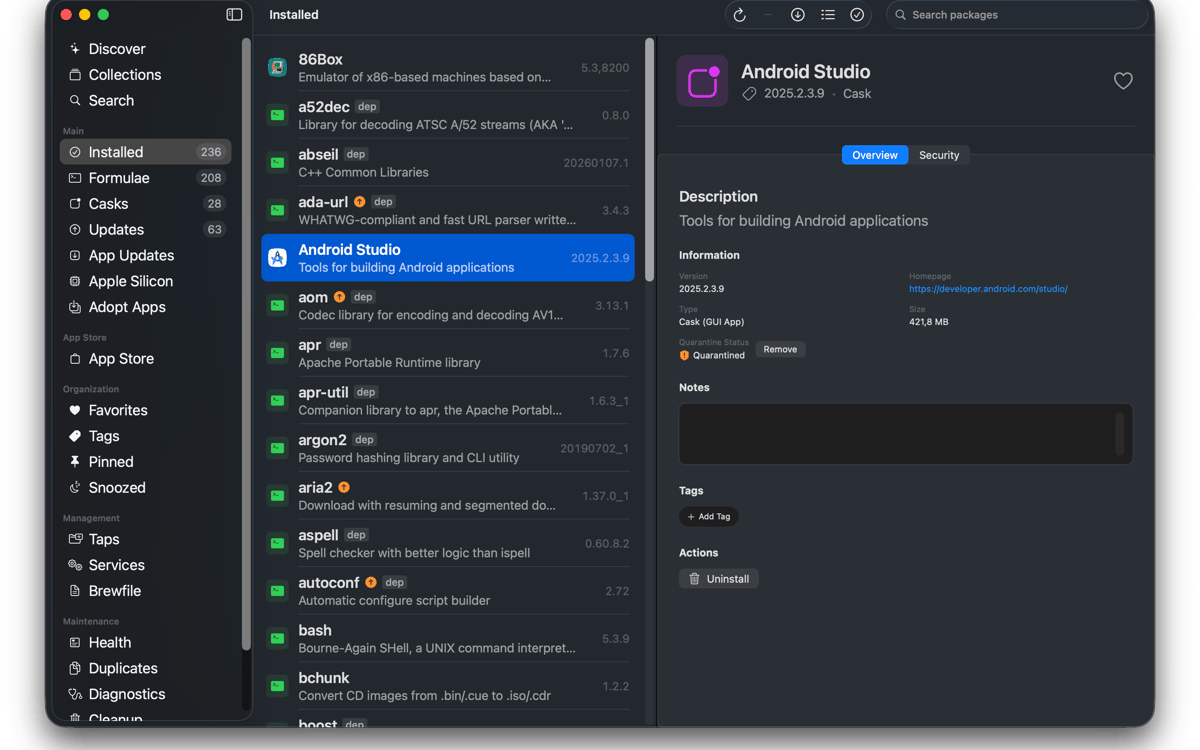
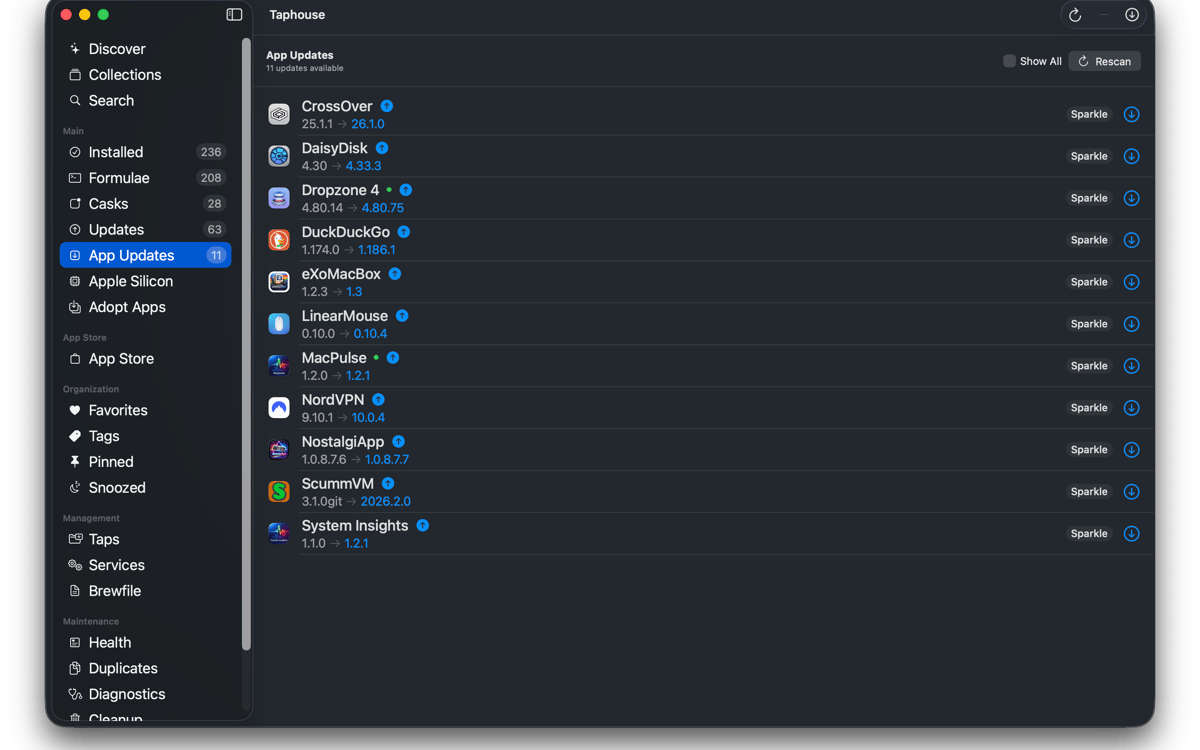
Taphouse es una aplicación nativa de Homebrew para Mac que convierte los comandos brew en simples acciones de apuntar y hacer clic. Desarrollada con SwiftUI, te ofrece una forma más limpia de explorar, instalar, actualizar y gestionar paquetes, sin renunciar a la terminal cuando aún la necesites.
Instalar apps de brew de forma visual
Actualizar paquetes con un clic
Gestiona servicios brew fácilmente
Mover configuraciones entre Macs
Características de Taphouse
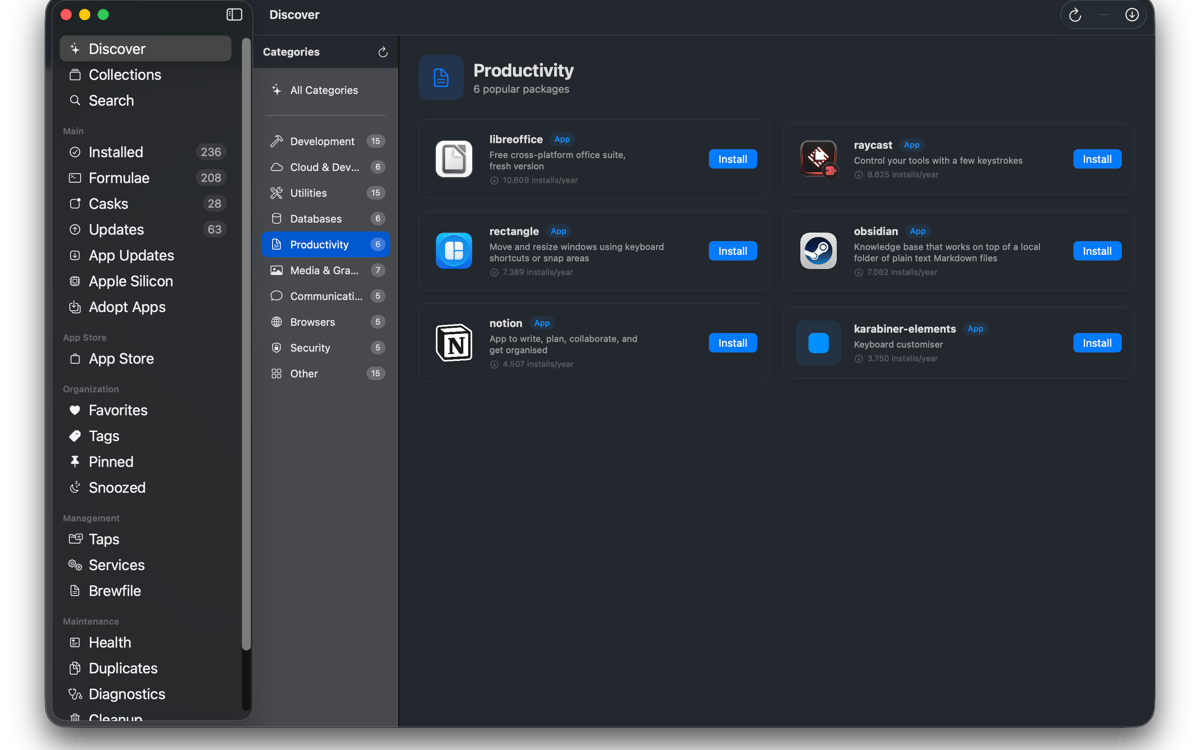
Explorar e instalar
Busca fórmulas, casks y taps de terceros de Homebrew desde una sola barra de búsqueda. Verifica dependencias, licencias, uso de disco y advertencias de Homebrew antes de instalar. Instala paquetes con un clic y observa la salida de comandos en vivo en tiempo real. Sin misterios. Solo Homebrew haciendo lo suyo.
Gestiona lo que tienes
Ve todo lo que has instalado en una lista ordenada. Filtra por fórmulas, casks, favoritos, paquetes anclados o actualizaciones disponibles. Selecciona varios paquetes para actualizar, desinstalar o anclar a la vez. Incluso puedes adoptar apps que ya estén en tu carpeta Aplicaciones para que las futuras actualizaciones también se ejecuten a través de Homebrew.
Mantente al día
Elige cuándo Taphouse busca actualizaciones y recibe notificaciones cuando algo esté listo. También están disponibles las actualizaciones automáticas en segundo plano, con un comportamiento que controla el consumo de batería para que tu Mac no empiece a trabajar de más en el momento inadecuado. El icono de la barra de menús muestra los paquetes obsoletos de un vistazo. ¿Actualizando aplicaciones en ejecución? Taphouse puede cerrarlas correctamente antes de actualizarlas.
Gestiona servicios, taps y Brewfiles
Inicia y detén servicios de Brew sin escribir comandos manualmente. Añade, elimina y ancla grifos con solo unos clics. Importa y exporta Brewfiles para transferir tu configuración entre Macs. La búsqueda también admite rutas de taps de terceros completas y puede añadir taps faltantes automáticamente.
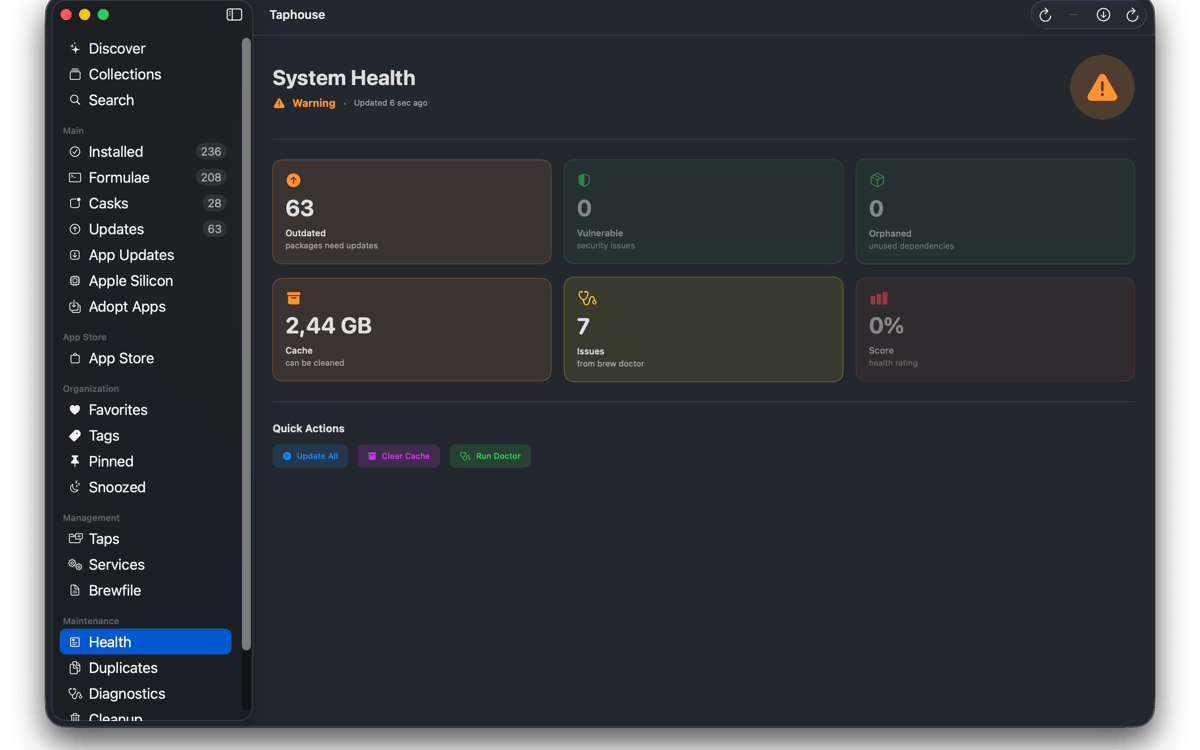
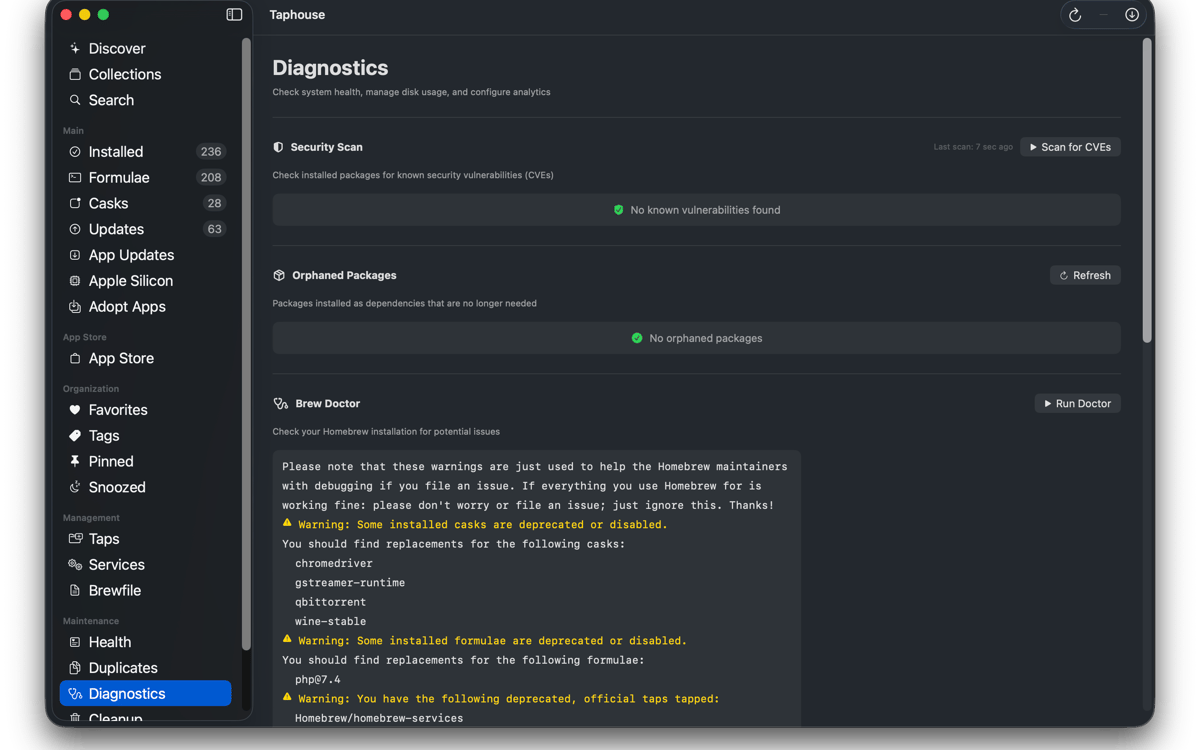
Mantén Homebrew en buen estado
Ejecuta `brew doctor` en una interfaz legible en lugar de un muro de texto del Terminal. Ve cuánto espacio usa Homebrew y elimina archivos que ya no necesites. También puedes eliminar las marcas de cuarentena, realizar un seguimiento de las instalaciones duplicadas y mantener organizada la configuración de tus paquetes sin cambiar constantemente de herramienta.
Y algunos extras
Taphouse también incluye historial de instalación, visualización del árbol de dependencias, notas del paquete, etiquetas y colecciones, modo de lista compacta, herramientas de migración de Apple Silicon e integración con mas CLI. Todo se mapea directamente con comandos reales de brew, así tu configuración permanece portátil, familiar y totalmente tuya.
Valoraciones y reseñas
Taphouse
•
61 valoraciones
Steve Solari
14 oct 2026
Versión de la app: 1.5.8.9
Makes updates easy because everything is in one place
Mike Procario
5 oct 2026
Versión de la app: 1.5.8.7
I have just started using it. My first time use went well.
Binu Alexander
5 oct 2026
Versión de la app: 1.5.8.7
Nice app , very useful
Suscríbete y accede a cientos de apps
Suscríbete a Setapp y usa cientos de apps fantásticas con una sola suscripción.
Pruébalo 7 días gratis y luego paga una única cuota.
Instala Setapp en tu Mac
Apps de Mac, iOS y web para encontrar soluciones a tus desafíos cotidianos.

Consigue la app que buscabas
Esa app increíble y reluciente te espera en Setapp. Instálala con un clic.

Taphouse
Elige la suscripción
Una app o más con Setapp Membership. Consigue las apps a tu manera.

Suscríbete y accede a cientos de apps
Suscríbete a Setapp y usa cientos de apps fantásticas con una sola suscripción.
Pruébalo 7 días gratis y luego paga una única cuota.
1
Instala Setapp en tu Mac
Apps de Mac, iOS y web para encontrar soluciones a tus desafíos cotidianos.
2
Consigue la app que buscabas
Esa app increíble y reluciente te espera en Setapp. Instálala con un clic.
Taphouse
3
Elige la suscripción
Una app o más con Setapp Membership. Consigue las apps a tu manera.
Las mejores apps bajo un mismo paraguas
Tanto para las tareas rutinarias como para los proyectos creativos, programación o planificación, todo es más fácil con las apps de Setapp.

TypingMind
Chat de IA con una interfaz alternativa
genera o resume texto
usa la biblioteca de prompts
IA

Spark Mail
Gestiona tus correos
IA

CleanMyMac
Elimina los archivos de más

Bartender
Personaliza la barra de menús

CleanShot X
Personaliza tus capturas de pantalla

Luminar Neo
Edita tus fotos
IA

ClearVPN
Conéctate con más seguridad

Craft
Trabaja con documentos
IA
Taphouse
Homebrew sin escribir