
Tecta
Keep tabs on Claude Code
Mac
Versión 1.0.0
macOS 14.0 o posterior
28.4 MB
1 idiomas
Tecta is a Claude Code session monitor that lives in your Mac's menu bar. It keeps an eye on every session you have open and tells you what each one is working on, what it needs from you, and what's next. Running ten agents at once is great, right up until you lose track of the one that's been waiting on you for twenty minutes. Tecta shows you which tabs need you and takes you straight there in one click.
See which session is waiting on you
Catch up on a tab without scrolling back
Jump straight to the right terminal tab
Turn today's work into a standup note
Características de Tecta
Know what every tab is doing
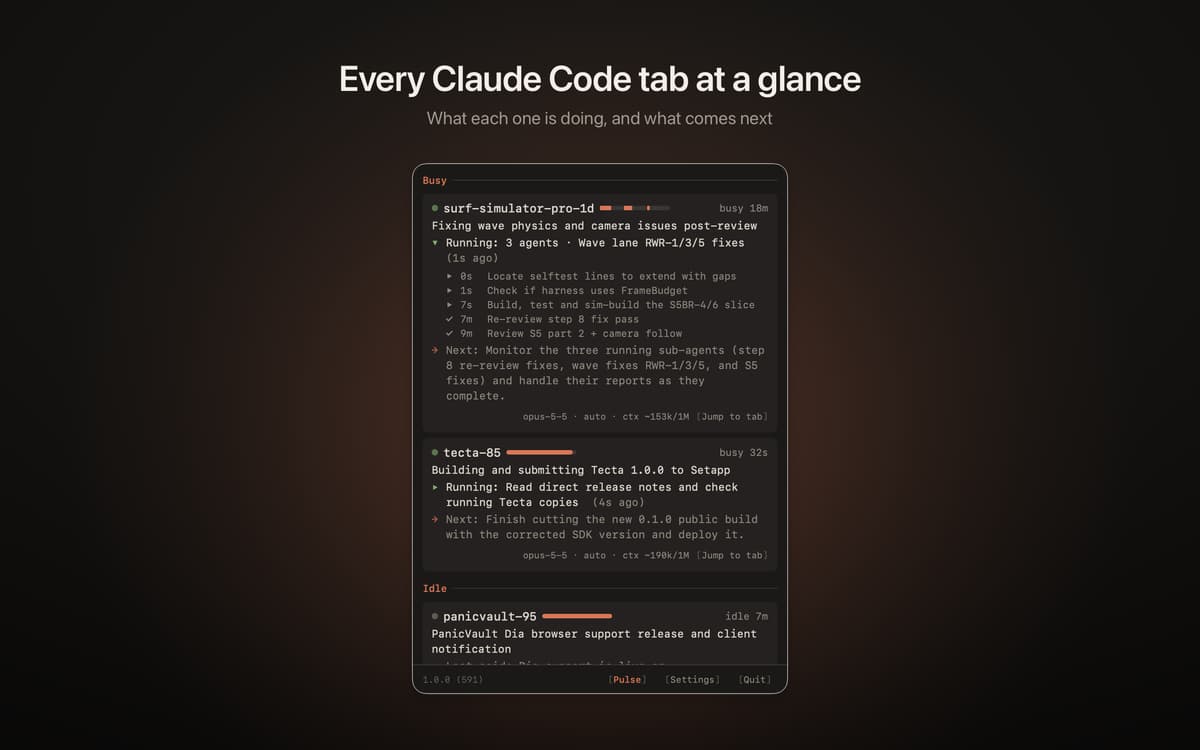
Every session gets its own card with a short summary of the task, the question it's waiting on, and the next step. A live line shows what the agent is up to right now, so you don't have to switch tabs to find out.
See who's waiting on you
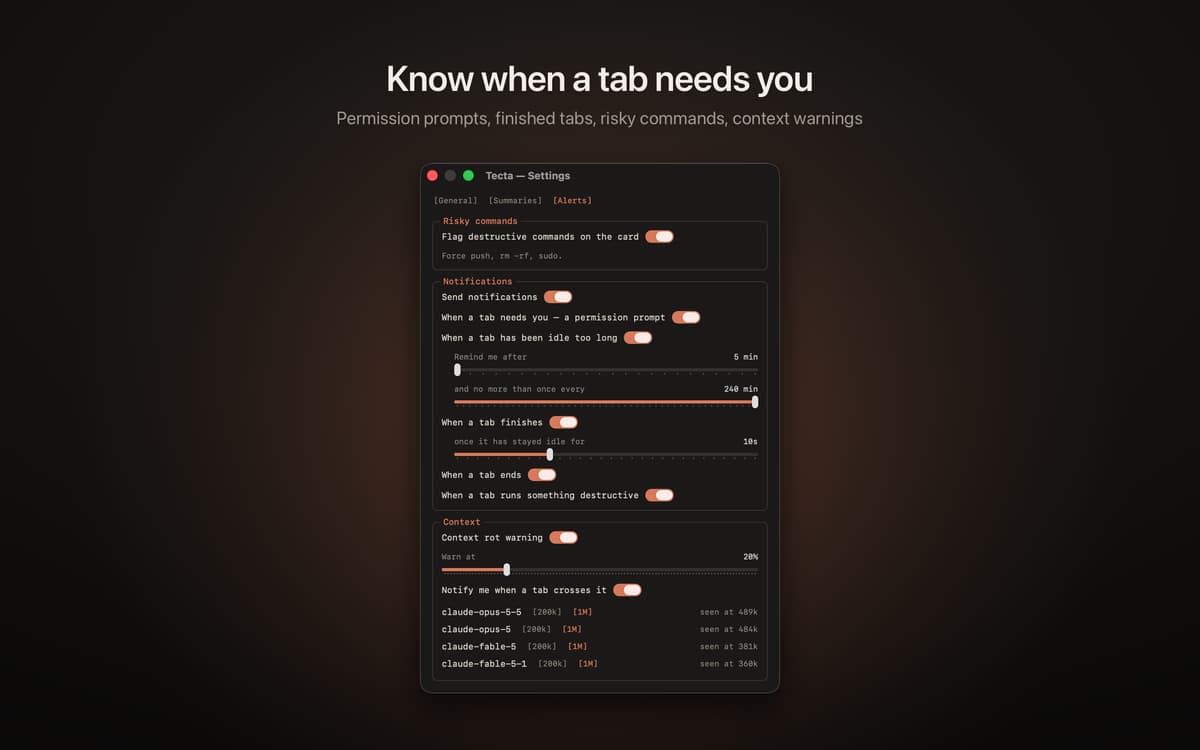
An amber count in the menu bar shows how many tabs need an answer, and a green one shows the tabs that just finished. When an agent asks for permission, you get a notification with the tab's name and the command it wants to run.
Jump to the right tab
Click a session and its terminal tab comes to the front. It works with iTerm2, Terminal, Ghostty and tmux. Using something else? Tecta brings your terminal forward and copies the session name for you.
Catch up after a break
Back from lunch? Each card shows what changed since you last looked, and a finished tab lists what it got done: files changed, test results, commits. Tecta also flags risky commands, like a force push or sudo, and reminds you about a tab that's been waiting a while.
Watch the whole fleet
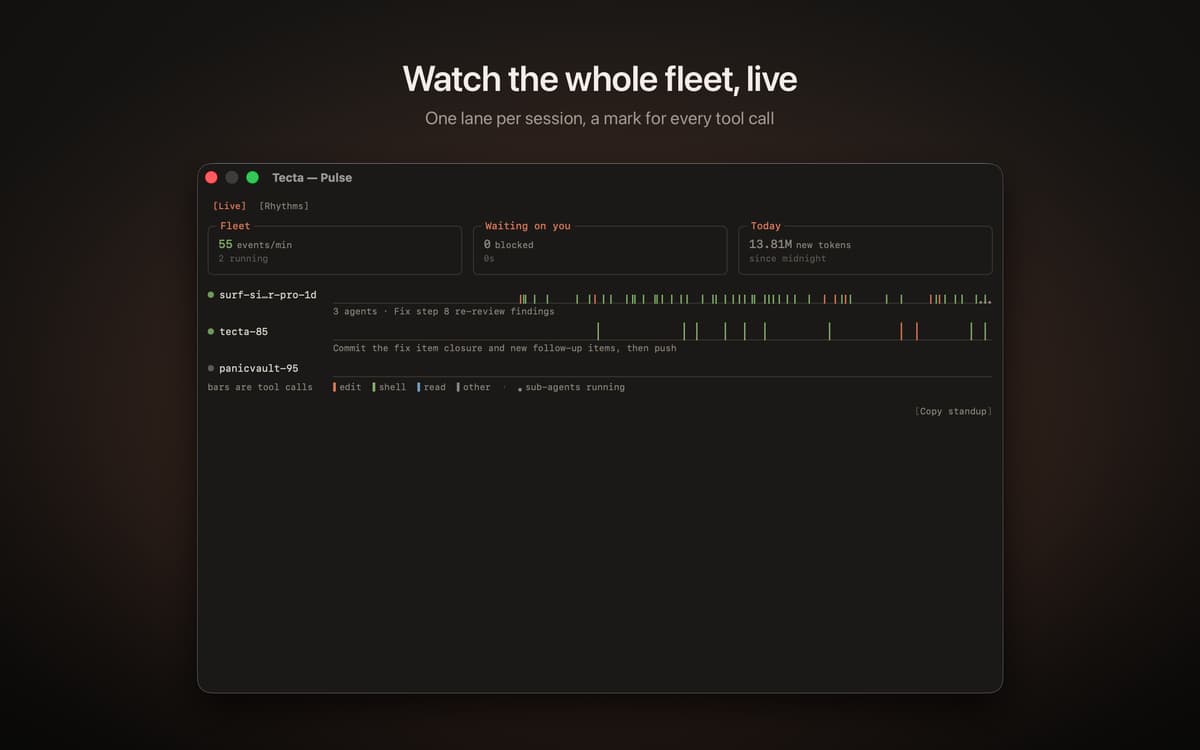
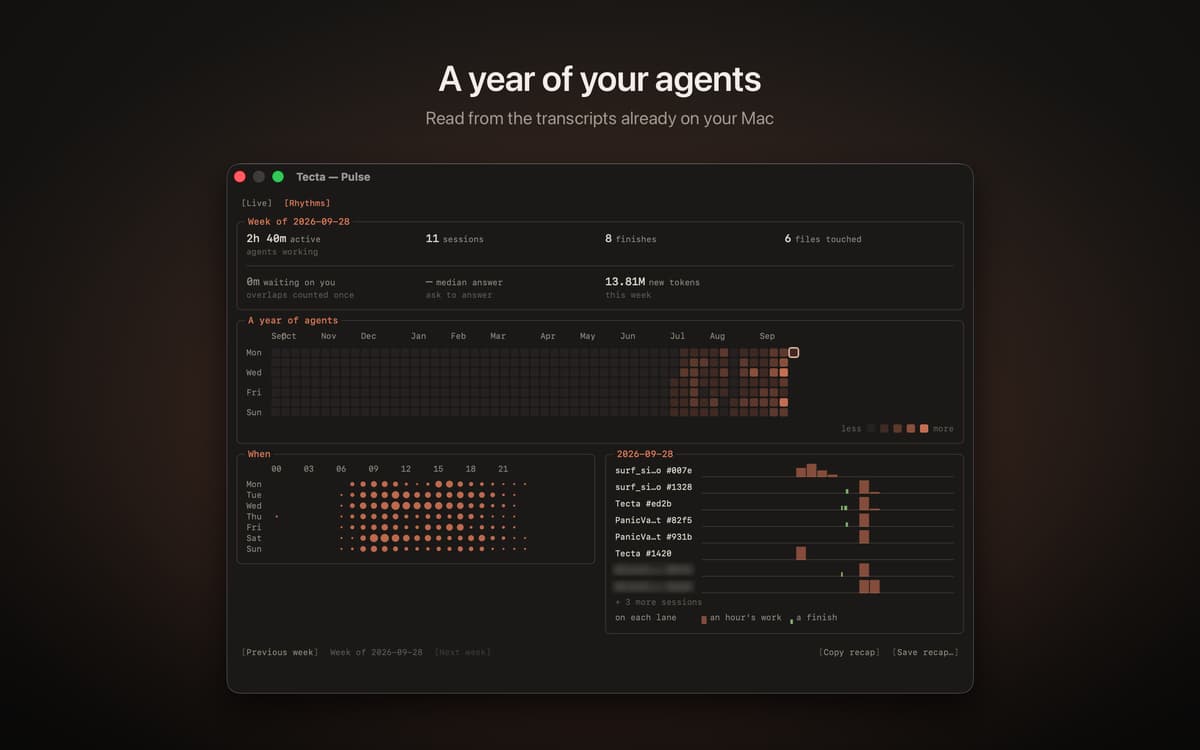
Pulse is a live window with one lane per session, marking edits, shell commands and file reads as they happen. Rhythms turns the transcripts already on your Mac into a year of Claude Code activity. When it's standup time, Copy standup puts today's work on your clipboard as Markdown.
Runs on your own Claude Code
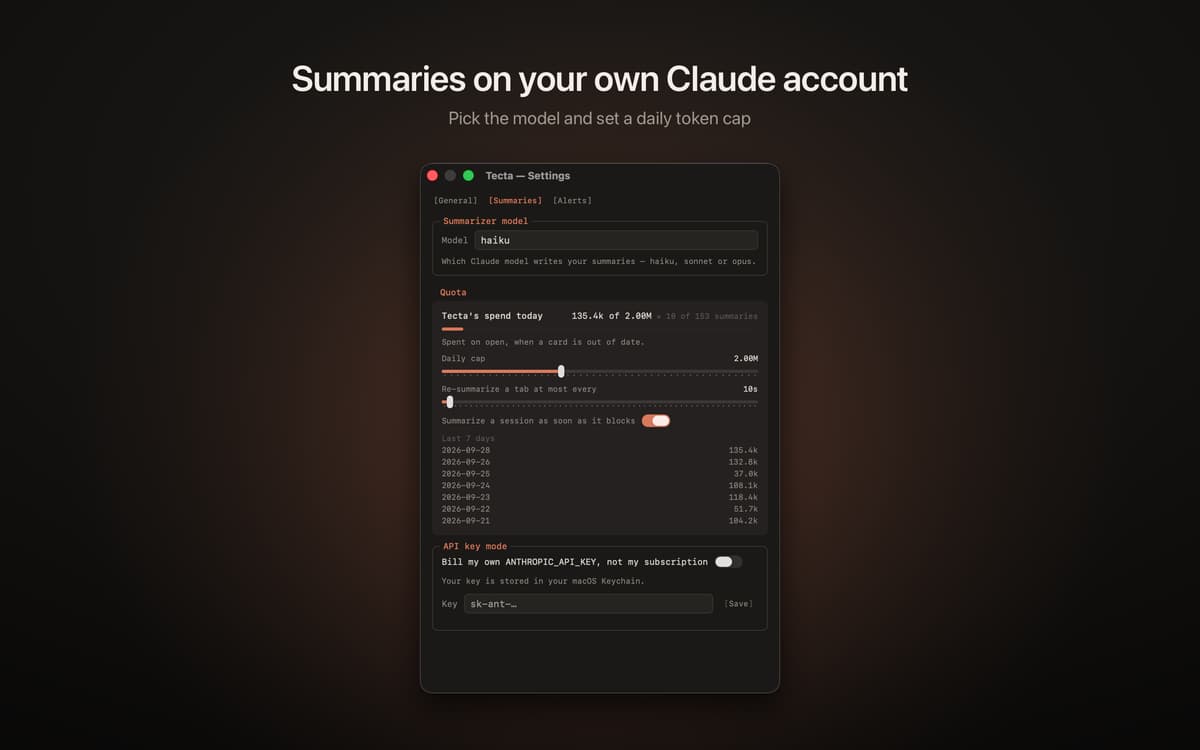
Tecta needs Claude Code, installed and signed in. Summaries come from your own claude command, which sends an excerpt of the session to Anthropic the same way it sends the session itself. There's no new account to create, and no API key to add unless you'd rather use one. Tecta has no server of its own, doesn't collect analytics, and keeps its data on your Mac.
Suscríbete y accede a cientos de apps
Suscríbete a Setapp y usa cientos de apps fantásticas con una sola suscripción.
Pruébalo 7 días gratis y luego paga una única cuota.
Instala Setapp en tu Mac
Apps de Mac, iOS y web para encontrar soluciones a tus desafíos cotidianos.

Consigue la app que buscabas
Esa app increíble y reluciente te espera en Setapp. Instálala con un clic.

Tecta
Elige la suscripción
Una app o más con Setapp Membership. Consigue las apps a tu manera.

Suscríbete y accede a cientos de apps
Suscríbete a Setapp y usa cientos de apps fantásticas con una sola suscripción.
Pruébalo 7 días gratis y luego paga una única cuota.
1
Instala Setapp en tu Mac
Apps de Mac, iOS y web para encontrar soluciones a tus desafíos cotidianos.
2
Consigue la app que buscabas
Esa app increíble y reluciente te espera en Setapp. Instálala con un clic.
Tecta
3
Elige la suscripción
Una app o más con Setapp Membership. Consigue las apps a tu manera.
Las mejores apps bajo un mismo paraguas
Tanto para las tareas rutinarias como para los proyectos creativos, programación o planificación, todo es más fácil con las apps de Setapp.

TypingMind
Chat de IA con una interfaz alternativa
genera o resume texto
usa la biblioteca de prompts
IA

Spark Mail
Gestiona tus correos
IA

CleanMyMac
Elimina los archivos de más

Bartender
Personaliza la barra de menús

CleanShot X
Personaliza tus capturas de pantalla

Luminar Neo
Edita tus fotos
IA

ClearVPN
Conéctate con más seguridad

Craft
Trabaja con documentos
IA
Tecta
Keep tabs on Claude Code